
QR Code for Movers - Quote Forms, Booking & Tracking
Create QR codes for movers linking quote forms, booking pages, moving checklists, reviews, contact cards, maps, coupons, and tracking pages. Use them on trucks, boxes, cards, and estimates.
Free QR code generator
Create a QR code online
Generate QR codes for websites, email, phone numbers, vCards, Wi-Fi, plain text, forms, PDF files, and campaign links. Customize colors, add a logo or frame, then download a print-ready PNG or SVG.
Choose QR code type
Website QR code, Email QR code, Phone QR code, vCard QR code, Wi-Fi QR code, Text QR code, SMS, WhatsApp, event, and download links.
Add your content
Enter your website URL, contact details, message, phone number, location, or file destination before generating the QR code.
Customize and download
Adjust QR colors, error correction, logo, frame, size, and margin. Generate QR Code, Download PNG, Download SVG, or Save and track scans.
Moving quote path
Help moving customers open quotes, checklists, booking, reviews, and updates
A QR code for movers is useful when trucks, estimate sheets, invoices, door hangers, box labels, moving checklists, and neighborhood flyers should open a practical next step. It can open quote forms, booking pages, moving checklists, review pages, contact cards, maps, coupons, and tracking pages. Moving companies, local movers, relocation services, delivery crews, and home service providers can use QR codes to reduce phone tag and make moving-day information easier to reach.
Moving is full of moments where customers need quick information. A truck decal can open service areas and quote requests. An estimate sheet can open a booking page or checklist. A box label can open packing guidance. A final invoice can request a review. A door hanger can offer neighborhood moving help. The QR code should make the next action obvious at the moment the customer is already thinking about the move. QR Code Lab helps create printable codes, dynamic links, and scan analytics.
QR Code Lab creates URL QR codes only. It does not process payments, manage orders, collect forms, run bookings, provide professional advice, or operate moving software. Your quote, booking, review, tracking, or CRM system handles the moving workflow.
Moving customer path
Help moving customers request quotes, prepare inventory, pay, review, and rebook without phone-tag
Moving serviceA moving company QR code should connect trucks, door hangers, estimate packets, invoices, referral cards, and storage labels to the next practical action: request a quote, upload inventory photos, confirm dates, pay a deposit, read move-day notes, or leave feedback.
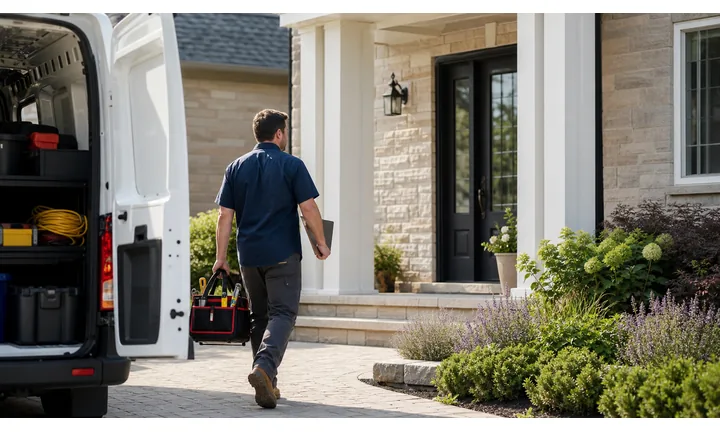
Turn local visibility into better quote requests
Use QR codes on trucks, yard signs, flyers, and referral cards to open service areas, move types, quote forms, availability, packing options, and proof from recent jobs.
The scan should help customers describe the move before the estimator calls.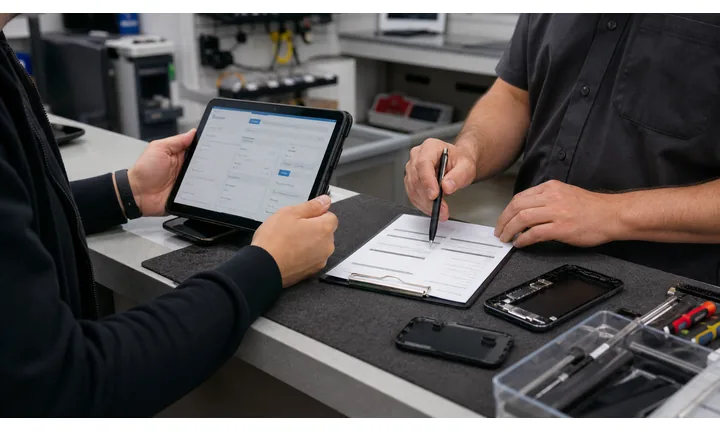
Collect inventory and access details before move day
A QR destination can ask for rooms, stairs, elevator rules, parking, building access, photos, fragile items, storage needs, and preferred dates.
Cleaner information upfront means fewer surprises for crews and customers.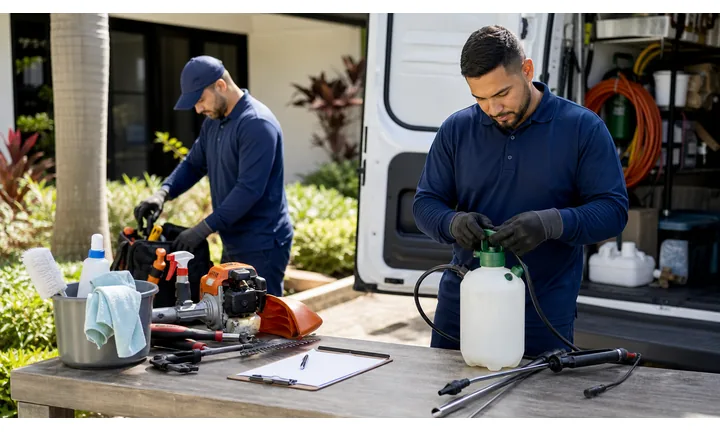
Keep estimate, payment, and prep links current
Dynamic QR helps when quote forms, booking calendars, packing guides, payment pages, review links, and storage instructions change after print.
Moving print often stays on trucks and packets through many campaigns.A mover QR should reduce uncertainty before the crew arrives
The customer may be pricing a move, sharing inventory, confirming a date, paying a deposit, reading packing notes, or asking about damages. The destination should route that stage clearly.
Use CTAs such as request moving quote, upload inventory photos, confirm move details, pay deposit, read packing guide, or review your crew.Quotes
Open move type, inventory, photos, addresses, access, and date preferences.
Prep
Share packing checklists, elevator notes, parking instructions, storage rules, and contact.
Payment
Route deposits, balances, tips, storage, and invoices to trusted provider pages.
Follow-up
Use receipts and cards for reviews, claims, support, referrals, and repeat moves.
Moving customer moments
Turn moving touchpoints into quote requests, prep, payments, reviews, referrals, and repeat moves
Local serviceMoving QR codes work best when each printed piece matches the customer stage: planning, estimating, packing, move day, payment, support, or post-move feedback.

Collect useful quote details before the call
Open forms for addresses, dates, rooms, large items, stairs, elevator rules, parking, photos, and packing needs.

Show trust before customers hand over their belongings
Route prospects to reviews, service area, crew process, insurance notes, recent moves, and what to expect.

Give customers move-day instructions in one place
Use estimate packets and reminder cards for packing checklists, parking instructions, elevator notes, labels, and contact details.

Open deposits and invoices through a trusted provider
Use QR on estimates and invoices for deposits, balances, storage, tips, and receipt paths with clear business context.

Ask after the move is complete
Use receipts, thank-you cards, and follow-up materials to invite reviews or private support if something needs attention.

Make recommendations easy after a good move
Connect happy customers to referral offers, storage, packing supplies, junk removal partners, and future move reminders.

Moving customers scan when they want confidence and less back-and-forth
The page should make it easy to explain the move, understand the process, pay securely, and know who to contact if plans change.
Editable QR keeps moving print current across seasons and routes
Dynamic QR lets movers update quote forms, service areas, packing guides, payment links, availability, and review paths without replacing every truck sign or packet.
Match each moving QR to the job stage
Moving placement
Place moving QR codes where customers are planning, confirming, paying, or reviewing the job
PlacementMoving QR placement should match the physical moment: a truck creates proof, a door hanger creates interest, an estimate packet needs prep, and an invoice needs payment or feedback.

A generic code does not explain the move action
Customers may not know whether the QR opens a quote, packing guide, payment page, review link, or claim support.
A moving QR should remove uncertainty, not add another mystery link.
Put the code beside the moving task it solves
Use trucks for proof and quotes, packets for prep, invoices for payment, and follow-up cards for reviews or support.
The printed CTA and first screen should match exactly.
What stage is the customer in?
Researching movers, requesting a quote, preparing inventory, confirming date, paying, reporting an issue, or reviewing.
What information is needed next?
Addresses, dates, inventory, access, photos, packing notes, payment, support, or feedback.
Can the code be scanned from the placement?
Use larger codes on trucks and signs; keep packets, invoices, and cards clean and high-contrast.
Will the destination change?
Use dynamic QR for quote forms, calendars, service areas, payments, prep guides, and review pages.
Moving truck
Open service area, proof, quote request, reviews, and contact when safely scanned while parked.
Door hanger
Route to local offer, estimate form, packing help, and availability.
Estimate packet
Connect to inventory photos, access notes, packing checklist, deposit, and contact.
Invoice or receipt
Open trusted payment, receipt, review, support, and referral path.
Storage label
Link storage instructions, inventory, unit contact, and support.
Referral card
Send friends to quote request, service area, proof, and offer details.
Building lobby sign
Use for move-day rules, elevator booking, parking, and crew contact.
Packing supply insert
Open packing tips, box labels, supply reorder, and move checklist.
A moving QR should make the next logistics step easier
If the scan does not reduce planning, payment, prep, or support friction, the placement needs a clearer job.
After-print control
Keep moving QR links current as schedules, service areas, and payment pages change
DynamicMoving print lives on trucks, flyers, packets, invoices, and referral cards. Dynamic QR keeps those pieces useful when availability, quote forms, service areas, and payment links change.
Old moving print can send customers to stale details
Static QR is fine only when the destination is permanent. Movers often change booking calendars, service areas, quote forms, packing guides, and payment providers.
A stale link can cost a quote or create move-day confusion.
One printed code can stay connected to the current moving workflow
Dynamic QR lets trucks, packets, flyers, invoices, and cards keep opening the right destination after links change.
That matters for seasonal demand, local routes, and payment updates.

Quote forms
Update inventory questions, date fields, service areas, and photo-upload destinations.
Move-day prep
Refresh packing guides, parking notes, elevator rules, and customer contact paths.
Payments and invoices
Point deposits, balances, tips, and storage payments to current provider pages.
Reviews and referrals
Keep feedback, support, referral, and offer pages current after the move.
Use dynamic QR when moving print may outlive the current link
If reprinting would be painful when a form or payment page changes, make the code editable first.
Moving scan reading
Compare moving QR scans by truck, flyer, packet, invoice, and referral placement
AnalyticsQR analytics can show which trucks, door hangers, packets, invoices, referral cards, or local flyers earn scans. Use the signal to improve print and routing without overclaiming every booked move.

All scans become one vague moving total
A single QR can show overall interest, but it cannot tell whether a truck, packet, invoice, door hanger, or referral card caused the scan.
Use one code only when placement comparison is not needed.
Each moving placement becomes easier to read
Separate dynamic QR codes let you compare quote, prep, payment, review, and referral placements.
The data is directional, but it helps decide what to print and where to place it.
Scan volume
See which moving placements receive attention.
Time and device
Check when customers scan and which device opens the destination.
Broad location
Use approximate location to compare neighborhoods, routes, and service areas carefully.
Placement comparison
Compare trucks, packets, invoices, flyers, storage labels, and referral cards.
Name codes by job stage
Use names such as truck-quote, packet-prep, invoice-pay, doorhanger-local, or card-referral.
Compare proof and post-job materials separately
Prospect scans and existing-customer scans should not share one code when reporting matters.
Keep expectations practical
Scan data shows attention and timing; booked moves, payments, and reviews still need their own systems.
Books and printed content
Learn whether readers open bonus pages, downloads, updates, or feedback forms from book pages.
Moving analytics work when every printed code has a job name
Good QR naming turns scan totals into usable marketing and operations decisions.
Estimate, truck, and review flow
Put mover QR codes where customers plan, pack, or recommend you
Good placements include truck decals, estimate sheets, invoices, moving checklists, box labels, door hangers, yard signs, business cards, review cards, neighborhood flyers, and packing supply inserts. CTAs should say request quote, book move, open checklist, save contact, track move, claim coupon, view service area, or leave review. A checklist QR can be especially useful because customers keep referring to it before moving day.
Dynamic QR codes help when quote forms, seasonal offers, service areas, checklists, and tracking pages change. Scan analytics can show whether trucks, estimates, invoices, or flyers create more follow-up. QR Code Lab measures scans and manages the redirect, while the linked moving software or form platform handles quotes, scheduling, and customer data.
Keep planning links separate from review links. A customer before the move needs dates, pricing path, and packing help. A customer after the move needs review, support, or referral options. Mixing both can make the scan feel messy. For box labels, use short instructions because people may scan while packing.
Moving payments
Use moving payment QR codes for deposits, balances, storage, and tips with clear job context
PaymentsA moving payment QR should show whether the customer is paying a deposit, final balance, storage fee, packing supplies, tip, or invoice. The destination should open a trusted provider.

Deposits and balances
Use QR codes on estimates and invoices to open trusted payment pages with move date and service context.
Storage or supplies
Route storage fees, packing supplies, and add-ons through current checkout or invoice pages.
Tips and completion
Use completion cards for tips, receipts, reviews, and support without mixing the paths.
The QR should open a trusted payment provider, not collect card details itself
Keep authentication, receipts, refunds, disputes, and confirmation inside the provider or billing system. The QR code is only the shortcut.
Scan analytics only show QR scan activity. A scan does not mean a payment was completed.Moving payment QR codes need trust and job context
Customers should understand the charge, provider, and support route before paying.
Moving trust
Make moving QR codes look official before customers share details or pay
TrustMoving QR codes may open quotes, inventory forms, payments, reviews, or support. The printed code and destination should clearly belong to the moving company and explain the purpose.

Anonymous quote forms
Customers may hesitate to share addresses, dates, and inventory if the page does not show the company identity.
Watch for similar-looking domains, long URLs, login or verify keywords, and pages asking for credentials after an unexpected scan.
Unclear payment links
Deposits, balances, storage, and tips need provider and move context before payment.
A trustworthy QR should not make the final destination mysterious, especially on posters, labels, menus, parking signs, or event materials.
Outdated prep pages
Old packing guides, wrong service areas, and retired quote links create confusion before move day.
Before paying, check the domain, HTTPS, amount, recipient, and whether the destination matches the place or brand that printed the QR.Scan every moving QR like a cautious customer
Confirm the first screen matches the printed CTA, shows the moving company, and opens a current quote, prep, payment, or support path.
The current detailed report is a static URL analysis. It helps reveal the encoded content and basic URL risk signals, but it does not guarantee that a destination is safe and does not replace browser, antivirus, payment, or bank security checks.Decoded content
See the raw value inside the QR before opening it.
Content type
Recognize URL, Wi-Fi, mailto, phone, SMS, vCard, or plain text.
URL risk signals
Review HTTPS, shorteners, IP addresses, long URLs, encoded characters, query parameters, and sensitive keywords.
Destination report
For URL codes, view final URL fields, static redirect report fields, domain fields, TLS placeholders, page metadata fields, and risk reasons.
Make your own QR codes easier to trust
A safe-looking QR code is not only about security. It is also about reducing uncertainty for the scanner. Use clear destination text, a branded landing page, normal HTTPS domains, and a visible explanation of what happens after scanning.






