
QR Code for Cleaners - Booking, Quotes & Service Reviews
Create QR codes for cleaners linking booking forms, quote pages, service lists, reviews, payment pages, checklists, and contact pages. Use them on door hangers, cards, invoices, and vehicles.
Free QR code generator
Create a QR code online
Generate QR codes for websites, email, phone numbers, vCards, Wi-Fi, plain text, forms, PDF files, and campaign links. Customize colors, add a logo or frame, then download a print-ready PNG or SVG.
Choose QR code type
Website QR code, Email QR code, Phone QR code, vCard QR code, Wi-Fi QR code, Text QR code, SMS, WhatsApp, event, and download links.
Add your content
Enter your website URL, contact details, message, phone number, location, or file destination before generating the QR code.
Customize and download
Adjust QR colors, error correction, logo, frame, size, and margin. Generate QR Code, Download PNG, Download SVG, or Save and track scans.
Service request path
Turn a flyer, invoice, or finished job into the next cleaning request
A QR code for cleaners is useful when a customer sees a local flyer, door hanger, invoice, service card, or completed job and needs a fast way to request the next action. It can open booking forms, quote pages, service lists, review pages, payment pages, cleaning checklists, contact pages, before-and-after galleries, and recurring service offers. Residential cleaners, commercial cleaners, maid services, janitorial companies, carpet cleaners, and local cleaning teams can use QR codes to keep service requests simple.
The scan should match the trust moment. A door hanger may open a quote form. An invoice may open payment. A leave-behind card may ask for a review. A checklist can show what was completed. QR Code Lab helps make those links printable, dynamic, and measurable so cleaning businesses can learn which local materials actually create follow-up.
QR Code Lab creates URL QR codes only. It does not process payments, manage bookings, collect orders, run CRM systems, or operate POS software. The linked booking, quote, payment, review, or CRM platform handles the actual service workflow and customer records.
Cleaning service follow-up
Help cleaning customers book, review, pay, or request the next service
Service flowA cleaner QR code should turn a completed job, flyer, door hanger, invoice, van decal, or referral card into a clear next action: book again, request a quote, leave a review, tip, pay, or contact the team.
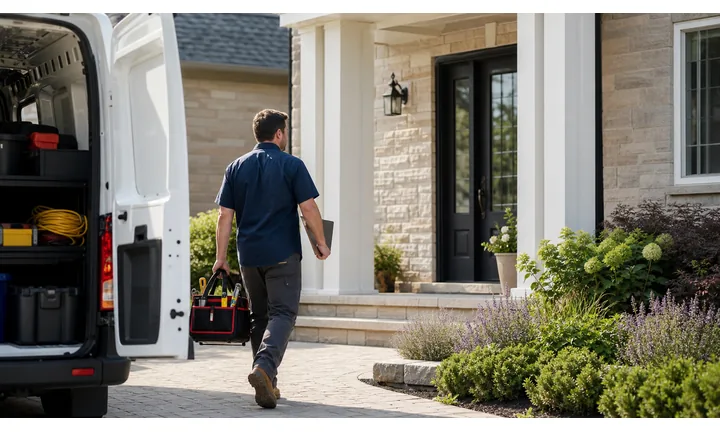
Turn offline cleaning materials into booking paths
Use QR codes on flyers, fridge magnets, leave-behind cards, invoices, door hangers, uniforms, and vehicles to open booking, quote requests, service menus, and availability.
The scan should make scheduling easier while the home or office need is fresh.
Ask for reviews and referrals after the job is complete
Put QR codes on thank-you cards, receipts, follow-up notes, and service checklists so satisfied customers can leave a review, refer a neighbor, or claim a repeat-service offer.
The best review ask happens after the work has been delivered.
Use dynamic QR when service offers and forms change
Cleaning services often update packages, seasonal offers, booking forms, service areas, payment links, and staff contacts. Dynamic QR keeps printed materials current.
A printed door hanger or magnet can keep working after the landing page changes.A cleaner QR code should remove the next scheduling step
The customer may be looking at a flyer, standing in a cleaned space, reading an invoice, or thinking about a recurring plan. The QR destination should match that exact moment.
Use direct CTAs such as book cleaning, request quote, leave review, tip team, pay invoice, or schedule recurring service.Residential cleaning
Open booking, recurring plans, quote forms, reviews, and referral offers.
Office cleaning
Route to quote requests, service scope, contract forms, and facility contact.
Move-out and deep clean
Show checklists, availability, pricing context, before/after proof, and booking.
After-service follow-up
Use thank-you cards for reviews, tips, feedback, rebooking, and referrals.
Cleaning customer moments
Turn cleaning touchpoints into bookings, reviews, tips, and repeat work
Local growthCleaning QR codes are strongest when they sit on materials customers already trust: invoices, leave-behind cards, checklists, door hangers, magnets, vehicles, uniforms, and referral pieces.

Make the next cleaning easy to schedule
Open recurring plans, availability, quote requests, or booking forms from invoices, magnets, and leave-behind cards.

Capture service details without a phone tag loop
Use QR forms for property type, rooms, frequency, photos, access notes, and preferred dates before the team follows up.

Ask while the clean result is visible
Place review QR codes on thank-you cards, checklists, receipts, and follow-up notes after the job is complete.

Let customers tip through the provider you use
Use QR as a shortcut to a trusted tip or payment page, with confirmation handled by the payment provider.

Turn happy customers into local introductions
Link referral cards and door hangers to a clear new-customer offer, quote form, or service-area page.

Give customers a direct feedback route
Use private feedback forms for missed details, rescheduling, access notes, supplies, and follow-up questions.

Cleaning scans happen when the result or need is visible
The customer may have just seen the finished job, found a flyer, received an invoice, or noticed a door hanger. The QR should make one practical next step easy.
Offline cleaning materials become easier to compare
Separate dynamic QR codes help compare flyers, door hangers, invoices, vehicle decals, checklists, and referral cards without changing the customer experience.
Place the code where the customer can act
Service placement
Place cleaner QR codes where the customer already sees the value
PlacementA cleaning QR code performs best after the customer notices the clean result, receives a quote, reviews an invoice, finds a local flyer, or considers a repeat service.

A bare code appears without a service promise
A QR on a flyer or invoice is easy to ignore if it does not say whether it opens booking, payment, reviews, tips, or a quote request.
Customers should not have to scan just to understand the offer.
The QR is tied to the cleaning moment
Place the code beside a specific CTA: book next clean, request quote, tip the team, leave feedback, review us, or schedule recurring service.
The destination should match that promise immediately on a phone.
What just happened?
The job was completed, an invoice was sent, a flyer was noticed, or a customer is considering a quote.
What should happen next?
Book, rebook, request quote, pay, tip, review, refer, or send feedback.
Is the customer ready to scan?
Leave-behind cards, invoices, magnets, and checklists usually create stronger context than a passing sign.
Does the printed CTA name the outcome?
Use clear language so the QR feels helpful instead of mysterious.
Leave-behind card
Open review, feedback, tip, referral, and rebooking paths after the clean is complete.
Invoice or receipt
Send customers to trusted payment, tip, booking, support, and service history paths.
Door hanger
Open a local offer, quote request, service-area page, and proof of work.
Fridge magnet
Make repeat booking, emergency cleanup, and contact details easy to reach later.
Vehicle decal
Route passersby to service areas, reviews, quote request, and phone contact.
Uniform or badge
Help customers verify the company, contact support, or leave feedback.
Checklist
Link to completed-service notes, add-on services, feedback, and recurring plans.
Office lobby card
Open commercial cleaning quotes, facility forms, schedule requests, and proof.
Cleaner QR placement should follow the service moment
Put each code where the customer already understands why booking, reviewing, tipping, or asking for a quote makes sense.
After-print control
Keep cleaning QR destinations current as services, offers, and forms change
DynamicCleaning businesses reuse flyers, magnets, invoices, cards, door hangers, and vehicle decals. Dynamic QR keeps those materials useful when booking pages, offers, service areas, and forms move.
Printed cleaning materials can outlive the link
Static QR is fine for a final URL, but service packages, seasonal offers, booking forms, staff pages, and payment links often change.
A printed flyer or magnet can keep circulating long after the original destination is outdated.
The same printed code can open the current service path
Dynamic QR lets a door hanger, checklist, invoice, or referral card keep working while the destination behind it changes.
That protects long-lived print materials and reduces the need to throw away old stock.

Seasonal offers
Update spring cleaning, move-out, holiday, office, or deep-clean promotions after flyers are printed.
Booking forms
Change booking providers, service questions, calendars, and quote forms without replacing cards.
Payment and tip links
Route invoices and thank-you cards to the current trusted provider page.
Service-area changes
Update local landing pages, branch contact details, and neighborhood offers behind the same code.
Use dynamic QR when cleaning materials stay in circulation
If the code will live on magnets, invoices, flyers, vehicles, or door hangers, editable destinations usually protect the print.
Job-site timing
Place QR codes on materials customers see when trust is fresh
Use cleaner QR codes on invoices, door hangers, service cards, leave-behind checklists, fridge magnets, vehicle decals, quote sheets, receipts, review request cards, and recurring service flyers. The CTA should say request quote, book cleaning, view checklist, pay invoice, leave review, ask about recurring service, or see before-and-after photos. A clear action helps the customer scan instead of putting the card aside.
Dynamic QR codes help when quote forms, service lists, coupons, payment links, and review destinations change. Separate codes for door hangers, invoices, vehicles, and service cards can show which local print pieces create real follow-up. QR Code Lab scan analytics can help compare neighborhoods or materials, while bookings, payments, and customer messages stay in your business tools. Keep the destination short because customers may scan while standing at the door or checking a completed job.
For recurring cleaning, a simple landing page can show plans, add-on services, service areas, and a quote button. That is more useful than forcing people through a general contact page.
Payment boundary
Use cleaner QR codes for payment and tip links, not payment proof
PaymentsQR Code Lab can open the invoice, checkout, or tip page. The payment provider handles card processing, receipts, refunds, disputes, and paid-status confirmation.

Open invoice payment without typing
Put a QR code on invoices, receipts, and service summaries so customers can reach the trusted payment page quickly.
Make tipping available after the job
Use thank-you cards, checkout notes, or follow-up messages for tip links when tipping is part of the customer experience.
Keep payment destinations editable
Dynamic QR helps when invoice links, tip pools, payment providers, or service-specific checkout pages change.
A scan is not a completed payment
Scan analytics can show that someone opened the link, but only the payment provider can confirm whether the invoice, deposit, or tip was paid.
Use your payment platform or accounting system as the source of truth.Keep cleaning payment QR codes simple and accountable
Use QR Code Lab to reduce typing, then use the payment provider to confirm money movement.
Cleaning campaign reporting
Use scan data to compare cleaning flyers, cards, invoices, and referrals
AnalyticsTracking is useful when separate QR codes help compare local placements, service offers, referral materials, vehicles, invoices, and after-service follow-up.

All cleaning scans become one total
A single QR cannot show whether interest came from a flyer, invoice, door hanger, vehicle decal, referral card, or leave-behind note.
That makes local marketing harder to improve.
Each cleaning placement becomes a signal
Use separate dynamic QR codes when different neighborhoods, offers, materials, and service moments need their own readout.
Scan data is not full booking attribution, but it helps compare attention and timing.
Scan volume
Compare scans from flyers, cards, invoices, magnets, vehicles, and door hangers.
Timing
See whether scans happen after service, after invoices, during local campaigns, or from take-home materials.
Device and browser
Check whether booking forms, quote pages, payment links, and review pages work well on customer phones.
Broad location
Use approximate signals for neighborhoods, service areas, branches, and local campaigns.
Flyer and door-hanger tests
Compare local offers, neighborhoods, and seasonal campaigns.
After-service review asks
Measure thank-you cards, checklists, receipts, and follow-up materials.
Vehicle and uniform scans
See whether mobile local visibility creates service-area interest.
Referral materials
Compare magnets, cards, invoices, and customer referral offers.
Name cleaning QR codes by placement and offer
Tracking works when code names match real materials, neighborhoods, services, and customer moments.






