
QR Code for Computer Repair - Tickets, Quotes & Reviews
Create QR codes for computer repair linking service tickets, quote forms, reviews, warranty pages, payment links, support, and maps. Use them on receipts, counters, devices, and flyers.
Free QR code generator
Create a QR code online
Generate QR codes for websites, email, phone numbers, vCards, Wi-Fi, plain text, forms, PDF files, and campaign links. Customize colors, add a logo or frame, then download a print-ready PNG or SVG.
Choose QR code type
Website QR code, Email QR code, Phone QR code, vCard QR code, Wi-Fi QR code, Text QR code, SMS, WhatsApp, event, and download links.
Add your content
Enter your website URL, contact details, message, phone number, location, or file destination before generating the QR code.
Customize and download
Adjust QR colors, error correction, logo, frame, size, and margin. Generate QR Code, Download PNG, Download SVG, or Save and track scans.
Repair ticket path
Help customers open tickets, warranty pages, quotes, and support links
A QR code for computer repair is useful when a customer is holding a receipt, device tag, quote sheet, warranty card, or pickup note and needs the next step without searching. It can open service tickets, quote forms, review pages, warranty pages, payment links, support pages, maps, contact pages, troubleshooting notes, or pickup instructions. Computer repair shops, IT support desks, phone and laptop repair stores, managed service providers, and local tech businesses can use QR codes at the service counter and after repair.
The scan should reduce confusion. A device tag can open ticket status. A warranty card can open terms. A receipt can open review or support. A counter sign can open a quote form. QR Code Lab helps create printable codes, dynamic destinations, and scan analytics so repair teams can see which materials customers actually use.
QR Code Lab creates URL QR codes only. It does not process payments, manage bookings, collect forms, host files, run ticketing, or operate repair software. The linked ticketing, payment, support, warranty, or review system handles the workflow and customer records.
Repair customer support
Help computer repair customers open tickets, quotes, payments, and follow-up
Repair flowA computer repair QR code should help customers move from a broken device, invoice, counter card, sticker, or pickup note to the right action: request service, check status, pay, review, or contact support.

Turn device problems into clear repair requests
Use QR codes on counter signs, business cards, service stickers, flyers, and pickup slips to open quote forms, diagnostic requests, booking pages, or repair-ticket intake.
The scan should reduce back-and-forth by collecting the right repair context.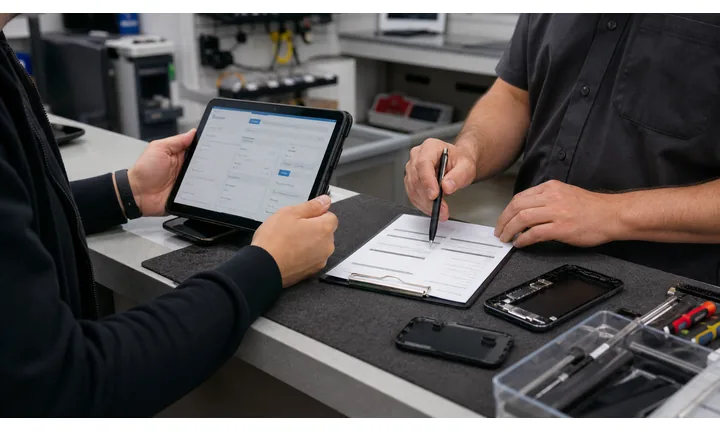
Make status, pickup, and after-service follow-up easier
A QR can route customers to ticket status, pickup instructions, warranty notes, payment links, care tips, review requests, or support contact after the repair.
Use the QR where the customer already has the device or invoice in hand.
Keep repair links current as tools and forms change
Dynamic QR helps when booking tools, ticket portals, payment providers, quote forms, warranty pages, or support resources change after cards and stickers are printed.
Repair shops reuse print constantly; destinations need room to evolve.A computer repair QR should route the customer to the right support lane
The scanner may need a diagnostic quote, booking slot, ticket update, pickup instruction, payment link, warranty note, or review path. The destination should match that exact job.
Use CTAs like request repair, check ticket, pay invoice, open pickup instructions, leave review, or contact support.Before service
Open quote forms, appointment booking, device details, diagnostics, and branch contact.
During repair
Route to ticket status, approval forms, repair notes, and pickup instructions.
After service
Offer warranty notes, care tips, review requests, payment links, and support follow-up.
Local marketing
Keep flyers, cards, stickers, and counter signs tied to current repair destinations.
Repair customer moments
Turn computer repair touchpoints into service requests and trusted follow-up
Local growthComputer repair QR codes work when they connect real-world materials to one useful action: request a quote, book service, check a ticket, pay an invoice, leave a review, or get support.

Make repair intake easier
Use counter signs, stickers, business cards, and flyers to open forms that collect device type, issue, urgency, photos, and contact details.

Route customers to the right service slot
Send scanners to appointment booking, drop-off instructions, remote support, or branch-specific service pages.

Reduce status-check calls
Use pickup slips, receipts, and repair notes to open ticket status, approval requests, pickup instructions, and support contact.

Open invoice links through the provider
Use QR codes on invoices or pickup notes as shortcuts to trusted payment pages while confirmation stays with the provider.

Ask after the device is working again
Use pickup cards and follow-up materials to request reviews or private feedback after the repair is complete.

Keep after-care and warranty information reachable
Link to care tips, warranty terms, reinstall notes, support hours, and contact paths from take-home materials.

Repair scans happen when the customer wants certainty
The device is broken, being serviced, ready for pickup, or recently repaired. The QR should make the next support step feel clear and trustworthy.
Printed repair materials become easier to manage
Dynamic QR keeps service cards, stickers, invoices, counter signs, and flyers useful when ticket systems, booking pages, branch details, or payment links change.
Place the code where support intent is strongest
Repair placement
Place computer repair QR codes where the customer needs the next support step
PlacementRepair QR placement should follow the service lifecycle: first problem, intake, approval, payment, pickup, review, and after-care.

A generic QR does not explain the support path
A QR code on a counter sign or flyer is easy to miss if it does not say whether it opens booking, ticket intake, payment, status, or support.
Customers with broken devices need clarity, not another mystery step.
The QR is tied to one repair action
Use direct CTAs such as request repair, check ticket, approve estimate, pay invoice, leave review, or read pickup instructions.
The destination should match the printed promise and avoid unnecessary navigation.
What stage is the repair in?
Before service, intake, diagnosis, approval, payment, pickup, warranty, or follow-up.
What should happen next?
Request quote, book slot, upload details, approve repair, pay, check status, review, or contact support.
Does the QR reduce staff workload?
Strong repair QR codes answer repeated questions and collect details before a technician has to ask.
Is the destination trustworthy?
Payment, ticket, and device-info pages should show the repair shop identity and expected action clearly.
Counter sign
Open repair request, booking, service menu, branch hours, and drop-off instructions.
Business card
Route to quote request, remote support, phone contact, and location details.
Device sticker
Open ticket status, pickup notes, warranty, and support contact.
Pickup slip
Link to invoice, care tips, review, warranty notes, and follow-up support.
Invoice
Send customers to trusted payment, itemized details, support, and receipts.
Flyer
Open local service pages, diagnostics, offers, reviews, and quote forms.
Workshop label
Use internal QR destinations for repair notes, parts, status, and device routing.
After-care handout
Provide backup tips, reinstall notes, maintenance guides, and contact paths.
Computer repair QR placement should reduce uncertainty
Every code should tell the customer exactly which support action opens after the scan.
After-print control
Keep computer repair QR links current as systems, forms, and payment pages change
DynamicRepair shops reuse cards, stickers, invoices, flyers, and counter signs. Dynamic QR keeps those materials useful when ticket portals, booking tools, payment links, and support resources move.
Printed repair materials can point to old systems
Static QR is fine for a final URL, but repair forms, ticket systems, booking pages, and payment providers often change.
Old stickers, invoices, and cards can keep circulating after the original destination is outdated.
The same printed code can open the current repair path
Dynamic QR lets the shop update repair intake, ticket status, quote forms, invoice links, warranty pages, and support resources behind the same printed code.
That protects long-lived service materials and reduces customer confusion.

Ticket system changes
Move service cards and stickers to the current repair portal or status page.
Booking and quote forms
Update forms, appointment tools, branch pages, and diagnostic questions without replacing print.
Payment providers
Route invoices and pickup slips to the current trusted payment or billing page.
Support resources
Update warranty notes, care guides, reinstall steps, and contact paths after service procedures change.
Use dynamic QR when repair materials stay in circulation
If the code will live on stickers, invoices, cards, or counter signs, editable destinations are usually safer than a fixed URL.
Service counter flow
Use QR codes on the materials customers keep after repair
Use computer repair QR codes on repair receipts, device tags, warranty cards, support handouts, counter signs, review cards, quote sheets, pickup notes, diagnostic reports, and business cards. The CTA should say open ticket, request quote, check warranty, get support, pay invoice, leave review, or contact technician. The label should make the destination easy to trust, especially when tech support or payment is involved.
Dynamic QR codes help when ticket forms, warranty terms, support pages, payment links, and review pages change. QR Code Lab analytics can show which counter materials or after-repair cards drive support and reviews, while tickets, invoices, files, and customer information remain in your repair systems. For tech support, send users to official, recognizable pages and avoid confusing short links. A clear destination matters because customers may already be worried about their device or data.
If the code opens support, include business name, phone number, hours, ticket context, and next steps on the landing page. Customers should not wonder whether they reached the right repair shop.
Payment boundary
Use computer repair QR codes for invoice links, not payment proof
PaymentsQR Code Lab can open a trusted invoice, deposit, approval, or checkout page. The payment provider or billing system handles processing, receipts, refunds, disputes, and paid-status confirmation.

Open invoice payment without typing
Use QR codes on invoices, pickup slips, and service summaries so customers can reach the correct payment page quickly.
Support deposits or repair approvals
If the shop requires deposits, parts approval, or diagnostic fees, the QR should clearly name the purpose and open the provider or form that manages it.
Keep billing links editable
Dynamic QR helps when invoice systems, payment providers, estimate approval pages, or branch billing instructions change.
A scan does not confirm that the customer paid
Scan analytics can show that a payment link opened, but only the payment provider, POS, or billing system can confirm completed payment.
Use the billing workflow as the source of truth for balances, receipts, refunds, and disputes.Keep repair payment QR codes narrow and clear
Use QR to reduce typing and routing friction, while payment records stay in the proper system.
Repair trust
Make computer repair QR destinations trustworthy before customers share device details
TrustComputer repair QR codes can lead to ticket forms, payment pages, remote support, and device information. The printed context and destination should make the action expected and safe.

Unknown ticket or remote-support forms
Customers may hesitate if a QR opens a form asking about devices, accounts, serial numbers, or access details without clear shop identity.
Use recognizable domains and avoid asking for passwords through public QR forms.
Payment link confusion
Invoice QR codes should show the repair shop name, invoice purpose, and trusted provider before customers pay.
A scan is not payment proof; confirmation belongs in the billing provider.
Sticker or sign replacement
Public counter signs, flyers, and device stickers can become confusing if old or tampered QR codes remain in use.
Review public placements and remove outdated repair, payment, or support codes.Inspect repair QR destinations before publishing
Before printing service QR codes, confirm the encoded destination, visible shop identity, ticket purpose, payment provider, and expected customer action.
A QR checker helps reveal the encoded value, but it does not replace security policies for device access, passwords, remote support, or payments.Decoded destination
Confirm the QR opens the intended ticket, quote, booking, payment, or support page.
Shop identity
The first screen should clearly match the repair business or branch customers expect.
Sensitive data boundary
Avoid collecting passwords or unnecessary private device information through broad public forms.
Printed placement review
Check counter signs, stickers, invoices, and flyers for outdated or replaced QR codes.
Publish repair QR codes customers can trust
Clear labels, recognizable destinations, and disciplined printed placement help customers use QR codes for service without confusion.






