
QR Code for Retail Stores - Products, Coupons & Support
Create QR codes for retail stores linking products, coupons, loyalty signup, reviews, catalogs, storefront pages, Wi-Fi, receipts, and support. Use them on shelf tags, posters, bags, and windows.
Free QR code generator
Create a QR code online
Generate QR codes for websites, email, phone numbers, vCards, Wi-Fi, plain text, forms, PDF files, and campaign links. Customize colors, add a logo or frame, then download a print-ready PNG or SVG.
Choose QR code type
Website QR code, Email QR code, Phone QR code, vCard QR code, Wi-Fi QR code, Text QR code, SMS, WhatsApp, event, and download links.
Add your content
Enter your website URL, contact details, message, phone number, location, or file destination before generating the QR code.
Customize and download
Adjust QR colors, error correction, logo, frame, size, and margin. Generate QR Code, Download PNG, Download SVG, or Save and track scans.
Storefront to phone
Make store signs, shelves, receipts, and bags more useful after scanning
A QR code for retail stores is useful when a physical store needs a quick digital next step. It can open product pages, coupons, loyalty signup, online catalogs, review pages, Wi-Fi access, support pages, social profiles, store hours, directions, pickup instructions, or return policies. It helps shoppers act from the place where they already noticed the product, sign, receipt, or bag.
For store teams, QR codes can make common customer paths more self-service. A shelf sign can answer product questions. A fitting room sign can open size help or styling ideas. A receipt can open returns, support, or reviews. A window sign can show hours and current offers after closing. A bag insert can invite reorder or loyalty signup. QR Code Lab helps create print-ready QR codes, update destinations after printing, and measure scans by placement or campaign.
QR Code Lab creates URL QR codes and scan analytics. It does not process purchases, manage stock, run store pickup, control Wi-Fi, handle returns, or operate POS systems. Your ecommerce store, POS, loyalty tool, review site, support page, or Wi-Fi system handles the actual shopper action.
Retail scan path
Help retail store shoppers move from shelves, signs, receipts, and displays to product details, offers, pickup, loyalty, and support
Store actionsA retail store QR code should support the exact in-store moment: compare an item, check availability, claim a promotion, join rewards, order pickup, save a product, get support, or review the visit.
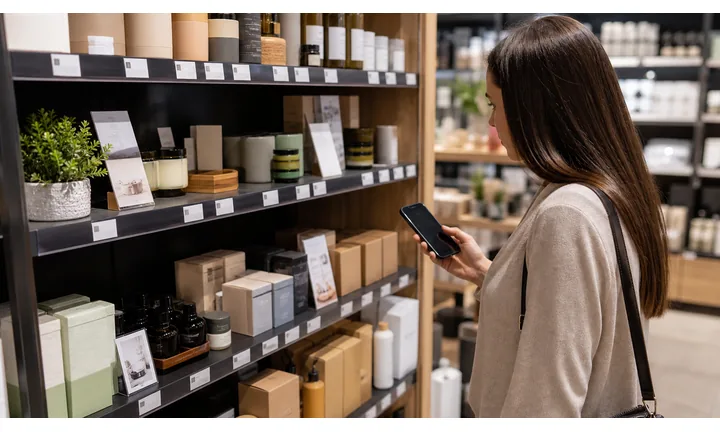
Make aisle decisions easier without crowding the shelf
Use shelf tags, displays, and hangtags to open product details, stock, size guides, ingredients, reviews, comparison pages, and buying guides while the shopper is standing there.
The scan should answer a product question faster than searching the site.
Connect store promotions to clear redemption paths
Window signs, endcaps, checkout cards, and receipts can open coupons, member pricing, limited drops, pickup offers, and campaign pages with terms visible on a phone.
A retail offer QR works only when the reward is obvious before the scan.
Keep support and repeat purchase close after checkout
Receipts, packaging, and counter cards can open returns, warranty, manuals, reorder, loyalty, private feedback, and store review paths after the customer leaves.
The store visit should create a clean follow-up path, not a dead end.Retail store QR codes should connect the physical aisle to one useful next step
The shopper may be comparing, claiming an offer, checking stock, paying, picking up, returning, or looking for support. The destination should continue that store moment instead of restarting the whole website journey.
Use CTAs such as view details, check stock, claim offer, join rewards, order pickup, compare options, register warranty, or get support.Aisle help
Open product details, size, stock, reviews, compatibility, and buying guides.
Store offers
Route to coupons, member pricing, bundles, drops, and local campaigns.
Checkout
Support loyalty signup, pickup, payment context, receipts, and return details.
After purchase
Share warranty, manuals, support, reorder, reviews, and private feedback.
Store customer moments
Turn retail store traffic into clearer product choices, offer claims, loyalty, support, and repeat visits
Store growthRetail store QR codes work when each printed piece has a job: answer the aisle question, explain the offer, connect checkout to loyalty, support the product after purchase, or bring the shopper back.

Help shoppers compare without leaving the product
Open product details, reviews, size guides, ingredients, stock, fit, compatibility, and related items from shelf tags and displays.

Make promotions easy to understand and redeem
Route endcaps, posters, and window signs to coupons, member pricing, bundles, seasonal campaigns, and local offers.

Connect store print to online order paths
Use counter cards and signs for order pickup, local availability, special orders, reservations, and store contact.

Turn checkout into an ongoing customer relationship
Use receipts and counter signs for rewards signup, points, referrals, birthday offers, and loyalty support.

Reduce post-purchase confusion
Connect receipts and packaging to returns, warranty, manuals, care notes, replacement parts, and customer service.

Ask after the shopping or product experience
Use receipts and follow-up materials for store reviews, product reviews, private feedback, and issue recovery.

Retail shoppers scan when the next step saves effort immediately
The destination should match the printed surface: product details on the shelf, offer terms on the display, loyalty at checkout, and support on the receipt.
Editable QR lets stores keep print current as campaigns and inventory change
Dynamic QR lets store teams update offers, product pages, stock links, pickup paths, loyalty forms, support pages, and review prompts without reprinting every sign.
Match retail store QR placement to the shopping moment
Product scan moments
Turn retail shelves, displays, labels, receipts, and packaging into store-specific customer actions
Product QRRetail store QR codes should answer the practical question created by the printed surface: what is this product, what offer applies, is it available, how do I use it, and where do I get help after checkout?
Open product information from the shelf
Send shoppers to specs, ingredients, fit, size, stock, reviews, comparison notes, and care instructions from shelf tags or labels.

Make store promotions actionable
Use displays and posters for coupons, bundles, member pricing, limited drops, and campaign pages with terms easy to read.

Connect local availability to store pickup
Route shoppers to buy-online-pickup, reserve, special order, store contact, and item availability pages.
Let checkout become a rewards moment
Use receipts and counter cards for points, rewards signup, referral, and customer account support.

Attach help to the purchase
Link returns, warranty, manuals, setup, care, troubleshooting, and service contact from receipts or inserts.
The store scan should match the shopper’s immediate question
Before purchase, shoppers may need stock, size, ingredients, price, reviews, or offer terms. After purchase, they may need returns, warranty, care, support, reorder, or loyalty.
Dynamic QR keeps retail store print current across campaigns, stock, and support pages
Store offers, product URLs, stock pages, pickup rules, loyalty forms, and return policies change. Dynamic QR lets the printed surface remain stable while the destination stays current.
Put the code where the product question happens
Store placement
Place retail store QR codes where shoppers compare, claim, buy, pick up, return, or ask for help
PlacementRetail store placement should follow the shopping path: shelf discovery, display promotion, checkout, pickup, receipt support, product use, and returns.

A visible store QR can still feel like clutter
If shoppers do not know whether the scan opens product detail, offer, pickup, loyalty, return rules, or support, they will ignore it.
Retail placement should be judged by the shopper’s next question.
Put the code beside the store action it supports
Use shelf tags for details, displays for offers, checkout cards for loyalty, receipts for support, and return desks for policy help.
The first screen should match the printed CTA exactly.
What is the shopper trying to do?
Compare items, check stock, claim an offer, join loyalty, order pickup, pay, return, register warranty, or get support.
What should open first?
Product page, reviews, coupon, loyalty, pickup, return rules, warranty, manual, support, or reorder.
Will the destination change?
Use dynamic QR for offers, stock pages, campaigns, loyalty forms, return policies, pickup rules, and support links.
Can it scan in-store?
Use enough size, contrast, and plain CTA copy on shelves, windows, receipts, labels, and displays.
Shelf tag
Open product details, reviews, stock, variants, and comparison.
Endcap display
Route to coupon, bundle, member pricing, campaign, and product story.
Window sign
Show hours, local offer, pickup, online store, and event details.
Checkout counter
Open loyalty, payment context, pickup, receipt, and support.
Receipt
Link return rules, warranty, review, support, reorder, and next-visit offer.
Product label
Open ingredients, materials, care, certificates, and authenticity.
Return desk
Explain policy, exchange options, refund status, and support.
Bag insert
Invite loyalty, care, review, referral, and reorder after purchase.
Retail store QR placement should make the next shopping step obvious
If the code does not help with product detail, offer, pickup, loyalty, support, or return, it needs a sharper role.
Scan reading
Compare retail store scans by shelf tag, display, receipt, checkout card, window sign, and return desk
AnalyticsQR analytics can show which in-store placements earn attention. Separate dynamic codes help compare product detail, offer, loyalty, pickup, support, return, and review prompts.

All store scans collapse into one number
A shared QR can show total activity, but it cannot tell whether a shelf tag, display, receipt, checkout card, window sign, or return desk caused the scan.
Use one code only when placement comparison does not matter.
Each store placement becomes a practical signal
Separate dynamic QR codes let stores compare product interest, offer activity, loyalty signup, pickup, support, and return-help scans.
The data is directional, but it helps improve store print and merchandising.
Scan volume
See which store placements receive attention.
Time and device
Check when shoppers scan during the visit or after checkout.
Broad location
Use approximate location carefully for store locations, regions, and campaigns.
Placement comparison
Compare shelf tags, displays, checkout cards, receipts, window signs, labels, and return desks.
Name codes by store and placement
Use names such as shelf-sku123, endcap-coupon, receipt-review, counter-loyalty, window-pickup, or return-policy.
Separate aisle and checkout scans
Product detail, coupons, loyalty, pickup, returns, and support should not share one code when reporting matters.
Keep attribution modest
Scans show attention and timing; sales, loyalty, returns, and revenue still need POS or ecommerce systems.
Books and printed content
Learn whether readers open bonus pages, downloads, updates, or feedback forms from book pages.
Retail store analytics work when every code has a store job
Clear QR naming turns scan totals into useful merchandising, campaign, loyalty, and support signals.
In-store placement
Put store QR codes at the moment a shopper needs the next step
Good placements include shelf tags, price signs, product displays, checkout counters, receipts, shopping bags, window decals, fitting room signs, pickup shelves, coupons, and local flyers. CTAs should say see product details, claim offer, join rewards, check availability, get directions, read returns, leave review, or follow restocks. The code should be close to the decision it supports.
Dynamic QR codes are useful because store campaigns change quickly. A window sign can move from a weekend sale to a holiday page. A receipt code can move from support to loyalty signup. A shelf tag can point to an updated product page without reprinting. Scan analytics can compare windows, shelves, counters, and bags so the store can see which physical touchpoints bring shoppers online.
Think in shopper flow, not just available space. A code at the entrance may be ignored if the phone is in a pocket. A code near checkout, on the receipt, beside the product, or on the bag often fits the moment better. Keep the destination mobile friendly and branded so the scan feels safe and connected to the store.
Payment clarity
Use retail store payment QR codes for checkout, pickup, deposits, special orders, and invoices with clear context
PaymentsA retail store payment QR should show whether the shopper is paying, reserving, placing a deposit, completing pickup, handling a special order, or getting billing support.

Checkout and pickup
Open trusted checkout, pickup, order status, and receipt pages from counter signs, pickup cards, and store displays.
Special orders and deposits
Use QR codes for holds, preorders, repairs, custom products, special orders, and reservation deposits with product context.
Invoices and billing help
Route customers to invoice payment, receipt lookup, refund questions, warranty billing, and support.
The QR should open a trusted payment provider, not collect card details itself
Keep authentication, receipts, refunds, disputes, and confirmation inside the provider, POS, ecommerce, service, or billing system. The QR is only the shortcut.
Scan analytics only show QR scan activity. A scan does not mean a payment was completed.Retail store payment QR codes need store and order clarity
Shoppers should know exactly what they are paying for before completing checkout from a printed code.
Customer trust
Make retail store QR codes trustworthy before shoppers pay, join loyalty, claim offers, or share details
TrustRetail store QR codes may open product details, loyalty signup, offers, payments, pickup, returns, warranty, reviews, and support. The destination should clearly match the store, product, and printed promise.

Anonymous store pages
Shoppers hesitate if the scan does not clearly match the store, product, shelf sign, receipt, or local campaign.
Watch for similar-looking domains, long URLs, login or verify keywords, and pages asking for credentials after an unexpected scan.
Expired offers and stale policies
Old coupons, moved product pages, wrong stock links, retired return forms, and stale loyalty pages create staff friction.
A trustworthy QR should not make the final destination mysterious, especially on posters, labels, menus, parking signs, or event materials.
Unclear payment or account paths
Checkout, pickup, loyalty signup, warranty, returns, and support forms need trusted context before customers share details.
Before paying, check the domain, HTTPS, amount, recipient, and whether the destination matches the place or brand that printed the QR.Scan like a customer before printing
Confirm the first screen matches the printed CTA, shows the business identity, and opens the current product, estimate, payment, warranty, review, or support path.
The current detailed report is a static URL analysis. It helps reveal the encoded content and basic URL risk signals, but it does not guarantee that a destination is safe and does not replace browser, antivirus, payment, or bank security checks.Decoded content
See the raw value inside the QR before opening it.
Content type
Recognize URL, Wi-Fi, mailto, phone, SMS, vCard, or plain text.
URL risk signals
Review HTTPS, shorteners, IP addresses, long URLs, encoded characters, query parameters, and sensitive keywords.
Destination report
For URL codes, view final URL fields, static redirect report fields, domain fields, TLS placeholders, page metadata fields, and risk reasons.
Make your own QR codes easier to trust
A safe-looking QR code is not only about security. It is also about reducing uncertainty for the scanner. Use clear destination text, a branded landing page, normal HTTPS domains, and a visible explanation of what happens after scanning.






