
QR Code for Car Washes - Plans, Reviews & Service Menus
Create QR codes for car washes linking service menus, membership plans, reviews, coupons, payment pages, booking forms, and hours. Use them on signs, receipts, counters, and wash bays.
Free QR code generator
Create a QR code online
Generate QR codes for websites, email, phone numbers, vCards, Wi-Fi, plain text, forms, PDF files, and campaign links. Customize colors, add a logo or frame, then download a print-ready PNG or SVG.
Choose QR code type
Website QR code, Email QR code, Phone QR code, vCard QR code, Wi-Fi QR code, Text QR code, SMS, WhatsApp, event, and download links.
Add your content
Enter your website URL, contact details, message, phone number, location, or file destination before generating the QR code.
Customize and download
Adjust QR colors, error correction, logo, frame, size, and margin. Generate QR Code, Download PNG, Download SVG, or Save and track scans.
Vehicle care action
Turn one car wash visit into plans, reviews, coupons, and repeat visits
A QR code for car washes is useful when a customer is waiting, paying, sitting in the vehicle, or leaving with a clean car and needs a quick next action. It can open service menus, membership plans, review pages, coupons, payment pages, booking forms, hours, location pages, detailing packages, or fleet service information. Car washes, auto detailers, mobile wash services, vehicle care businesses, and local service teams can use QR codes at the exact moment interest is already there.
The strongest car wash QR code supports repeat behavior. A receipt can open reviews or membership. A bay sign can open service options. A windshield card can open a coupon for next time. A detailing menu can open booking. QR Code Lab helps create trackable printed links and dynamic destinations so offers and service pages can change without replacing every sign.
QR Code Lab creates URL QR codes only. It does not process payments, manage bookings, run ordering systems, host menus, or operate POS software. The linked service, payment, booking, membership, or review platform handles the real action.
Car wash customer moments
Help car wash customers move from visit to plan, review, tip, or return
Wash flowA car wash QR code should connect lane signs, receipts, stickers, membership cards, towels, flyers, and counter displays to the action customers need: choose a package, join a plan, tip staff, leave feedback, redeem an offer, or book detailing.
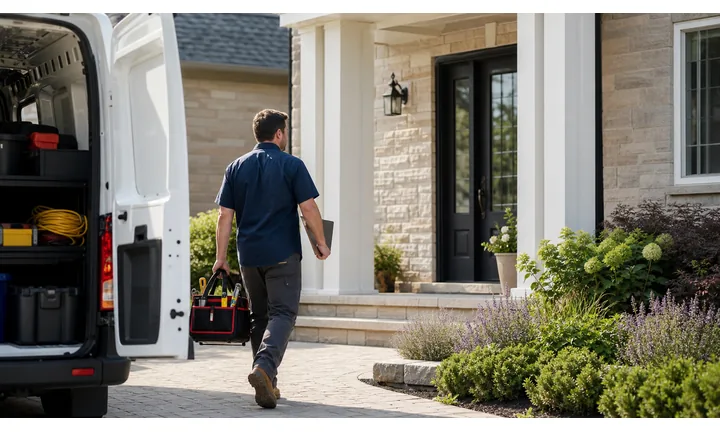
Turn waiting time into a clear service action
Use QR codes in lanes, waiting areas, receipts, and membership materials so customers can compare wash packages, join monthly plans, book detailing, check hours, or redeem local offers.
The scan should answer the question created by the sign or receipt.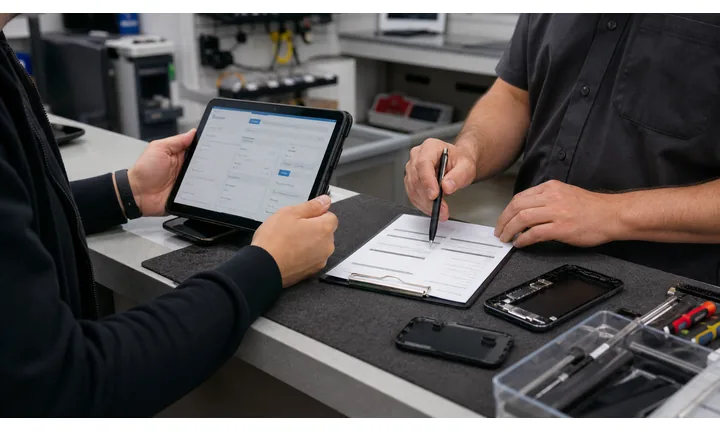
Make reviews and tips easy after the car looks clean
Receipts, exit signs, and thank-you cards can open reviews, tips, private feedback, loyalty, and next-visit offers after the service is complete.
Ask when the result is visible and the customer can judge the experience.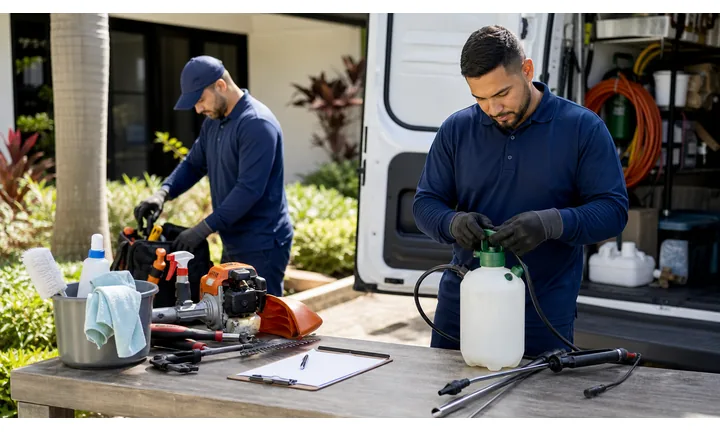
Keep seasonal plans and promotions current
Dynamic QR helps when membership offers, weather-related promotions, detailing calendars, fleet pages, or coupon campaigns change while signs and receipts remain in use.
Car wash offers move with weather, season, and local traffic.A car wash QR should turn a clean-car moment into the next visit
Customers scan while waiting, paying, vacuuming, leaving, or looking at a membership offer. The destination should be fast, local, and specific to that moment.
QR Code Lab creates the QR path; the car wash owns package details, payment, membership billing, service recovery, and fulfillment.Lane signs
Open packages, memberships, upgrades, and current offers.
Receipts
Invite reviews, feedback, tips, loyalty, and next-visit coupons.
Membership cards
Link plan details, billing portal, terms, pause/cancel instructions, and support.
Detailing flyers
Route to booking, package comparison, photos, and quote requests.
Car wash growth
Turn car wash touchpoints into memberships, reviews, and repeat visits
LocalCar wash QR codes work when they fit the service flow: package choice before entry, upgrade while waiting, tip or review after service, and membership or detailing follow-up after the customer leaves.

Make monthly plans easier to compare
Use lane signs and counter cards to open membership tiers, benefits, billing notes, terms, and signup paths.

Promote upgrades while customers are waiting
Send customers to wax, ceramic, interior, tire shine, detailing, and seasonal add-on explanations.

Make digital tipping clear after service
Use receipts and exit cards to open an approved tip provider while keeping tips separate from reviews and payments.

Ask for reviews when the car is clean
Exit signs and receipts can invite reviews or private feedback after the customer has seen the result.

Route deeper service interest to booking
Flyers and waiting-area signs can open detailing packages, photos, quote request, and appointment scheduling.

Bring customers back with a clear offer
Use receipts, dashboard cards, and local flyers for next-visit coupons, fleet offers, and seasonal promotions.

Car wash customers scan when the service outcome is immediate
The QR should match the moment: choose package, upgrade, tip, review, join, or come back, without making customers navigate a full website.
The wash can connect fast local traffic to repeat revenue
Separate QR paths for memberships, tips, reviews, detailing, coupons, and support help turn one visit into an ongoing customer relationship.
Place the code where the customer can act
Wash placement
Place car wash QR codes where drivers pause before or after the service
PlacementCar wash QR placement should respect motion, water, glare, and short attention windows. The best spots are lanes, waiting areas, receipts, exit signs, vacuum areas, and membership materials.

The QR is visible but unsafe or rushed
A code placed where drivers are moving or distracted can be ignored or unsafe to scan.
Car wash QR placement should give customers a natural pause and a clear reason.
The QR sits where the customer can act
Use lane signs for packages, waiting areas for detailing, receipts for reviews, and exit signs for tips or loyalty.
The CTA should be short and readable from the real distance.
Is the driver stopped?
Avoid scan prompts where drivers should be moving or watching traffic.
What is the service moment?
Package choice, membership, upgrade, review, tip, coupon, or detailing should define the destination.
Will water or glare affect scanning?
Use strong contrast, protected placement, and enough size on outdoor signs.
Will offers change by season?
Use dynamic QR for memberships, coupons, detailing calendars, and weather-driven campaigns.
Lane sign
Open packages, memberships, upgrades, and current promotions.
Payment kiosk
Use for plan comparison, terms, support, and receipt options.
Waiting area
Promote detailing, fleet services, gift cards, and reviews.
Receipt
Invite review, tip, coupon, loyalty, and support.
Exit sign
Ask for feedback, tip, membership, or next-visit offer after the result is visible.
Vacuum area
Open add-ons, detailing booking, product tips, and loyalty.
Membership card
Link plan details, billing portal, terms, pause/cancel, and support.
Fleet flyer
Route to quote request, packages, account setup, and contact.
Car wash QR placement should match a safe pause
Put the code where customers can scan comfortably and understand the offer immediately.
Wash updates
Use dynamic QR when car wash offers, plans, or booking links change
DynamicCar wash signs, receipts, flyers, and membership cards may stay in use while pricing, packages, seasonal promotions, detailing availability, and billing links change.
Old wash materials keep promoting old offers
A static QR can point to expired coupons, old membership terms, moved booking pages, or unavailable detailing offers.
That friction appears right when customers are ready to buy or come back.
The same printed QR can follow the season
Dynamic QR lets the wash redirect signs and receipts from one promotion, plan, or booking path to the next.
This is useful for weather campaigns, monthly plans, fleet offers, and detailing schedules.

Membership plans
Update tiers, terms, signup pages, billing portals, and support links.
Seasonal offers
Change salt cleanup, pollen season, rain promos, holiday cards, and local coupons.
Detailing booking
Move scans between packages, photo galleries, calendars, quote forms, and availability.
Post-visit follow-up
Redirect receipts to reviews, tips, loyalty, support, and next-visit offers.
Use dynamic when car wash print will keep circulating
If signs, receipts, or cards may outlive the current offer, keep the QR destination editable.
Tip and payment boundary
Use car wash QR codes for tips and payment links, not payment proof
PaymentsQR Code Lab can send customers to a tip jar, membership signup, invoice, fleet payment, or checkout provider. The linked platform handles money, receipts, refunds, billing, and disputes.

Open the approved tip path
Use receipts, exit cards, or counter signs to make digital tipping easy after the service is complete.
Send plan signups to the right provider
If the QR opens membership billing or fleet payment, show the wash, plan, amount context, and provider before checkout.
Separate payment from reviews and support
Customers should not confuse tip, membership payment, review, coupon, or service complaint paths.
A scan is not payment confirmation
Scan analytics do not prove that a tip, membership, fleet invoice, or service payment was completed.
Confirm money and billing status inside the payment, POS, fleet, or membership platform.Treat payment QR as a shortcut, not a receipt
Use the code to open the trusted payment path, then rely on the provider for confirmation.
Repeat visits
Use the QR code to turn one wash into the next action
Use car wash QR codes on counter signs, bay signs, receipts, coupons, membership flyers, windshield cards, waiting area posters, detailing menus, mobile service cards, loyalty cards, and exit signs. The CTA should say join wash plan, claim coupon, book detail, see hours, leave review, view packages, or get fleet pricing. The destination should match the customer's stage in the visit.
Dynamic QR codes help when offers, memberships, booking pages, service menus, hours, and seasonal promotions change. Separate codes for receipts, bay signs, coupons, and waiting areas can show which placements drive memberships, reviews, and repeat interest. QR Code Lab analytics can help you compare print touchpoints, but payment status, bookings, and membership records stay in your POS or service platform. Test signs from the driver's position if the scan happens near a bay or lane.
Because customers may scan from a car, keep the page simple. Large buttons for membership, coupon, booking, fleet pricing, hours, or review work better than a crowded service page. Fast loading matters in a parking lot or wash lane.
Wash signal
Use scan data to compare car wash placements and offers
AnalyticsTracking helps when separate QR codes compare lane signs, receipts, exit cards, vacuum areas, detailing flyers, membership materials, and local campaigns.

All car wash scans become one total
A single QR cannot show whether scans came from lane signs, receipts, exit cards, vacuum areas, or flyers.
That makes it harder to understand which placement creates action.
Each wash placement becomes a signal
Use separate dynamic QR codes when memberships, tips, reviews, detailing, and offers need placement-level reporting.
Scan data is not full revenue attribution, but it helps compare customer attention.
Scan volume
Compare scans from lanes, receipts, exits, flyers, and waiting areas.
Timing
See whether scans happen before service, during waiting, after exit, or after a coupon goes home.
Device and browser
Spot broad device patterns that affect forms, payment links, and booking pages.
Broad location
Use approximate signals for site, neighborhood, or campaign comparison.
Membership campaigns
Compare lane signs, cards, receipts, and local flyers for plan signup interest.
Review and tip placements
See whether receipts, exit signs, or counter cards drive more follow-up.
Detailing offers
Compare waiting-area signs, vacuum-area cards, and flyers.
Seasonal promotions
Measure weather-driven coupons, fleet offers, and local campaigns.
Name car wash QR codes by placement before launch
Tracking helps only when code names match real lanes, receipts, signs, flyers, and offers.






