
QR Code Scams - Decode Suspicious Codes Before Opening
Learn common QR code scams and use a QR checker to decode suspicious codes, preview destinations, inspect redirects, and review risk signals. Check parking, payment, login, and public QR codes.
QR scam awareness
Understand common QR scams and check the link before you act
QR code scams usually work by making a scan feel normal while sending people to the wrong place. A fake sticker can cover a real parking payment code. A poster can lead to a fake event page. A message can include a QR code that opens a lookalike login form. A payment page can copy familiar colors and buttons while sending money or credentials somewhere else.
QR Code Lab helps you slow that moment down. Instead of opening a suspicious code directly, you can decode the image, preview the URL, inspect redirects, and review basic risk signals. This is useful when the code asks you to pay, sign in, claim a reward, download something, or enter private information. The checker helps you compare the destination with the promise around the code.
Not every redirect is bad and not every unknown code is a scam. Dynamic QR codes and analytics links often use redirects for normal reasons. The point is to see what is happening before you trust it, especially when the code appears in a public place or asks for sensitive details.
QR scam awareness
QR scam awareness QR security and inspection teams with decoding, URL preview, redirect checks, risk signals, print testing, and scam inspection
ScamsUse QR codes to move QR security and inspection teams from suspicious codes, screenshots, printed assets, parking or payment signs, and business materials to decoding, URL preview, redirect checks, risk signals, print testing, and scam inspection before people trust or publish the destination.

Recognize the scam pattern, not just the QR code
The QR image is only the delivery method. The scam is usually the fake parking payment, copied restaurant page, delivery notice, charity appeal, invoice, account alert, crypto wallet, or login form behind it.
A scam check starts by asking what action the code is trying to make you take.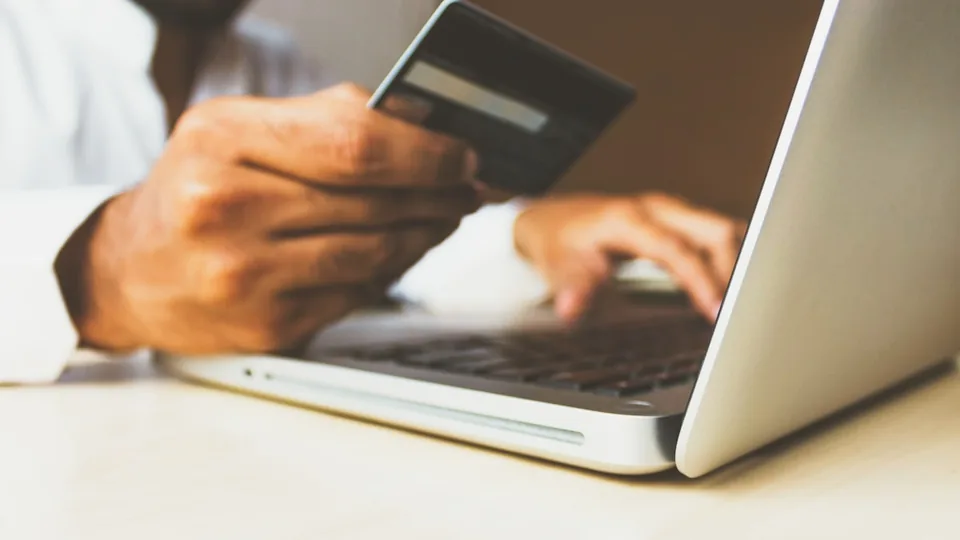
Watch for public replacement and urgent messages
Scammers can place stickers over real codes or send QR screenshots in messages that create urgency. Parking meters, posters, table tents, package notices, invoices, and account warnings are common places to slow down.
Urgency plus a hidden destination is a bad combination.
Verify through a trusted path before entering anything
If the QR leads to payment, login, wallet approval, app install, file download, or personal-data form, verify the destination through the official website, app, staff, invoice contact, or known support channel.
The safest response to uncertainty is not guessing; it is switching paths.Most QR scams rely on a believable context and a hidden URL
A scam QR does not need to look strange. It only needs to appear where scanning feels plausible, then route the scanner to a page that asks for the wrong action under pressure.
Teach the decision: decode, compare, verify, then act only if the destination earns trust.Payment scams
Fake parking, tips, invoices, donations, tickets, delivery fees, or checkout pages.
Credential scams
Fake bank, workplace, email, social, shipping, or account-recovery login screens.
Download scams
Unexpected APKs, documents, ZIP files, browser extensions, or app install prompts.
Sticker scams
Public QR replacements on signs, counters, meters, posters, menus, and package labels.
Scam warning signs
Check QR scam signals before the page gets your money, login, or personal data
TrustQR scam prevention depends on context. A page can look polished and still be wrong if the domain, brand, requested action, or redirect path does not match where the QR appeared.

Fake payment pages
Parking, delivery, tickets, tips, invoices, donations, and checkout pages can be copied or spoofed behind a QR code.
Watch for similar-looking domains, long URLs, login or verify keywords, and pages asking for credentials after an unexpected scan.
Credential harvesting
A QR can send people to fake login pages for banks, email, workplace tools, social accounts, or account recovery.
A trustworthy QR should not make the final destination mysterious, especially on posters, labels, menus, parking signs, or event materials.
Sticker and poster replacement
A public QR code can be physically covered, replaced, or moved to a different destination after the original print is trusted.
Before paying, check the domain, HTTPS, amount, recipient, and whether the destination matches the place or brand that printed the QR.Inspect the destination before trusting the story
Decode the QR, trace redirects, review the final domain, compare it with the brand and location, and decide whether the requested action belongs in that context.
Scam checks reduce risk, but suspicious payment or login flows should still be verified through an official path.Domain mismatch
Look for misspelled brands, strange subdomains, unrelated hosts, and suspicious shorteners.
Pressure or urgency
Be careful when a QR message pushes immediate payment, account recovery, delivery fees, or verification.
Sensitive action
Treat card details, wallet approval, passwords, app installs, and downloads as high-risk requests.
Physical tampering
Check stickers, damaged labels, and codes placed over original signs or menus.
Make legitimate QR campaigns harder to confuse with scams
Clear branding, expected domains, printed CTAs, and public placement checks help customers tell real QR codes from suspicious ones.
Anti-scam scan routine
Slow down when a QR code creates urgency or asks for sensitive action
Scan UXThe practical defense against QR scams is a short routine: identify the promise, decode the destination, compare the domain, and verify through a trusted path before entering anything sensitive.
Name what the QR claims to do
Pay, login, track, donate, verifyA scam often begins with a plausible promise: pay for parking, track a delivery, view an invoice, verify an account, download a ticket.
If the promise is sensitive, treat the scan as higher risk.
Check where the code really goes
Final URL, brand, redirect, domainLook beyond the printed brand and inspect the decoded destination and final landing page.
A polished page is not enough if the domain or redirect path is wrong.
Use an official route before acting
Official app, typed URL, staff, supportFor payments, login, delivery, utilities, banks, and account recovery, use the official app or typed website when uncertain.
Do not let urgency push you into entering credentials or payment details.
Is the QR asking for money or credentials?
Payment, wallet approval, login, recovery code, and account verification should trigger extra caution.
Does the final domain match the expected provider?
Check the real URL, not only the logo or page design.
Can the request be verified offline or through an official app?
Ask staff, call a known number, use the official app, or type the address manually.
Do not let convenience replace verification
A QR code can be useful, but sensitive actions need proof that the destination belongs to the expected organization.







Pause before private details
Treat QR codes like links you should inspect before trusting
Common warning signs include a code pasted over another code, a payment link on a public sticker, a login page with a strange domain, several unexpected redirects, poor page quality, or a destination that does not match the printed promise. If the code claims to be from a bank, delivery service, school, parking company, or government office, the final domain should be easy to recognize.
QR Code Lab can help by decoding the QR image and showing the URL path before you open it. For businesses, the same habit is useful before printing signs and labels. A legitimate business QR code should not look suspicious because of a confusing short link or wrong redirect. Clear destinations protect customer trust.
If the scan leads to a page asking for passwords, card details, or payment approval, slow down. Use the official website or app when in doubt. QR Code Lab gives visibility into the QR destination, but safe behavior still matters after the report. When the printed code looks altered or the domain feels unfamiliar, do not rush.