
QR Code for Bike Shops - Repairs, Rentals & Product Links
Create QR codes for bike shops linking repair booking pages, product pages, service menus, rental forms, reviews, coupons, and events. Use them on tags, receipts, counters, and bikes.
Free QR code generator
Create a QR code online
Generate QR codes for websites, email, phone numbers, vCards, Wi-Fi, plain text, forms, PDF files, and campaign links. Customize colors, add a logo or frame, then download a print-ready PNG or SVG.
Choose QR code type
Website QR code, Email QR code, Phone QR code, vCard QR code, Wi-Fi QR code, Text QR code, SMS, WhatsApp, event, and download links.
Add your content
Enter your website URL, contact details, message, phone number, location, or file destination before generating the QR code.
Customize and download
Adjust QR colors, error correction, logo, frame, size, and margin. Generate QR Code, Download PNG, Download SVG, or Save and track scans.
Repair and retail link
Connect riders to service, products, rentals, and local rides
A QR code for bike shops is useful when customers need service details, product information, rental forms, or event links after seeing a tag, shelf card, receipt, or counter sign. It can open a repair booking page, product page, service menu, rental form, review page, coupon, event listing, maintenance guide, local ride page, or warranty resource. Bicycle repair shops, cycling retailers, rental businesses, sports stores, and service counters can use QR codes throughout the shop.
Bike customers often need follow-up information after they leave the counter. They may want to book a tune-up, check which part fits, read a maintenance guide, rent a bike, join a group ride, or leave a review after service. A QR code keeps those actions close to the physical product or service conversation.
QR Code Lab creates URL QR codes and can help with dynamic links and scan analytics. It does not process payments, manage orders, run booking systems, operate rentals, or run POS software. The linked repair, rental, product, event, or review system handles the actual customer workflow.
Bike shop customer moments
Help riders open the right repair, product, or service path
Shop flowA bike shop QR code should connect a rider to a practical next step: book a tune-up, approve a repair, check sizing, register a bike, view product care, join a ride, leave a review, or buy parts after the visit.
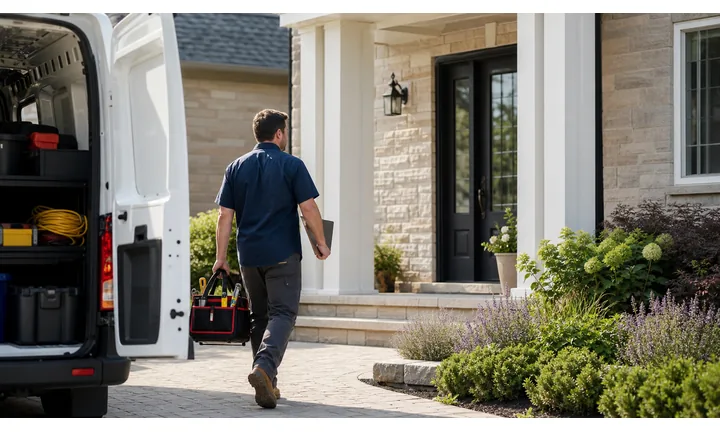
Turn service paperwork into rider follow-up
Use QR codes on repair tags, receipts, service cards, tune-up reminders, and pickup sheets so riders can open booking, repair notes, warranty details, or next-service intervals.
The scan should match the bike, repair, or product in front of the rider.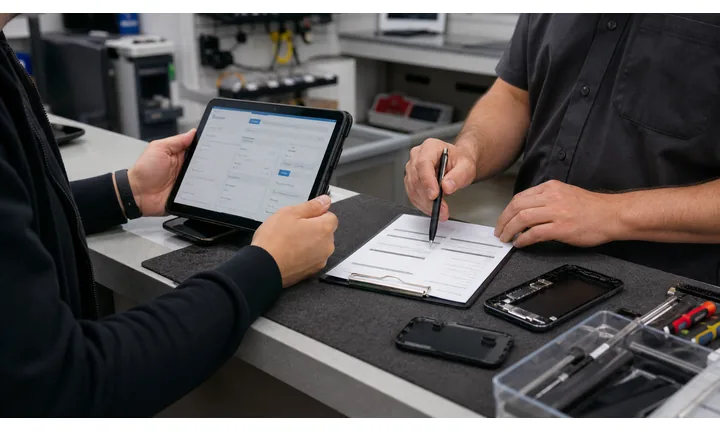
Make product research easier in the aisle
Put QR codes on tags, displays, and comparison cards to open size charts, compatibility notes, setup videos, accessories, care guides, and online stock.
A useful product QR helps the rider decide without waiting for a staff explanation.
Keep local community and service links current
Dynamic QR helps when ride schedules, service booking tools, seasonal offers, workshop pages, and product availability change after flyers or tags are printed.
Bike shops live on repeat service and local trust, so stale destinations cost attention.A bike shop QR should help the rider act with confidence
Riders scan while checking a repair, browsing a product, picking up a bike, or reading a ride flyer. The destination should answer the practical question in that exact moment.
QR Code Lab creates the QR path; the bike shop still owns mechanical advice, safety checks, payment, inventory, and customer service.Repairs
Open booking, estimate review, pickup notes, warranty, and maintenance intervals.
Products
Link sizing, compatibility, setup, care, accessories, and online inventory.
Community
Promote group rides, workshops, clinics, demo days, and local events.
After purchase
Route to registration, review, care guide, reorder, and service reminders.
Bike shop growth
Turn bike shop touchpoints into service bookings, product confidence, and repeat visits
LocalBike shop QR codes work when they support the rider journey: discover the shop, compare gear, book service, approve repairs, learn care steps, join the community, and come back for maintenance.

Make tune-ups and repairs easier to book
Use repair tags, reminders, and counter cards to open service menus, tune-up packages, pickup notes, and appointment booking.

Help riders review repair recommendations
Link inspection notes, estimate options, photos, parts explanations, and authorization steps for riders away from the shop.

Add buying confidence to displays and tags
Send shoppers to size guides, compatibility checks, setup videos, care notes, reviews, and accessory bundles.

Connect purchases to warranty and care
Use receipts and product cards for warranty registration, service intervals, owner manuals, and replacement part links.

Promote rides, clinics, and local events
Flyers and window signs can open ride calendars, safety clinics, demo days, route maps, and RSVP forms.

Ask for reviews after pickup or a good fit
Receipts and thank-you cards can invite reviews after a repair, purchase, or fitting is complete.

Riders scan when the bike or product question is immediate
A rider holding a repair ticket, helmet, tire, bike tag, or event flyer wants a specific answer. The QR should open that answer without forcing a site search.
The shop can connect service, retail, and community without extra staff load
Separate QR paths for repair, product education, events, warranty, reviews, and rebooking help the shop serve riders even during busy floor time.
Place the code where the rider can act
Bike shop placement
Place bike shop QR codes beside the repair, product, or ride decision
PlacementBike shop QR placement should match the rider moment: service counter, repair tag, product display, window sign, receipt, workshop flyer, ride poster, or pickup sheet.

The QR opens a general shop website
A homepage does not help a rider approve a repair, check tire compatibility, register a bike, or join a Saturday ride.
Bike shop scans should be connected to the item or task beside the code.
The QR opens the next rider action
Use repair tags for service notes, product displays for specs, receipts for care, and flyers for rides or workshops.
The CTA should name the practical benefit before the scan.
Is this service, retail, or community?
Repair booking, product research, warranty, ride signup, and review links need different destinations.
Does the rider need safety or compatibility context?
Sizing, parts, torque, fit, installation, and care notes should be easy to find when relevant.
Will the link change by season?
Service offers, ride calendars, clinics, product pages, and inventory links often move.
Can the rider act from a phone?
Forms, booking, maps, product pages, and videos should be mobile-friendly at the scan moment.
Repair tag
Open estimate, service notes, pickup timing, warranty, and next tune-up booking.
Service counter
Use for booking, pricing, intake, photo upload, and maintenance packages.
Product display
Link sizing, specs, compatibility, setup videos, and accessories.
Receipt
Send riders to registration, warranty, care guide, review, and service reminders.
Window sign
Open hours, booking, rentals, repairs, ride calendar, and local offers.
Workshop flyer
Use for RSVP, topic details, supply list, and calendar save.
Group ride poster
Link route map, waiver, weather updates, pace, and meetup time.
Bike tag
Show specs, size guide, demo booking, financing, and comparison notes.
Bike shop QR placement should answer the rider question in front of it
Put the code where the product, service, or ride decision already exists.
Shop updates
Use dynamic QR when bike service, inventory, or ride links change
DynamicBike shop print can stay on tags, receipts, windows, and flyers while booking tools, product pages, ride schedules, service offers, and inventory links change by season.
Old tags and flyers keep pointing to old pages
A static QR on a repair tag, ride flyer, product card, or window sign may outlive the page it opens.
Riders can hit stale booking, inventory, event, or warranty links just when they are ready to act.
The same printed QR can follow the riding season
Dynamic QR lets the shop move scans from spring tune-ups to summer rides, from product launch to service notes, or from old inventory to current options.
Printed materials stay useful while the destination changes.

Seasonal service
Update tune-up packages, winterization, tire season, e-bike checks, and repair booking.
Product pages
Move scans between specs, compatibility, manuals, inventory, accessories, and updated care notes.
Events and rides
Change routes, RSVP pages, weather updates, clinics, and demo-day details.
After-purchase care
Keep warranty registration, service intervals, manuals, and review links current.
Use dynamic when bike shop print outlives the link
If the QR lives on tags, receipts, windows, or flyers, an editable destination protects the rider path.
Shop counter flow
Put QR codes where products and service questions naturally appear
Use bike shop QR codes on repair tags, service menus, rental desks, product shelves, receipts, event flyers, bike fit cards, maintenance handouts, window signs, warranty cards, and coupon cards. The CTA should say book repair, view service menu, rent a bike, see event, check fit guide, view product details, or leave review. The scan should answer the question the rider has in that spot.
Dynamic QR codes help when repair forms, rental pages, seasonal offers, product pages, ride calendars, or warranty details change. Separate codes for repair, rentals, shelves, events, and receipts can show which printed touchpoints create useful action. QR Code Lab analytics can help compare physical materials, but bookings, rentals, orders, and reviews stay in your shop systems. Test codes on tags and shelves at real viewing distance so customers do not need awkward angles to scan.
For product shelves, send riders to the exact product, size guide, or setup notes when possible. A broad homepage wastes the moment when they are already comparing gear.
Honest reviews, useful feedback
Ask for bike shop reviews after service or purchase feels complete
Ethical feedbackA bike shop review QR works best after the rider has picked up the bike, tested the fit, checked the repair, or used the product enough to judge the experience.

Ask after the repair has been explained
Use a QR on pickup cards, receipts, or service folders after the rider has reviewed the work, warranty notes, and next maintenance step.
Tune-ups, repairs, fittings, e-bike checks, wheel service, and warranty work. Do not push for public reviews while a repair concern, noise, fit issue, or billing question is unresolved.
Invite feedback after the rider understands the product
Use receipts and product cards after a bike, helmet, lights, rack, tire, or accessory purchase to ask for review or store feedback.
New bike pickup, accessory purchase, gear fitting, and product setup. Keep returns, fit issues, and warranty support easy to find.
Give problems a direct path before public frustration
A private form helps riders report fit, repair, product, or scheduling concerns before they become public complaints.
Receipts, service folders, follow-up cards, and support materials. Public review requests should not replace service recovery.Use review QR codes as rider follow-up, not pressure
The scan should make good experiences easier to share while giving unresolved issues a private route back to the shop.






