
QR Code for Electricians - Quotes, Invoices & Reviews Online
Create QR codes for electricians linking quote forms, service pages, emergency contact pages, reviews, invoices, permits, and support. Use them on vehicles, cards, invoices, and job signs.
Free QR code generator
Create a QR code online
Generate QR codes for websites, email, phone numbers, vCards, Wi-Fi, plain text, forms, PDF files, and campaign links. Customize colors, add a logo or frame, then download a print-ready PNG or SVG.
Choose QR code type
Website QR code, Email QR code, Phone QR code, vCard QR code, Wi-Fi QR code, Text QR code, SMS, WhatsApp, event, and download links.
Add your content
Enter your website URL, contact details, message, phone number, location, or file destination before generating the QR code.
Customize and download
Adjust QR colors, error correction, logo, frame, size, and margin. Generate QR Code, Download PNG, Download SVG, or Save and track scans.
Trade service path
Make quotes, emergency contact, invoices, and reviews easy to reach
A QR code for electricians is useful when customers need a fast way to request service, verify contact details, pay an invoice, or leave a review from printed material. It can open quote forms, service pages, emergency contact pages, review links, invoices, permit information, support pages, contact cards, project galleries, and warranty notes. Electricians, electrical contractors, emergency service teams, home service businesses, and local trade companies can use QR codes on job-site and follow-up materials.
Electrical work often starts with urgency or trust. A truck decal can open emergency contact. An invoice can open payment or review. A door hanger can open a quote form. A breaker panel sticker can open service contact. QR Code Lab helps make those printed touchpoints dynamic and measurable so electricians can see which local placements create follow-up.
QR Code Lab creates URL QR codes only. It does not process payments, manage bookings, collect forms, run dispatch systems, or operate business software. The linked quote, invoice, dispatch, review, or CRM platform handles the actual customer workflow.
Electrical service path
Help electrician customers request quotes, emergency help, proof, payments, and reviews
Service flowAn electrician QR code should connect job-site signs, vans, invoices, panels, door hangers, and service cards to the next practical action: request a quote, call for urgent help, view credentials, pay an invoice, or leave feedback.
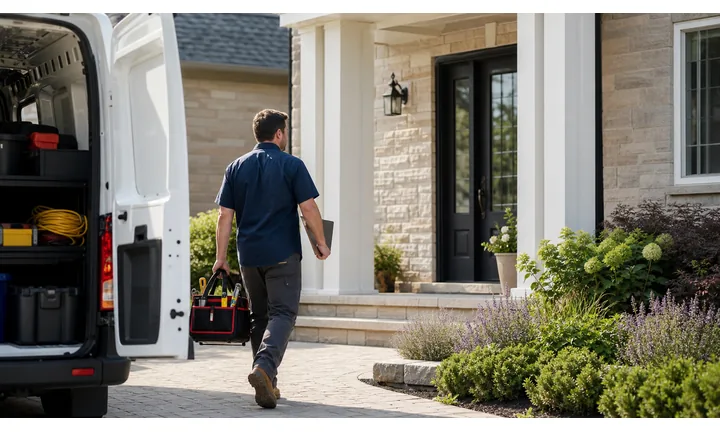
Turn local electrical visibility into qualified service requests
Use QR codes on vans, yard signs, business cards, panel stickers, invoices, and maintenance handouts to open quote forms, emergency contact, service menus, and branch-specific booking paths.
The scan should help homeowners and property managers act while the electrical need is clear.
Show credentials and project proof before asking for details
A strong QR destination can show license information, insurance notes, service areas, reviews, project photos, safety notices, and a short form for the job type.
Electrical work depends on trust; the first screen should prove the business is real.
Keep service links current after materials are printed
Dynamic QR helps when quote forms, emergency numbers, payment providers, service areas, offer pages, and maintenance resources change after stickers or cards are already in the field.
Panel labels and invoices can stay visible for years, so editable destinations matter.An electrician QR should route the customer to the right urgency level
Someone scanning may need an emergency number, a quote for planned work, a payment page, warranty information, or proof before choosing a contractor. The QR destination should match that situation immediately.
Use CTAs such as request quote, call emergency service, view credentials, pay invoice, read safety notes, or leave review.Urgent help
Open emergency contact, after-hours instructions, branch details, and safety disclaimers.
Planned projects
Route to quote forms, service menus, project photos, permits, and consultation booking.
After service
Use invoices and panel stickers for payment, warranty, maintenance notes, reviews, and support.
Local campaigns
Keep vans, flyers, door hangers, and yard signs connected to editable service pages.
Electrical customer moments
Turn electrician touchpoints into quote requests, trusted proof, and follow-up
Local growthElectricians earn scans from vans, invoices, panel labels, service stickers, door hangers, yard signs, and referral cards. Each QR should open the action that fits that service moment.

Collect the right job details before calling back
Open a form for service type, property, urgency, photos, panel details, preferred timing, and contact information.

Make urgent contact obvious
Use service stickers and cards to show emergency phone, after-hours instructions, branch contact, and safety guidance without burying the information.

Show licensing, reviews, and completed work
Link prospects to credentials, insurance context, project galleries, service areas, testimonials, and code-conscious explanations.

Open invoice links through the provider
Use QR codes on invoices and service summaries as shortcuts to trusted payment pages while confirmation stays with the provider.

Ask after the job is complete
Use thank-you cards, invoices, and follow-up materials to request reviews or private feedback once service is delivered.

Keep service notes reachable
Attach QR codes to panel labels, handouts, and warranty packets for maintenance reminders, support contact, and safety notes.

Electrical scans happen when trust and urgency matter
The customer may be facing an urgent issue, planning a project, reviewing an invoice, or checking a panel label. The QR should make the next service step clear and credible.
Printed electrician materials become easier to manage
Dynamic QR keeps vans, stickers, invoices, cards, and signs useful when forms, phone routing, payment pages, service areas, or offers change.
Place the code where electrical intent is strongest
Electrical placement
Place electrician QR codes where customers can act safely and confidently
PlacementElectrical QR placement should match the real context: a panel label, invoice, service card, van decal, yard sign, door hanger, or maintenance handout.

A code appears without urgency or purpose
A QR on a van or sticker is not useful if customers cannot tell whether it opens emergency contact, quotes, payment, or safety notes.
Electrical work carries trust and safety concerns, so vague destinations weaken the scan.
The QR names one electrical action
Use direct CTAs such as request quote, call emergency electrician, pay invoice, view license, leave review, or open maintenance notes.
The first screen should match the printed promise and show the business identity clearly.
What problem does the customer have?
Emergency issue, planned install, inspection, repair, invoice, warranty, or maintenance question.
What should happen next?
Call, request quote, upload photos, book service, pay provider, read notes, or review the work.
Is the placement safe?
Use QR codes on static materials; do not make people scan from moving vehicles or unsafe electrical areas.
Will contact or service details change?
Use dynamic QR for phone routing, forms, service pages, payment links, and maintenance resources.
Panel sticker
Open emergency contact, maintenance notes, warranty information, and service history guidance.
Invoice
Route to trusted payment, review request, support contact, and care instructions.
Van decal
Use for service areas, reviews, quote request, and phone contact when safely scanned while parked.
Yard sign
Show local project proof, service offer, quote form, and license context.
Door hanger
Send neighbors to safety checks, local offers, and booking.
Business card
Open services, emergency contact, credentials, and quote request.
Maintenance handout
Link to reminders, safety notes, support, and follow-up scheduling.
Property manager packet
Route to work orders, emergency protocol, documents, and billing contact.
Electrician QR placement should reduce risk and friction
Use each code where the customer understands the action and can scan without confusion.
After-print control
Keep electrician QR links current as forms, phone routing, and payment pages change
DynamicElectrical service materials can stay on panels, invoices, vans, and cards for years. Dynamic QR keeps those materials useful when destinations change.
Old stickers and invoices can point to old systems
Static QR is fine for a permanent destination, but quote forms, payment pages, phone routing, and service-area pages often change.
A panel sticker or invoice can keep circulating long after the original URL is wrong.
The same printed code can open the current service path
Dynamic QR lets the electrician update forms, emergency contact pages, payment links, maintenance resources, and offer pages behind the same printed code.
That protects long-lived print and reduces customer confusion.

Quote forms
Update job questions, photo uploads, service areas, and booking pages without replacing cards.
Emergency routing
Change after-hours instructions, branch contact, and urgent-service pages behind stickers and handouts.
Payment providers
Route invoices and service summaries to the current trusted payment page.
Maintenance resources
Update safety notes, warranty details, service reminders, and support pages after procedures change.
Use dynamic QR when electrician materials stay in the field
If the code lives on panels, vans, invoices, or cards, editable destinations are safer than fixed URLs.
Job-site placement
Put QR codes on materials customers keep after the service call
Use electrician QR codes on invoices, truck decals, door hangers, estimate sheets, breaker panel stickers, warranty cards, yard signs, business cards, review request cards, and safety handouts. The CTA should say request quote, call emergency service, pay invoice, view permit info, save contact, see services, or leave review. A customer should not have to guess what happens after scanning.
Dynamic QR codes help when emergency numbers, quote forms, service pages, invoice links, and review destinations change. Separate codes for trucks, invoices, door hangers, and panel stickers can show which placements generate the most follow-up. QR Code Lab analytics can show scan interest, while calls, payments, quotes, and customer records stay in your business systems. For outdoor or garage placements, test contrast, size, and scan distance before printing many stickers or signs.
For breaker panel stickers, keep the destination durable. Emergency contact, service history, or quote request usually works better than a short-term promotion. For invoices, use a different code if the main action is payment, review, or future service booking.
Payment boundary
Use electrician QR codes for invoice links, not payment proof
PaymentsQR Code Lab can open a trusted invoice, deposit, estimate approval, or checkout page. The payment provider or billing system handles processing, receipts, refunds, disputes, and paid-status confirmation.

Open invoice payment without typing
Use QR codes on invoices, estimates, and service summaries so customers can reach the correct payment page quickly.
Support deposits and estimate approvals
If electrical work requires deposits, parts approval, or staged payments, label the purpose before the scan.
Keep billing destinations editable
Dynamic QR helps when payment providers, invoice pages, finance links, or billing instructions change.
A scan does not prove the customer paid
Scan analytics can show that someone opened a payment link, but only the payment provider or accounting system can confirm completed payment.
Use the billing workflow as the source of truth for balances, receipts, refunds, and disputes.Keep electrician payment QR codes clear and limited
Use QR to reduce typing while payment records stay with the proper provider.
Electrical trust
Make electrician QR destinations trustworthy before customers send details or payments
TrustElectrician QR codes can open emergency contact, quote forms, payments, and safety resources, so the printed context and first screen should make the destination expected.

Unknown quote or emergency forms
Customers may hesitate if a QR asks for address, photos, urgency, or contact details without clear company identity.
Use recognizable domains and explain what information is needed for the electrical job.
Payment link confusion
Invoice QR codes should identify the electrician, provider, amount or purpose, and job context before payment.
Payment confirmation belongs in the billing provider, not scan analytics.
Public sticker replacement
Panel stickers, signs, vans, and flyers can become confusing if outdated or replaced QR codes stay visible.
Review public and job-site placements and remove old materials.Inspect electrician QR destinations before publishing
Before printing, confirm the encoded destination, business identity, CTA match, and whether the QR opens quote, emergency, payment, review, or maintenance resources.
A QR checker helps reveal the destination, but it does not replace payment, safety, or field-operations review.Decoded destination
Confirm the QR opens the intended quote, emergency, payment, support, or resource page.
Business identity
The first screen should match the electrician or branch customers expect.
Purpose match
The destination should match the printed CTA and service moment.
Placement review
Check stickers, signs, invoices, vans, and cards for outdated or replaced codes.
Publish electrician QR codes customers can understand
Clear CTAs, trusted destinations, and routine checks make QR codes useful for quotes, emergency contact, payments, and support.






