
Sample Chapter QR Code - Book Previews & Reader Magnets
Create sample chapter QR codes linking preview pages, PDF samples, book excerpts, preorder pages, author sites, reader magnets, and series pages. Give readers a fast path from print to preview.
Free QR code generator
Create a QR code online
Generate QR codes for websites, email, phone numbers, vCards, Wi-Fi, plain text, forms, PDF files, and campaign links. Customize colors, add a logo or frame, then download a print-ready PNG or SVG.
Choose QR code type
Website QR code, Email QR code, Phone QR code, vCard QR code, Wi-Fi QR code, Text QR code, SMS, WhatsApp, event, and download links.
Add your content
Enter your website URL, contact details, message, phone number, location, or file destination before generating the QR code.
Customize and download
Adjust QR colors, error correction, logo, frame, size, and margin. Generate QR Code, Download PNG, Download SVG, or Save and track scans.
Book preview path
Let readers open a sample chapter from covers, flyers, and author materials
A sample chapter QR code is useful when a reader should be able to preview a book from a cover, bookmark, author table sign, bookstore card, launch flyer, podcast notes, classroom handout, or series insert. It can open a preview page, PDF sample, book excerpt, preorder page, author site, reader magnet, or series page.
The best sample chapter QR code makes the next reading step obvious. A back cover can open chapter one. A bookstore shelf card can open a preview and buy link. A conference flyer can open a professional book sample. A series insert can open the next book preview. QR Code Lab helps create dynamic links and scan analytics so authors and publishers can update sample pages after materials are printed.
QR Code Lab creates URL QR codes and tracks scans. It does not sell books, host every file by itself, manage newsletters, or control store checkout. Your author website, store page, file host, publisher page, newsletter tool, or preorder platform handles the actual reader destination.
Sample chapter reader path
Sample chapter reader path book, author, KDP, and reader projects with author pages, reader bonuses, sample chapters, reviews, feedback, newsletters, catalogs, and updates
Preview QRUse QR codes to move book, author, KDP, and reader projects from book covers, interiors, inserts, bookmarks, launch flyers, catalogs, reading guides, and author materials to author pages, reader bonuses, sample chapters, reviews, feedback, newsletters, catalogs, and updates without making readers type a long URL.

Turn a browsing moment into a real preview
Readers who see a cover, bookmark, signing table, poster, catalog, or social handout may not be ready to buy yet. A sample chapter QR gives them a low-friction way to read the opening pages while interest is still fresh.
Print the promise clearly: read chapter one, preview the book, or get the sample.
Keep the sample page focused on reading
The destination should make the sample easy to open on a phone, with a clear title, cover, author name, reading format, and next action. Do not bury the chapter behind a generic author homepage.
A clean preview builds trust before newsletter signup or purchase asks.
Connect the preview to the next reader step
After the sample, guide readers toward preorder, buy links, series page, author newsletter, bonus file, reader group, or event follow-up. The QR should support discovery without rushing the relationship.
Use dynamic QR when launch pages, retailers, or reader magnets may change.A sample chapter QR should sell the reading experience before the sales pitch
The reader scanned because the book caught their attention. The page should reward that curiosity with the promised chapter first, then offer the right follow-up when the preview has done its job.
Use CTAs such as read the sample chapter, download preview, continue to preorder, join the reader list, or find the next book.Preview clarity
Show book title, author, genre, format, and what part of the book opens after the scan.
Reader trust
Make downloads, email asks, and retailer links feel optional and clearly labeled.
Launch flexibility
Keep preorder, retailer, sample file, and bonus destinations editable after print.
Follow-up value
Connect the sample to newsletter, series page, event recap, bonus files, or reader group when useful.
Books, KDP, and author bonuses
Give readers a useful sample without crowding the book cover or handout
Reader bonus hubA sample chapter QR code can keep print clean while sending readers to a mobile-friendly preview, bonus chapter, excerpt PDF, audiobook clip, reading guide, or preorder page.
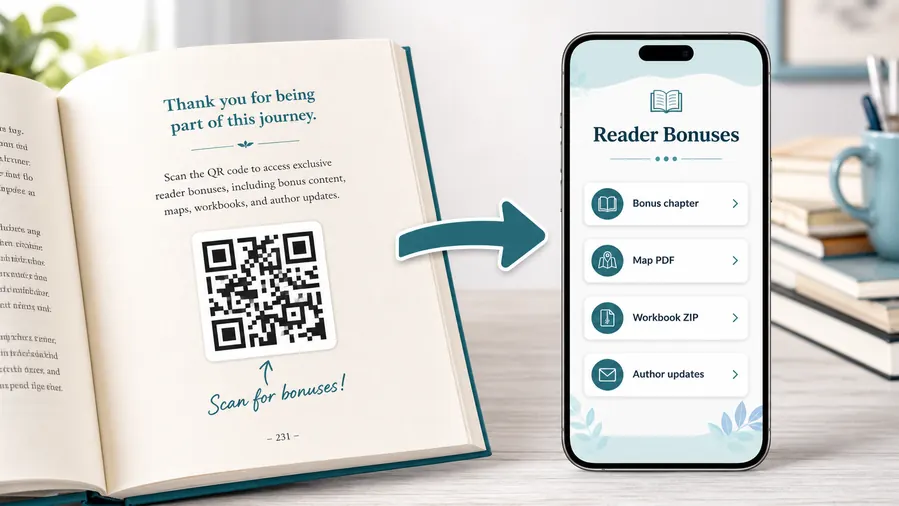
Host the sample where readers can start quickly
Use a focused page for the excerpt, PDF, EPUB sample, audio preview, cover image, series context, author note, retailer buttons, or newsletter bonus. The first screen should confirm that the scan opened the promised sample.
Do not make readers hunt through a full author website before they can read.Chapter one preview
Open the first chapter from a cover, bookmark, event card, catalog, or bookstore display so readers can test the voice before buying.
Bonus or deleted scene
Offer an extra scene, companion note, map, character guide, or extended excerpt for readers who already own or browse the book.
Preorder and retailer handoff
After the sample, link to preorder, buy buttons, library request, audiobook, ebook, or series page without making the purchase ask the only action.
Reader magnet signup
Invite email signup only when the sample value is clear, with honest copy about what readers receive and how often you will contact them.
Event or signing follow-up
Use signing table cards, posters, and bookmarks to give event visitors a sample they can read later.
Updates and corrections
Keep sample files, retailer links, launch dates, bonus pages, and reader support current after print materials are already distributed.
Sample chapter print often lasts longer than the launch page
Bookmarks, covers, event cards, catalogs, and bookstore flyers may circulate after preorder links, retailer pages, or sample files change. Dynamic control protects that print.
Put the QR where the reader is already evaluating the book
A QR near the cover copy, chapter teaser, signing table, bookmark, catalog listing, or back matter works better than a generic author link with no reading promise.
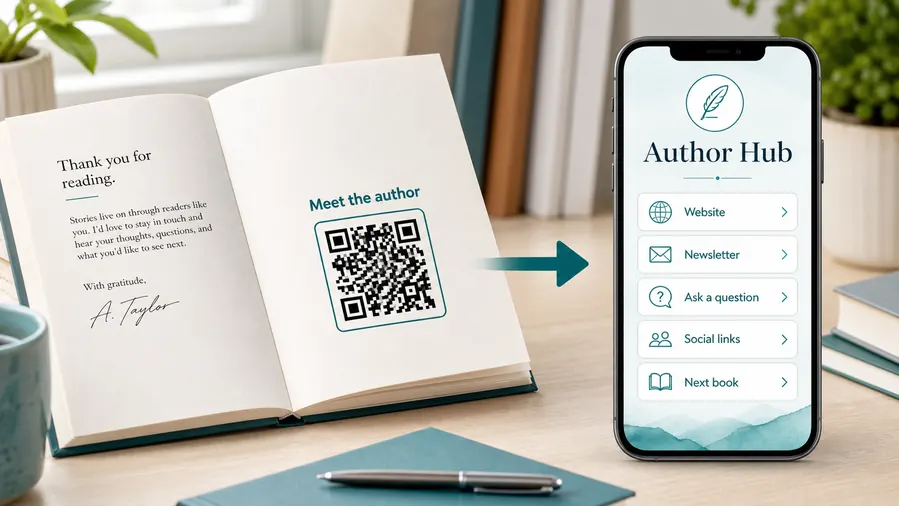
Sample print handoff
Check the sample chapter QR before covers, bookmarks, or event cards go to print
Print readyA sample chapter QR has to scan from book covers, bookmarks, posters, catalogs, and event materials after paper, finish, trim, and real reading distance change the conditions.

Make the code readable on small book materials
Bookmarks, back covers, postcards, and catalog pages leave little room, so preserve quiet zone, contrast, and enough printed size for a normal phone camera.
Test the QR from the final trim size, paper stock, finish, and likely reading distance before sending files to print.
Make the printed promise match the first screen
Use short copy such as read chapter one, get the sample, or preview the book beside the QR.
The destination should open the sample context immediately, with title, author, cover, and next action clear on mobile.
Use a focused preview page when the scan needs more than one action
A direct PDF can work for one excerpt, but launches often need a cover, sample chapter, retailer buttons, newsletter signup, event follow-up, and series context.
A clean mobile page keeps the printed QR simple while giving readers the right next step after the preview.
Book cover
Open chapter one, preorder, retailer links, audiobook sample, or series page from the browsing moment.
Bookmark
Send readers to an excerpt, bonus chapter, launch list, author updates, or reader group.
Signing table card
Give event visitors a sample they can read later, plus author follow-up and buy links.
Catalog or flyer
Connect listings and ads to preview pages, metadata, retailer choices, and librarian or book-club resources.
Print only after the sample path feels complete
Test the QR image, printed material, sample page, and follow-up buttons together before distributing launch materials.
Sample link control
Keep sample chapter QR destinations editable after launch materials are printed
DynamicSample chapter links often change during launch: preorder pages go live, retailers change, bonus files move, newsletter forms update, and event campaigns expire.
A fixed sample link can age quickly
A static QR is fine while the sample file, preorder page, retailer URL, and author site stay final.
Launch print often survives longer than the original campaign page, especially bookmarks, posters, catalogs, and event cards.
The same printed code can follow the current reader path
Dynamic QR lets you update the sample file, retailer buttons, newsletter form, bonus chapter, event page, or series destination behind the printed code.
That protects launch materials when the book moves from preorder to release to long-tail discovery.

Preorder to launch
Move the sample page from preorder buttons to live retailer links when the book releases.
Retailer changes
Update Amazon, Kobo, Apple Books, direct store, audiobook, library, or series links without reprinting.
Bonus file updates
Replace preview PDFs, bonus chapters, audio samples, maps, or reader guides when files move.
Event campaigns
Route signing, fair, bookstore, conference, or library print to the right follow-up page after the event ends.
Use dynamic when the sample path is part of a launch
If the QR will live on printed promo material, editable destinations are safer than fixed sample URLs.
Reader preview flow
Place sample chapter QR codes where curiosity is already high
Useful placements include back covers, bookmarks, author table signs, bookstore shelf cards, launch postcards, series inserts, classroom handouts, event programs, and review copies. CTAs should say read chapter one, get sample PDF, preview the book, open excerpt, preorder here, or continue the series. A clear promise helps readers know what they receive after scanning.
Dynamic QR codes are practical because sample chapters, store links, preorder pages, and reader magnets change. You can update the destination after printing, which is useful for launches, series promotions, and author events. Scan analytics can compare bookmarks, table signs, covers, and flyers, helping you see which printed materials actually drive preview interest.
Keep the preview page easy to read on a phone. Readers may scan while standing in a bookstore or at an event table. Show the book title, author name, sample, and next action clearly. If the file is a PDF, make the download obvious and lightweight. A short sample should build trust quickly, then give readers an easy path to buy, preorder, or join updates.






