
Preorder Book QR Code Generator for Launch Links & Bonuses
Create preorder book QR codes for Amazon pages, publisher pages, launch campaigns, reader bonuses, author sites, event flyers, and bookmarks. Send readers straight to the preorder.
Free QR code generator
Create a QR code online
Generate QR codes for websites, email, phone numbers, vCards, Wi-Fi, plain text, forms, PDF files, and campaign links. Customize colors, add a logo or frame, then download a print-ready PNG or SVG.
Choose QR code type
Website QR code, Email QR code, Phone QR code, vCard QR code, Wi-Fi QR code, Text QR code, SMS, WhatsApp, event, and download links.
Add your content
Enter your website URL, contact details, message, phone number, location, or file destination before generating the QR code.
Customize and download
Adjust QR colors, error correction, logo, frame, size, and margin. Generate QR Code, Download PNG, Download SVG, or Save and track scans.
Book launch link
Turn launch interest into one clear preorder path
A preorder book QR code is useful when printed launch material needs one simple action. It can open an Amazon listing, publisher page, bookstore page, author site, launch campaign, reader bonus page, sample chapter, event flyer, newsletter signup, or preorder landing page. Authors, publishers, KDP authors, launch teams, bookstores, publicists, and book marketers can use it on bookmarks, postcards, posters, table cards, convention handouts, and back matter.
Preorder campaigns change more often than printed material does. Retailer pages may go live late, editions may move, bonuses may change, and launch messaging may shift after bookmarks or flyers are already printed. A dynamic QR code helps protect those materials because the printed code can keep working while the final destination is updated in QR Code Lab.
QR Code Lab creates URL QR codes and can show scan activity. It does not process preorders, manage retailers, sell books, deliver bonuses, run email lists, or operate publishing platforms. The QR code points readers to the retailer, publisher, author, or campaign destination where the preorder or signup actually happens.
Books, KDP, and author bonuses
Use preorder QR codes to give readers a reason to act now
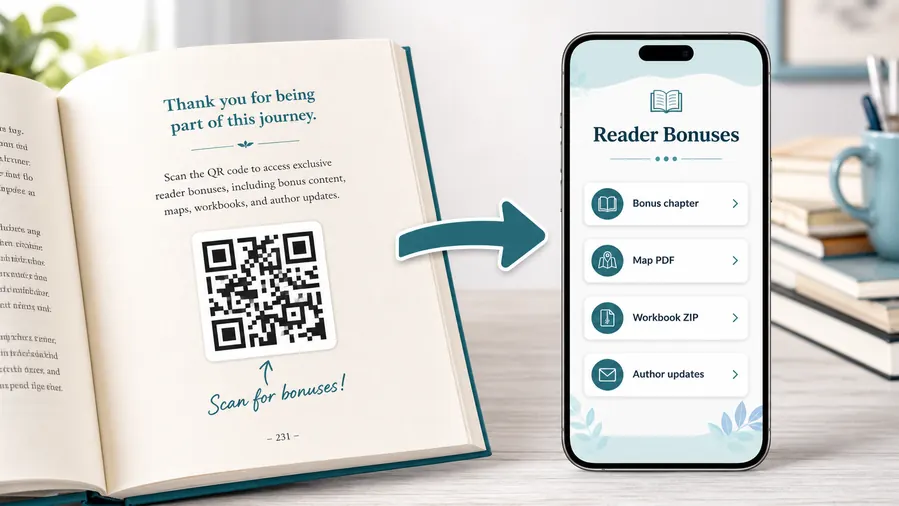
Reader bonus hubA preorder QR works best when it carries a concrete reader benefit: buy early, choose a retailer, claim a bonus, get launch reminders, or save the book for release day.
Put the launch promise behind the scan
The QR can open retailer buttons, bonus files, sample chapters, author notes, preorder receipt upload, series guides, or newsletter signup.
The printed callout should promise the exact preorder benefit, not just “scan here.”Retailer choice and format links
Give readers one mobile page for ebook, paperback, hardcover, audiobook, regional stores, and direct sales.
Preorder bonus and launch updates
Collect receipt uploads, bonus delivery, reader list signup, ARC interest, and release reminders from one printed QR.
Worksheets, templates, and ZIP downloads
Non-fiction readers can download checklists, spreadsheets, planners, exercises, workbook pages, or a ZIP bundle of printable resources.
Audio, video, and companion media
Send readers to pronunciation guides, author commentary, demos, playlists, interviews, or short explanations that make the book more useful.
Newsletter and next-book previews
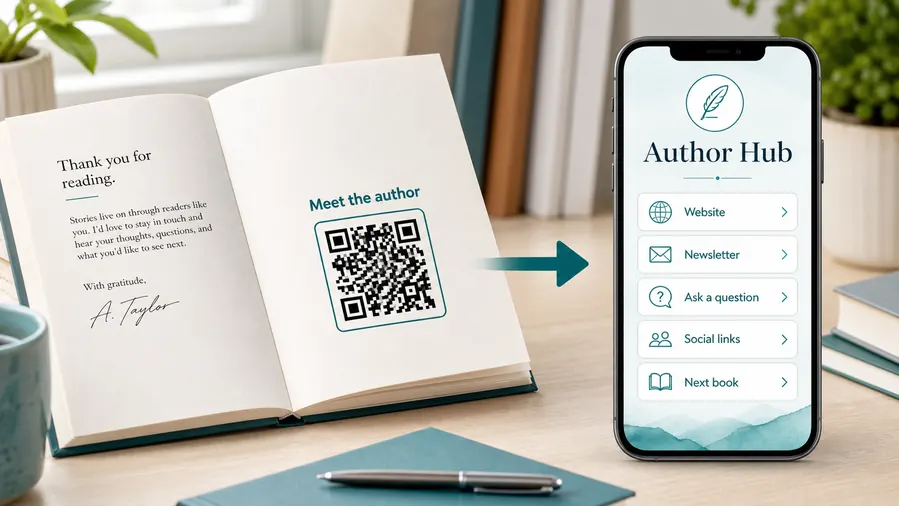
A QR code near the author note or final chapter can invite readers into a newsletter, preorder page, series hub, or sample of the next book.
Feedback and author contact
Let readers report errors, ask questions, join a beta-reader list, or send private feedback without publishing a personal email address in the book.
Printed launch materials can outlive the preorder window
After release day, redirect the same QR to buy-now links, reviews, bonus archive, next book, or author newsletter.
Put the QR where preorder intent is strongest
Bookmarks, launch postcards, event signs, sample chapters, and back-cover ads work when the reader already wants the book.
Launch placement
Place preorder QR codes where readers are deciding whether to buy early
PlacementPreorder QR placement should sit beside the title, cover, author, release date, and offer so readers understand why the scan matters before launch.

The code is separated from the book promise
A bare QR near generic author branding does not create urgency or explain why preorder matters.
Readers need title, release date, retailer or bonus context close to the scan.
The QR sits beside the launch reason
Put it near the cover image, preorder bonus, event table, sample chapter ending, or back-cover callout.
The caption should name the action: preorder, claim bonus, choose retailer, or get launch reminder.
What is the preorder incentive?
Bonus, price, format, retailer choice, signed copy, reminder, or series continuation should shape the destination.
Will the campaign change after launch?
Plan the post-launch destination before printed cards keep circulating.
Can readers choose their store?
Use a landing page when formats, countries, or retailers matter.
Is the author relationship clear?
Show author name, series context, and newsletter choice before asking for signup.
Bookmark or postcard
Best for preorder link, release reminder, bonus claim, and author list signup.
Author event table
Use for retailer choices, signed-copy notes, newsletter, and next book.
Sample chapter ending
Send engaged readers directly to preorder, series page, or bonus material.
Back cover or ad
Pair the QR with the title, release date, and clear preorder promise.
Poster or event sign
Best where people pause: registration line, booth, waiting area, seat back, schedule board, or exit path. Weak when people only pass at speed.
Business card
Useful after a conversation because the person already knows why they might save a contact, open a portfolio, book a call, or follow up.
Window sign
Good for after-hours menus, booking, pickup instructions, or quick offers. Avoid complex actions when the person is outside and just walking by.
Cover or front label
Use it only when the promise is immediate and clear. Otherwise the better scan moment is often inside the material or after the first interaction.
Preorder QR placement should turn attention into commitment
Put the code where the reader already understands the book and sees a reason to act before release.
Launch materials
Place the QR where reader interest is already warm
Use preorder QR codes on bookmarks, postcards, launch posters, author table cards, book signing flyers, advance reader materials, bookstore shelf talkers, convention handouts, press sheets, podcast cards, and back matter in earlier books. The CTA should say preorder the book, read the sample, claim the preorder bonus, join launch updates, or save the release date. A clear action matters because readers may scan quickly while browsing or talking with the author.
Separate QR codes can help a launch team learn which materials work. A bookstore card, event poster, bookmark, and convention flyer can all point to the same preorder page while still being tracked separately in QR Code Lab. That scan data does not prove a sale, but it can show where readers took the next step. For books with multiple retailers, consider linking to a simple landing page that lets readers choose Amazon, Bookshop, the publisher, or a local store rather than forcing one retailer on every audience.
If you offer preorder bonuses, make the promise visible near the code. Readers are more likely to scan when they understand what extra value is waiting after the preorder.






