
QR Code on Book Cover - Samples, Trailers & Author Links
Create QR codes for book covers linking sample chapters, author pages, bonus content, book trailers, series pages, reviews, and preorder pages. Add a clear next step without cluttering the cover.
Free QR code generator
Create a QR code online
Generate QR codes for websites, email, phone numbers, vCards, Wi-Fi, plain text, forms, PDF files, and campaign links. Customize colors, add a logo or frame, then download a print-ready PNG or SVG.
Choose QR code type
Website QR code, Email QR code, Phone QR code, vCard QR code, Wi-Fi QR code, Text QR code, SMS, WhatsApp, event, and download links.
Add your content
Enter your website URL, contact details, message, phone number, location, or file destination before generating the QR code.
Customize and download
Adjust QR colors, error correction, logo, frame, size, and margin. Generate QR Code, Download PNG, Download SVG, or Save and track scans.
Cover scan promise
Use a book cover QR code only when it gives the reader a clear reason to scan
A QR code on a book cover can be useful, but it has to earn its space. It can open a sample chapter, book trailer, author page, preorder page, series page, reader bonus, review page, or companion content. On a cover, the QR code is part of the first impression, so the promise should be simple and worth the visual attention.
Cover QR codes work best when the scan helps a browsing reader decide or continue. A nonfiction book can open a toolkit or preview. A novel can open a trailer, map, or series page. A cookbook can open sample recipes. A workbook can open bonus templates. A preorder card or back cover can open the purchase page. QR Code Lab helps create print-ready dynamic codes that can stay useful after launch.
QR Code Lab creates URL QR codes and scan analytics. It does not sell the book, host every bonus file by itself, manage reviews, or run author newsletters. Your author website, store page, file host, publisher page, video platform, or newsletter tool handles the reader destination.
Cover scan promise
Cover scan promise book, author, KDP, and reader projects with author pages, reader bonuses, sample chapters, reviews, feedback, newsletters, catalogs, and updates
Book coverUse QR codes to move book, author, KDP, and reader projects from book covers, interiors, inserts, bookmarks, launch flyers, catalogs, reading guides, and author materials to author pages, reader bonuses, sample chapters, reviews, feedback, newsletters, catalogs, and updates without making readers type a long URL.

Give browsers a reason to scan before buying
A cover or back-cover QR can open sample pages, trailer videos, reviews, author notes, worksheets, source files, or bonus material that helps someone decide.
The printed CTA should be benefit-first, not just a decorative QR.
Connect the physical cover to a living resource
Dynamic QR helps when the author page, bonus library, errata, preorder page, classroom resource, or retailer link changes after the book is printed.
Covers and back covers can stay in circulation for years.
Build a reader path without cluttering the design
Use the QR destination for bonus files, newsletter signup, series page, reviews, reader questions, or companion content while the cover stays clean.
The QR should support the cover promise, not compete with it.A book-cover QR code should earn attention quickly
The reader may be in a bookstore, classroom, library, event table, or online print preview. The scan should offer something specific enough to be worth stopping for.
Use CTAs such as read sample, get bonus files, watch trailer, view resources, join updates, or contact the author.Before purchase
Open sample chapters, trailers, reviews, author intro, classroom fit, or series page.
After purchase
Offer downloads, worksheets, audio, bonus library, errata, and reader support.
Author platform
Invite newsletter, launch updates, preorder, reader group, and next-book paths.
Print safety
Keep the QR scannable on cover stock, small formats, matte/gloss finishes, and back-cover layouts.
Books, KDP, and author bonuses
Use the book-cover QR for a reader benefit strong enough to scan
Reader bonus hubA QR code on a book cover or back cover should open something useful: sample chapters, bonus files, worksheets, audio, video, classroom resources, errata, or author updates.
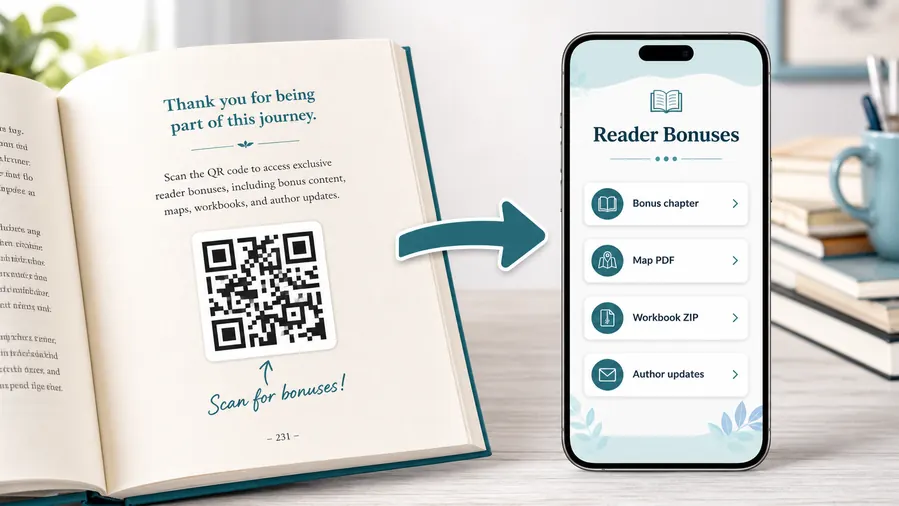
Put the cover promise behind a clean mobile page
Use a reader-friendly page for sample chapters, bonus PDFs, audio, videos, templates, source files, classroom resources, and series information.
The cover CTA should say exactly what the reader gets after scanning.Sample and preview content
Help browsers evaluate the book with sample chapters, author intro, trailers, reviews, or classroom fit notes.
Bonus resources
Offer worksheets, downloads, source files, audio, templates, or companion material after purchase.
Author and series path
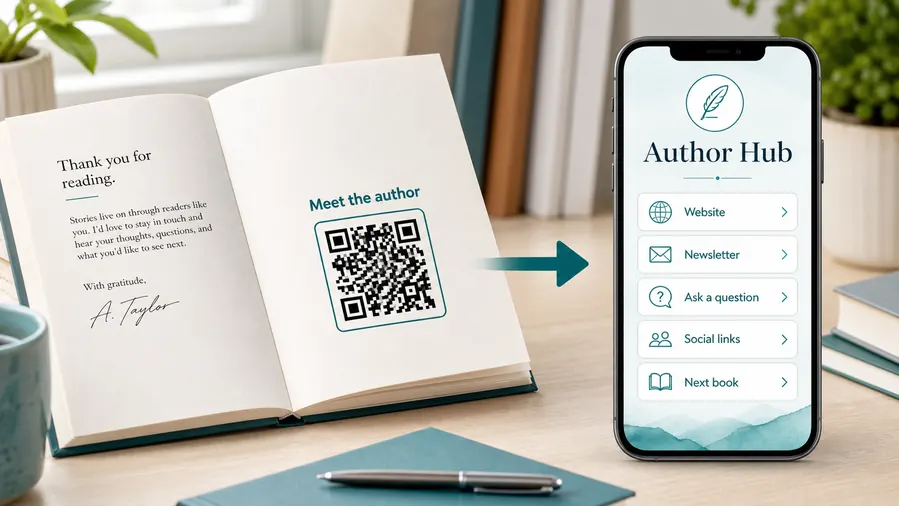
Connect readers to newsletter, next book, preorder, reader group, events, and author updates.
Corrections and support
Keep errata, broken-link fixes, support forms, and reader questions available after printing.
Newsletter and next-book previews
A QR code near the author note or final chapter can invite readers into a newsletter, preorder page, series hub, or sample of the next book.
Feedback and author contact
Let readers report errors, ask questions, join a beta-reader list, or send private feedback without publishing a personal email address in the book.
Book covers make broken QR promises very visible
If the cover points to a moved sample, retired author page, or broken bonus link, readers see the failure before they trust the book.
Place the QR where the cover can explain it
Use back covers, flaps, bookmarks, or inserts when the CTA needs room; keep front-cover QR use rare and strongly justified.
Cover print check
Check a book-cover QR code before the cover file is final
Print readyA cover QR has to survive small thumbnails, glossy or matte finish, curved paper, bookstore lighting, trim, and design pressure around the title and barcode.

Keep the QR readable without hurting the cover
Use enough size, contrast, and quiet zone, especially on back covers, flaps, bookmarks, and inserts.
Avoid placing the code too close to the barcode, spine, trim edge, or busy artwork.
Proof the scan from real cover material
Test matte, gloss, dark artwork, textured stock, and small paperback formats from a printed proof.
Confirm the destination matches the cover CTA and loads well on a phone before publication.
Use a mobile page when the cover QR needs more than one action
A cover scan may need sample, bonus files, author bio, series page, newsletter, reviews, and support.
A clean mobile page can organize those paths without overloading the cover design.
Back cover
Open sample, trailer, reviews, bonus resources, or author page.
Book flap
Share author updates, events, newsletter, and reader group.
Bookmark
Link downloads, errata, reviews, and next-book pages.
Classroom cover
Open teacher resources, worksheets, sample lessons, and adoption notes.
Print the cover QR only after the promise and scan quality are proven
The cover, CTA, QR image, and destination should all support the reader’s decision to scan.
After-print control
Keep book-cover QR destinations editable after the cover is printed
DynamicBook covers stay visible for years. Dynamic QR protects sample pages, bonus resources, author platforms, series links, and errata when destinations move.
A fixed cover QR can make a broken promise permanent
A static QR is risky when sample files, bonus pages, newsletters, author sites, retailers, or review links change.
A broken cover QR is visible before the reader trusts the book.
An editable QR keeps the cover useful
Dynamic QR lets the author update sample chapters, bonus resources, events, series pages, review links, and reader support while the printed cover stays the same.
Older print runs can continue sending readers to the current resource.

Sample and preview
Update sample chapters, trailers, retailer pages, and review links.
Bonus resources
Replace moved downloads, audio, worksheets, classroom files, and companion pages.
Author platform
Change newsletter, event, reader group, series, preorder, and contact links.
Errata and support
Route readers to corrections, broken-link fixes, and support pages after publication.
Use dynamic QR when a cover link may outlive the first destination
A cover QR is too visible to let a moved page or old signup link damage the reader experience.
Cover and back-cover flow
Make the book cover QR code helpful without hurting the design
Useful cover placements include the back cover, inside cover, dust jacket flap, launch sticker, bookmark, author table sign, preorder postcard, and series insert. CTAs should say read sample chapter, watch trailer, get bonus, view series, meet author, preorder here, or leave review. Avoid vague labels because the cover has limited space and readers need a quick reason to scan.
Dynamic QR codes are helpful because book campaigns change. A preorder link can become a purchase link. A launch bonus can become an author page. A trailer page can be replaced by a series hub. Scan analytics can show whether the cover, bookmark, or author table sign gets more interest, which is useful for future print decisions.
Test the printed code carefully. Covers use coatings, dark art, and tight layouts that can hurt scannability. Keep enough quiet space, strong contrast, and a size that works in real light. The code should support the book’s promise, not look pasted on as an afterthought. If the cover is busy, move the code to the back cover or flap.
Scan reporting
Use book-cover scan data to understand reader interest before and after purchase
AnalyticsTracking can show whether cover, back-cover, bookmark, or event-table QR placements attract attention, without treating scans as sales.

One shared book code hides the cover context
A single QR can show total scans, but it cannot tell whether interest came from the cover, back matter, bookmark, event table, classroom handout, or retailer display.
It also cannot separate sample, bonus, review, newsletter, and support intent.
Separate tracked codes make cover performance easier to read
Use different dynamic codes for cover, bookmark, insert, event card, bonus page, and review paths when comparison matters.
Scan data is directional, but it helps authors decide which reader promises work.
Scan volume
Review scans by cover placement, edition, insert, event card, or bookmark.
Timing
Check activity around launch, signings, classroom adoption, promotions, and reviews.
Broad location
Use approximate location signals to compare markets, stores, events, or regions.
Device context
Confirm sample pages, downloads, and signup forms work well on reader phones.
Sample interest
Measure cover scans to previews, trailers, and adoption resources.
Bonus engagement
Separate bonus files, worksheets, audio, and reader resource scans.
Event table learning
Compare signing table cards, bookmarks, posters, and book-cover scans.
Platform cleanup
Find old cover destinations still receiving scans and redirect them cleanly.
Name book-cover QR codes by placement and reader promise
Use names like backcover-sample, bookmark-bonus, signing-review, or cover-series so reports stay readable.






