
QR Code for Wedding Invitations - RSVP, Maps & Registries
Create QR codes for wedding invitations that link to RSVP forms, wedding websites, registries, maps, schedules, photos, menus, and guest details. Keep printed invitations clean.
Free QR code generator
Create a QR code online
Generate QR codes for websites, email, phone numbers, vCards, Wi-Fi, plain text, forms, PDF files, and campaign links. Customize colors, add a logo or frame, then download a print-ready PNG or SVG.
Choose QR code type
Website QR code, Email QR code, Phone QR code, vCard QR code, Wi-Fi QR code, Text QR code, SMS, WhatsApp, event, and download links.
Add your content
Enter your website URL, contact details, message, phone number, location, or file destination before generating the QR code.
Customize and download
Adjust QR colors, error correction, logo, frame, size, and margin. Generate QR Code, Download PNG, Download SVG, or Save and track scans.
Guest detail path
Make wedding invitations easier with RSVP, maps, schedules, and updates
A QR code for wedding invitations is useful when a printed invite needs to open information that changes, grows, or would crowd the card. It can link to RSVP forms, wedding websites, registries, maps, schedules, hotel blocks, dress code notes, menu choices, photo pages, and guest details. The printed invitation stays elegant while the scan handles the practical work.
Wedding guests usually need different answers at different times. When the invitation arrives, they need RSVP and date details. Before travel, they may need hotel links, directions, parking, schedule, or registry information. On the wedding weekend, they may need ceremony timing, reception address, photo upload, or last-minute updates. QR Code Lab helps create print-ready dynamic codes, so one printed invitation can keep pointing to the right guest page.
QR Code Lab creates URL QR codes and scan analytics. It does not collect RSVPs, manage registries, book hotels, process payments, or run wedding websites. Your wedding site, form tool, registry, map page, photo service, or planner system handles the guest information and responses.
Invitation guest moments
Invitation guest moments event, wedding, venue, and attendee teams with registration, RSVPs, ticket pages, schedules, maps, guest details, and follow-up
Wedding detailsUse QR codes to move event, wedding, venue, and attendee teams from invitations, banners, badges, programs, table cards, venue signs, and attendee handouts to registration, RSVPs, ticket pages, schedules, maps, guest details, and follow-up without making guests search or type a long URL.

Make RSVP simple from the invitation
Place the QR code on the invitation, RSVP card, or details insert so guests can confirm attendance, meal choice, plus-one, accessibility needs, and contact details without typing a long URL.
The printed CTA should say RSVP, not just scan.
Keep details together without crowding stationery
Use the QR destination for venue maps, hotel blocks, dress code, schedule, transport, registry, FAQs, and weekend events while the printed design stays clean.
Guests need one calm place for changing details.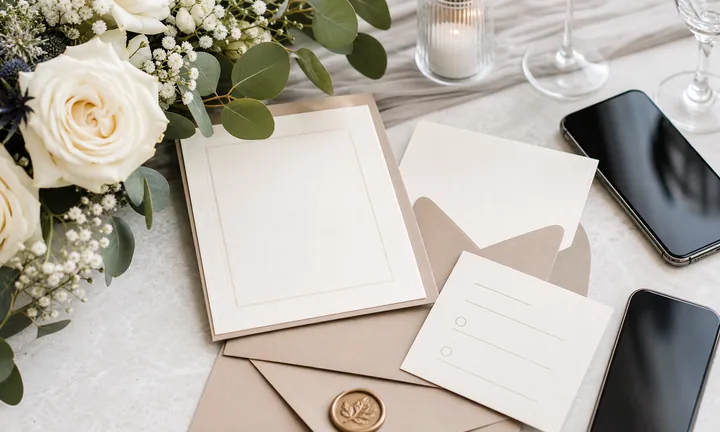
Update guests after the invitations are printed
Dynamic QR helps when ceremony timing, shuttle details, hotel blocks, weather plans, registry links, or RSVP forms change after stationery is mailed.
Editable destinations protect expensive invitation suites.A wedding invitation QR code should feel like part of the stationery
Guests scan because they need to respond, plan travel, find the venue, choose a meal, or check details. The destination should be elegant, clear, and current.
Use specific CTAs: RSVP, view details, open map, choose meal, see registry, or check weekend schedule.RSVP path
Collect attendance, guests, meal choices, dietary notes, accessibility needs, and contact details.
Details hub
Share schedule, venue maps, parking, hotels, dress code, registry, and FAQs.
Editable updates
Change shuttle details, timing, weather plans, and links without reprinting invitations.
Guest-friendly UX
Make the first screen mobile-friendly, clearly branded for the couple, and easy for less technical guests.
Events, conferences, and weddings
Give wedding guests the right invitation action without crowding the card
Attendee flowWedding invitation QR codes work best when the scan opens the guest action promised on the stationery: RSVP, meal choice, venue map, hotel block, registry, weekend schedule, or updates.

Collect RSVPs and meal choices
Use the invitation or RSVP insert to confirm attendance, plus-ones, dietary needs, accessibility notes, and guest contact details.

Show the schedule and venue details
Open ceremony time, reception location, parking, shuttle, dress code, weekend events, and weather backup plans.

Help guests travel and stay
Share hotel blocks, airport notes, maps, ride details, local tips, and arrival instructions.

Connect registry and gifting gently
Link registry, honeymoon fund, gift notes, and shipping guidance from a details page rather than overloading the invitation.

Keep changes visible after mailing
Use dynamic QR for updated timing, hotel links, shuttle details, RSVP deadlines, and venue notices.
Guests should know what the scan opens before they use it
The invitation copy should say RSVP, view details, open map, see registry, or check weekend schedule so the QR feels intentional.
The couple can keep printed stationery elegant while details stay flexible
Use the QR destination for practical information that may change or would clutter the printed suite.
Match invitation QR placement to the guest task
Invitation print check
Check wedding invitation QR codes before stationery goes to print
Print readyA wedding QR code has to scan cleanly after paper texture, ink, foil, envelope inserts, card size, and guest lighting change the conditions.

Keep the code elegant and scannable
Use enough size and quiet zone on invitations, RSVP cards, details inserts, and welcome cards without letting decoration crowd the QR pattern.
Test foil, dark ink, textured stock, low contrast, and small formats from a printed proof before ordering the full suite.
Proof the destination against the printed CTA
Scan the invitation proof and confirm the first screen shows the couple, wedding date, RSVP or details action, and current information.
Use vector artwork for professional stationery and avoid decorative treatments that make finder corners harder to read.
Use one clean mobile page for changing wedding details
The printed invitation can stay simple while the QR page carries RSVP, meal choices, maps, hotels, schedule, registry, FAQ, and updates.
A clear page protects the guest experience when plans change after mailing.
Invitation card
Open RSVP, wedding website, schedule, and core details.
RSVP insert
Collect attendance, meal choice, plus-one, accessibility, and dietary notes.
Details card
Share venue map, parking, hotel blocks, shuttle, dress code, and registry.
Welcome card
Open weekend schedule, weather updates, FAQs, and contact details.
Print invitations only after the QR path is guest-ready
The code, CTA, RSVP form, mobile page, and update plan should be tested before stationery is ordered.
Stationery placement
Place the wedding invitation QR code where guests expect RSVP or details
PlacementWedding QR placement should feel deliberate: easy to scan, visually balanced, and clearly tied to RSVP, details, map, registry, or weekend information.

A tiny decorative QR can be missed or misread
Guests should not have to guess whether the code opens RSVP, registry, travel details, or a generic website.
Small cards, textured paper, foil, and low contrast can make a beautiful invitation harder to scan.
Put the QR beside the invitation action
Use the RSVP insert for response forms, details card for travel and maps, and welcome card for weekend updates.
The printed label should explain the scan before the guest picks up the phone.
What is the guest trying to do?
RSVP, choose a meal, find venue details, book hotel, check dress code, view registry, or see weekend plans.
What should open first?
RSVP form, wedding website, map, hotel block, registry, schedule, FAQ, or update page.
Will the information change?
Use dynamic QR for RSVP deadlines, shuttle plans, hotel blocks, weather updates, registry links, and weekend schedules.
Can every guest scan it?
Test printed size, contrast, paper stock, lighting, and phone distance for older guests and small inserts.
Main invitation
Best for wedding website, RSVP, and core event details when the design has room.
RSVP card
Use for attendance, meal choice, plus-one, dietary notes, and accessibility needs.
Details card
Open venue map, parking, hotels, shuttle, dress code, registry, and FAQ.
Envelope insert
Keep travel, registry, and weekend information separate from the formal invitation.
Save-the-date
Send early guests to date, location, hotel interest, and update signup.
Welcome card
Share weekend schedule, maps, weather updates, and local recommendations.
Program
Open ceremony details, readings, wedding party, photos, and guest messages.
Thank-you card
Send guests to photos, private gallery, message page, or feedback.
Wedding QR placement should feel useful, not tacked on
If the code interrupts the design or the destination is unclear, move it to the card where the guest action belongs.
After-print control
Keep wedding invitation QR links editable after stationery is mailed
DynamicWedding details can change after invitations are printed. Dynamic QR helps protect RSVP, maps, hotels, shuttles, registry links, and weekend updates.
A fixed QR can lock in old wedding details
A static QR is fine for a final permanent page, but it cannot follow changed RSVP forms, hotel blocks, shuttle plans, venue notes, or registry links.
That is stressful when invitations are already mailed.
An editable QR keeps the invitation useful
Dynamic QR lets the couple update RSVP forms, maps, schedules, hotel links, weather plans, registry pages, and FAQs while the printed code stays the same.
Guests scan the same stationery and still reach the current details.

RSVP changes
Update forms, deadlines, meal choices, plus-one rules, and guest questions.
Travel and venue
Change maps, hotel blocks, parking, shuttle timing, and local directions.
Weekend schedule
Update welcome party, ceremony, brunch, weather backup, and local tips.
Registry and photos
Replace registry, honeymoon fund, photo gallery, thank-you, and guest message links.
Use dynamic QR when wedding details may change after print
Invitation suites are expensive and emotional; editable destinations keep guests informed without reprinting.
Invitation and guest flow
Use invitation QR codes for details that guests should not have to type
Useful placements include invitation inserts, RSVP cards, save-the-date cards, welcome cards, hotel cards, schedule cards, ceremony programs, favor tags, and thank-you cards. CTAs should say RSVP here, view wedding details, open map, see schedule, visit registry, upload photos, or read travel notes. The wording should feel warm and practical, not like a technical instruction.
Dynamic QR codes are helpful because wedding details change. A hotel block may close, a schedule may shift, a map link may be updated, or a photo page may go live after the event. With a dynamic destination, the printed invite can stay useful without reprinting. Scan analytics can also show whether guests are using the invite, welcome card, or program code.
Keep the landing page simple for all ages. Guests should see the couple names, date, main action, and trusted wedding site quickly. If the QR code sits on a formal invite, test the print size carefully so the code scans without hurting the design. A beautiful invite still needs a code that works on the first try.
Scan reporting
Use invitation scan data to see whether guests open RSVP and details
AnalyticsTracking can show whether guests are using the QR on invitations, inserts, save-the-dates, and welcome cards, without replacing the RSVP system.

One shared wedding code hides the guest action
A single QR can show total scans, but it cannot tell whether guests wanted RSVP, map, hotel, registry, schedule, or updates.
It also cannot compare invitation cards, details inserts, save-the-dates, and welcome cards.
Separate tracked codes help read stationery behavior
Use different dynamic codes for RSVP, details, registry, welcome cards, and photo pages when comparison matters.
Scan data is not the RSVP list, but it helps show whether guests are finding the right information.
Scan volume
Review scans from invitations, RSVP cards, details inserts, save-the-dates, and welcome materials.
Timing
Check scan activity around mailing dates, RSVP deadlines, travel planning, and wedding weekend.
Broad location
Use approximate location signals to understand guest-region behavior without identifying individuals.
Device context
Confirm RSVP forms, maps, hotel links, and registries work well on guest phones.
RSVP readiness
See whether guests scan before deadlines and whether reminders need clearer direction.
Details-card usage
Compare map, hotel, schedule, and registry QR placements when they are separated.
Weekend updates
Watch welcome-card scans for weather, shuttle, schedule, and venue changes.
Photo follow-up
Track thank-you and photo-gallery scans after the wedding weekend.
Name wedding QR codes by card and guest action
Use names like invitation-rsvp, details-map, save-date-hotels, welcome-schedule, or thankyou-gallery so reports make sense.






