
Conference QR Code Generator for Agendas, Badges & Check-In
Create conference QR codes for registration, check-in pages, agendas, speaker bios, maps, session feedback, sponsor pages, and networking. Use them on badges, programs, banners, and booths.
Free QR code generator
Create a QR code online
Generate QR codes for websites, email, phone numbers, vCards, Wi-Fi, plain text, forms, PDF files, and campaign links. Customize colors, add a logo or frame, then download a print-ready PNG or SVG.
Choose QR code type
Website QR code, Email QR code, Phone QR code, vCard QR code, Wi-Fi QR code, Text QR code, SMS, WhatsApp, event, and download links.
Add your content
Enter your website URL, contact details, message, phone number, location, or file destination before generating the QR code.
Customize and download
Adjust QR colors, error correction, logo, frame, size, and margin. Generate QR Code, Download PNG, Download SVG, or Save and track scans.
Conference flow
Turn busy conference print into clear attendee actions
A conference QR code can open registration, check-in pages, agendas, speaker bios, session pages, maps, feedback forms, sponsor pages, networking links, event app pages, slide resources, or post-event materials. It is useful for conference organizers, event teams, sponsors, venues, agencies, and speakers who need printed materials to stay useful during a busy event.
Treat conference QR codes like directional signs. Badges can open profiles or networking pages. Programs can open the live agenda. Room signs can open session details. Booth signs can open sponsor pages. Slides can open downloads or feedback. Registration desks can open check-in instructions. The QR code should make the next step obvious, not send everyone to a generic homepage.
QR Code Lab creates the QR destination and can support dynamic updates and scan reporting. It does not validate tickets, store attendee data, manage badges, run event apps, process payments, or operate registration software. The code should point to the conference platform, form, page, or file that handles the actual workflow. That boundary helps avoid confusing a scan with a completed event action.
Conference flow
Use conference QR codes to guide attendees through the event day
ConferenceA conference QR code should help attendees find the next thing they need: registration, agenda, session rooms, speaker pages, slides, exhibitor maps, Wi-Fi, feedback, or post-event resources.
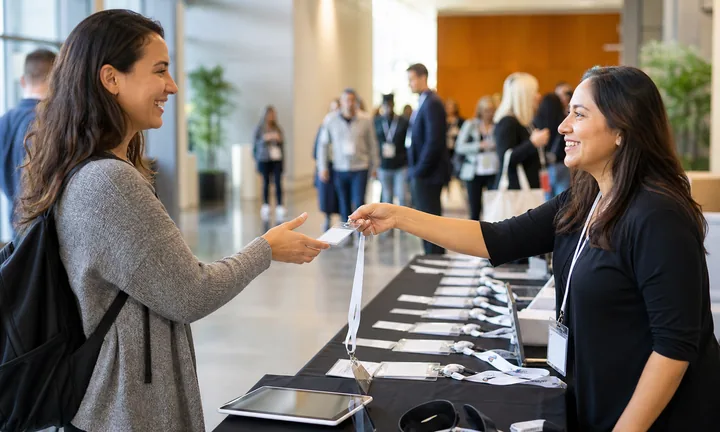
Put the QR beside the attendee moment
Use QR codes on badges, registration signs, programs, room posters, sponsor booths, table cards, and slides so attendees can open the event resource without searching email.
The scan should match the conference material in front of them.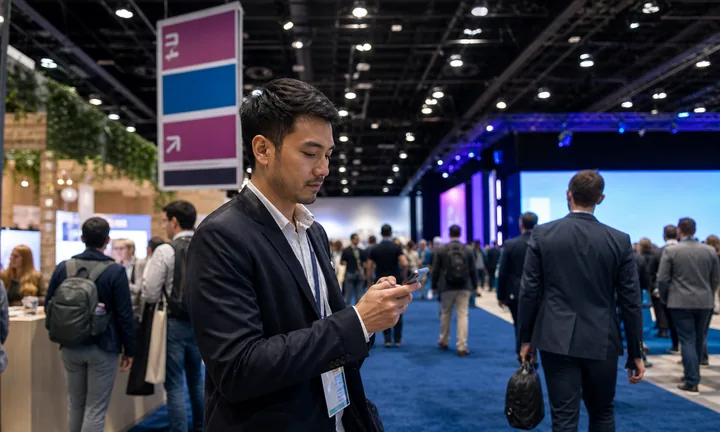
Separate check-in, agenda, and session resources
Registration forms, event maps, session slides, speaker bios, sponsor offers, and feedback surveys serve different points in the day. Separate destinations keep the attendee path clean.
One generic event page can become a bottleneck.
Keep details editable as the agenda changes
Rooms, speakers, times, Wi-Fi notes, livestreams, and sponsor links can change after badges and signs are printed. Dynamic destinations keep print materials accurate.
Conference logistics need update control.A conference QR should reduce attendee confusion in real time
The destination should load quickly, name the event, and put the current attendee action first: check in, choose a session, find a room, download slides, or submit feedback.
Use separate codes when registration, session, sponsor, and feedback reporting need different analytics.Arrival
Open check-in, badge pickup, Wi-Fi, venue map, and first-session information.
Sessions
Link room details, speaker bios, slides, polls, questions, and handouts.
Sponsors
Use booth QR codes for offers, demos, lead forms, brochures, and follow-up.
After event
Send attendees to recordings, slides, feedback, certificates, and next-event announcements.
Events, conferences, and weddings
Give conference attendees the next action without sending them back to email
Attendee flowConference QR codes work when they replace hunting through inboxes, apps, and PDFs with a clear mobile path for the thing attendees need right now.

Speed up arrival and check-in
Use QR codes at registration for badge pickup, ticket lookup, venue maps, Wi-Fi notes, accessibility details, and first-session directions.

Support each session from the room
Room signs and slide QR codes can open speaker bios, session slides, live polls, Q&A forms, worksheets, demos, and feedback for that exact session.

Connect sponsors and exhibitors cleanly
Booth QR codes can open brochures, demos, lead forms, pricing pages, giveaway entries, and follow-up booking without forcing visitors to type URLs.

Organize post-event resources
After the event, QR codes can route attendees to recordings, slide decks, certificates, surveys, photos, and next-event registration.

Speaker materials and feedback
After a session, attendees can scan a slide, poster, handout, or table sign to open slides, PDFs, worksheets, links, speaker profile, Q&A, or feedback form. The attendee gets the materials; the organizer gets a clean follow-up action.
Attendees should know what the scan opens before scanning
Use specific captions such as agenda, room map, slides, Q&A, sponsor offer, feedback, or recordings so the QR does not feel like another generic event link.
Organizers need update control during a moving event
When session rooms, speakers, Wi-Fi, sponsor links, or feedback forms change, dynamic QR destinations keep printed signs and badges from becoming wrong.
Match the QR to the conference asset
Venue placement
Place conference QR codes where attendees pause during the event
PlacementConference QR placement should respect movement, lines, room changes, and attention. Put codes where attendees can scan without blocking registration, hallways, or session doors.

The QR sits where people are moving too fast
A small code on a busy hallway sign or registration bottleneck may be visible but not useful.
Attendees need space to scan, read, and act without holding up the flow.
The QR appears where the attendee is already waiting or deciding
Use registration lines, badge backs, room entrances, table cards, sponsor booths, and seated areas for QR actions that need attention.
The printed caption should match the event task for that location.
Is the attendee moving or paused?
Badges and table cards can carry smaller codes than hallway posters or room signs viewed from a distance.
What event task belongs here?
Check-in, agenda, map, session slides, Q&A, sponsor lead form, or feedback should drive placement.
Can the QR survive agenda changes?
Use dynamic links when rooms, times, speakers, or resources may change after printing.
Do you need separate reporting?
Use separate codes by badge, room, booth, poster, and exit card when comparison matters.
Registration sign or badge
Best for check-in, agenda, event map, Wi-Fi, first-session details, and attendee help.
Session room sign
Use for slides, speaker bio, Q&A, polls, handouts, and feedback for that session.
Sponsor booth
Open demos, brochures, lead capture, meeting booking, and giveaway forms.
Exit or follow-up card
Send attendees to recordings, certificates, survey, photos, and next-event registration.
Poster or event sign
Best where people pause: registration line, booth, waiting area, seat back, schedule board, or exit path. Weak when people only pass at speed.
Business card
Useful after a conversation because the person already knows why they might save a contact, open a portfolio, book a call, or follow up.
Window sign
Good for after-hours menus, booking, pickup instructions, or quick offers. Avoid complex actions when the person is outside and just walking by.
Cover or front label
Use it only when the promise is immediate and clear. Otherwise the better scan moment is often inside the material or after the first interaction.
Conference QR placement should remove friction from the event path
Use the code where attendees already stop, then make the destination specific to that conference moment.
Attendee context
Place QR codes where attendees are already pausing or deciding
Use conference QR codes on badges, programs, banners, booth signs, registration desks, slide decks, sponsor materials, room signs, table cards, printed handouts, networking boards, and help desk signs. The CTA should name the destination: open agenda, check in, view speaker bio, submit feedback, download slides, or visit sponsor page.
Conference days change quickly. Rooms move, speaker bios update, sponsor links change, and printed programs become stale. Dynamic QR codes let the printed sign stay useful while the destination is corrected or updated. That is much easier than reprinting every room sign or telling staff to explain the same change all day.
Use separate QR codes for major placements if you want useful analytics. A badge code, booth code, slide code, and program code tell different stories. QR Code Lab scan data can show which attendee touchpoints people actually used, while registrations and feedback submissions remain in your event systems. Clear names make post-event review much easier, especially when several teams printed materials for the same conference. Keep the naming simple and human.
Conference reporting
Track conference scans by session, booth, and attendee moment
AnalyticsConference scan data is useful when codes are separated by badge, registration sign, session room, sponsor booth, poster, and follow-up card.

All conference scans become one undifferentiated total
A shared QR code can show total interest, but not whether attendees scanned from badges, room signs, sponsor booths, or feedback cards.
That makes it hard to improve the next event.
Each event placement becomes a useful signal
Separate dynamic QR codes let organizers compare sessions, booths, signs, and follow-up materials without changing the attendee experience.
The data is scan interest, not full engagement attribution, but it gives the team a clearer operating picture.
Session interest
Compare scans for room signs, slides, speaker pages, Q&A, and feedback by session.
Sponsor activity
Review booth scans, demo requests, brochure opens, meeting bookings, and giveaway forms.
Arrival support
Measure check-in, map, Wi-Fi, and attendee help scans from registration materials.
Post-event demand
See which recordings, slides, certificates, surveys, and next-event links get attention.
Agenda review
Spot sessions that generated scan interest for slides, Q&A, or follow-up resources.
Sponsor reporting
Compare booth materials and lead forms by placement and time window.
Operations cleanup
Find confusing maps, Wi-Fi signs, or help pages that received heavy scan demand.
Next-event planning
Use follow-up scans to understand recording demand, certificate access, survey response, and registration interest.
Name conference codes before badges and signs go to print
Analytics become useful when each QR name matches the room, booth, badge, sign, or follow-up material the team will review.






