
QR Code for Table Tents - Menus, Promos & Feedback
Create QR codes for table tents linking menus, review pages, Wi-Fi, promos, ordering pages, booking forms, events, and feedback forms. Use them in cafés, bars, restaurants, and events.
Free QR code generator
Create a QR code online
Generate QR codes for websites, email, phone numbers, vCards, Wi-Fi, plain text, forms, PDF files, and campaign links. Customize colors, add a logo or frame, then download a print-ready PNG or SVG.
Choose QR code type
Website QR code, Email QR code, Phone QR code, vCard QR code, Wi-Fi QR code, Text QR code, SMS, WhatsApp, event, and download links.
Add your content
Enter your website URL, contact details, message, phone number, location, or file destination before generating the QR code.
Customize and download
Adjust QR colors, error correction, logo, frame, size, and margin. Generate QR Code, Download PNG, Download SVG, or Save and track scans.
Tabletop touchpoint
Use table tents for menus, offers, Wi-Fi, reviews, and useful guest actions
A QR code for table tents is useful because the guest is already sitting, waiting, eating, or deciding what to do next. It can open menus, ordering pages, Wi-Fi details, promos, event pages, booking forms, review links, feedback forms, loyalty signup, social profiles, and payment links. Table tents work in restaurants, cafes, bars, hotels, events, salons, clinics, and service counters.
The table tent should match the moment. At a restaurant, it might open the menu, specials, loyalty offer, or feedback. In a hotel lobby, it might open Wi-Fi, amenities, or local recommendations. At an event table, it might open agenda, speaker materials, or signup. At a clinic or salon, it might open booking or aftercare. QR Code Lab helps create dynamic codes and scan analytics for these tabletop placements.
QR Code Lab creates URL QR codes and tracks scans. It does not process orders, run Wi-Fi networks, manage loyalty accounts, collect forms, or operate booking systems. Your menu, order page, form tool, booking platform, review site, or website handles the action after the scan.
Table tent scan moments
Table tent scan moments restaurants, cafes, bars, and food service teams with digital menus, ordering links, reservations, reviews, loyalty rewards, coupons, guest Wi-Fi, and feedback forms
At the tableUse QR codes to move restaurants, cafes, bars, and food service teams from table tents, menus, receipts, takeout bags, counter signs, food trucks, delivery packaging, and loyalty cards to digital menus, ordering links, reservations, reviews, loyalty rewards, coupons, guest Wi-Fi, and feedback forms without making guests search or type a long URL.
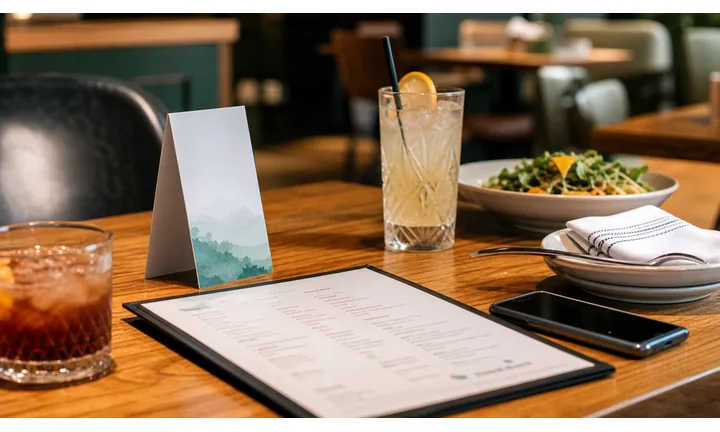
Give guests the right action while they are seated
Use table tents to open current menus, specials, ordering, reorder, allergy notes, staff help, payment, receipts, loyalty, and feedback without making guests search.
The CTA should say exactly what the scan opens.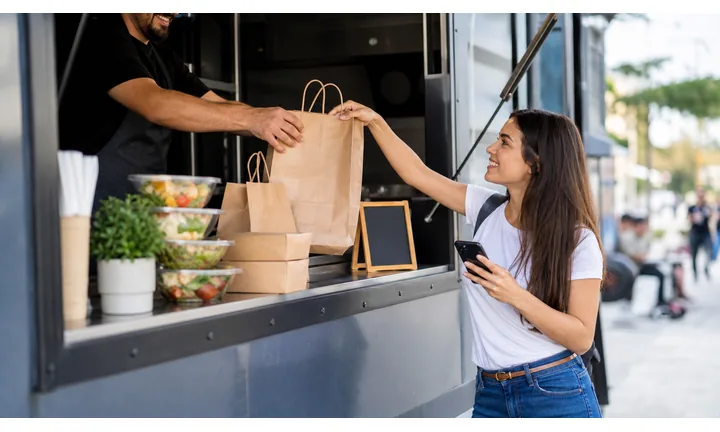
Promote without crowding the tabletop
A table tent can advertise happy hour, dessert, events, loyalty, reviews, seasonal items, or app downloads while the QR opens the full mobile page.
The printed card stays simple while the destination carries detail.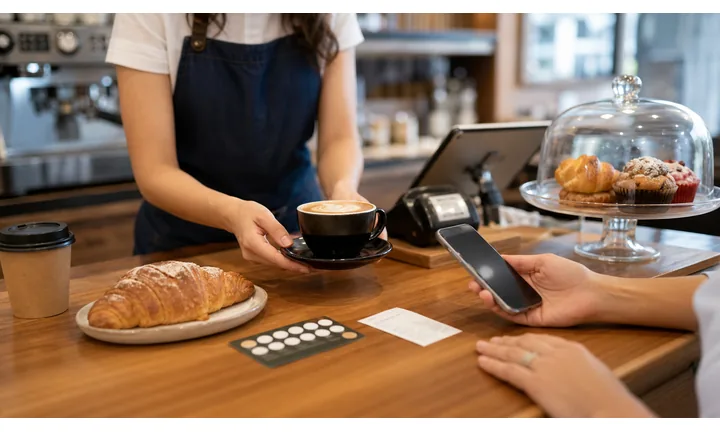
Update printed table cards after menus change
Dynamic QR keeps table tents useful when prices, items, ordering providers, events, and payment flows change after the cards are printed.
Editable destinations protect long-lived table print.A table tent QR code should match the seated guest moment
The person is not casually browsing from home. They are at the table, ready to decide, waiting for service, paying, or thinking about the next visit. The destination should respect that context.
Use one clear promise per table tent: view menu, order, pay, claim offer, join loyalty, review, or request help.Menu and ordering
Open current menu, specials, modifiers, allergy notes, ordering, reorder, and staff-help paths.
Promos and loyalty
Send seated guests to offers, events, rewards, birthday clubs, and next-visit incentives.
Payment and receipt
Route payment, tips, split checks, receipts, and issue support through trusted pages.
Feedback after dining
Invite private feedback, reviews, and follow-up only after the service moment makes sense.
Restaurants, cafes, and bars
Match table tent QR codes to the guest action happening at the table
Guest-first flowA table tent QR should open the action guests expect from that card: menu, order, promo, refill, staff help, payment, receipt, loyalty, or feedback.
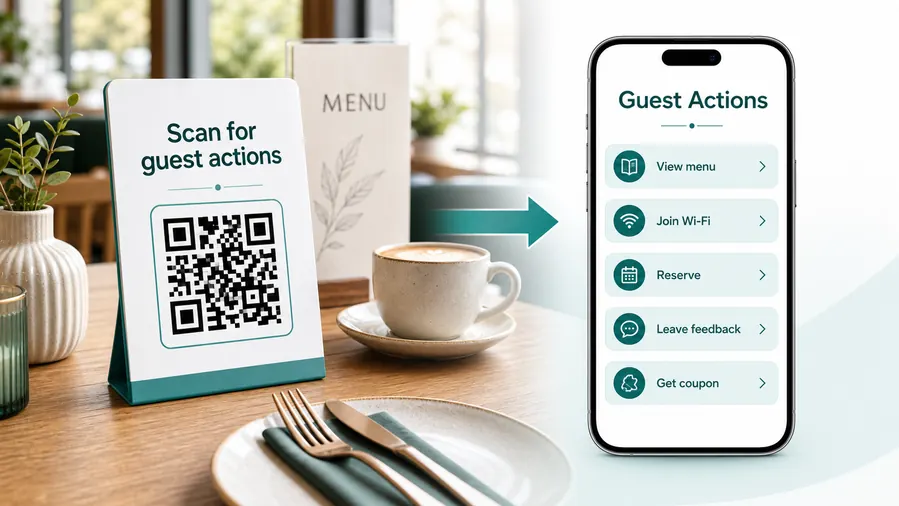
Table tents earn scans because guests have time and context
The card sits where people are choosing food, waiting, talking, paying, and planning the next visit. The QR code should support that moment instead of sending them to a generic homepage.
Open the active menu
Show current items, specials, prices, photos, allergens, modifiers, sold-out notes, and branch-specific menu context.
Start ordering or reordering
Let guests place an order, add another round, request dessert, or choose pickup mode when the restaurant flow supports it.
Promote the next profitable action
Use table tents for happy hour, seasonal dishes, events, private dining, catering, gift cards, and loyalty signup.
Make staff help visible
Keep a path for allergies, accessibility, cash, substitutions, wrong items, service questions, and guests who prefer human help.
Support payment and receipt
Show table, order, total, service charge, tip, receipt, provider identity, and support before checkout.
Ask for feedback after service
Use the end-of-meal moment for private feedback, public reviews, loyalty, referrals, and next-visit offers.
Before ordering
Menu, specials, allergens, modifiers, staff questions, and first order.
During the meal
Reorder, extra items, drinks, dessert, issue reporting, and staff help.
Before leaving
Payment, tip, receipt, review, loyalty, and next-visit offer.
After the visit
Feedback, referral, reorder, event signup, and returning customer promotion.
Dynamic QR keeps table tents current across menu and promo changes
Restaurants can update menus, specials, events, ordering links, sold-out items, loyalty pages, and payment flows without replacing every card.
Do not hide service behind the QR code
Table tent QR should reduce friction while keeping staff support visible for allergies, accessibility, payment issues, and guests who need help.
Table placement
Place table tent QR codes where seated guests naturally look before acting
PlacementA table tent QR code should be readable from a seated position, clearly labeled, and connected to a table action: menu, ordering, promo, payment, loyalty, or feedback.

A small code on a crowded card creates staff questions
Guests should not have to rotate the card, zoom the phone, or ask what the QR opens.
A vague table tent becomes decoration when the CTA does not match a useful dining action.
Put the QR beside the table promise
Use the card face for menu, order, promo, payment, or loyalty and keep enough quiet zone around the QR.
The first screen should continue the exact promise printed beside the code.
What is the guest doing?
Browsing the menu, ordering, waiting, reordering, paying, joining loyalty, leaving feedback, or asking for help.
What should open first?
Menu, specials, order page, promo, payment, receipt, review, staff help, loyalty, or event signup.
Can the code scan at table distance?
Use enough size, contrast, lighting tolerance, and quiet zone for seated scanning under restaurant conditions.
Will the card outlive the offer?
Use dynamic QR when menus, prices, specials, providers, events, or payment paths change often.
Table tent front
Best for the main CTA: view menu, order here, scan specials, pay bill, or join rewards.
Table tent back
Use for secondary actions such as events, reviews, catering, gift cards, or app downloads.
Menu insert
Open allergens, modifiers, nutrition, seasonal specials, and digital ordering.
Placemat
Works for casual ordering, kids menus, promos, games, and family-friendly offers.
Receipt
Send guests to payment confirmation, review, loyalty, receipt download, or support.
Bar top card
Use for rounds, tabs, events, happy hour, tipping, and service requests.
Counter tent
Useful for quick-service ordering, pickup, rewards, and tip prompts.
Event table
Open private dining, catering, live events, booking, and group offers.
A table tent QR should be obvious from the seat
If guests cannot tell why to scan before lifting the phone, the table tent needs clearer copy or a better destination.
Table tent scan UX
Make the table tent scan open a fast, current, table-ready destination
Scan UXA guest who scans a table tent is already in the restaurant. The page should load quickly, show the right branch or menu context, and make the next action easy on a phone.
Menu scans should open the current dining choice
Menu, specials, allergens, modifiersShow active items, prices, sold-out notes, specials, photos when helpful, and allergen information before asking guests to order.
Avoid sending table tent scans to a homepage or social profile when the printed promise says menu.
Promotion scans should explain the offer immediately
Happy hour, events, loyalty, gift cardsThe first screen should show the offer, eligibility, location, dates, and redemption steps without making guests hunt.
Dynamic QR helps when short-term offers rotate faster than printed table cards.
Payment scans need table and total context
Pay bill, tip, receipt, split checkGuests should see order or bill context, fees, tips, receipt options, provider identity, and support before checkout.
Keep staff help visible for payment problems or guests who prefer another method.
Does the first screen match the table card?
The scanner should immediately see menu, order, promo, payment, loyalty, review, or staff help based on the printed CTA.
Is the action thumb-friendly?
Buttons, menu sections, modifiers, checkout, and support should work without zooming or searching.
Is there a fallback for service issues?
Keep staff help visible for allergies, accessibility, cash, wrong items, or payment trouble.
The table tent scan should reduce waiting and uncertainty
If the destination creates more questions than the printed card answered, the QR flow needs tighter UX.
Scan reporting
Use table tent scan data to compare cards, tables, promos, and dining moments
AnalyticsTracking is useful when separate table tents, menu inserts, receipts, counters, or promotions need their own scan readout.

One shared table tent code hides what guests wanted
A single QR can show total scans, but it cannot explain whether people wanted menus, specials, payment, loyalty, events, or reviews.
It also cannot compare table tents against receipts, bar cards, counters, or placemats.
Separate codes make dining-room signals easier to read
Use different dynamic codes for menu, promo, payment, loyalty, feedback, and branch-specific table tents when comparison matters.
Scan data is not order revenue, but it helps show which printed prompts earn attention.
Scan volume
Review which table cards, promos, or dining areas receive scans during the selected period.
Time and device
Check lunch, dinner, weekend, event, and device patterns that may affect menu and payment UX.
Broad location
Use approximate location signals for branch-level checks, not individual guest identity.
Destination health
Compare scans against ordering, payment, loyalty, and review systems to spot friction.
Promo testing
Compare happy hour, dessert, gift card, event, and loyalty table tent campaigns.
Dining area comparison
Separate patio, bar, counter, private room, and dining-room cards when layout matters.
Menu vs payment usage
Use separate QR codes when menu browsing and payment are different flows.
Cleanup old cards
Find stale promos, retired menus, moved payment links, and old loyalty pages still receiving scans.
Name table tent codes by card purpose and placement
Use names like table-menu, patio-specials, bar-happy-hour, counter-loyalty, or receipt-review so reports stay useful.
Waiting moment flow
Place table tent QR codes around what people can do while they wait
Useful table tent CTAs include view menu, join rewards, connect to Wi-Fi, leave feedback, book next visit, see events, order now, claim offer, follow us, or open guide. The best action depends on why the person is seated. A guest waiting for food is different from a visitor waiting for an appointment or an attendee sitting before a session.
Dynamic QR codes are practical because table tent content changes often. Offers, menus, event pages, Wi-Fi instructions, review links, and booking pages can move while the printed tent stays in place. Scan analytics can compare tables, rooms, venues, or campaign designs, which helps you learn whether the tabletop placement earns attention.
Keep the physical design readable. Table tents are handled, moved, cleaned, and viewed at an angle. Use enough size, contrast, and quiet space. If the table tent has several messages, make the QR code label very clear. People should understand the benefit before they scan, especially when the table already contains menus, plates, phones, and other distractions.
Payment boundary
Use table tent payment QR codes with clear bill, tip, receipt, and support context
PaymentsA table tent payment QR should explain whether guests are ordering, paying an open bill, tipping, splitting a check, downloading a receipt, or getting help.

Pay from the table
Open a trusted payment page with table, order, bill total, taxes, fees, tip, and receipt context.
Order and reorder checkout
Let guests pay for extra items, rounds, desserts, or quick-service orders from the same seated flow.
Tips and receipts
Make tip handling, receipt delivery, provider identity, and support visible before payment.
The QR opens a trusted payment page; it does not process money inside QR Code Lab
Keep checkout, receipts, refunds, disputes, deposits, tips, balances, and payment confirmation inside the restaurant, studio, taxi, booking, or payment provider.
A scan shows that someone opened the payment path, not that payment was completed.Table tent payment QR codes need bill context before checkout
Guests should know what they are paying, who processes it, and how to get help before submitting payment.
Scan trust
Make table tent QR codes trustworthy before guests order, pay, or share feedback
TrustTable tent QR codes sit in public dining spaces and may open menus, ordering, payment, tips, reviews, loyalty, and support. The destination should clearly belong to the restaurant.

Sticker replacement on table cards
Public table tents can be covered or swapped, especially when QR codes open payment, tip, or ordering pages.
Watch for similar-looking domains, long URLs, login or verify keywords, and pages asking for credentials after an unexpected scan.
Wrong menu or old promotion
Guests lose trust when a code opens retired items, old prices, wrong branch menus, or expired offers.
A trustworthy QR should not make the final destination mysterious, especially on posters, labels, menus, parking signs, or event materials.
Unclear checkout or review path
Payment and feedback pages should show restaurant identity, table or order context, and support before asking for action.
Before paying, check the domain, HTTPS, amount, recipient, and whether the destination matches the place or brand that printed the QR.Scan the printed proof like a customer
Confirm that the destination shows the right brand, HTTPS page, action, price or booking context, and support path before people rely on it.
Public QR codes need more trust signals because anyone can scan them and some placements can be tampered with.Decoded destination
Check the QR value before printing and confirm it opens the correct menu, promo, order, payment, or feedback page.
Printed CTA match
The page should match the table tent promise: view menu, order, pay, join rewards, or leave feedback.
Physical table check
Inspect cards for sticker tampering, damage, old promotions, and wrong table or branch assignment.
Support visibility
Show staff help for allergies, payment issues, accessibility, and ordering problems.
Publish QR codes people can verify
The printed CTA, page title, business identity, and first action should all describe the same destination.






