
QR Code for Catalogs - Product Pages, Orders & Demos Online
Create QR codes for catalogs linking product pages, order forms, demos, spec sheets, support pages, quote forms, and campaigns. Connect printed product pages to current online details.
Free QR code generator
Create a QR code online
Generate QR codes for websites, email, phone numbers, vCards, Wi-Fi, plain text, forms, PDF files, and campaign links. Customize colors, add a logo or frame, then download a print-ready PNG or SVG.
Choose QR code type
Website QR code, Email QR code, Phone QR code, vCard QR code, Wi-Fi QR code, Text QR code, SMS, WhatsApp, event, and download links.
Add your content
Enter your website URL, contact details, message, phone number, location, or file destination before generating the QR code.
Customize and download
Adjust QR colors, error correction, logo, frame, size, and margin. Generate QR Code, Download PNG, Download SVG, or Save and track scans.
Catalog to product path
Connect printed catalog pages to live product details and order actions
A QR code for catalogs is useful when printed product information needs a live digital next step. It can open product pages, order forms, demos, spec sheets, support pages, quote forms, campaign pages, comparison guides, warranty information, installation notes, or product videos. Retailers, ecommerce teams, wholesalers, manufacturers, distributors, sales teams, and print catalog designers can use QR codes to make catalog pages more actionable.
The scan should be specific enough to justify the interruption. A product table can open live price or stock. A spec panel can open the full datasheet. A category page can open a filtered collection. A support section can open warranty or installation help. QR Code Lab helps keep these printed links updateable and measurable when product details change after the catalog is printed.
QR Code Lab creates URL QR codes only. It does not print materials, host catalogs, process orders, collect leads, or manage campaign pages. Your ecommerce, quote, support, warranty, or product system handles the customer action and records.
Catalog scan paths
Turn catalog pages into product actions without making the page crowded
Catalog flowA catalog QR code should help the reader act from the page in front of them: view live inventory, compare variants, open a product video, request a quote, download specs, or place an order.

Send readers from a printed SKU to the current product page
Place QR codes beside products, category spreads, samples, or order tables so shoppers can check availability, updated pricing, dimensions, colors, files, and buying options without typing a long URL.
The scan should continue the exact product decision started on the printed page.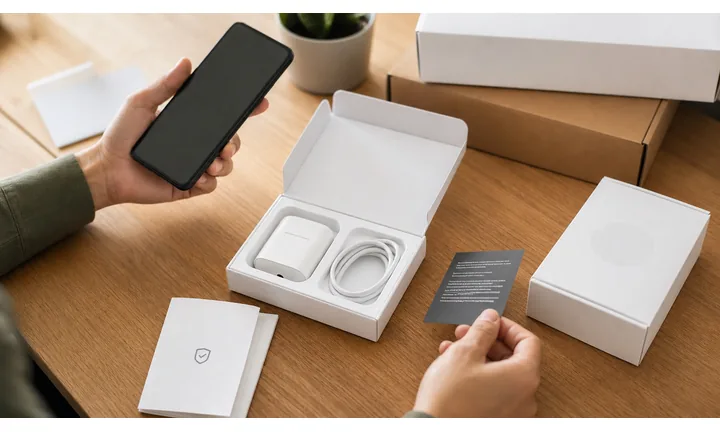
Use QR codes for details that change too often for print
Catalogs freeze quickly: stock, price, lead time, compatibility, product videos, spec sheets, and seasonal bundles can move before the printed run is gone. A dynamic destination gives the team room to update those paths.
Print the stable promise; keep the changing detail behind the QR code.
Separate catalog sections when reporting has value
Use different QR codes for category pages, featured products, wholesale sheets, mailers, and regional catalog versions when the team needs to compare interest by product family or campaign.
Catalog scan data is strongest when code names match real pages and product groups.A catalog QR code should shorten the path from interest to action
The reader is already looking at a product, service bundle, menu of options, or category. The QR destination should answer the next buying question, not send them back to a generic homepage.
Use clear CTAs such as check live stock, view specs, request quote, order sample, or compare variants.Retail catalogs
Open live product pages, size charts, reviews, availability, and checkout options.
Wholesale sheets
Route buyers to quote forms, pack sizes, spec PDFs, line sheets, and reorder pages.
B2B catalogs
Connect printed product ranges to demos, datasheets, compatibility notes, and sales contact.
Seasonal runs
Keep campaign pages editable when offers, bundles, and stock change after print.
Packaging, labels, retail, food, and cosmetics
Use catalog QR codes to move from product interest to the right buying action
Packaging actionsCatalog readers scan when they want proof, specs, availability, pricing, ordering help, or a faster way to continue the product decision online.
Open live product details
Send each SKU, collection, or category spread to a page with current availability, variants, photos, specifications, reviews, and order options.

Offer spec sheets and comparison files
Give buyers downloadable PDFs, line sheets, installation notes, ingredients, measurements, care details, or compatibility information without overloading the catalog layout.

Route complex purchases to a quote or sales path
Use quote forms, sample requests, dealer locators, or consultation booking when the catalog item needs sizing, volume pricing, configuration, or human follow-up.

Support repeat orders from printed materials
Put QR codes on reorder sheets, inserts, and catalog backs so returning customers can reach the right product group again without hunting through the site.

Refill, reorder, and support
When a consumable runs out or a buyer needs help, the same package can open a refill page, reorder flow, subscription, spare parts, compatible accessories, recipe ideas, or support request. This turns packaging into a repeat contact point instead of waste.
The scan should answer the product question the page created
A strong catalog QR destination confirms the item, shows the next useful detail, and gives the reader an obvious action: compare, request, download, order, or contact sales.
Printed catalogs need destinations that can change safely
When stock, pricing, product names, variants, PDFs, or campaign pages change, dynamic QR keeps the printed page useful instead of turning it into an outdated shortcut.
Match each catalog QR to the product decision
Catalog print check
Prepare catalog QR codes before the full print run leaves your hands
Print readyCatalog QR codes are scanned from paper, glossy stock, folded pages, mailers, and sales sheets, so size, contrast, CTA copy, and destination testing matter before distribution.

Make the catalog code readable at real page size
Test the QR code at the smallest printed size used in product grids, tables, sidebars, and back-cover CTAs, not only on a monitor.
Keep quiet zone and contrast intact around photos, patterns, price tables, and brand color treatments so the code is easy to scan from a held catalog.
Test the destination against the printed promise
Scan proofs before print approval and confirm that each code opens the intended product, category, quote form, spec PDF, or campaign page.
Export vector artwork for professional layouts and keep a tracking sheet that maps each printed QR to its destination and owner.
Use a focused landing page when the catalog item needs several actions
A catalog QR does not always need to jump straight to checkout. High-consideration products may need specs, video, dimensions, availability, reviews, quote request, dealer contact, and related items.
A focused mobile landing page can organize those actions clearly while the printed page stays clean and the destination remains editable.
Product grid
Open live product details, availability, variants, reviews, and buying options from the exact item shown.
Wholesale catalog
Send buyers to line sheets, quote forms, sample requests, pricing tiers, and sales contact paths.
Seasonal mailer
Use dynamic QR for offers, bundles, inventory updates, and campaign pages that may change mid-season.
Spec-heavy catalog
Link to PDFs, measurements, certifications, installation notes, compatibility tables, and product videos.
Print only after every catalog QR has an owner and destination
A clean catalog QR system needs proof scans, naming, destination notes, and a simple way to update links after the catalog is already in circulation.
Catalog placement
Place catalog QR codes where the product question is strongest
PlacementThe best catalog QR placement sits beside the product, category, offer, or order step it supports, with CTA copy that tells the reader exactly what the scan will unlock.

One generic QR for the whole catalog
A single back-cover QR is easy to manage, but it often sends every reader to the same broad destination no matter which product created interest.
That makes the scan less useful and makes reporting harder to interpret.
Page-level QR codes match buyer intent
Put QR codes near products, collections, pricing tables, samples, and order prompts so the destination answers the question on that exact page.
Use separate codes when product families, mailers, or campaign versions need their own readout.
What question did the catalog page create?
Availability, price, variants, dimensions, reviews, proof, installation, sample request, quote, or reorder.
Can the reader scan without covering key content?
Keep the code near the product but out of dense tables, folded edges, binding, and photo-heavy clutter.
Does the CTA name the value?
Use copy like view live stock, compare sizes, request quote, download specs, or order sample.
Will this destination change?
Use dynamic QR for product pages, seasonal offers, PDFs, bundles, and inventory paths that may move after print.
Beside a product
Open the exact SKU, variant group, spec sheet, reviews, or buying path.
Category spread
Open comparison tools, collection pages, buying guides, and filtered product lists.
Pricing table
Route to quote request, volume pricing, dealer contact, or configuration help.
Sample kit
Link each sample to care notes, technical details, reorder forms, and related products.
Back cover
Use for broad actions such as full catalog download, dealer locator, newsletter, or reorder portal.
Mailer version
Track seasonal offers, regional campaigns, and audience-specific product groups separately.
Sales handout
Open demo booking, spec PDFs, proposal request, and rep contact details.
Insert or order sheet
Make repeat ordering, warranty, registration, and support paths easy to reach.
Catalog placement should respect the buying question
Keep the QR code close to the decision it supports and make the promised next step obvious before the scan.
After-print control
Keep catalog QR destinations current after products and offers change
DynamicA catalog can remain in circulation long after stock, prices, product pages, PDFs, and seasonal campaigns change. Dynamic QR gives the team a way to update destinations without reprinting.
The catalog keeps pointing to yesterday’s product page
Static QR is fine when the destination is final, but catalogs often outlive URLs, bundles, availability, and sales campaigns.
If a product page moves or an offer expires, the printed catalog cannot repair itself.
The printed code can follow the current buying path
Dynamic QR lets the same printed code open the updated product page, replacement item, quote form, catalog download, or campaign destination.
That is especially useful for large print runs, wholesale catalogs, seasonal mailers, and sales materials that stay in use for months.

Moved product pages
Redirect old catalog codes to the current SKU, replacement item, category, or support page.
Seasonal offers
Update campaign pages, bundles, coupons, and landing pages without changing the printed catalog.
Spec and file updates
Replace PDFs, datasheets, install guides, size charts, and compliance documents behind the same printed QR.
Regional catalog versions
Route different print runs to local pricing, dealers, inventory, or language-specific resources.
Use dynamic QR when the catalog may outlive the destination
If a catalog is expensive to reprint or will circulate widely, editable destinations protect the print investment.
Printed catalog logic
Make each QR code specific enough to justify the scan
Use catalog QR codes beside product tables, feature comparisons, category pages, support sections, order forms, warranty notes, promotional spreads, installation guides, and new product pages. The CTA should say view live price, request quote, watch demo, download specs, check availability, order online, or compare models. A code that only opens the homepage wastes the reader's catalog context.
Dynamic QR codes help when product pages, specs, stock, prices, campaigns, and support links change after print. Separate QR codes for sections, products, and offers can show which catalog areas create digital follow-up. QR Code Lab analytics will not replace ecommerce or sales reporting, but it can show which printed pages moved readers toward the next step. For long-lived catalogs, dynamic links are especially useful because a printed page may circulate long after the first campaign is over.
For B2B catalogs, quote requests and spec downloads often matter more than instant checkout. Match the QR destination to how buyers actually evaluate the product, compare options, check compatibility, and ask for pricing.
Catalog analytics
Use scan data to compare catalog pages, product groups, and campaigns
AnalyticsCatalog tracking is useful when separate QR codes help compare interest across products, categories, mailers, regions, reps, or seasonal campaigns.

All product interest becomes one total
A single QR can show that someone scanned the catalog, but it cannot show which product, page, offer, or category created demand.
That makes scan data too broad for merchandising, sales follow-up, or print planning.
Each page or product group becomes a signal
Use separate dynamic QR codes for product families, featured items, mailers, rep sheets, or regional versions when comparison matters.
Scan data is not full purchase attribution, but it helps show which printed placements earn attention.
Scan volume
Compare scans by catalog page, SKU group, collection, offer, or mailer version.
Timing
See whether interest appears after mailing, events, sales visits, or seasonal promotions.
Device and browser
Check whether product pages, PDFs, and quote forms work well on the devices scanners use.
Broad location
Use approximate location signals for regional catalog versions, dealer areas, and campaign planning.
Featured product reporting
Compare which printed products, bundles, or category spreads attract scans.
Wholesale follow-up
See which line sheets, sample kits, and buyer handouts create quote or reorder interest.
Mailer comparison
Compare regional, seasonal, and audience-specific catalog versions.
Sales team materials
Give reps separate codes for demos, spec sheets, proposal requests, and leave-behind catalogs.
Name catalog QR codes by page, product, and campaign
Tracking only becomes useful when code names match real catalog pages, product groups, mailers, and sales materials.






