
QR Code for Sudoku Books - Answers, Hints & Bonus Grids
Create QR codes for sudoku books linking answer keys, hints, printable grids, video solutions, bonus puzzles, author pages, and updates. Keep answers digital and easy to scan from print.
Free QR code generator
Create a QR code online
Generate QR codes for websites, email, phone numbers, vCards, Wi-Fi, plain text, forms, PDF files, and campaign links. Customize colors, add a logo or frame, then download a print-ready PNG or SVG.
Choose QR code type
Website QR code, Email QR code, Phone QR code, vCard QR code, Wi-Fi QR code, Text QR code, SMS, WhatsApp, event, and download links.
Add your content
Enter your website URL, contact details, message, phone number, location, or file destination before generating the QR code.
Customize and download
Adjust QR colors, error correction, logo, frame, size, and margin. Generate QR Code, Download PNG, Download SVG, or Save and track scans.
Sudoku reader help
Offer hints, answers, bonus grids, and corrections without spoiling puzzles
A QR code for sudoku books is useful when readers need optional support without printing answers beside the puzzles. It can open answer keys, staged hints, printable grids, bonus puzzles, video solving tips, correction notes, author pages, newsletter signup, or extra difficulty packs. Readers who want the challenge can ignore it, while readers who get stuck have a clear place to go.
Sudoku QR codes work best when the promise is precise. A back-of-book code can open the full answer key. A section opener can open hints for that difficulty level. A bonus page can open printable grids or a companion PDF. A correction page can stay updated if a puzzle or answer needs fixing after print. QR Code Lab helps create dynamic, print-ready codes and scan analytics for these book extras.
QR Code Lab creates URL QR codes and tracks scans. It does not create sudoku puzzles, verify answers, host book content by itself unless you connect a destination, or manage reader accounts. Your website, file host, author page, or newsletter tool provides the actual material.
Sudoku reader moments
Sudoku reader moments book, author, KDP, and reader projects with author pages, reader bonuses, sample chapters, reviews, feedback, newsletters, catalogs, and updates
Reader helpUse QR codes to move book, author, KDP, and reader projects from book covers, interiors, inserts, bookmarks, launch flyers, catalogs, reading guides, and author materials to author pages, reader bonuses, sample chapters, reviews, feedback, newsletters, catalogs, and updates without making readers type a long URL.

Offer hints without crowding the page
Place QR codes near puzzle sections, chapter breaks, or back matter so readers can open tiered hints, solving tips, difficulty notes, and explanations without printing long answer pages.
The printed CTA should say whether the scan opens hints, answers, or bonus puzzles.
Keep answer keys and corrections easy to update
Dynamic QR helps if puzzle numbering, answer keys, errata, difficulty labels, or companion downloads need correction after the book is already printed.
This is especially useful for KDP and long-lived print editions.
Build a reader path beyond the book
Use QR codes for bonus packs, printable grids, email signup, next books, reviews, reader questions, and updates while the solving experience is still fresh.
The scan should feel like a reader benefit, not a generic author homepage.A Sudoku QR code should help the solver without spoiling the book
Readers may want a small hint, a full answer, a correction, or more puzzles. Keep those paths clearly labeled so the scan supports the puzzle experience instead of confusing or spoiling it.
Use separate destinations for hints, answer keys, bonus files, reader support, and next-book promotion when the intent is different.Hint path
Open step-by-step hints or solving strategy without revealing every answer immediately.
Answer key
Give readers a clean mobile answer page or downloadable answer sheet tied to the right edition.
Bonus puzzles
Offer printable grids, extra difficulty packs, seasonal challenges, or companion downloads.
Reader relationship
Invite feedback, corrections, newsletter signup, next books, or reviews after the value is clear.
Books, KDP, and author bonuses
Give Sudoku readers helpful extras without making the printed book messy
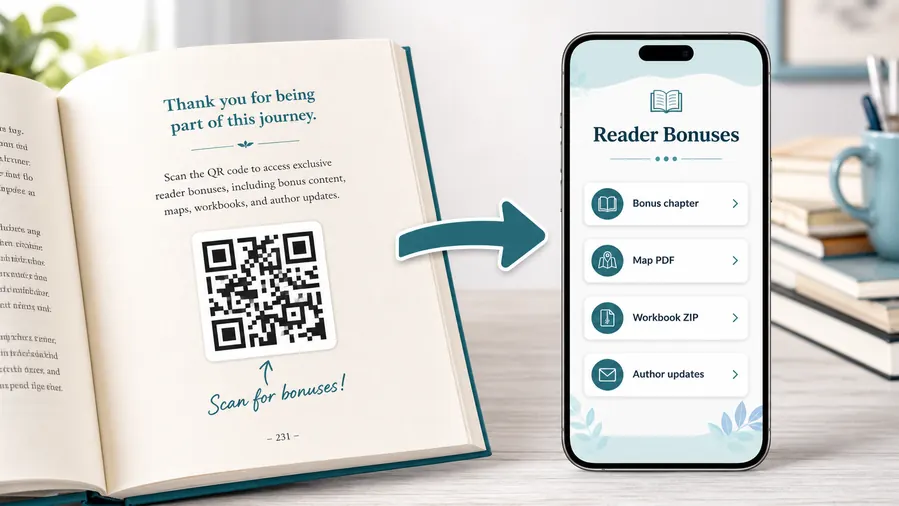
Reader bonus hubA Sudoku book QR code can keep the page clean while opening hints, answer keys, explanations, bonus puzzles, printable grids, errata, downloads, and reader support.
Put hints and answers where readers can use them on a phone
Use a mobile-friendly page for tiered hints, final answers, solving explanations, difficulty notes, printable PDFs, bonus packs, and edition-specific updates.
Label the printed QR clearly so readers know whether they are opening hints, answers, or bonuses before they scan.Tiered hints
Let readers ask for a nudge before seeing the full answer, which keeps the puzzle satisfying while reducing frustration.
Answer keys and explanations
Open answer grids, solving notes, and corrections tied to the right puzzle number, section, edition, or difficulty level.
Bonus puzzle packs
Offer downloadable extra puzzles, printable grids, themed packs, and challenge pages without expanding the printed book.
Reader support and updates
Collect correction reports, questions, review links, newsletter signup, and next-book paths after the reader gets value.
Newsletter and next-book previews
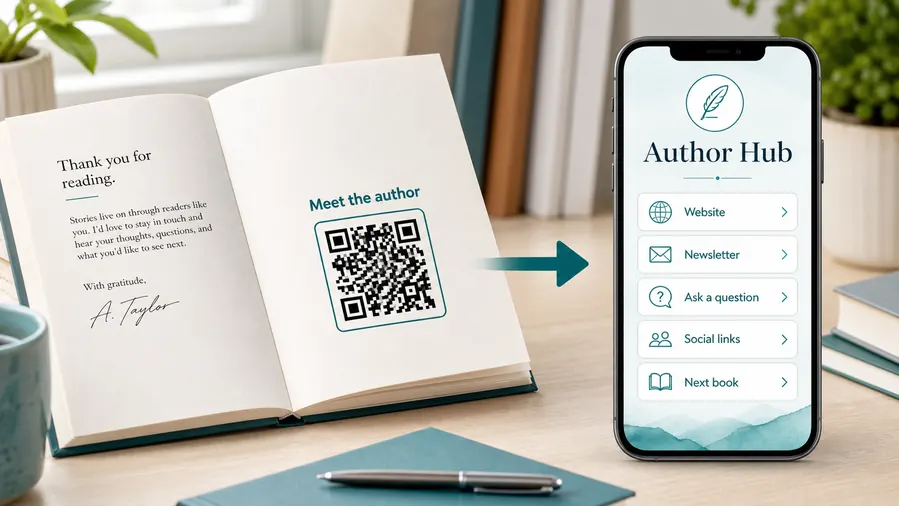
A QR code near the author note or final chapter can invite readers into a newsletter, preorder page, series hub, or sample of the next book.
Feedback and author contact
Let readers report errors, ask questions, join a beta-reader list, or send private feedback without publishing a personal email address in the book.
Printed puzzle books make answer mistakes expensive
If a puzzle number, answer grid, difficulty label, or download URL changes after publication, a dynamic QR destination can be corrected without reprinting the whole book.
Put the QR where the solver expects help
Use section openers, puzzle margins, answer-key pages, back matter, bookmarks, or bonus pages so the scan matches the reader moment.
Puzzle book print check
Check Sudoku QR codes before the book files go to print
Print readyA Sudoku QR code has to stay readable in margins, answer sections, back matter, bookmarks, and inserts after trim size, paper, ink, and reader lighting change the conditions.

Keep puzzle-page QR codes readable but not distracting
Use enough size, contrast, and quiet zone for the book trim size while keeping the puzzle layout clean.
Test the smallest intended print size from the normal reading distance before uploading KDP or printer files.
Proof the destination against the printed edition
Scan from a printed proof and confirm the hint, answer, bonus, errata, or download page matches the puzzle number, section, edition, and CTA.
Export clean artwork for professional layouts and avoid decorative treatments that blur in print.
Use a resource page when one book needs several reader actions
A single Sudoku book may need hints, answer keys, bonus PDFs, corrections, newsletter signup, reviews, and support.
A clear mobile page can separate those actions without crowding the printed back matter or puzzle pages.
Puzzle margin
Open hints or solving strategy for that section without sending readers through a broad homepage.
Answer key page
Link final grids, explanations, errata, and edition-specific corrections.
Back matter
Offer bonus puzzle packs, newsletter signup, reviews, and next-book links.
Bookmark or insert
Give repeat readers a simple path to new puzzle releases, support, and updates.
Print the QR only after the puzzle path is verified
Scan the proof, check the exact destination, and confirm the page helps the solver without spoiling the wrong puzzle.
After-print control
Keep Sudoku book QR destinations editable after publication
DynamicPuzzle books are hard to fix once printed. Dynamic QR helps when hints, answer keys, bonus downloads, errata, or next-book links need updates after the edition is live.
A fixed QR can lock in a bad answer page
A static QR works for a final permanent URL, but it cannot follow moved downloads, corrected answer keys, new bonus files, or changed newsletter pages.
That is painful when the code is already inside a KDP paperback, puzzle book, bookmark, or insert.
An editable destination protects the printed book
Dynamic QR lets the author update hint pages, answer keys, errata, bonus PDFs, support forms, and next-book offers while the printed code stays the same.
The reader still scans the same page, but the resource behind it can improve over time.

Answer corrections
Fix puzzle numbering, answer grids, explanations, and errata pages without reprinting.
Bonus downloads
Replace moved PDF folders, seasonal packs, printable grids, and challenge pages.
Author platform changes
Update newsletter, review, support, and next-book links as publishing tools change.
Edition management
Route older print runs to the right resource while new editions use cleaner pages.
Use dynamic QR when the book resource may need correction
For answer keys, downloads, and reader support, editable destinations protect the printed edition.
No-spoiler placement
Use sudoku QR codes as optional help, not as visual clutter
Useful placements include answer sections, difficulty dividers, back matter, bonus pages, bookmarks, cover inserts, launch postcards, and companion worksheets. CTAs should say get hints, open answer key, download bonus grids, see corrections, watch solving tips, or get more puzzles. Avoid vague labels because readers may worry the scan will reveal answers they do not want yet.
Dynamic QR codes are especially useful for print-on-demand books and long print runs. If a file moves, a bonus pack changes, a correction note appears, or a new puzzle set launches, you can update the destination without changing the interior. Scan analytics can show which extras readers actually use, which helps plan future puzzle books.
Keep the scan experience easy while someone is holding a book open. A hint page should not hide the first hint under a long signup form. If you provide answers, organize them clearly by puzzle number. If you offer files, label them plainly so readers can download the right bonus without hunting. The scan should make the puzzle experience smoother, not interrupt it.
Scan reporting
Use Sudoku scan data to understand reader help demand, not to judge every sale
AnalyticsTracking can show whether readers use hints, answers, bonuses, corrections, and support resources, especially when different book sections or editions need separate readouts.

One book-wide code hides reader intent
A single QR can show total interest, but it cannot tell whether readers wanted hints, final answers, bonus puzzles, errata, or support.
It also cannot separate front matter, puzzle sections, answer pages, inserts, and back matter.
Separate codes make reader behavior easier to understand
Use different dynamic QR codes for hints, answers, bonus downloads, corrections, and next-book pages when comparison matters.
The scan data is not a sales report, but it can show where readers need help or want more puzzles.
Scan volume
See which reader resources receive attention during the selected period.
Section timing
Compare hint, answer, bonus, and support scans after release or promotion.
Broad location
Use approximate location signals to understand regional interest without identifying individual readers.
Device context
Check that answer pages, PDFs, and downloads work well on phones and tablets.
Hint demand
Compare sections or difficulty levels to see where solvers ask for help most often.
Bonus engagement
Measure scans to extra puzzle packs, printable grids, and challenge downloads.
Errata monitoring
Watch corrections pages to see whether readers are finding updated answers.
Reader funnel
Separate support, newsletter, review, and next-book scans so each path has its own signal.
Name Sudoku codes by reader resource and edition
Use names like hints-easy, answers-volume-2, bonus-pack, errata-kdp, or backmatter-newsletter so reports stay readable.






