
QR Code for Solar Installers - Quotes, Leads & Projects
Create QR codes for solar installers linking quote forms, consultation pages, project galleries, reviews, financing pages, maps, and contact cards. Use them on yard signs, flyers, vehicles, and proposals.
Free QR code generator
Create a QR code online
Generate QR codes for websites, email, phone numbers, vCards, Wi-Fi, plain text, forms, PDF files, and campaign links. Customize colors, add a logo or frame, then download a print-ready PNG or SVG.
Choose QR code type
Website QR code, Email QR code, Phone QR code, vCard QR code, Wi-Fi QR code, Text QR code, SMS, WhatsApp, event, and download links.
Add your content
Enter your website URL, contact details, message, phone number, location, or file destination before generating the QR code.
Customize and download
Adjust QR colors, error correction, logo, frame, size, and margin. Generate QR Code, Download PNG, Download SVG, or Save and track scans.
Solar lead path
Help homeowners open quotes, proof, financing, and consultation pages
A QR code for solar installers is useful when homeowners need a quick path from a door hanger, yard sign, truck decal, postcard, estimate sheet, event booth, brochure, or business card to the next solar action. It can open quote forms, consultation pages, project galleries, reviews, financing pages, rebate information, maps, service areas, and contact cards.
Solar is a high-consideration decision, so the scan should build trust and make the next step easier. A neighborhood yard sign can open local project proof. A door hanger can open a consultation form. A postcard can explain savings estimates or financing. An event booth sign can open a lead form. An estimate packet can open warranty details or financing resources. QR Code Lab helps create dynamic codes and track which printed materials generate scans.
QR Code Lab creates URL QR codes and scan analytics. It does not calculate savings, approve financing, provide engineering advice, collect applications, run bookings, or manage solar installations. Your website, quote form, booking tool, financing partner, CRM, or project gallery handles the actual homeowner workflow.
Solar lead path
Help solar prospects request quotes, share property details, review proposals, compare financing, and save project documents
Solar workflowA solar installer QR code should connect door hangers, yard signs, event booths, proposal packets, invoices, and warranty folders to quote requests, roof details, savings estimates, financing, project updates, payments, and reviews.
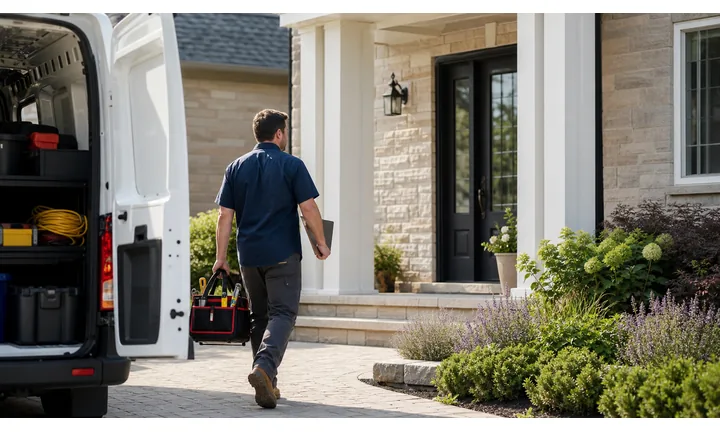
Turn local solar interest into qualified quote requests
Use QR codes on door hangers, yard signs, trucks, postcards, and event booths to open service area, roof photos, utility-bill prompts, property type, and consultation booking.
The scan should make the first solar conversation more specific.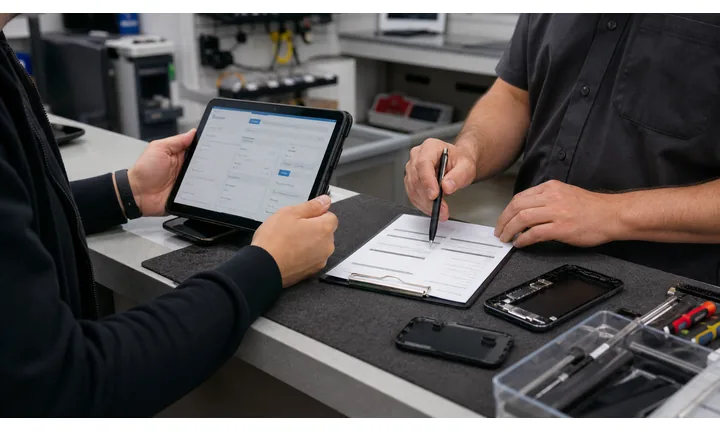
Make proposals and financing easier to review
Proposal packets can open system details, production estimates, incentives, financing options, FAQs, documents, schedule, and approval next steps.
Solar customers need trust before sharing data or signing a large project.
Keep project and warranty resources reachable after install
Completion folders and invoices can open payment, monitoring, warranty, maintenance, utility paperwork, support, reviews, and referral offers.
A solar project keeps needing documentation after the panels are installed.Solar QR codes should turn complex decisions into clear next steps
The homeowner may be curious about savings, checking eligibility, comparing financing, reviewing a proposal, paying a deposit, or saving warranty details. The destination should reduce uncertainty and show who controls the next step.
Use CTAs such as request solar quote, upload roof photos, review proposal, compare financing, pay deposit, view warranty, or contact project support.Lead capture
Open property details, roof photos, utility prompts, service area, and consultation booking.
Proposal
Share system design, incentives, production estimate, financing, and approval path.
Project
Route to schedule, permits, installation updates, payment, and support.
After install
Keep monitoring, warranty, maintenance, documents, reviews, and referrals reachable.
Solar customer moments
Turn solar installer print into quote requests, proposal review, financing clarity, project updates, payments, and referrals
Home energySolar QR codes work when the printed piece matches the homeowner stage: curiosity, property check, proposal, financing, installation, payment, monitoring, warranty, or referral.

Move interest into a qualified solar consultation
Open quote forms, property type, roof photos, bill prompts, location, utility provider, and preferred consultation time.

Show local installs and customer confidence
Route signs and cards to nearby projects, certifications, reviews, incentives, service area, and installer credentials.

Help homeowners understand the system recommendation
Link system size, production estimate, panel options, battery notes, incentives, financing, and next steps.

Make payment options easier to compare
Use proposal packets for financing paths, deposits, lender pages, assumptions, and questions before approval.

Keep install documents and updates together
Open schedule, permits, utility paperwork, site prep, project manager contact, and progress updates.

Turn completed installs into future leads
Use warranty folders and follow-up cards for reviews, referrals, monitoring support, maintenance, and next-homeowner education.

Solar prospects scan when the decision needs trust and documentation
The destination should help them understand the project, compare options, share the right information, and keep documents organized after installation.
Editable QR keeps solar print current across incentives and campaigns
Dynamic QR lets installers update quote forms, incentives, financing, proposal pages, project documents, payment links, warranty resources, and referral pages without reprinting.
Match solar QR placement to the sales and project stage
Solar placement
Place solar QR codes where homeowners ask for quotes, compare proposals, approve financing, or save project documents
PlacementSolar QR placement should follow the homeowner journey: local awareness, quote request, proposal review, financing, installation, payment, monitoring, warranty, and referral.

A solar QR without context can feel like a cold lead form
Homeowners need to know whether the scan opens quote request, savings estimate, proposal, financing, payment, monitoring, warranty, or support.
Solar scans work when the printed promise matches a high-value decision.
Put the code beside the solar action it supports
Use door hangers for quote interest, proposal packets for system details, invoices for payment, and completion folders for monitoring and warranty.
The first screen should show the installer identity and the project purpose.
What solar moment exists?
Awareness, eligibility, quote, proposal, financing, site survey, install, payment, monitoring, warranty, or referral.
What should happen next?
Request quote, upload roof photos, review proposal, compare financing, approve next step, pay deposit, view documents, or contact support.
Will the destination change?
Use dynamic QR for incentives, forms, financing, campaign pages, service areas, project documents, and warranty resources.
Is the ask sensitive?
Property details, utility bills, financing, payments, and contracts should open trusted installer-controlled destinations.
Door hanger
Open local proof, quote request, eligibility, and consultation booking.
Yard sign
Show nearby install proof, reviews, service area, and quote path.
Event booth
Route to savings questions, consultation booking, incentives, and follow-up.
Proposal packet
Open system design, production estimate, incentives, financing, and approval.
Invoice
Route to deposit, progress payment, final balance, receipt, and billing support.
Project folder
Share schedule, permits, utility paperwork, project contact, and updates.
Warranty folder
Save warranty, monitoring, maintenance, support, and referral information.
Truck or trailer
Promote quote request, local proof, contact, and service area when safely scanned.
Solar QR placement should reduce uncertainty in a complex home project
If the code does not help with quote, proposal, financing, project documents, payment, warranty, or referral, it needs a clearer role.
After-print control
Keep solar QR links current when incentives, quote forms, financing, project pages, and warranty resources change
DynamicSolar print can stay in circulation while incentives, financing pages, forms, service areas, proposal links, payment providers, and warranty resources change. Dynamic QR keeps those materials useful.
Old solar print can point to outdated offers or forms
Static QR is risky when incentive details, quote forms, financing links, proposal pages, service areas, payment providers, or warranty resources change.
A stale destination weakens trust in a decision that already requires careful review.
One printed code can keep opening the current solar path
Dynamic QR lets the same door hanger, booth sign, proposal packet, invoice, or warranty folder point to the current destination.
That protects long-lived print and campaign materials from becoming obsolete.

Quote and eligibility
Update service areas, lead forms, roof photo prompts, utility questions, and consultation booking.
Incentives and financing
Refresh financing pages, incentive explanations, lender links, assumptions, and approval paths.
Project documents
Change proposal pages, permit documents, schedules, utility paperwork, and project updates.
Payments and warranty
Point deposits, balances, monitoring, support, warranty, reviews, and referral pages to current resources.
Use dynamic QR for solar print tied to changing incentives or project workflows
If the destination may change during the campaign or project lifecycle, keep the printed code editable.
Scan reading
Compare solar scans by door hanger, yard sign, event booth, proposal packet, invoice, and warranty folder
AnalyticsQR analytics can show which solar materials earn attention across neighborhoods, events, and project stages. Separate dynamic codes make those signals useful.

All solar scans collapse into one broad lead number
A shared QR can show total interest, but it cannot tell whether a door hanger, yard sign, event booth, proposal packet, invoice, or warranty folder caused the scan.
Use one code only when placement comparison does not matter.
Each solar placement becomes a project-stage signal
Separate dynamic QR codes let installers compare quote requests, proposal review, financing interest, payment scans, warranty access, reviews, and referrals.
The data is directional, but it helps improve campaigns and follow-up.
Scan volume
See which solar placements receive attention.
Time and device
Check when homeowners scan during awareness, proposal review, or project follow-up.
Broad location
Use approximate location carefully for neighborhoods, events, service areas, and campaigns.
Placement comparison
Compare door hangers, yard signs, trucks, booths, proposal packets, invoices, and warranty folders.
Name codes by solar stage
Use names such as doorhanger-quote, yard-proof, booth-consult, proposal-financing, invoice-deposit, or warranty-monitoring.
Separate lead and project scans
Quote, proposal, financing, payment, warranty, review, and referral codes should stay separate when reporting matters.
Keep attribution grounded
Scans show attention and timing; qualified leads, signed contracts, and revenue still need CRM and sales systems.
Books and printed content
Learn whether readers open bonus pages, downloads, updates, or feedback forms from book pages.
Solar analytics work when every code has a campaign or project-stage name
Clear QR naming turns scan totals into useful sales, marketing, and operations signals.
Trust and consultation flow
Place solar QR codes where homeowners need proof before they ask for a quote
Useful placements include door hangers, postcards, yard signs, truck decals, event booth signs, estimate folders, referral cards, brochures, neighborhood flyers, and warranty packets. CTAs should say get solar quote, book consultation, see local projects, check financing, read reviews, view service area, or save contact. The destination should feel local, clear, and connected to the printed piece.
Dynamic QR codes are useful because campaigns, financing pages, rebate notes, project galleries, and consultation forms change. You can update the destination without replacing printed door hangers or event signs. Scan analytics can compare neighborhoods, postcards, yard signs, and event booths, which helps a solar team understand where print is creating real interest.
Avoid sending cautious homeowners to a generic homepage. If the print talks about local projects, open local proof. If the print talks about financing, open financing details. If the print asks for a consultation, make the form short and mobile friendly. QR Code Lab manages the printed code and scan data, while your solar systems handle quotes and records.
Payment clarity
Use solar payment QR codes for deposits, financing steps, progress payments, balances, and invoices with project context
PaymentsA solar payment QR should make clear whether the homeowner is paying a deposit, progress payment, final balance, change order, financing step, or invoice.

Deposits and approvals
Open trusted payment or financing pages from proposal packets with property, project, and system context.
Progress and final balances
Use invoices and project folders for draw payments, final balances, receipts, and billing support.
Financing and change orders
Route financing steps, add-ons, battery options, panel upgrades, and change orders to clear approval and payment paths.
The QR should open a trusted payment provider, not collect card details itself
Keep authentication, receipts, refunds, disputes, financing, and confirmation inside the provider, booking, billing, or commerce system. The QR is only the shortcut.
Scan analytics only show QR scan activity. A scan does not mean a payment was completed.Solar payment QR codes need property and project clarity
Homeowners should know exactly which solar project and payment stage the scan belongs to before paying.
Customer trust
Make solar QR codes look official before homeowners share property details, review financing, or pay
TrustSolar QR codes may open quote forms, proposal pages, financing, payments, project documents, warranty, reviews, and support. The destination should clearly match the installer and project stage.

Anonymous quote or financing forms
Homeowners may not share property details, roof photos, utility information, or financial context if the page does not show the installer identity.
Watch for similar-looking domains, long URLs, login or verify keywords, and pages asking for credentials after an unexpected scan.
Outdated incentive or proposal pages
Old offers, changed service areas, retired financing links, and moved project documents create trust problems.
A trustworthy QR should not make the final destination mysterious, especially on posters, labels, menus, parking signs, or event materials.
Unclear payments or warranties
Deposits, progress payments, final balances, monitoring, and warranty resources need project context and support visibility.
Before paying, check the domain, HTTPS, amount, recipient, and whether the destination matches the place or brand that printed the QR.Scan like a customer before printing
Confirm the first screen matches the printed CTA, shows the business identity, and opens the current booking, quote, payment, review, aftercare, or support path.
The current detailed report is a static URL analysis. It helps reveal the encoded content and basic URL risk signals, but it does not guarantee that a destination is safe and does not replace browser, antivirus, payment, or bank security checks.Decoded content
See the raw value inside the QR before opening it.
Content type
Recognize URL, Wi-Fi, mailto, phone, SMS, vCard, or plain text.
URL risk signals
Review HTTPS, shorteners, IP addresses, long URLs, encoded characters, query parameters, and sensitive keywords.
Destination report
For URL codes, view final URL fields, static redirect report fields, domain fields, TLS placeholders, page metadata fields, and risk reasons.
Make your own QR codes easier to trust
A safe-looking QR code is not only about security. It is also about reducing uncertainty for the scanner. Use clear destination text, a branded landing page, normal HTTPS domains, and a visible explanation of what happens after scanning.






