
QR Code for Pool Services - Quotes, Plans & Reviews
Create QR codes for pool services linking quote forms, service plans, booking pages, maintenance tips, reviews, coupons, maps, and contact cards. Use them on trucks, invoices, door hangers, and flyers.
Free QR code generator
Create a QR code online
Generate QR codes for websites, email, phone numbers, vCards, Wi-Fi, plain text, forms, PDF files, and campaign links. Customize colors, add a logo or frame, then download a print-ready PNG or SVG.
Choose QR code type
Website QR code, Email QR code, Phone QR code, vCard QR code, Wi-Fi QR code, Text QR code, SMS, WhatsApp, event, and download links.
Add your content
Enter your website URL, contact details, message, phone number, location, or file destination before generating the QR code.
Customize and download
Adjust QR colors, error correction, logo, frame, size, and margin. Generate QR Code, Download PNG, Download SVG, or Save and track scans.
Pool maintenance path
Help pool customers open quotes, plans, maintenance tips, reviews, and contact
A QR code for pool services is useful when customers need a quick path from door hangers, service tags, invoices, appointment cards, truck decals, equipment stickers, coupons, or neighborhood flyers to the right action. It can open quote forms, service plans, booking pages, maintenance tips, review links, coupons, maps, and contact cards. Pool service companies, pool cleaners, maintenance teams, outdoor service providers, and local home service businesses can use QR codes around seasonal and repeat service moments.
Pool customers often scan around a visible need: green water, opening season, closing season, equipment trouble, or a regular maintenance visit. A door hanger can open a quote form. A service tag can open maintenance notes. A truck decal can open service areas. An invoice can ask for a review or offer a recurring plan. A coupon can open a specific seasonal cleanup offer instead of sending the customer to a broad homepage. QR Code Lab helps create printable, dynamic, trackable codes.
QR Code Lab creates URL QR codes only. It does not process payments, manage orders, collect forms, run bookings, provide professional advice, or operate pool service software. The linked booking tool, quote form, maintenance page, review platform, or pool service website handles the actual customer workflow.
Service call path
Help pool service customers book visits, understand water care, pay invoices, and request repairs
Local serviceA pool service QR code should connect door hangers, invoices, equipment labels, service reports, magnets, and postcards to booking, quote requests, water-care notes, payment, reviews, and seasonal reminders.
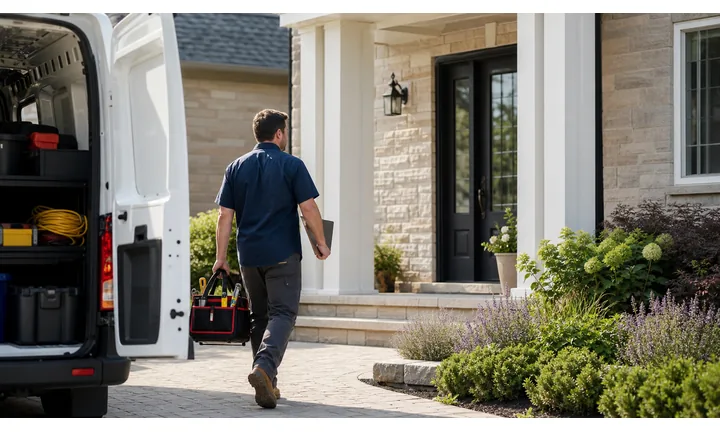
Turn pool print into service requests and quotes
Use QR codes on postcards, door hangers, trucks, and estimates to open cleaning plans, repair requests, photos, equipment details, service areas, and scheduling.
Pool customers scan when the water, equipment, or schedule needs attention.
Attach care instructions to the visit or equipment
Service reports, tags, and equipment labels can open water-care notes, filter guidance, chemical reminders, safety instructions, and support contact.
The best aftercare answers the question before the next call.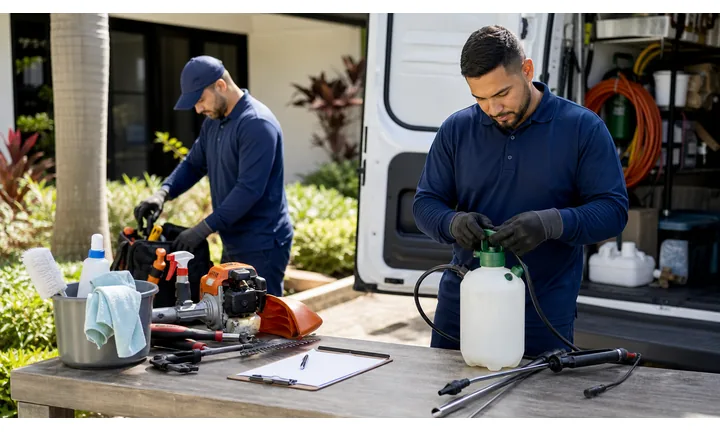
Keep seasonal links current after print
Dynamic QR helps pool companies update opening, closing, repair, cleaning, payment, and review links without replacing every card or door hanger.
Pool work changes by season, weather, and equipment needs.Service QR codes should reduce friction at the exact customer moment
A customer may be comparing providers, standing near a problem, paying an invoice, reading care instructions, or deciding whether to recommend the business. The destination should continue that moment with a clear next step.
Use CTAs such as request quote, call now, upload photos, pay invoice, read care notes, or leave review.Requests
Open service area, quote form, emergency contact, photos, and scheduling.
Proof
Show licenses, reviews, project examples, guarantees, and response expectations.
Aftercare
Share maintenance, warranty, product notes, safety guidance, and support.
Follow-up
Route to payment, private feedback, public review, referral, or next service.
Pool service customer moments
Turn pool service print into bookings, repair requests, water-care guidance, payments, and reviews
Local servicePool service QR codes should match the customer moment: opening season, weekly cleaning, cloudy water, equipment trouble, invoice payment, safety notes, or a finished repair.

Move homeowners into the right pool service request
Open cleaning plans, opening or closing appointments, repair requests, inspection forms, photos, and service area details.

Collect equipment details before the visit
Let customers share pump, filter, heater, leak, cleaner, or water issue details with photos and access notes.

Keep water and equipment guidance close to the pool
Attach QR codes to service reports, equipment tags, or handouts for chemistry notes, filter care, safety steps, and seasonal reminders.

Open invoices through trusted payment pages
Route cleaning plans, repair invoices, deposits, and balances to current payment pages with customer context.

Ask after the water or repair outcome is clear
Use completion cards and receipts for reviews, private feedback, referrals, and recurring service offers.

Make opening and closing reminders easy to book
Connect postcards, magnets, and emails to seasonal checklists, appointment windows, and plan renewal paths.

Pool customers scan when the next step is practical
The destination should help them book, explain a problem, understand the service report, pay safely, or keep the pool healthy between visits.
Editable QR keeps pool print current across seasons
Dynamic QR lets pool companies update seasonal offers, booking forms, service plans, payment links, care notes, and review paths without reprinting every material.
Match pool QR placement to the service stage
Pool placement
Place pool service QR codes where homeowners need booking, repair details, care notes, or payment
PlacementPool QR placement should match the setting: a door hanger after a visit, a service report near care notes, an equipment label by the pump, or an invoice when payment is due.

A generic pool QR does not answer the homeowner’s question
Customers need to know whether the scan opens booking, repair request, water care, equipment instructions, payment, or review.
Pool service scans work when the printed promise is specific.
Put the code beside the pool action it supports
Use postcards for seasonal booking, reports for care notes, equipment labels for maintenance, invoices for payment, and completion cards for reviews.
The destination should continue the pool service moment.
What pool problem or decision exists?
Opening, closing, weekly cleaning, cloudy water, equipment repair, leak, payment, support, review, or plan renewal.
What should happen next?
Book service, request quote, upload photos, read care notes, pay invoice, contact support, or leave feedback.
Will the link change by season?
Use dynamic QR for service plans, booking windows, seasonal offers, payment pages, and care resources.
Can the code survive outdoor use?
Use durable materials, strong contrast, and practical placement on tags, reports, postcards, and equipment labels.
Door hanger
Open quote request, cleaning plans, service area, opening and closing appointments.
Service report
Link water-care notes, chemical guidance, filter care, photos, and support.
Equipment label
Open pump, filter, heater, cleaner, warranty, maintenance, and repair contact.
Invoice
Route to trusted payment, receipt, support, plan renewal, and review.
Seasonal postcard
Promote opening, closing, inspection, repair, and maintenance plans.
Truck or trailer
Show service area, proof, phone, booking, and emergency repair path when safely scanned.
Pool store flyer
Connect water testing, products, service plans, and repair request.
Completion card
Invite private feedback, review, referral, and next service.
Pool QR placement should help the homeowner act at the service moment
If the code does not support booking, care, repair, payment, or follow-up, it needs a clearer role.
Seasonal control
Keep pool service QR links current as seasons, schedules, plans, and equipment pages change
DynamicPool materials often stay in garages, pump rooms, mailers, and invoices across seasons. Dynamic QR keeps printed pieces connected to current booking, care, repair, payment, and review destinations.
Old pool print can point to last season’s page
Static QR is risky when service windows, offers, plans, equipment notes, payment links, or care guides change by season.
A stale destination can turn a ready customer into a support problem.
One printed code can keep opening the current pool service path
Dynamic QR lets postcards, labels, reports, invoices, and door hangers stay useful while the destination changes behind the scenes.
That matters for opening season, closing season, repairs, and recurring service.

Seasonal booking
Update opening, closing, inspection, cleaning, and repair appointment paths.
Equipment resources
Refresh pump, filter, heater, cleaner, warranty, and maintenance pages.
Payments and plans
Point invoices, balances, plan renewals, and deposits to current trusted pages.
Care guidance
Update water chemistry, safety reminders, weather notes, and support contact.
Use dynamic QR for pool service print that survives a season
If the destination may change before the printed material disappears, keep the QR editable.
Pool scan reading
Compare pool service scans by door hanger, postcard, service report, equipment label, invoice, and truck
AnalyticsQR analytics can show which pool materials earn attention across routes and seasons. Use separate dynamic codes to compare booking, repair, care-note, payment, and review placements.

All pool scans become one broad number
A shared QR can show total interest, but it cannot tell whether a door hanger, postcard, service report, invoice, truck, or equipment label caused the scan.
Use one code only when comparison does not matter.
Each pool placement becomes a signal
Separate dynamic QR codes let you compare seasonal booking, repair requests, care notes, payments, reviews, and route materials.
The result is directional, but it helps improve operations and print.
Scan volume
See which pool service placements receive attention.
Time and device
Check when homeowners scan and which device opens the destination.
Broad location
Use approximate location carefully for routes, neighborhoods, campaigns, and service areas.
Placement comparison
Compare door hangers, postcards, service reports, labels, invoices, trucks, and store flyers.
Name codes by season and placement
Use names such as spring-postcard, report-care, equipment-repair, invoice-pay, or doorhanger-opening.
Separate booking and care scans
Quote requests, service reports, payments, reviews, and equipment support should not share one code if reporting matters.
Keep expectations practical
Scan data shows attention and timing; booked jobs, renewals, and payments still need their own systems.
Books and printed content
Learn whether readers open bonus pages, downloads, updates, or feedback forms from book pages.
Pool analytics work when every code has a route or service purpose
Good QR naming turns scan totals into useful decisions for seasonal campaigns, recurring service, and support.
Seasonal service flow
Place pool service QR codes where customers think about upkeep
Good placements include door hangers, service tags, invoices, appointment cards, truck decals, equipment stickers, yard signs, coupons, review cards, and neighborhood flyers. CTAs should say request quote, book service, view plan, read maintenance tips, save contact, claim seasonal offer, see service area, or leave review. A QR code near equipment or on a service note should open practical next steps, not marketing fluff.
Dynamic QR codes help when service plans, seasonal offers, maintenance tips, booking links, and service areas change. Scan analytics can compare invoices, door hangers, truck decals, and equipment stickers. QR Code Lab manages the destination and scan reporting, while your service software or form system handles bookings, payment, and customer records.
Make seasonal intent obvious. Opening, closing, cleaning, repair, and recurring maintenance are different needs. A clear label helps the customer scan the code that fits the pool problem they have right now. For equipment stickers, link to service contact or maintenance notes rather than a short-term coupon. For invoices, separate review requests from plan renewals.
Pool payments
Use pool service payment QR codes for invoices, deposits, repairs, and plan renewals with clear context
PaymentsA pool payment QR should show whether the customer is paying for weekly service, repair, opening, closing, chemicals, equipment, deposit, balance, or plan renewal.

Service invoices
Open trusted payment pages from invoices, reports, and statements with route, customer, or job context.
Repair deposits
Use estimates for pump, filter, heater, leak, cleaner, or equipment approval and deposits.
Plan renewals
Route recurring cleaning, opening, closing, and seasonal maintenance plans to current renewal pages.
The QR should open a trusted payment provider, not collect card details itself
Keep authentication, receipts, refunds, disputes, and confirmation inside the provider or billing system. The QR is only the shortcut.
Scan analytics only show QR scan activity. A scan does not mean a payment was completed.Pool payment QR codes need service-period clarity
Customers should know which visit, repair, or plan the scan belongs to before paying.
Pool trust
Make pool service QR codes look official before homeowners book, pay, or follow care advice
TrustPool QR codes may open booking, repair forms, equipment notes, invoices, reviews, and water-care guidance. The printed label and destination should clearly belong to the service company.

Anonymous booking forms
Homeowners may not share address, gate access, photos, or equipment details if the page does not show the pool company identity.
Watch for similar-looking domains, long URLs, login or verify keywords, and pages asking for credentials after an unexpected scan.
Unclear payment pages
Repairs, recurring service, plan renewals, and seasonal work need service context and a trusted provider.
A trustworthy QR should not make the final destination mysterious, especially on posters, labels, menus, parking signs, or event materials.
Outdated care notes
Old chemical guidance, retired offers, wrong phone numbers, or dead equipment links create avoidable support issues.
Before paying, check the domain, HTTPS, amount, recipient, and whether the destination matches the place or brand that printed the QR.Scan like a homeowner before printing
Confirm the first screen matches the printed CTA, shows the company identity, and opens the current booking, repair, payment, care, review, or support path.
The current detailed report is a static URL analysis. It helps reveal the encoded content and basic URL risk signals, but it does not guarantee that a destination is safe and does not replace browser, antivirus, payment, or bank security checks.Decoded content
See the raw value inside the QR before opening it.
Content type
Recognize URL, Wi-Fi, mailto, phone, SMS, vCard, or plain text.
URL risk signals
Review HTTPS, shorteners, IP addresses, long URLs, encoded characters, query parameters, and sensitive keywords.
Destination report
For URL codes, view final URL fields, static redirect report fields, domain fields, TLS placeholders, page metadata fields, and risk reasons.
Make your own QR codes easier to trust
A safe-looking QR code is not only about security. It is also about reducing uncertainty for the scanner. Use clear destination text, a branded landing page, normal HTTPS domains, and a visible explanation of what happens after scanning.






