
QR Code for HVAC Companies - Quotes, Booking & Reviews Online
Create QR codes for HVAC companies linking quote forms, service booking, maintenance plans, reviews, coupons, contact cards, and support pages. Use them on vehicles, invoices, magnets, and flyers.
Free QR code generator
Create a QR code online
Generate QR codes for websites, email, phone numbers, vCards, Wi-Fi, plain text, forms, PDF files, and campaign links. Customize colors, add a logo or frame, then download a print-ready PNG or SVG.
Choose QR code type
Website QR code, Email QR code, Phone QR code, vCard QR code, Wi-Fi QR code, Text QR code, SMS, WhatsApp, event, and download links.
Add your content
Enter your website URL, contact details, message, phone number, location, or file destination before generating the QR code.
Customize and download
Adjust QR colors, error correction, logo, frame, size, and margin. Generate QR Code, Download PNG, Download SVG, or Save and track scans.
Heating and cooling service path
Help homeowners book HVAC service, quotes, maintenance, and support
A QR code for HVAC companies is useful when homeowners need a quick path from a service sticker, invoice, postcard, truck decal, warranty card, estimate sheet, or yard sign to the right service page. It can open quote forms, service booking pages, maintenance plans, review pages, coupons, contact cards, emergency support pages, and seasonal checkup offers. Heating and cooling contractors, AC repair teams, and local maintenance providers can use QR codes across the full customer cycle.
HVAC QR codes are strongest when they meet a real homeowner moment: a system sticker during maintenance, a postcard before summer, an invoice after repair, a truck decal in the neighborhood, or a warranty card kept near the unit. The scan should make it easy to book service, request a quote, join a maintenance plan, contact emergency support, or leave a review. QR Code Lab helps create print-ready codes, dynamic links, and scan analytics for those placements.
QR Code Lab creates URL QR codes only. It does not process payments, manage orders, collect forms, run bookings, or operate HVAC business software. The linked booking, quote, payment, review, or support platform handles the actual customer workflow.
HVAC service path
Help HVAC customers request service, handle emergencies, pay invoices, and maintain systems
Service flowAn HVAC QR code should connect trucks, equipment stickers, invoices, maintenance cards, yard signs, door hangers, and service reports to the next practical action: book service, call emergency help, upload photos, pay, review, or read care notes.
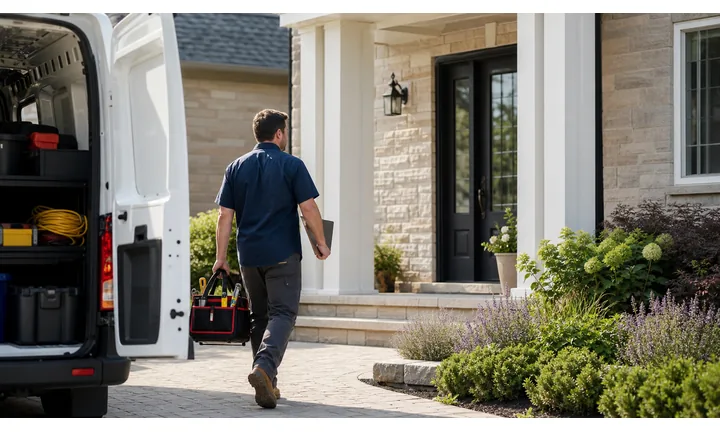
Turn HVAC visibility into the right service request
Use QR codes on vans, door hangers, maintenance reminders, invoices, and equipment stickers to open booking, emergency contact, quote forms, service plans, and seasonal tune-up offers.
The scan should match urgency: no heat, no cooling, maintenance, replacement, or invoice follow-up.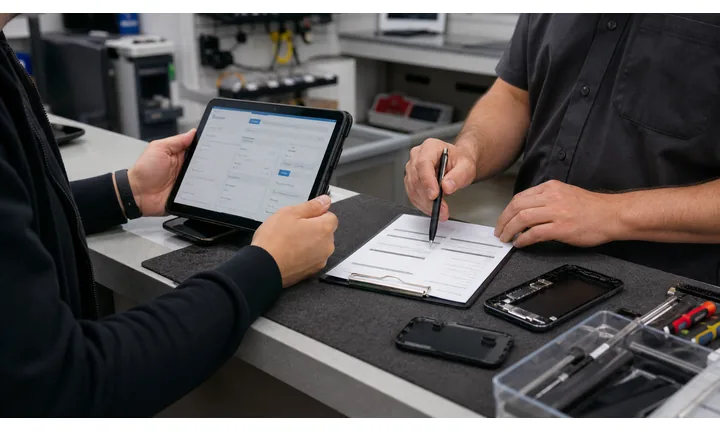
Put trust and system context before the form
A strong HVAC destination can show service areas, reviews, license context, emergency rules, maintenance plans, and what details help dispatch the right technician.
Comfort issues are stressful; the first screen should feel credible and useful.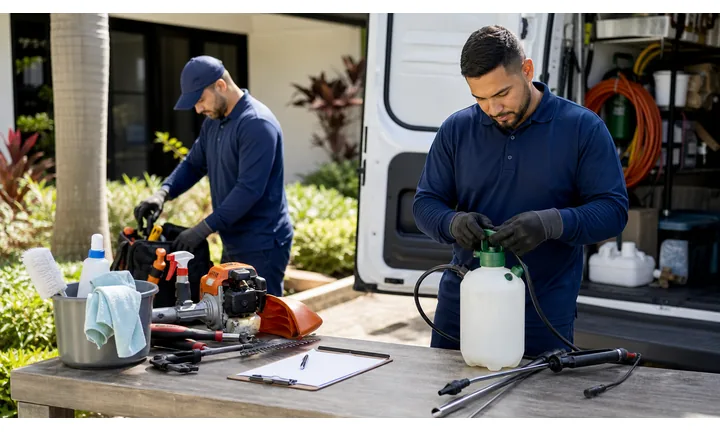
Keep long-lived stickers and invoices current
Dynamic QR helps when emergency numbers, booking tools, payment pages, maintenance plans, filter reminders, and seasonal offers change after materials are placed in homes.
Equipment stickers can stay visible for years, so editable destinations matter.An HVAC QR should route by urgency and system stage
The scanner may need emergency help, seasonal maintenance, filter guidance, a replacement quote, invoice payment, warranty notes, or a review path. The QR destination should make that choice immediate.
Use CTAs such as book tune-up, call emergency service, request replacement quote, pay invoice, read filter notes, or leave review.Emergency service
Open urgent contact, after-hours instructions, safety notes, and dispatch details.
Maintenance
Route to tune-up booking, filter schedules, service plans, and equipment care.
Replacement
Collect home details, system age, photos, comfort issues, and consultation requests.
After service
Use invoices and reports for payment, warranty, reviews, maintenance reminders, and support.
HVAC customer moments
Turn HVAC touchpoints into service calls, maintenance plans, invoices, and reviews
Local serviceHVAC QR codes work best when the printed material matches a home comfort moment: emergency call, maintenance booking, filter reminder, replacement quote, invoice payment, or post-service review.

Make urgent HVAC contact obvious
Use equipment stickers, service cards, and fridge magnets to open emergency phone, after-hours instructions, safety notes, and dispatch request.

Book tune-ups before comfort fails
Route seasonal cards, invoices, and stickers to maintenance plans, filter reminders, tune-up booking, and service history notes.

Collect useful replacement details early
Open forms for system age, photos, home size, comfort issues, preferred timing, financing interest, and contact details.

Open invoices through the provider
Use QR codes on invoices and service reports as shortcuts to trusted payment pages while confirmation stays inside billing systems.

Ask after the system is working again
Use service reports, thank-you cards, and follow-up materials to request reviews or private feedback once the customer feels the result.

Keep system care notes reachable
Link equipment stickers and maintenance sheets to filter sizes, thermostat tips, warranty notes, and support contact.

HVAC scans often happen under comfort pressure
The customer may be too hot, too cold, reviewing a service invoice, replacing equipment, or trying to remember filter details. The QR should route them quickly and calmly.
HVAC print becomes easier to maintain across seasons
Dynamic QR keeps stickers, invoices, vans, cards, and door hangers connected to current emergency contact, booking, payment, and maintenance destinations.
Place the code where HVAC intent is strongest
HVAC placement
Place HVAC QR codes where homeowners can act during service, maintenance, or emergency
PlacementHVAC QR placement should match the customer’s situation: standing near equipment, reading an invoice, seeing a door hanger, considering replacement, or needing urgent comfort help.

The code appears without urgency or context
A QR on a sticker, card, or van can be visible but unclear if it does not say whether it opens emergency contact, tune-up booking, payment, or warranty notes.
HVAC scans need clear routing because comfort problems feel urgent.
The code sits beside the HVAC task
Use equipment stickers for emergency and filter notes, invoices for payment and reviews, door hangers for tune-ups, and service reports for care instructions.
The first screen should match the printed CTA and the system stage.
What problem does the homeowner have?
No heat, no cooling, maintenance due, filter question, replacement quote, invoice payment, warranty issue, or review.
What should happen next?
Call emergency service, book tune-up, request quote, pay provider, read care notes, upload photos, or contact support.
Is the code near the equipment or document?
Equipment stickers, invoices, maintenance sheets, and door hangers should each open a different useful path.
Will the link need seasonal updates?
Use dynamic QR for tune-up offers, emergency contact, booking forms, payment providers, and filter resources.
Equipment sticker
Open emergency contact, filter size, warranty notes, maintenance schedule, and support.
Invoice
Route to payment, review, service plan, care instructions, and support contact.
Service report
Show technician notes, recommended repairs, estimate request, and next maintenance reminder.
Door hanger
Open seasonal tune-up offer, quote request, service area, and booking.
Van or truck
Show service proof, emergency contact, reviews, and booking when safely scanned while parked.
Yard sign
Connect neighbors to replacement proof, local offer, quote form, and service area.
Maintenance card
Link to filter reminders, membership plan, thermostat tips, and scheduling.
Property manager packet
Route to emergency protocol, work orders, documents, and billing contact.
HVAC QR placement should reduce stress and callbacks
Use each code where it helps the homeowner choose the right service path quickly.
After-print control
Keep HVAC QR links current as seasons, service pages, and emergency routing change
DynamicHVAC materials can stay on equipment, invoices, vans, and cards for years. Dynamic QR keeps those materials useful when booking, payment, support, and maintenance destinations change.
Old stickers can point to old phone routing or forms
Static QR is fine for permanent data, but emergency contact, service plans, booking links, payment pages, and seasonal offers often move.
A homeowner may scan equipment stickers years after installation.
The same printed code can open the current service path
Dynamic QR lets HVAC companies update emergency routing, tune-up booking, filter resources, payment links, replacement forms, and warranty notes behind the same printed code.
That protects long-lived field materials.

Emergency routing
Update after-hours instructions, branch contact, dispatch forms, and safety notes behind stickers and cards.
Seasonal tune-ups
Change maintenance offers, filter reminders, service plans, and booking pages without reprinting door hangers.
Invoices and payments
Move payment providers, financing pages, balance links, and invoice instructions after templates are printed.
System resources
Update warranty notes, thermostat tips, replacement guides, filter sizes, and support pages as operations change.
Use dynamic QR for HVAC materials that stay in homes
If the code lives on equipment, invoices, cards, or vans, editable destinations are safer than fixed URLs.
HVAC scan reporting
Use scan data to compare HVAC materials without overclaiming booked jobs
AnalyticsTracking helps HVAC companies compare stickers, invoices, door hangers, vans, yard signs, service reports, maintenance cards, and local campaigns.

All HVAC scans collapse into one number
A single QR code can show interest, but it cannot tell whether scans came from an invoice, equipment sticker, door hanger, van, or maintenance card.
That makes it harder to improve service materials and seasonal campaigns.
Each HVAC placement becomes a practical signal
Use separate dynamic QR codes for stickers, invoices, door hangers, vans, yard signs, and service reports when comparison matters.
Scan data shows attention and timing; jobs, payments, and dispatch remain in HVAC systems.
Scan volume
Review how many scans each HVAC material received during a campaign or service period.
Time and device
See when homeowners scanned and which device or browser opened the destination.
Broad location
Use approximate location signals to review local campaigns without treating them as customer identity.
Code comparison
Compare equipment stickers, invoices, door hangers, vans, service reports, and yard signs side by side.
Maintenance campaigns
Compare door hangers, service cards, and invoices for tune-up and filter reminder scans.
Emergency support
Review scans from equipment stickers and cards that open emergency routing or support pages.
Replacement leads
Use separate codes for yard signs, estimate sheets, and quote forms by campaign.
Operational cleanup
Find old booking pages, expired offers, zero-scan materials, and scans from retired payment links.
Name HVAC QR codes by material and service purpose
Tracking works best when code names match the real sticker, invoice, van, sign, card, or campaign.
Seasonal service flow
Place QR codes on materials customers keep near the equipment or after the visit
Use HVAC QR codes on service stickers, maintenance cards, invoices, truck decals, direct mail, warranty folders, estimate sheets, yard signs, review cards, and seasonal tune-up postcards. The CTA should say book tune-up, request quote, join maintenance plan, call support, claim coupon, save contact, or leave review. A QR code on the unit sticker can be especially useful because the need appears when someone is physically near the system.
Dynamic QR codes help when seasonal offers, emergency numbers, service pages, maintenance plans, and quote forms change. Scan analytics can show whether unit stickers, invoices, truck decals, or postcards bring more customers back into the service path. That helps HVAC teams improve local print without guessing.
Make urgent paths obvious. If the QR code is for emergency service, show phone and booking options quickly. If it is for maintenance, explain the plan and next available action before asking for too much information. For equipment stickers, keep the QR destination durable: service contact, maintenance history, or plan details usually age better than a short seasonal coupon.
HVAC payment boundary
Use HVAC QR codes for invoice links, not payment confirmation
PaymentsQR Code Lab can open an invoice, deposit, financing page, balance, service plan, or provider checkout link. The payment provider, POS, or accounting system handles funds, receipts, refunds, disputes, and paid status.

Open invoice payment without typing
Use QR codes on invoices, estimates, and service reports so homeowners can reach the correct payment page quickly.
Support deposits, financing, and service plans
Label whether the QR opens replacement deposits, repair balances, financing applications, maintenance plans, or invoice checkout.
Keep billing destinations editable
Dynamic QR helps when payment providers, financing links, invoice pages, or billing instructions change.
A scan does not prove the homeowner paid
Scan analytics can show that someone opened a payment link, but only the provider or accounting system can confirm completed payment.
Use the billing workflow as the source of truth for balances, receipts, refunds, and disputes.Keep HVAC payment QR codes clear and limited
Use QR to reduce typing while payment records stay with the proper provider.
HVAC trust
Make HVAC QR destinations trustworthy before emergency calls, forms, or payments
TrustHVAC QR codes can open emergency contact, service forms, payments, financing, reviews, and equipment resources. The destination should show the company identity, service purpose, and trusted provider clearly.

Unknown emergency or service forms
Homeowners may hesitate if a QR asks for address, system photos, urgency, or contact details without clear company identity.
Show the HVAC brand, service area, and what information helps dispatch.
Payment or financing link confusion
Invoices, deposits, financing, and service plan QR codes should identify the provider, amount or purpose, and job context before payment.
Payment confirmation belongs in the billing provider, not scan analytics.
Old equipment stickers and public signs
Equipment labels, door hangers, vans, and yard signs can keep circulating after phone routing, offers, or pages change.
Review long-lived materials and use dynamic QR for changing destinations.Inspect HVAC QR destinations before field use
Confirm the encoded destination, company identity, CTA match, and whether the QR opens emergency contact, booking, payment, maintenance, warranty, or review pages.
A QR checker helps reveal the destination, but it does not replace dispatch, payment, safety, or field-operations review.Decoded destination
Confirm the QR opens the intended emergency, booking, payment, support, maintenance, or review page.
Company identity
The first screen should match the HVAC company, branch, or technician material customers expect.
Service purpose
The destination should match the printed CTA and urgency level.
Placement review
Check stickers, invoices, cards, vans, and signs for outdated or mismatched QR codes.
Publish HVAC QR codes homeowners can understand
Clear CTAs, trusted destinations, and routine checks make QR codes useful for emergency service, maintenance, invoices, reviews, and equipment support.






