
QR Code for Cookbooks - Recipe Videos & Bonus Downloads
Create QR codes for cookbooks linking recipe videos, bonus recipes, shopping lists, meal plans, author pages, printable cards, and updates. Help readers move from print to useful extras.
Free QR code generator
Create a QR code online
Generate QR codes for websites, email, phone numbers, vCards, Wi-Fi, plain text, forms, PDF files, and campaign links. Customize colors, add a logo or frame, then download a print-ready PNG or SVG.
Choose QR code type
Website QR code, Email QR code, Phone QR code, vCard QR code, Wi-Fi QR code, Text QR code, SMS, WhatsApp, event, and download links.
Add your content
Enter your website URL, contact details, message, phone number, location, or file destination before generating the QR code.
Customize and download
Adjust QR colors, error correction, logo, frame, size, and margin. Generate QR Code, Download PNG, Download SVG, or Save and track scans.
Recipe companion layer
Help cookbook readers open videos, shopping lists, and recipe extras
A QR code for cookbooks is useful when a printed recipe needs a little help from a phone. It can open recipe videos, bonus recipes, shopping lists, meal plans, author pages, printable cards, updates, substitutions, technique notes, or equipment guides. Cookbook authors, food bloggers, KDP publishers, cooking teachers, meal planners, and publishers can use QR codes to make the printed book more useful in the kitchen.
The scan should solve a real cooking problem. A reader may want to see how dough should look, download a shopping list, print a recipe card, watch a knife technique, check a substitution, or get updated notes after the book is printed. QR Code Lab helps create print-ready codes, dynamic destinations, and scan analytics so authors can see which recipes or chapters readers engage with.
QR Code Lab creates URL QR codes only. It does not host recipes, videos, downloads, shopping lists, or meal plans. The linked author site, file host, video platform, publisher page, or recipe tool provides the actual content and access.
Recipe extras
Connect cookbooks to videos, recipe updates, shopping lists, and bonus files
Recipe flowA cookbook QR code should help readers cook with less friction: watch a technique, download a shopping list, open substitutions, save a recipe, get bonus menus, or find updated notes after print.

Give readers help at the exact recipe moment
Place QR codes near recipes, chapter openers, back matter, or inserts to open technique videos, shopping lists, conversions, ingredient notes, allergy swaps, and bonus recipes.
The scan should make the recipe easier to use, not distract from cooking.
Use digital space for details that do not fit on the page
A QR destination can hold step photos, timing notes, equipment links, batch scaling, printable meal plans, source notes, and updated corrections without crowding the cookbook layout.
Print the core recipe; place flexible support behind the QR.
Keep recipe resources editable after publication
Dynamic QR helps when videos, ingredient links, bonus PDFs, errata, author pages, newsletters, and seasonal menus change after the cookbook is printed.
Cookbooks stay on shelves; resource pages need room to improve.A cookbook QR should help the reader cook with confidence
The scanner may be holding a messy page in the kitchen, planning a meal, checking ingredients at a store, or revisiting the book later. The destination should be practical and easy to use on a phone.
Use CTAs like watch technique, download shopping list, open substitutions, get bonus recipe, or view corrections.Recipe support
Open videos, step photos, substitutions, equipment notes, and troubleshooting.
Planning help
Provide shopping lists, menus, batch prep, meal plans, and printable worksheets.
Author updates
Route readers to newsletters, classes, new books, events, and bonus libraries.
After-print updates
Keep corrections, ingredient notes, videos, and downloads editable after publication.
Books, KDP, and author bonuses
Give cookbook readers practical extras without crowding the recipe page
Reader bonus hubA cookbook QR code can keep the printed recipe clean while sending readers to videos, shopping lists, substitutions, printable menus, bonus recipes, and updated corrections.
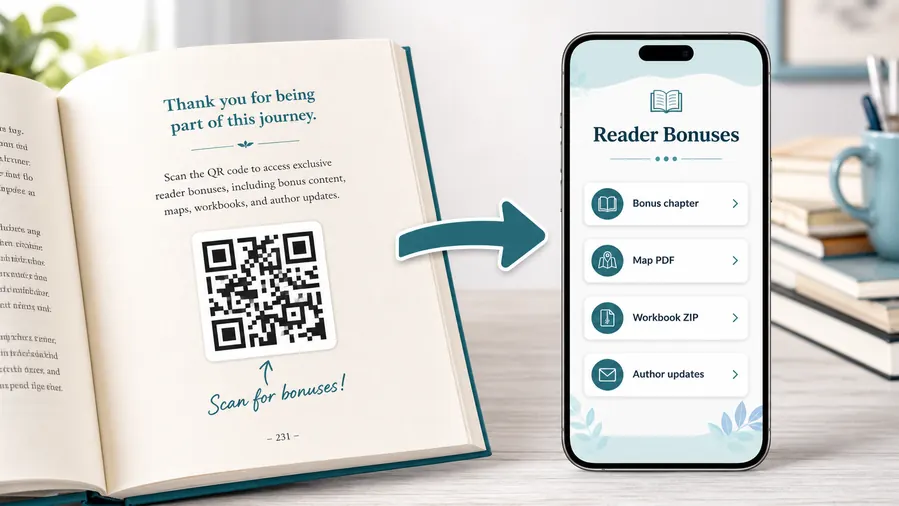
Put recipe extras where cooks can use them quickly
Use a mobile-friendly resource page for technique videos, printable shopping lists, conversion charts, meal plans, recipe cards, bonus PDFs, ZIP files, and errata.
The printed CTA should name the kitchen benefit: watch the fold, download the list, open substitutions, or get the bonus menu.Technique videos and step photos
Show kneading, folding, chopping, decorating, plating, or doneness checks that are hard to explain in one printed paragraph.
Shopping lists and meal plans
Let readers download grocery lists, prep schedules, batch plans, and printable menus connected to the chapter or recipe.
Substitutions and corrections
Use dynamic destinations for errata, ingredient swaps, allergy notes, equipment alternatives, and updated measurements.
Bonus recipes and author updates
Link readers to seasonal recipes, newsletter signup, cooking classes, book events, and future releases.
Newsletter and next-book previews
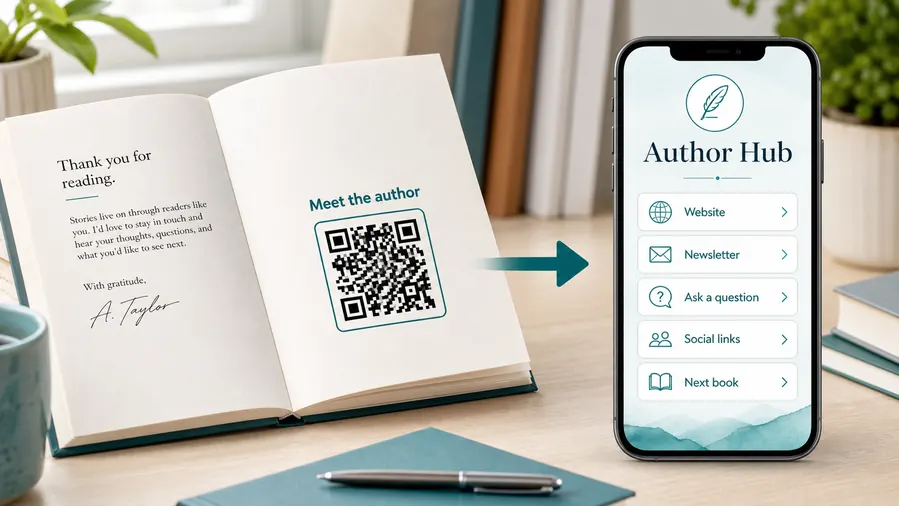
A QR code near the author note or final chapter can invite readers into a newsletter, preorder page, series hub, or sample of the next book.
Feedback and author contact
Let readers report errors, ask questions, join a beta-reader list, or send private feedback without publishing a personal email address in the book.
Cookbooks make outdated recipe links visible for years
If the QR code lives beside recipes, in back matter, or on an insert, dynamic control helps keep videos, downloads, corrections, and author pages reachable.
Put the QR where it supports cooking, not decoration
Recipe margins, chapter openers, back matter, meal-plan pages, and inserts work best when the CTA explains exactly what the reader gets.
Cookbook print check
Check cookbook QR codes before recipe pages and inserts go to print
Print readyCookbook QR codes must scan from paper in real kitchen conditions, with enough size, contrast, quiet zone, and placement away from binding, photos, stains, and dense recipe layouts.

Make the code readable from a messy kitchen page
Keep QR codes large enough, high contrast, and away from binding, page folds, glossy photo edges, and dense ingredient tables.
Test scans from a printed proof under normal kitchen lighting and at the distance a reader will hold the book.
Verify the recipe destination before print approval
Scan proofs and confirm that every code opens the promised video, shopping list, substitution guide, bonus recipe, or correction page.
Keep a map of recipe name, printed placement, destination, file owner, and update notes so future changes are manageable.
Use a focused recipe page when one scan needs several kitchen actions
A recipe QR may need to show video, step photos, substitutions, shopping list, timing notes, printable card, and troubleshooting from one destination.
A clean mobile page keeps those actions organized without making the printed recipe crowded.
Recipe margin
Open technique video, substitutions, timing notes, conversion tips, and troubleshooting.
Chapter opener
Link to shopping lists, meal plans, prep schedules, and printable menus.
Back matter
Send readers to corrections, bonus recipes, author updates, and classes.
Insert or bookmark
Offer seasonal downloads, newsletter signup, event pages, and next-book resources.
Print only after the recipe path is tested
The QR image, printed placement, CTA, and destination should be checked together before the cookbook or insert ships.
After-print recipe control
Keep cookbook QR destinations current after videos, files, and recipe notes change
DynamicCookbooks stay in kitchens for years, while video links, bonus files, errata, shopping lists, and author pages can move. Dynamic QR keeps the printed code useful.
The printed recipe cannot follow a moved file
A static QR works only while the destination stays final.
If a video host changes, a bonus PDF moves, or a correction page is updated, the printed cookbook cannot fix a static link.
The same printed code can open the current recipe resource
Dynamic QR lets the author or publisher update videos, shopping lists, errata, bonus recipes, classes, and author pages behind the same printed code.
That keeps older copies useful while the digital support improves.

Video updates
Replace or move technique videos, class previews, and step-by-step demonstrations.
Errata and substitutions
Update corrections, allergy swaps, measurements, and ingredient notes after publication.
Bonus files
Change PDFs, shopping lists, meal plans, recipe cards, and downloadable extras.
Author platform changes
Route readers to current classes, newsletters, events, sales pages, and next books.
Use dynamic QR when the cookbook resource may improve over time
If the destination is likely to change during the life of the book, editable links protect the print run and reader trust.
Kitchen-friendly flow
Place QR codes where a cook wants help without typing a long URL
Use cookbook QR codes beside recipes, in chapter openers, on shopping-list pages, in back matter, on bonus inserts, near technique sections, and on launch bookmarks. The CTA should say watch technique, download shopping list, get bonus recipes, print recipe card, see substitutions, or open meal plan. Readers should understand the kitchen benefit before they scan.
Dynamic QR codes help when videos, downloads, bonus recipes, author pages, and seasonal updates change. Scan analytics can show which recipes or chapters get the most digital follow-up, but actual downloads, video views, and email signups stay in the external tools you use. For print, keep the code away from the spine and test it on the actual paper. A cook may scan with messy hands or a phone propped on the counter, so the destination should load quickly and show the useful content first.
If a recipe needs timing or technique help, link directly to that specific clip or note. Do not make the reader search through a full food blog while something is cooking.
Recipe engagement signals
Use scan data to compare cookbook recipes, chapters, and bonus offers
AnalyticsTracking helps when separate QR codes show which recipes, chapters, inserts, bonuses, videos, and author offers readers actually open.

All cookbook scans become one total
A single QR cannot show whether readers wanted video help, bonus recipes, shopping lists, corrections, or author updates.
That makes it harder to improve future books and digital resources.
Each recipe or resource becomes a signal
Use separate dynamic QR codes when chapters, recipes, bonus files, or campaign inserts need their own readout.
Scan data is not cookbook sales attribution, but it shows what support readers use.
Scan volume
Compare scans by recipe, chapter, video, insert, bonus file, or author page.
Timing
See whether scans happen around launch, holidays, classes, events, or long after purchase.
Device and browser
Check whether videos, downloads, forms, and resource pages work well on kitchen phones.
Broad location
Use approximate signals for event campaigns, regional audiences, and class follow-up.
Recipe support
Compare which recipes need videos, substitutions, timing notes, or troubleshooting.
Bonus downloads
Measure shopping lists, meal plans, PDFs, and seasonal recipe packs.
Author growth
Track newsletter, class, event, and next-book interest from printed pages.
Insert campaigns
Compare bookmarks, signing cards, launch inserts, and chapter CTAs.
Name cookbook QR codes by recipe, chapter, and resource
Tracking works when code names match the real printed page and the reader action promised beside the QR.






