QR Code for Coloring Books - Bonus Pages & Tutorials Online
Create QR codes for coloring books linking printable pages, color palettes, tutorials, bonus downloads, author pages, videos, and activity packs. Add extra value to each printed book.
Free QR code generator
Create a QR code online
Generate QR codes for websites, email, phone numbers, vCards, Wi-Fi, plain text, forms, PDF files, and campaign links. Customize colors, add a logo or frame, then download a print-ready PNG or SVG.
Choose QR code type
Website QR code, Email QR code, Phone QR code, vCard QR code, Wi-Fi QR code, Text QR code, SMS, WhatsApp, event, and download links.
Add your content
Enter your website URL, contact details, message, phone number, location, or file destination before generating the QR code.
Customize and download
Adjust QR colors, error correction, logo, frame, size, and margin. Generate QR Code, Download PNG, Download SVG, or Save and track scans.
Activity book extras
Give coloring book readers printable bonuses, palettes, and tutorials
A QR code for coloring books is useful when readers should get more than the printed page in front of them. It can open printable pages, color palettes, tutorials, bonus downloads, author pages, videos, activity packs, community galleries, and series pages. Coloring book creators, KDP publishers, illustrators, teachers, activity book authors, and hobby publishers can use QR codes to add value without stuffing the book with long URLs.
The scan should offer something concrete. Extra pages, replacement pages, palette ideas, technique videos, classroom packs, or a link to the next book all make sense. A vague website link is less useful. QR Code Lab helps create print-ready QR codes and dynamic destinations so bonus files, tutorials, and author pages can be updated after the book is printed.
This is especially helpful for low-content and activity books where readers may want fresh pages or examples after finishing the printed set.
QR Code Lab creates URL QR codes only. It does not host files, provide coloring pages, manage downloads, or print books. The author, publisher, file host, classroom platform, or video site handles the actual content and access.
Printable bonus pages
Connect coloring books to bonus pages, printables, and calm reader extras
Creative extrasA coloring book QR code should extend the activity without cluttering the page: download bonus sheets, open a color palette, get printable templates, join an update list, or find the next themed book.

Give readers extra pages without making the book feel crowded
Place QR codes in back matter, intro pages, bookmarks, or activity sections so adults and readers can open bonus coloring sheets, seasonal printables, practice pages, and download packs.
The printed CTA should name the reward, not just ask for a scan.
Turn a finished page into a reason to continue
A QR code can route readers to color-along videos, supply lists, themed challenges, gallery instructions, or the next book in the series when the activity is already engaging.
The scan should support the creative mood instead of interrupting it.
Keep bonus files fresh after the book is printed
Dynamic QR helps when printable packs, seasonal pages, contest rules, newsletter links, author pages, or sales pages change while the coloring book keeps selling.
Printed activity books can live for years; resource pages should be able to evolve.A coloring book QR should reward the reader’s creative moment
The scanner may be a parent, teacher, hobbyist, or gift buyer. The destination should feel useful right away: print more pages, claim a bonus, learn a technique, join updates, or find related books.
Use specific copy such as download bonus pages, get seasonal printables, open color palette, or join the artist list.Bonus downloads
Offer printable pages, practice sheets, seasonal packs, patterns, and themed extras.
Creative guidance
Open palettes, supply lists, technique tips, color-along videos, and inspiration galleries.
Series growth
Send fans to related books, author updates, new releases, bundles, and mailing lists.
Reader sharing
Route to gallery instructions, challenge pages, feedback forms, and community rules.
Books, KDP, and author bonuses
Give coloring book readers a bonus that is worth scanning for
Reader bonus hubA coloring book QR code can keep the printed page clean while sending readers to bonus sheets, printable files, seasonal packs, supply lists, color palettes, and artist updates.
Put downloadable pages where readers can actually use them
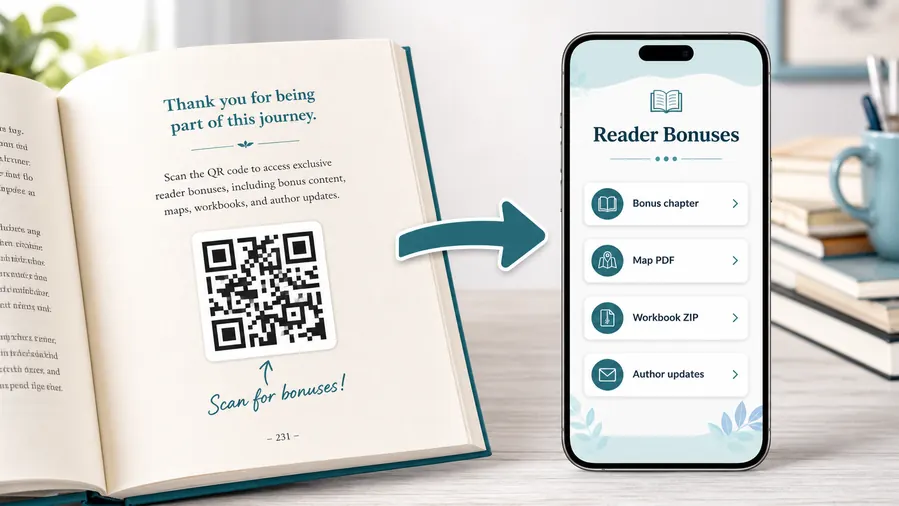
Use a mobile-friendly resource page for PDF coloring sheets, ZIP packs, extra illustrations, practice pages, printable bookmarks, palette cards, or themed activity files.
The book should promise the exact bonus: download extra pages, get a holiday pack, open a palette, or claim printable templates.Bonus coloring pages
Link readers to extra printable sheets without adding long URLs or crowded download instructions to the book.
Seasonal and themed packs
Use dynamic destinations for holiday pages, challenge sets, new collections, and limited-time downloads.
Supply lists and palettes
Send hobbyists to recommended tools, color ideas, blending notes, and style references that support the artwork.
Artist updates and next books
Use back matter or bookmarks to connect readers to series updates, mailing lists, bundles, and future releases.
Newsletter and next-book previews
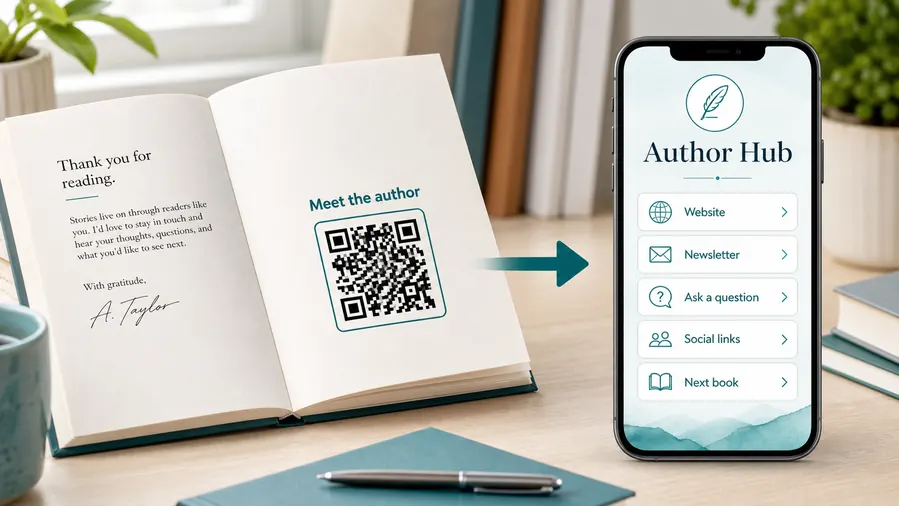
A QR code near the author note or final chapter can invite readers into a newsletter, preorder page, series hub, or sample of the next book.
Feedback and author contact
Let readers report errors, ask questions, join a beta-reader list, or send private feedback without publishing a personal email address in the book.
Printed coloring books make broken bonus links painful
If the QR code lives in a cover, back matter, bookmark, or insert, dynamic control helps keep downloads reachable after hosting, filenames, or sales pages change.
Put the QR where the bonus feels natural
Back matter, activity pages, intro notes, bookmarks, and printable instructions work better than dropping a mystery code into the middle of an illustration.
Schools, classrooms, workbooks, and textbooks
Use coloring book QR codes for learning, practice, and guided activities
Learning accessColoring books often serve parents, teachers, therapists, hobbyists, and activity groups. QR codes can attach printable practice, vocabulary, technique notes, lesson ideas, and calming follow-up resources.

Attach printable practice sheets
Use QR codes for extra line-art pages, tracing sheets, pattern practice, color theory prompts, or differentiated activities that do not fit in the printed book.

Open technique guidance
Send readers to blending tips, shading examples, supply lists, palette ideas, and simple videos tied to the artwork style.

Support classroom or group activities
Give teachers and facilitators access to discussion prompts, lesson extensions, printable packets, and themed activity plans.

Offer calm parent-led resources
Route families to screen-light resource pages with printable downloads, instructions, and related activities rather than noisy generic pages.

Update materials after publication
Dynamic QR helps when bonus pages, classroom packs, seasonal downloads, and artist resources improve over time.

Separate editions or themes
Use distinct codes for holiday books, classroom editions, adult coloring editions, and themed series when destinations differ.

Make the scan promise specific
Use copy like download bonus pages, open color palette, get teacher pack, or claim printable set.

Protect the coloring flow
Place QR codes near instructions or back matter so the scan supports the activity instead of interrupting the page.
The resource should feel like an extension of the page
The best destination gives the reader a useful creative next step: print more, learn a technique, follow a prompt, or continue with a related activity.
Educators and parents can keep activity files current
Dynamic QR codes help when worksheets, printable packs, classroom notes, challenge pages, or download links change after the book is printed.
Put the QR beside the learning or activity moment
Print handoff
Check coloring book QR codes before covers, pages, or inserts go to print
Print readyA coloring book QR code has to scan from paper, covers, bookmarks, and activity inserts while artwork, texture, margins, and binding still leave enough room for reliable scanning.

Keep the QR readable around detailed artwork
Give the code enough size, quiet zone, and contrast when it sits near illustrations, patterned borders, grayscale art, or decorative page elements.
Test the smallest intended size from an actual proof, because paper stock, ink spread, and cover finish can change how easily phones read the code.
Check the bonus page before approving print
Scan the proof and confirm that the destination opens the promised bonus pages, palette guide, classroom pack, artist page, or download set.
Keep a simple map of printed placement, destination, file owner, and update notes so future resource changes are easy.
Use a small resource page when the coloring book offers several extras
One scan may need to present bonus sheets, seasonal packs, palettes, supply lists, gallery instructions, and future updates.
A clean mobile resource page keeps the printed book simple while giving readers organized actions after the scan.
Back matter
Open bonus pages, seasonal printables, palette guides, artist updates, and next books.
Activity insert
Link to extra worksheets, tracing pages, prompts, challenge instructions, and downloads.
Bookmark
Send readers to the bonus library, mailing list, gallery rules, and related titles.
Classroom packet
Give teachers printable sets, lesson ideas, coloring prompts, and resource notes.
Print only after the bonus path works
The QR image, CTA, printed placement, and download destination should be tested together before the book or insert is distributed.
After-print control
Keep coloring book bonus links useful after downloads and campaigns change
DynamicColoring books can keep selling long after bonus files, seasonal pages, artist sites, and promotional links move. Dynamic QR keeps the printed code tied to the current destination.
The printed book cannot follow a moved download
A static QR is fine while the bonus page is permanent, but download folders, file names, artist pages, and sales pages often change.
If the printed code points to an old link, every remaining copy carries the problem.
The same code can open the current bonus page
Dynamic QR lets the author or publisher update bonus downloads, challenge pages, seasonal packs, and series links behind the printed code.
That helps covers, bookmarks, and back-matter pages stay useful through future campaigns.

Download library changes
Replace PDFs, ZIP packs, palette guides, and printable pages without changing the book.
Seasonal campaigns
Update holiday packs, challenge pages, contests, bundles, and limited-time offers.
Author platform moves
Route old printed codes to the current artist site, newsletter, marketplace page, or series hub.
Classroom resources
Improve teacher packets, activity files, and group-use materials after launch.
Use dynamic QR when the coloring book bonus may grow
If the resource page is not guaranteed to stay fixed for the life of the book, editable destinations protect the print run.
Printable bonus flow
Use QR codes where a reader expects more pages or examples
Use coloring book QR codes in back matter, beside technique pages, on bonus pages, in teacher notes, on covers, on promotional bookmarks, and near activity instructions. The CTA should say download bonus pages, watch tutorial, see palettes, get printable pack, view examples, or find the next book. Readers should understand the reward before they scan.
Dynamic QR codes help when file hosts, bonus packs, tutorials, author pages, and series links change after the book is printed. Scan analytics can show whether the bonus actually gets used, which is helpful for future books and launch campaigns. For print, test the code at real size and avoid placing it too close to the spine or trim. If the audience includes children, make sure the linked destination is appropriate and easy for an adult to supervise.
For adult coloring books, palettes and technique videos may be more valuable than extra pages. For kids, printable activities and simple parent notes often work better. Match the bonus to the real reader.