
QR Code for Bistros - Menus, Reservations & Reviews Online
Create QR codes for bistros linking menus, reservation pages, reviews, specials, coupons, Wi-Fi, delivery pages, and social profiles. Use them on tables, windows, receipts, and takeout bags.
Free QR code generator
Create a QR code online
Generate QR codes for websites, email, phone numbers, vCards, Wi-Fi, plain text, forms, PDF files, and campaign links. Customize colors, add a logo or frame, then download a print-ready PNG or SVG.
Choose QR code type
Website QR code, Email QR code, Phone QR code, vCard QR code, Wi-Fi QR code, Text QR code, SMS, WhatsApp, event, and download links.
Add your content
Enter your website URL, contact details, message, phone number, location, or file destination before generating the QR code.
Customize and download
Adjust QR colors, error correction, logo, frame, size, and margin. Generate QR Code, Download PNG, Download SVG, or Save and track scans.
Neighborhood dining path
Help bistro guests open menus, specials, reservations, and reviews
A QR code for bistros is useful when guests need a clear self-service path without making the dining experience feel cold. It can open a menu, reservation page, review link, specials page, coupon, Wi-Fi access, delivery page, social profile, wine list, seasonal offer, or private feedback page. Bistros, small restaurants, neighborhood cafes, wine bars, brunch spots, and local hospitality businesses can use QR codes on tables, windows, receipts, and takeout packaging.
The point is not to replace hospitality. It is to remove small points of friction when staff are busy or when the guest wants to act quietly. A table code can open the current menu. A window sticker can show hours or reservations. A receipt can invite a review. A takeout bag can open delivery, loyalty, or specials for next time.
QR Code Lab creates URL QR codes and can help with dynamic destinations and scan analytics. It does not process payments, manage bookings, run ordering systems, host menus, or operate POS software. Your reservation, menu, delivery, review, or social platform handles the actual guest action.
Bistro guest moments
Help bistro guests open the menu, reservation, or follow-up that fits the visit
Bistro flowA bistro QR code should feel polished and practical: current menu, wine list, reservation, specials, allergens, gift cards, private events, reviews, loyalty, or after-visit follow-up.
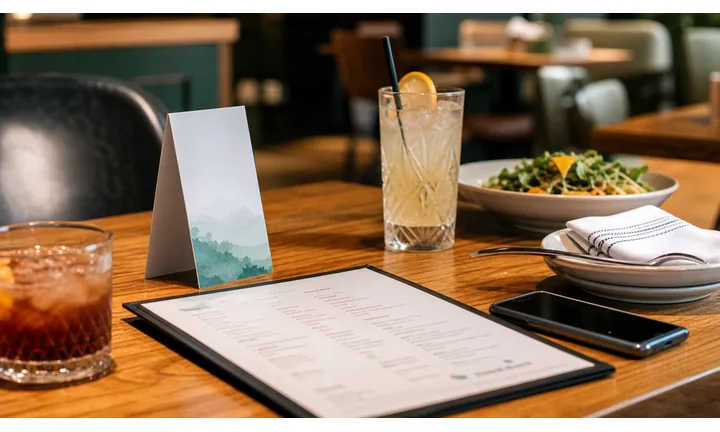
Keep the dining experience elegant, not cluttered
Use QR codes on table cards, menus, receipts, window signs, and event flyers to carry current menus, specials, wine notes, booking links, and private dining details without crowding the printed design.
The QR should support the service style, not make guests feel abandoned.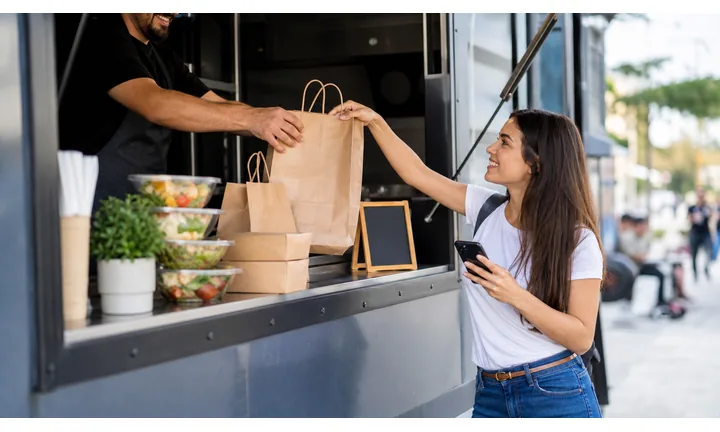
Give guests the right detail at the right moment
A seated guest may need wine notes, allergens, specials, or dessert; a passerby may need hours and booking; a receipt scan may invite reviews or the next visit.
Different bistro placements deserve different destinations.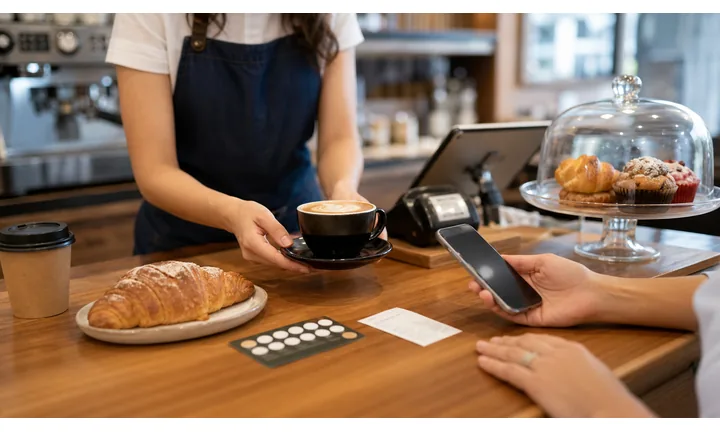
Keep seasonal menus and reservation links current
Dynamic QR helps when prix fixe menus, brunch hours, wine pairings, private events, booking links, and holiday offers change after print.
A bistro can protect its printed look while keeping the digital path fresh.A bistro QR should extend hospitality, not replace it
Guests scan because they want useful information with less friction. The destination should be warm, current, mobile-friendly, and matched to the service moment.
QR Code Lab creates the QR path; the bistro still owns menu accuracy, reservations, payments, service, and guest communication.At the table
Open menu, wine list, specials, allergens, and service notes.
Before the visit
Use windows and flyers for hours, reservation, private dining, and event menus.
After the meal
Route to reviews, loyalty, gift cards, feedback, and next booking.
Seasonal service
Update brunch, prix fixe, holiday menus, wine pairings, and private events.
Restaurants, cafes, and bars
Match bistro QR codes to the guest action and service style
Guest-first flowA bistro QR code should open a current, graceful next step: menu, specials, wine list, reservation, allergen notes, gift card, private dining inquiry, review, or loyalty signup.
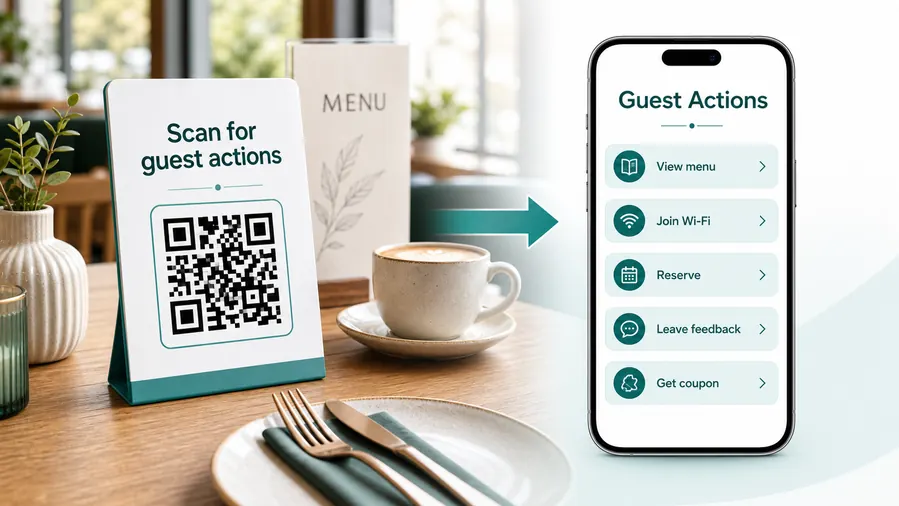
The scan should feel like hospitality, not self-service confusion
Guests may scan because they want more detail, not because they want to replace the server. The destination should make menus, booking, and follow-up easier while preserving the tone of the visit.
Open the current menu and specials
Use table cards, menu inserts, and window signs for seasonal dishes, brunch, desserts, wine, cocktails, allergens, and sold-out notes.
Support reservations and private dining
Send passersby, event guests, and regulars to booking, private room inquiry, tasting menu details, or holiday availability.
Make wine and pairing notes easier to explore
Use the destination for bottle notes, pairing suggestions, origin stories, non-alcoholic options, and staff recommendations.
Handle allergens with care
Link to current allergen and dietary notes while still encouraging guests to confirm sensitive needs with staff.
Invite reviews after a complete visit
Receipts and thank-you cards can ask for reviews or private feedback once the meal and service are complete.
Promote loyalty and gift cards naturally
Use receipts, window cards, and check presenters for gift cards, birthday offers, event nights, and return-visit invitations.
At the table
Menu, Wi-Fi, ordering, ask-for-help, specials.
While waiting
Drinks, dessert, event calendar, story behind the dish.
After payment
Review, private feedback, coupon, reservation.
Takeaway or delivery
Reorder link, loyalty signup, coupon, feedback.
Use dynamic QR when the destination may change
Menus, specials, reservation tools, coupons, review flows, seasonal campaigns, and ordering links change. A dynamic QR code keeps the printed code stable while letting you update where it sends the guest.
Do not make the guest solve your whole website
Most guests scan because they want one next action, not a tour of the restaurant site. If the QR code opens a hub, keep the first buttons aligned with the place where the code appears: menu at the table, review or coupon on the receipt, reorder or feedback on packaging.
Guest Wi-Fi boundary
Use bistro Wi-Fi QR codes for easy access without mixing staff systems
Wi-FiIf a bistro offers guest Wi-Fi, the QR code should make joining simple while the network setup keeps POS, staff devices, and private systems separate.
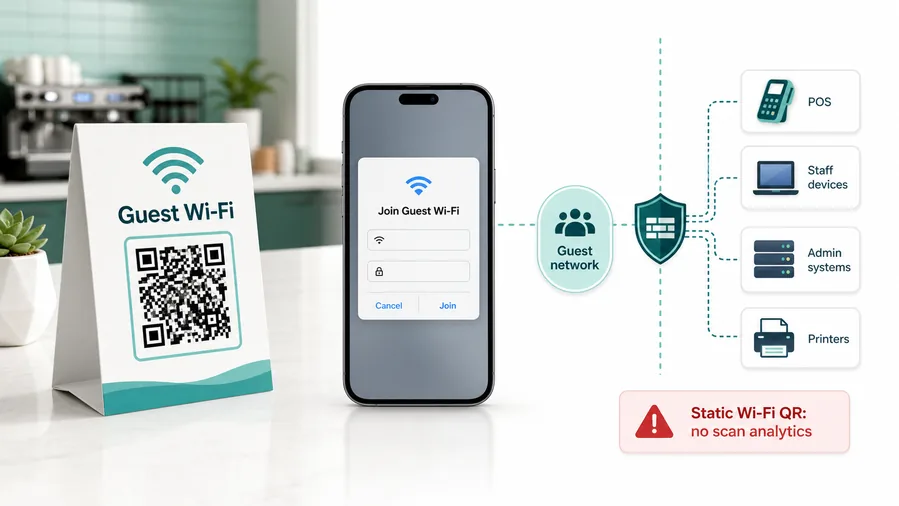
Guest access should be clear and separate
Use the QR code to open the guest network prompt or Wi-Fi instructions, not a staff network or POS-connected environment.
This is why static Wi-Fi QR is often better than dynamic for joining a network. A redirect URL cannot open the same native Wi-Fi flow.The printed card should explain the value
Tell guests whether the QR opens Wi-Fi, menu, booking, or loyalty so they do not confuse access with ordering.
If you need analytics, you can track a landing page, but the experience becomes a web page with Wi-Fi instructions, not a native join-network QR.Network security is handled outside the QR
QR Code Lab can encode the Wi-Fi details, but router settings, isolation, passwords, and device access remain the bistro’s responsibility.
Use a guest network, client isolation, router-level limits, and a password rotation process. QR codes make access easier; they do not make the network safe.Do not use one QR for every sensitive action
Keep Wi-Fi, payment, booking, reviews, and staff systems separate so guests understand what they are joining or opening.
Configure network security on your router, firewall, access point, or IT management system.QR removes typing; the network provides control
Use the QR code for a cleaner guest join experience, and use network settings to protect internal systems.
Bistro placement
Place bistro QR codes where the guest already wants menu, booking, or follow-up
PlacementBistro QR placement should match the pace of the visit: window browsing, seated menu decisions, wine exploration, checkout, private dining inquiry, or after-meal follow-up.

The QR opens a generic restaurant homepage
A general page makes guests search for menu, booking, wine list, allergens, or private dining.
Bistro QR codes should continue the exact guest moment.
The QR opens the refined next step
Use table cards for menus and wine, windows for booking, receipts for reviews, and flyers for seasonal events.
The CTA should be specific and in the same tone as the bistro brand.
Is the guest deciding before or during the meal?
Window, table, menu insert, receipt, and flyer scans need different destinations.
What detail improves hospitality?
Menu, wine notes, allergens, reservation, gift card, private dining, or review should be clear.
Can the scan happen without awkwardness?
Place codes where phones are naturally used and where staff can still help.
Will the menu or booking path change?
Use dynamic QR for seasonal menus, events, brunch, holiday pages, and reservation links.
Table card
Open menu, specials, wine list, allergens, and service notes.
Menu insert
Add details for seasonal dishes, pairing notes, and dietary information.
Window sign
Show hours, booking, private dining, event menu, and gift cards.
Receipt or check presenter
Invite reviews, feedback, loyalty, gift cards, and next booking.
Event flyer
Open tasting night, brunch, prix fixe, holiday menu, and reservation.
Wine list
Link pairing notes, bottle details, region stories, and staff picks.
Host stand
Use for waitlist, reservation changes, menu preview, and private events.
Takeaway bag
Send guests to reorder, care notes, menu, loyalty, and reviews.
Bistro QR placement should preserve hospitality
Put the code where it makes the visit smoother and keep the destination specific.
Bistro updates
Use dynamic QR when bistro menus and reservation pages change seasonally
DynamicBistro print often stays elegant and stable while menu items, wine notes, booking links, events, holiday hours, and private dining pages change behind the scenes.
Old table cards can open stale menus or expired events
A static QR may point to last season’s menu, old booking page, past tasting night, or outdated wine list.
That breaks trust in a dining experience where detail matters.
The same printed QR can follow the bistro calendar
Dynamic QR lets the bistro update destinations for brunch, prix fixe, holiday menus, private events, and seasonal offers.
Printed cards stay polished while the digital layer stays current.

Seasonal menus
Update dishes, prices, specials, allergens, and sold-out notes.
Reservations and events
Move scans between booking, waitlist, private dining, tasting nights, and holiday pages.
Wine and pairing notes
Change bottle lists, staff picks, pairing recommendations, and non-alcoholic options.
After-meal follow-up
Redirect receipts to reviews, gift cards, loyalty, private feedback, or next booking.
Use dynamic when the bistro experience changes with the season
If the printed QR lives on tables, windows, flyers, or receipts, keep the destination editable.
Dining placement
Match the QR destination to the table, window, receipt, or takeout moment
Use bistro QR codes on table tents, printed menus, window stickers, receipts, takeout packaging, loyalty cards, reservation cards, patio signs, seasonal posters, bar cards, and delivery inserts. The CTA should match the moment: view menu, reserve a table, see specials, join Wi-Fi, leave review, order delivery, or follow seasonal updates. One generic code rarely serves every dining situation well.
Dynamic QR codes are especially useful for seasonal menus, specials, reservation pages, holiday hours, and delivery links. A printed table card can stay in place while the menu changes behind it. A takeout insert can redirect from one offer to the next. QR Code Lab analytics can show which dining touchpoints guests actually use, while orders, reservations, payments, reviews, and loyalty data remain in your hospitality platforms. Test each printed placement in real lighting before ordering a full print run.
For a small dining room, keep the experience warm. The QR should make useful details easy to reach, not make guests feel abandoned by the service team.






