
QR Code for Bars - Drink Menus, Events & Review Links Online
Create QR codes for bars linking drink menus, happy hour pages, events, reservations, reviews, maps, coupons, social profiles, and playlists. Use them on tables, windows, coasters, and signs.
Free QR code generator
Create a QR code online
Generate QR codes for websites, email, phone numbers, vCards, Wi-Fi, plain text, forms, PDF files, and campaign links. Customize colors, add a logo or frame, then download a print-ready PNG or SVG.
Choose QR code type
Website QR code, Email QR code, Phone QR code, vCard QR code, Wi-Fi QR code, Text QR code, SMS, WhatsApp, event, and download links.
Add your content
Enter your website URL, contact details, message, phone number, location, or file destination before generating the QR code.
Customize and download
Adjust QR colors, error correction, logo, frame, size, and margin. Generate QR Code, Download PNG, Download SVG, or Save and track scans.
Nightlife guest path
Give bar guests the right menu, event, offer, or review link
A QR code for bars is useful when guests need a fast path from the room to the current digital action. It can open a drink menu, happy hour page, event listing, reservation link, review page, map, coupon, social profile, playlist, special menu, or loyalty signup. Bars, pubs, lounges, breweries, cocktail bars, nightlife venues, and local hospitality businesses can use QR codes on tables, posters, coasters, receipts, windows, and event flyers.
The strongest bar QR code matches the guest moment. At the table, guests want the menu. Near the door, they may want events or social links. On a receipt, they may leave a review or join loyalty. On a flyer, they may save the next happy hour or live music night. QR Code Lab helps create separate printable codes for those moments and track which placements actually get scanned.
QR Code Lab creates URL QR codes only. It does not process payments, manage orders, collect forms, run reservations, or operate bar software. The linked menu, event, reservation, review, ordering, or social platform handles the guest action.
Bar guest moments
Help bar guests move from table, poster, or receipt to the right action
Bar flowA bar QR code should match the live guest moment: open the drinks menu, claim happy hour, join an event list, tip staff, follow the venue, book a table, leave feedback, or reorder from a printed card.
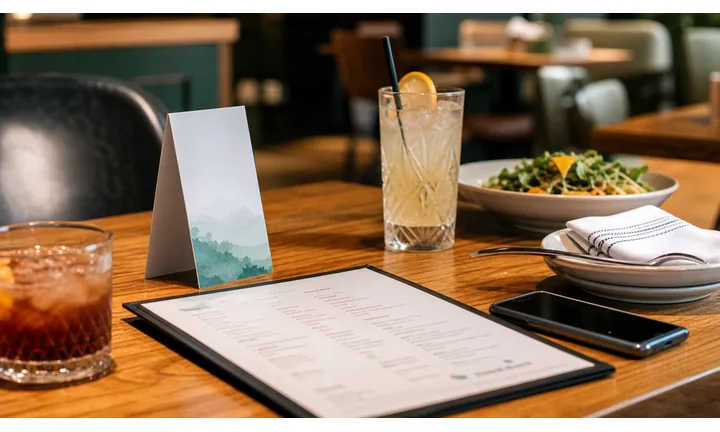
Make drinks, specials, and events easy to find
Use QR codes on table tents, coasters, posters, receipts, window signs, and event flyers so guests can open current cocktails, beer lists, food menus, happy hours, live music, trivia nights, and booking links.
The scan should feel like part of the night, not a detour to a generic homepage.
Keep fast-changing bar offers current
Dynamic QR helps when tap lists, seasonal cocktails, cover charges, event times, reservation links, and late-night menus change faster than printed cards can be replaced.
A stale menu or expired event page is especially visible when guests are ready to order.
Separate guest actions so the destination stays clear
Menus, tips, tickets, guest Wi-Fi, reviews, and private feedback should be distinct choices on mobile so guests understand what they are opening before they act.
Crowded nightlife moments need simple mobile decisions.A bar QR should serve the moment without slowing service
Guests may scan in low light, with noise, while ordering, waiting for friends, or deciding whether to stay. The destination needs to be fast, specific, and readable.
QR Code Lab creates the QR path; the bar still owns menu accuracy, age rules, payments, ticketing, service, and event operations.At the table
Open drinks, food, specials, allergens, ordering notes, and staff help.
At the bar
Use for tap list, tip link, loyalty, event calendar, and social follow-up.
On posters
Route to tickets, RSVP, lineup, calendar save, and venue details.
After checkout
Ask for reviews, feedback, loyalty signup, next event, or private support.
Restaurants, cafes, and bars
Match bar QR codes to the guest action happening right now
Guest-first flowA bar QR code should open the action that fits the placement: menu at the table, tap list at the bar, event page from a poster, tip link after service, or review after the visit.
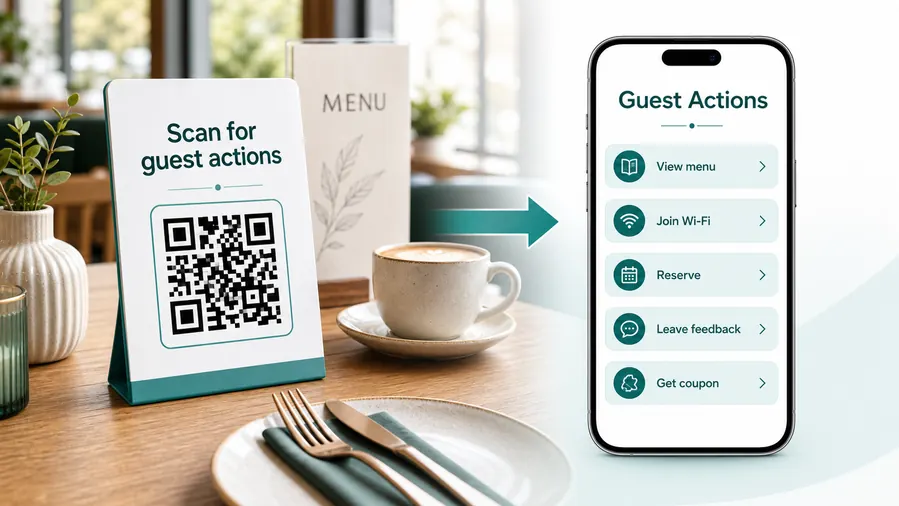
The scan should reduce friction during a noisy, busy moment
Guests are often standing, talking, holding a drink, or deciding quickly. A useful bar QR destination loads fast and gives the next action without making them hunt through a full site.
Open the current drinks and food menu
Use table tents, coasters, counter cards, and window signs to show cocktails, beer, wine, food, specials, allergens, and service notes.
Promote events and themed nights
Posters and flyers can open live music, trivia, karaoke, watch parties, ticket links, RSVP pages, and calendar saves.
Make digital tipping clear
If tips are accepted by QR, send guests to the approved provider and keep tip, bill payment, and review actions visually separate.
Support loyalty and repeat visits
Receipts and coasters can open loyalty signup, birthday offers, next-event alerts, and first-drink promotions for returning guests.
Collect feedback after the visit
Use receipts, table cards, and follow-up materials to invite reviews or private feedback once the guest has experienced the service.
Keep staff from repeating the same answers
Clear QR destinations can answer questions about menus, happy hour times, music schedule, cover, Wi-Fi, reservations, and event details.
At the table
Menu, Wi-Fi, ordering, ask-for-help, specials.
While waiting
Drinks, dessert, event calendar, story behind the dish.
After payment
Review, private feedback, coupon, reservation.
Takeaway or delivery
Reorder link, loyalty signup, coupon, feedback.
Use dynamic QR when the destination may change
Menus, specials, reservation tools, coupons, review flows, seasonal campaigns, and ordering links change. A dynamic QR code keeps the printed code stable while letting you update where it sends the guest.
Do not make the guest solve your whole website
Most guests scan because they want one next action, not a tour of the restaurant site. If the QR code opens a hub, keep the first buttons aligned with the place where the code appears: menu at the table, review or coupon on the receipt, reorder or feedback on packaging.
Bar placement
Place bar QR codes where guests can scan without interrupting the night
PlacementBar QR placement has to work in low light, crowds, movement, and short attention windows. Put codes where guests pause and where the printed CTA matches what they want next.

The QR is visible but the guest has no reason to scan
A bare code on a wall or coaster can be ignored if it does not promise menu, special, event, tip, or review.
Bars need practical CTA copy because guests are distracted and often in motion.
The QR sits beside the bar decision
Use tables for menu and ordering, posters for events, receipts for reviews, and counter cards for tip or loyalty.
The destination should open quickly and match the placement.
Can the guest scan in the real lighting?
Low light, glare, wet tables, and distance make contrast and size more important.
What action fits this exact spot?
Menu, happy hour, event, tip, review, Wi-Fi, booking, or loyalty should be obvious.
Is the guest standing or seated?
A seated guest can read more; a passerby needs a short CTA and fast page.
Will the offer change soon?
Use dynamic QR for specials, tap lists, event pages, seasonal menus, and ticket links.
Table tent
Open menu, specials, allergens, ordering notes, and staff help.
Coaster
Use for loyalty, social follow, events, and next-round offers.
Counter card
Link to tap list, tip jar, pickup, loyalty, and service notes.
Event poster
Open lineup, tickets, RSVP, calendar save, and venue details.
Receipt
Ask for review, feedback, loyalty, tip, or next-visit offer.
Window sign
Show hours, events, menu, reservation, and current specials after hours.
Restroom sign
Use carefully for events, safety info, feedback, or private help when appropriate.
Stage or DJ booth
Open music links, tips, schedule, social follow, and event updates.
Bar QR placement should fit the guest energy
Put the code where people can scan comfortably and immediately understand the reward.
Bar updates
Use dynamic QR when bar menus, specials, and event pages change often
DynamicBar print gets reused while drink lists, kitchen hours, happy hour rules, event links, ticket pages, and seasonal promotions change. Dynamic QR keeps the printed materials useful.
Old bar print can point to expired nights or stale menus
A static code on a coaster, flyer, or table tent may keep opening a past event, old happy hour, or outdated tap list.
That creates disappointment when guests are ready to order or RSVP.
The same printed code can follow the venue calendar
Dynamic QR lets the bar redirect scans from weekday specials to live music, from seasonal drinks to holiday parties, or from old menus to current pages.
Printed materials stay alive while the offer changes.

Tap list and specials
Update beer, wine, cocktails, food, sold-out notes, and happy hour rules.
Events and tickets
Move scans between trivia, live music, DJs, watch parties, ticket pages, and RSVP forms.
Hours and service notes
Change kitchen hours, holiday hours, cover charge, booking links, and private event notices.
Post-visit follow-up
Redirect receipts and coasters to reviews, loyalty, next events, and private feedback.
Use dynamic when the bar offer changes faster than the print
If a QR lives on table tents, coasters, posters, or windows, keep the destination editable.
Tip boundary
Use bar QR codes for tip and payment links, not payment proof
PaymentsQR Code Lab can send guests to a tip jar, ticket page, booking deposit, or payment provider. The linked provider handles checkout, receipts, refunds, disputes, and staff payout rules.

Open the approved tip path
Use counter cards, receipts, coasters, or event signage to make digital tipping easy without asking guests to type handles.
Keep tickets and deposits clear
If the QR opens event tickets, table deposits, or private-party payments, show the venue, event, amount context, and provider before checkout.
Separate payment from reviews and menus
Guests should not confuse a tip link with menu browsing, feedback, or loyalty signup.
A scan does not prove payment completed
Scan analytics show that someone opened the path, not that a tip, ticket, deposit, or checkout was paid.
Confirm money, refunds, and disputes inside the payment or ticketing provider.Treat bar payment QR as a shortcut, not a receipt
Use the code to get guests to the trusted provider, then rely on that provider for payment confirmation.
Bar placement
Place the QR code where the guest is already deciding what to do next
Use bar QR codes on table tents, drink menus, coasters, posters, window signs, receipts, event flyers, loyalty cards, restroom signs, patio signs, takeaway materials, and stage schedules. The CTA should be specific: view drink menu, see events, join happy hour, leave review, follow playlist, reserve table, or get the offer. Avoid one vague code when guests need different actions in different parts of the bar.
Dynamic QR codes help when menus, events, offers, reservation links, playlists, or happy hour details change. A table card can keep working through seasonal menu updates, and a poster can redirect from this week's event to next week's lineup. QR Code Lab analytics can show whether table cards, posters, receipts, or window signs drive the most guest action. Actual orders, bookings, reviews, and payments remain in the platforms you already use.
Lighting matters in bars. Test the printed code in the real room, not only at a desk, and avoid low contrast designs that disappear in dim evening light.
Bar campaign signal
Use scan data to compare bar placements, not to claim every sale
AnalyticsTracking helps when separate QR codes compare table tents, posters, coasters, receipts, window signs, and event flyers across nights or campaigns.

All scans collapse into one bar total
A single QR code can show interest, but it cannot show whether the scans came from coasters, posters, table tents, receipts, or window signs.
That makes promotion decisions harder.
Each bar placement becomes a useful signal
Use separate dynamic QR codes when the bar wants to compare nights, placements, rooms, events, or campaigns.
Scan data is not full revenue attribution, but it is better than guessing which print worked.
Scan volume
Compare scans from menus, posters, coasters, receipts, and event cards.
Timing
See whether scans happen before events, during happy hour, after checkout, or after closing.
Device and browser
Spot basic device patterns that may affect menus, forms, tickets, and payment pages.
Broad location
Use approximate location signals for venue or campaign comparison without treating them as identity data.
Event promotion
Compare QR scans from flyers, posters, stage signs, and table cards.
Menu placements
See whether table tents, coasters, or counter signs drive more menu opens.
Happy hour campaigns
Track different offers, nights, or printed placements during a promotion.
Post-visit follow-up
Measure receipt and coaster scans for reviews, loyalty, and next-event interest.
Name bar QR codes by placement before the campaign starts
Tracking only helps when each code name matches the real sign, table, coaster, poster, or event material.






