
QR Code for Caterers - Menus, Quote Forms & Event Leads
Create QR codes for caterers linking menus, package pages, quote forms, event galleries, reviews, payment links, maps, and contact pages. Use them on proposals, tasting menus, flyers, and signs.
Free QR code generator
Create a QR code online
Generate QR codes for websites, email, phone numbers, vCards, Wi-Fi, plain text, forms, PDF files, and campaign links. Customize colors, add a logo or frame, then download a print-ready PNG or SVG.
Choose QR code type
Website QR code, Email QR code, Phone QR code, vCard QR code, Wi-Fi QR code, Text QR code, SMS, WhatsApp, event, and download links.
Add your content
Enter your website URL, contact details, message, phone number, location, or file destination before generating the QR code.
Customize and download
Adjust QR colors, error correction, logo, frame, size, and margin. Generate QR Code, Download PNG, Download SVG, or Save and track scans.
Event food lead path
Help event planners move from tasting to quote request
A QR code for caterers is useful when someone tastes the food, sees a buffet sign, takes a menu card, or meets the catering team at an event and needs a simple next step. It can open menus, package pages, quote forms, event galleries, reviews, payment links, maps, contact pages, tasting calendars, and seasonal offers. Caterers, wedding teams, private chefs, food service vendors, and catering companies can use QR codes to turn offline interest into a clear follow-up path.
The scan should match the planning moment. At a tasting, people may want package details. At a wedding expo, they may want photos and pricing. On a delivery card, they may want to reorder or review. On an invoice, they may need a payment link. QR Code Lab helps create printable codes, dynamic destinations, and scan analytics so catering teams can see which events and materials create future leads.
QR Code Lab creates URL QR codes only. It does not process payments, manage orders, collect forms, run bookings, provide medical advice, or operate catering software. The linked catering, quote, payment, gallery, or review platform handles the real workflow.
Catering customer moments
Move catering interest from a menu, event, or tasting to the next booking step
Catering flowA catering QR code should help guests, planners, and hosts act quickly: view menus, request a quote, save packages, confirm event details, leave feedback, tip staff, or book the next conversation.
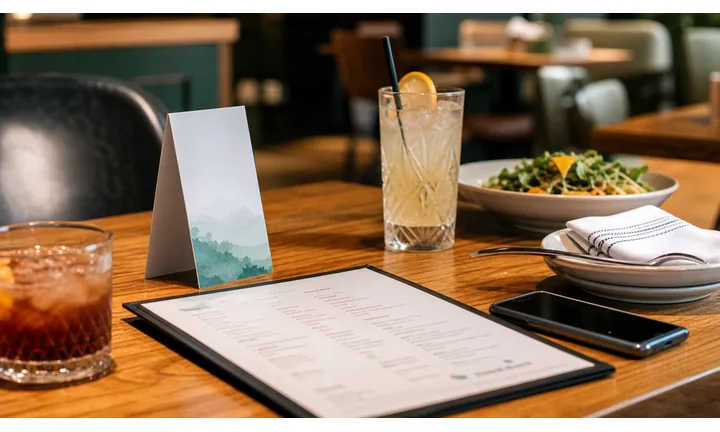
Turn tasting materials into quote requests
Put QR codes on tasting menus, brochures, sample boxes, proposal packets, and event cards so planners can open packages, dietary notes, galleries, pricing context, and inquiry forms while the conversation is fresh.
The destination should feel like the next planning step, not a generic restaurant homepage.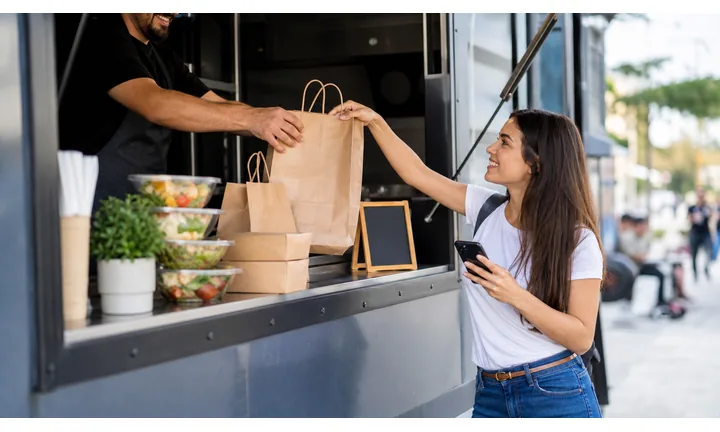
Give event guests a useful scan without interrupting service
Use QR codes for menus, allergen notes, bar lists, feedback, reviews, staff tips, social sharing, or follow-up offers when guests are seated, waiting, or leaving the event.
A clear CTA keeps the scan helpful instead of distracting from the meal.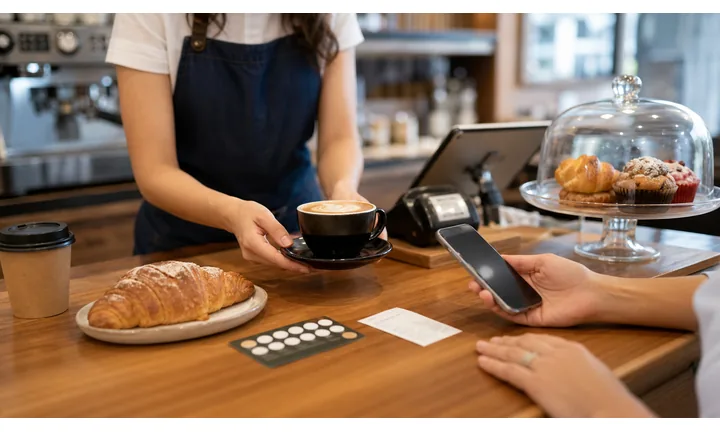
Keep printed catering materials flexible
Dynamic QR helps when menus, seasonal packages, event pages, booking forms, calendars, images, or promo pages change after brochures and tasting cards are printed.
Catering offers move quickly; printed materials should not trap old details.A catering QR code should match the planning moment
Someone may be comparing packages, attending a wedding, tasting food, picking up a sample box, or deciding whether to inquire. The scan should open the action that fits that moment.
Name the value beside the QR: view menus, request quote, check allergens, leave feedback, tip staff, or book catering.Event planners
Open packages, quote requests, tasting booking, menus, galleries, and availability.
Guests
Provide menus, allergen notes, drink lists, feedback, reviews, and social links.
Hosts
Route to final details, schedule, payment links, contract documents, and support.
Sales follow-up
Keep brochures, expo cards, and proposal packets tied to editable booking paths.
Events, conferences, and weddings
Give catering guests and planners the right action at the event moment
Attendee flowCatering QR codes work best when each placement names the action: view the menu, check allergens, request a quote, tip staff, leave feedback, book a tasting, or open event details.

Open menu and allergen details at the table
Use table cards, buffet signs, bar menus, and event programs to show menus, dietary notes, drink lists, and service details without adding clutter to the printed piece.

Capture inquiries while interest is warm
Put quote-request QR codes on tasting sheets, expo displays, sample boxes, brochures, and proposal packets so planners can ask about dates, guest count, packages, and budget.

Collect feedback after service
Use receipts, thank-you cards, exit signs, and follow-up materials to ask for private feedback, reviews, testimonials, or referral interest after the event experience is complete.

Support event operations without extra printing
Route hosts and staff to final menus, timeline changes, setup notes, vendor contacts, delivery instructions, and day-of documents from one managed destination.

Speaker materials and feedback
After a session, attendees can scan a slide, poster, handout, or table sign to open slides, PDFs, worksheets, links, speaker profile, Q&A, or feedback form. The attendee gets the materials; the organizer gets a clean follow-up action.
Guests should know what the scan gives them
A catering QR should say whether it opens a menu, allergen list, tip link, review page, photo gallery, or feedback form before the guest scans.
Planners need destinations that survive event changes
Dynamic QR helps when menus, guest counts, event pages, staff instructions, forms, and payment links change between proposal, tasting, and event day.
Match the QR placement to the catering workflow
Catering lead moments
Turn catering attention into bookings, quote requests, and referrals
Local growthCaterers earn scans from tastings, expos, venues, delivery packaging, event tables, referrals, and printed proposals. Each QR should move that attention to a clear business action.

Make the inquiry form easy to reach
Use brochures, tasting menus, expo signage, and sample boxes to open a quote request that asks for date, guest count, location, menu style, and contact details.

Show packages without crowding the print
Send scanners to current menus, dietary options, service packages, galleries, and seasonal offerings from one mobile destination.

Ask after the event experience is complete
Use thank-you cards, receipts, and follow-up materials to route happy hosts to reviews while giving private feedback a fair path.

Help guests remember who served the event
Place a subtle QR on menu cards, dessert tables, or favor inserts so guests can save the caterer, view menus, or inquire for their own event.

Open deposit or balance links carefully
Use QR as a shortcut to a trusted payment provider, while payment confirmation, refunds, and disputes stay inside that provider.

Keep staff and venue details reachable
Use internal or client-facing QR destinations for timeline updates, setup notes, delivery instructions, and day-of contact information.

Catering scans happen when planning is already active
The scanner has tasted food, seen the table setup, received a proposal, attended the event, or opened a delivery box. The QR should continue that specific moment with a useful next step.
Printed catering materials become easier to compare
Use separate dynamic QR codes for tasting sheets, venue cards, expo banners, brochures, menus, thank-you cards, and packaging when the team needs to know which touchpoints create leads.
Place the code where catering intent is strongest
Catering placement
Place catering QR codes where guests or planners are ready to act
PlacementCatering QR codes should sit at the natural pause: tasting table, buffet sign, proposal packet, expo booth, event menu, thank-you card, or delivery packaging.

The code appears away from the decision
A QR code on a random brochure corner may be visible, but the planner may not know whether it opens menus, pricing, photos, booking, or feedback.
If the value is unclear, the scan competes with the event instead of supporting it.
The code is paired with the next catering action
Put the QR beside the menu, quote prompt, allergen note, tasting scorecard, payment instruction, or feedback ask it supports.
The CTA should make the scan feel like a helpful continuation of the event or planning conversation.
What just happened?
A tasting, proposal review, event meal, buffet visit, pickup, delivery, payment, or thank-you moment.
What should happen next?
Request quote, view menu, check allergens, book tasting, pay deposit, leave feedback, tip staff, or refer a friend.
Can guests scan comfortably?
Table cards, buffet signs, and bar menus need enough size, contrast, lighting, and room away from spills or folds.
Will the destination change by event?
Use dynamic QR for seasonal menus, event pages, forms, deposits, galleries, and day-of instructions.
Tasting menu
Open packages, quote request, dietary options, gallery, and booking calendar.
Buffet sign
Show menu details, allergens, ingredients, and dietary notes without crowding the sign.
Proposal packet
Link to contract, deposit, final menu, event timeline, and contact path.
Expo booth
Capture leads, sample requests, tasting bookings, and package interest.
Event table card
Let guests view menus, save the caterer, inquire, review, or share with a host.
Delivery packaging
Open reheating notes, catering menu, reorder form, review page, or referral offer.
Thank-you card
Ask for reviews, testimonials, private feedback, referrals, or follow-up bookings.
Staff sheet
Route team members to setup notes, schedule, venue contact, and final event details.
Catering placement should respect the event moment
Use QR codes where the scanner has context, time, and a clear reason to act.
Event placement
Place catering QR codes on materials guests and planners actually keep
Use catering QR codes on tasting menus, event table cards, buffet signs, packaging stickers, wedding expo flyers, business cards, quote sheets, invoices, delivery cards, and review request cards. The CTA should say view catering menu, request quote, see event gallery, book tasting, download package guide, pay invoice, or leave review. A planner should know whether the scan opens inspiration, pricing, or a form.
Dynamic QR codes help when menus, seasonal packages, quote forms, galleries, and payment links change. Separate codes for wedding expos, tasting cards, delivery packaging, and quote sheets can show which printed pieces bring people back. QR Code Lab analytics can show scan interest, while quotes, orders, payments, and client records stay in your catering systems. Keep the destination mobile friendly because planners may scan while standing at an event table or unpacking food after delivery.
For weddings and corporate events, photos matter. If the code opens a gallery, show food style, table setup, package examples, guest count options, and a clear quote button near the top.
Payment boundary
Use catering QR codes for payment links and tips, not payment proof
PaymentsQR Code Lab can open a deposit link, invoice, tip page, or trusted checkout. The payment provider still handles money movement, receipts, refunds, chargebacks, and confirmation.

Open deposit and balance links faster
Use QR codes on proposals, invoices, contracts, or event packets to reduce typing when a host needs to pay through the provider you already use.
Make staff tips easy after service
Place tip QR codes on thank-you cards, bar signs, receipts, or event follow-up materials when tipping is appropriate and clearly explained.
Keep payment destinations editable
Dynamic QR helps when the invoice URL, deposit page, event balance link, or tip pool destination changes between proposal and event day.
Payment status lives inside the payment provider
A scan means someone opened the link. It does not prove that a deposit, balance, tip, refund, or invoice payment was completed.
Use your payment platform, POS, or accounting system as the source of truth for paid status.Keep catering payment QR codes clear and limited
Use the QR code as a shortcut to the provider; use the provider to prove the money moved.
Catering reporting
Use scan data to compare catering materials, venues, and event touchpoints
AnalyticsTracking helps when separate QR codes show which tasting sheets, menus, expo displays, proposal packets, packaging, or thank-you cards create useful follow-up.

All catering scans become one total
A single QR code cannot show whether interest came from a tasting, expo, wedding menu, delivery box, proposal packet, or thank-you card.
That makes it hard to improve lead sources and printed materials.
Each catering touchpoint becomes a signal
Use separate dynamic QR codes for lead capture, menu details, feedback, tips, referrals, and payment shortcuts when comparison matters.
Scan data is not full booking attribution, but it helps reveal where attention begins.
Scan volume
Compare scans from tastings, menus, booths, proposals, packaging, and follow-up cards.
Timing
See whether scans happen before the event, during service, after checkout, or after guests take materials home.
Device and browser
Check whether quote forms, menus, files, and payment pages work well on guest and planner phones.
Broad location
Use approximate signals for venues, regions, expo campaigns, and local delivery areas.
Tasting follow-up
Compare which menus, packages, and sample cards lead to quote requests.
Event guest scans
Measure menus, allergen notes, referrals, social links, reviews, and tip paths.
Expo and venue marketing
Compare booth signage, brochures, preferred-vendor cards, and venue displays.
Delivery packaging
Track reorder interest, reviews, care notes, and referral offers from boxes and bags.
Name catering QR codes by event material and action
Tracking works when the code names match real menus, packets, venues, packaging, cards, and follow-up goals.






