
QR Code for Bakeries - Menus, Preorders & Cake Forms Online
Create QR codes for bakeries linking menus, preorder pages, custom cake forms, reviews, coupons, catering pages, hours, and social pages. Use them on boxes, counters, signs, and flyers.
Free QR code generator
Create a QR code online
Generate QR codes for websites, email, phone numbers, vCards, Wi-Fi, plain text, forms, PDF files, and campaign links. Customize colors, add a logo or frame, then download a print-ready PNG or SVG.
Choose QR code type
Website QR code, Email QR code, Phone QR code, vCard QR code, Wi-Fi QR code, Text QR code, SMS, WhatsApp, event, and download links.
Add your content
Enter your website URL, contact details, message, phone number, location, or file destination before generating the QR code.
Customize and download
Adjust QR colors, error correction, logo, frame, size, and margin. Generate QR Code, Download PNG, Download SVG, or Save and track scans.
Bakery order path
Make menus, preorders, and custom cakes easy to open from print
A QR code for bakeries is useful when a customer sees something delicious and needs the next step right away. It can open a menu, preorder page, custom cake form, review page, coupon, catering page, hours page, social profile, seasonal offer, product gallery, or holiday order page. Bakeries, pastry shops, cake decorators, dessert brands, cafe bakeries, market stalls, and local food businesses can use QR codes on counters, packaging, displays, and flyers.
Bakery decisions are often visual and time-sensitive. A customer may want to preorder holiday pies, check today's menu, request a custom cake, join rewards, or save the bakery for later after seeing a display. A QR code can move them from appetite to action without asking staff to repeat every detail or asking the customer to search online after leaving.
QR Code Lab creates URL QR codes and can help with dynamic destinations and scan analytics. It does not process payments, manage orders, run booking systems, host menus, or operate POS software. The linked menu, ordering, review, social, or form platform handles the real transaction and customer details.
Bakery customer moments
Help bakery customers move from craving to order, menu, or pickup
Bakery flowA bakery QR code should connect the exact moment of interest to the next useful action: see today specials, order cakes, reserve bread, join a loyalty list, read allergens, book catering, or leave a review.
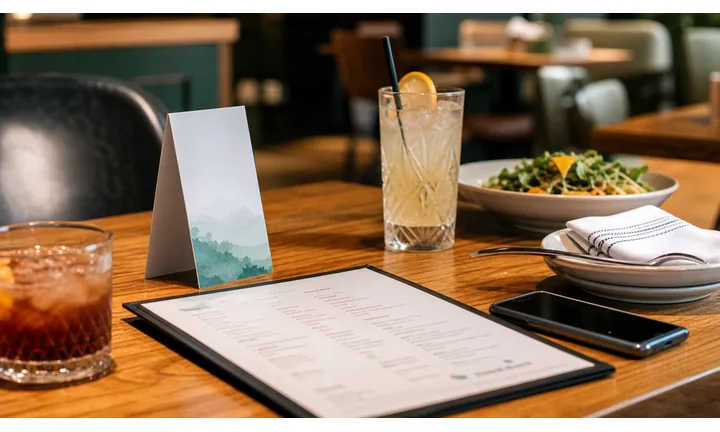
Turn counter and packaging attention into repeat orders
Use QR codes on pastry boxes, bread bags, receipts, counter signs, window cards, and flyers so customers can reorder, view the menu, or check seasonal specials after the visit.
The scan should smell like the bakery moment: fresh product, clear offer, and an easy next step.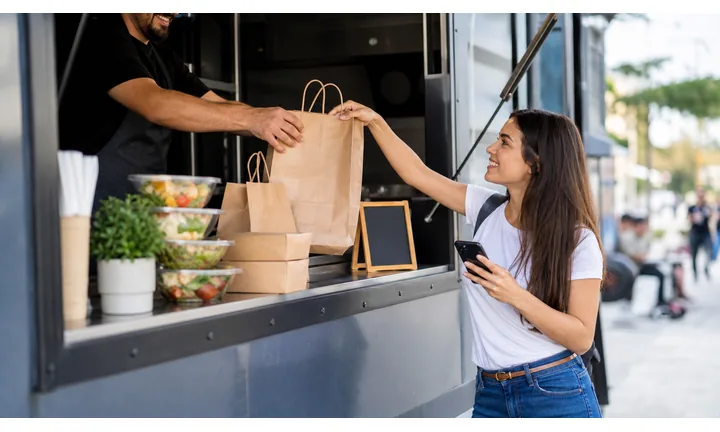
Make custom cakes and catering easier to request
Send scanners to cake inquiry forms, pickup calendars, flavor lists, gallery examples, dietary notes, and event catering details instead of handling every question at the counter.
A focused form protects staff time during busy service.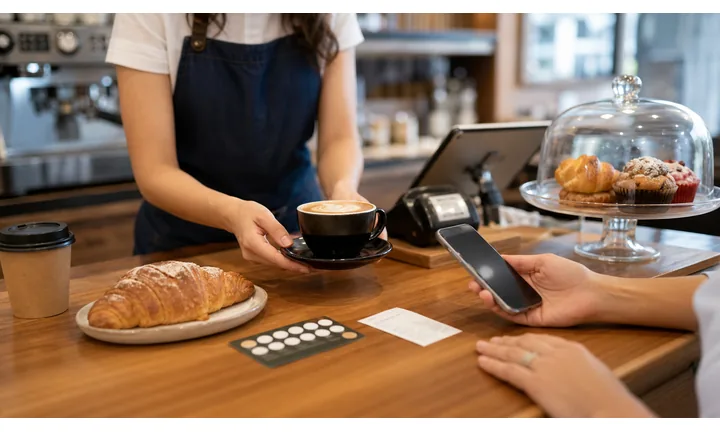
Keep seasonal menus and sold-out notes current
Dynamic destinations help when holiday boxes, limited pastries, weekend specials, order cutoffs, and pickup windows change faster than printed signs.
Bakery demand moves by day and season, so stale QR destinations hurt trust quickly.A bakery QR should make the next bite or order easier
Customers scan because something in front of them looks good or because they need a practical detail. The destination should match that appetite or task immediately.
QR Code Lab creates the QR path; the bakery still owns ordering, availability, payment, fulfillment, allergens, and customer service.Counter
Open menu, specials, ingredients, pickup ordering, loyalty, and reviews.
Packaging
Send buyers to reorder, care instructions, freshness notes, and seasonal boxes.
Custom orders
Route cake, catering, and event inquiries to forms with dates, flavors, servings, and budget.
Community
Use flyers and window signs for workshops, holiday preorders, markets, and local events.
Restaurants, cafes, and bars
Match bakery QR codes to the customer action in front of them
Guest-first flowA bakery QR code should open the action that fits the moment: menu browsing at the window, allergen notes at the counter, cake inquiry from a flyer, reorder from packaging, or review after pickup.
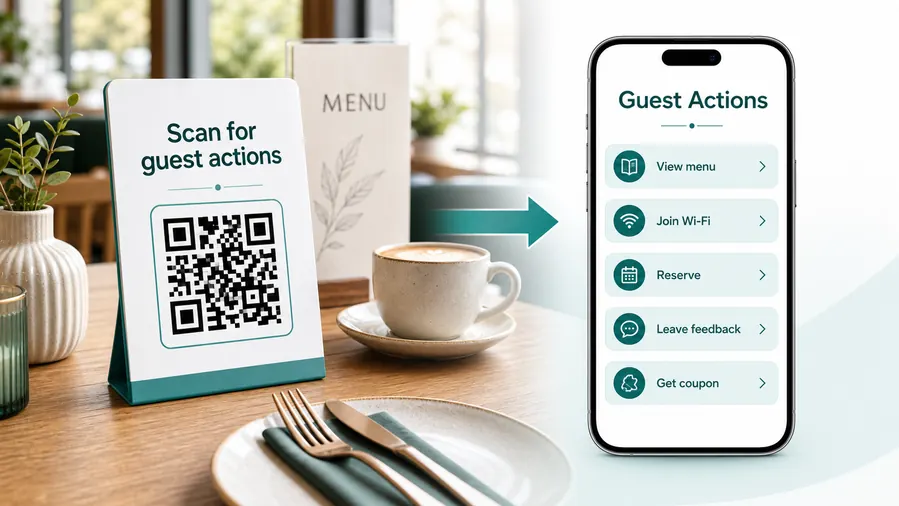
The scan should make ordering easier, not slower
Bakery customers often scan while waiting, carrying a box, comparing flavors, or planning an event. The destination should load fast and show the relevant next action before the sweetness turns into admin.
Open today menu and specials
Use counter signs, window cards, and flyers to show current pastries, breads, drinks, limited items, sold-out notes, and pickup options.
Start custom cake and catering requests
Send customers to a form that captures date, servings, flavor, theme, budget, pickup time, and reference images.
Make allergens and ingredients easy to check
Link to current allergen notes, dietary options, ingredient lists, and staff contact when customers need confirmation.
Support packaging reorders
Put QR codes on boxes, bags, and inserts so customers can reorder, subscribe, join loyalty, or send the bakery to a friend.
Promote seasonal preorders
Use dynamic QR for holiday pies, cookie boxes, bread drops, weekend specials, and pickup windows that change by week.
Ask for feedback after pickup
Receipts, thank-you cards, and package inserts can send happy customers to reviews while giving problems a private contact path.
At the table
Menu, Wi-Fi, ordering, ask-for-help, specials.
While waiting
Drinks, dessert, event calendar, story behind the dish.
After payment
Review, private feedback, coupon, reservation.
Takeaway or delivery
Reorder link, loyalty signup, coupon, feedback.
Use dynamic QR when the destination may change
Menus, specials, reservation tools, coupons, review flows, seasonal campaigns, and ordering links change. A dynamic QR code keeps the printed code stable while letting you update where it sends the guest.
Do not make the guest solve your whole website
Most guests scan because they want one next action, not a tour of the restaurant site. If the QR code opens a hub, keep the first buttons aligned with the place where the code appears: menu at the table, review or coupon on the receipt, reorder or feedback on packaging.
Local bakery growth
Turn bakery attention into orders, loyalty, and repeat visits
LocalA bakery QR code earns scans when it respects the customer moment: they are hungry, gifting, planning, waiting, celebrating, or bringing treats home.

Make preorders simple from signs and flyers
Use QR codes for cakes, holiday boxes, catering trays, bread subscriptions, and pickup windows where customers are already deciding.

Show what is fresh today
Link window and counter scans to current menu, sold-out notes, seasonal items, allergens, and pricing.

Invite regulars into a simple loyalty path
Package inserts and receipts can open rewards, SMS signup, birthday offers, and repeat-order reminders.

Ask for reviews after the pickup feels good
Use thank-you cards and box stickers to ask satisfied customers for reviews while keeping private feedback available.

Help gift buyers choose faster
Link to best sellers, care notes, storage instructions, gift cards, corporate orders, and delivery options.

Promote classes, markets, and seasonal drops
Flyers and window signs can point to workshops, pop-ups, farmers markets, tasting events, and holiday preorders.

The scan should preserve appetite and urgency
A bakery customer may have only a few seconds at the counter or may scan packaging later at home. The QR destination should make the next order or answer easy.
Offline packaging becomes a repeat-order channel
QR codes on boxes, bags, cards, and receipts can carry customers from a good product experience to reorder, loyalty, catering, or review.
Place the code where customers can act
Bakery placement
Place bakery QR codes where the craving or planning moment is strongest
PlacementBakery QR placement should match how customers buy: quick counter decisions, window browsing, package follow-up, party planning, office catering, and seasonal preorder windows.

The QR is visible but does not explain the treat or task
A bare QR on a box or counter sign can be ignored if customers do not know whether it opens menu, reorder, allergens, or loyalty.
Bakery scans work better when the promise is delicious and specific.
The QR appears beside a clear appetite or order moment
Use packaging for reorder, counter signs for menu and allergens, flyers for custom cakes, and windows for specials or hours.
The CTA should say what the customer gets after scanning.
Is the customer buying now or later?
Counter, window, and package scans need different destinations.
Is this menu, custom order, or seasonal offer?
Do not make cake buyers dig through the same page as daily pastry shoppers.
Does allergen information need to be visible?
Ingredient and dietary notes should be easy to find from menu and packaging scans.
Will the product change quickly?
Use dynamic QR for sold-out notes, specials, holiday cutoffs, and pickup times.
Pastry box
Open reorder, care notes, loyalty, review, and seasonal offers.
Bread bag
Link to storage tips, ingredients, subscriptions, and next bake day.
Counter card
Show current menu, allergens, sold-out notes, and loyalty signup.
Window sign
Open specials, hours, preorder, holiday boxes, and map.
Custom cake flyer
Route to gallery, inquiry form, servings, flavors, and pickup calendar.
Receipt
Use for review, feedback, loyalty, and next-order offers.
Market table
Open menu, vendor schedule, preorder, and social follow-up.
Catering card
Send office buyers to trays, quantities, dates, delivery, and quote request.
Bakery QR placement should make the next order feel natural
Put the code where customers already want taste, timing, ingredients, or ordering help.
Bakery updates
Use dynamic QR when bakery menus and preorder pages change by day or season
DynamicBakery print often stays on boxes, counters, windows, and flyers while specials, prices, pickup windows, sold-out notes, holiday menus, and order forms change quickly.
Old bakery print can promise stale menu details
A static QR may keep opening a past holiday page, old cake form, sold-out item, or expired pickup window.
That hurts trust when customers are ready to order.
The same printed QR can follow the bakery calendar
Dynamic QR lets the bakery redirect boxes, flyers, and signs from one menu, season, or preorder campaign to the next.
This is useful for daily specials, market schedules, holiday boxes, and custom order forms.

Daily menu and sold-out notes
Update fresh items, limited batches, allergens, prices, and availability.
Holiday preorders
Move scans between pies, cookie boxes, cakes, bread drops, pickup windows, and waitlists.
Custom cake forms
Change flavors, serving sizes, date availability, gallery examples, and quote forms.
Packaging follow-up
Redirect boxes and bags to reorder, loyalty, care notes, reviews, or seasonal campaigns.
Use dynamic when bakery demand moves faster than print
If the offer, menu, or pickup page changes often, keep the QR destination editable.
Counter and packaging
Use QR codes where appetite and purchase intent are already high
Use bakery QR codes on display labels, counter signs, takeout boxes, cake tasting cards, catering flyers, holiday posters, receipts, loyalty cards, window decals, farmer market signs, product stickers, and delivery inserts. The CTA should be plain and useful: preorder holiday boxes, view menu, request custom cake, join rewards, see catering options, follow daily specials, or leave review.
Dynamic QR codes are especially helpful for bakeries because menus, flavors, seasonal items, preorder forms, and offers change often. A printed holiday poster, box sticker, or cake card can stay useful even if the destination changes later. QR Code Lab analytics can show whether packaging, counter signs, market displays, or receipts produce the most scans. That helps you decide where to place future offers, while orders and payments remain in your bakery ordering or POS platform.
For custom cakes, keep the scan path focused. Send people straight to examples, size options, flavors, pickup timing, allergy notes, and the request form instead of making them search through the full website.






