
Publisher QR Code Generator for Book Campaigns & Catalogs
Create publisher QR codes for book catalogs, author pages, preorder links, media kits, review copies, event pages, newsletters, and reader resources. Use them on ARCs, sell sheets, and signs.
Free QR code generator
Create a QR code online
Generate QR codes for websites, email, phone numbers, vCards, Wi-Fi, plain text, forms, PDF files, and campaign links. Customize colors, add a logo or frame, then download a print-ready PNG or SVG.
Choose QR code type
Website QR code, Email QR code, Phone QR code, vCard QR code, Wi-Fi QR code, Text QR code, SMS, WhatsApp, event, and download links.
Add your content
Enter your website URL, contact details, message, phone number, location, or file destination before generating the QR code.
Customize and download
Adjust QR colors, error correction, logo, frame, size, and margin. Generate QR Code, Download PNG, Download SVG, or Save and track scans.
Book campaign layer
Connect catalogs, events, books, and reader actions with one scan
A publisher QR code is useful when a printed book campaign needs a clear digital next step. It can open a book catalog, author page, preorder link, media kit, review copy request page, event page, newsletter signup, sample chapter, reader resource, educator guide, or campaign landing page. Small publishers, indie presses, publicists, book marketers, author services, and publishing teams can use QR codes on catalogs, postcards, bookmarks, ARC inserts, press sheets, and event materials.
The value is focus. Not every printed piece should send people to the homepage. A reviewer needs the media kit or ARC request page. A reader needs the sample chapter or preorder page. A bookseller needs catalog details. An event attendee may need the author page, newsletter, or bonus download. QR Code Lab helps turn each physical material into a specific path and measure which ones earn scans.
QR Code Lab creates URL QR codes and can support dynamic destinations and scan analytics. It does not host catalogs, distribute ARCs, collect newsletter subscribers, process book sales, manage retailers, or operate publishing platforms. The QR code points to the publisher-owned, retailer-owned, or campaign destination you choose.
Books, KDP, and author bonuses
Use publisher QR codes to connect print campaigns with reader action
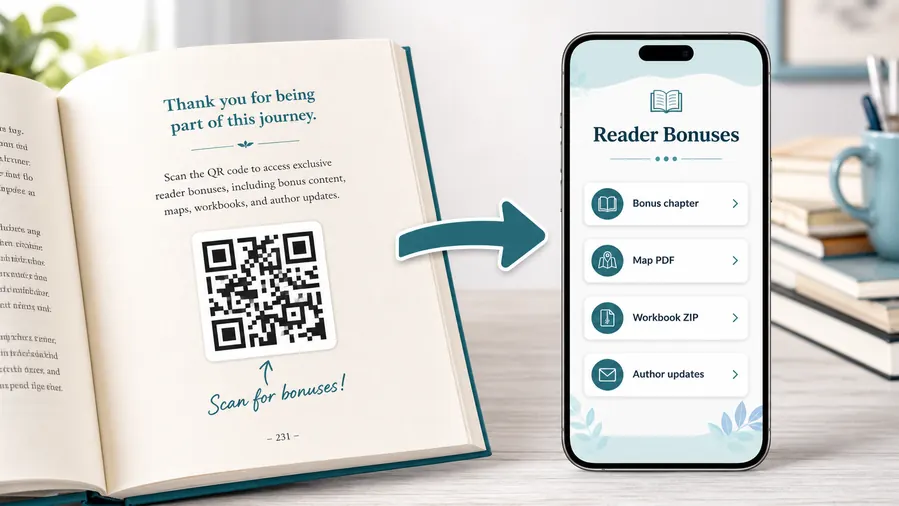
Reader bonus hubA publisher QR code can extend books, catalogs, launch sheets, review copies, ads, author pages, and event materials with retailer links, bonus files, catalogs, educator resources, and campaign follow-up.
Give readers and partners the material print cannot hold
Use QR destinations for sample chapters, media kits, reading group guides, teacher resources, catalogs, order forms, author pages, and source files.
The print should promise the exact reader or trade benefit.Reader resources and bonus material
Link from books, inserts, postcards, and ads to downloads, extras, guides, series pages, and author updates.
Trade, educator, and retailer support
Use catalogs, sell sheets, order forms, review copies, classroom guides, rights materials, and event kits.
Worksheets, templates, and ZIP downloads
Non-fiction readers can download checklists, spreadsheets, planners, exercises, workbook pages, or a ZIP bundle of printable resources.
Audio, video, and companion media
Send readers to pronunciation guides, author commentary, demos, playlists, interviews, or short explanations that make the book more useful.
Newsletter and next-book previews
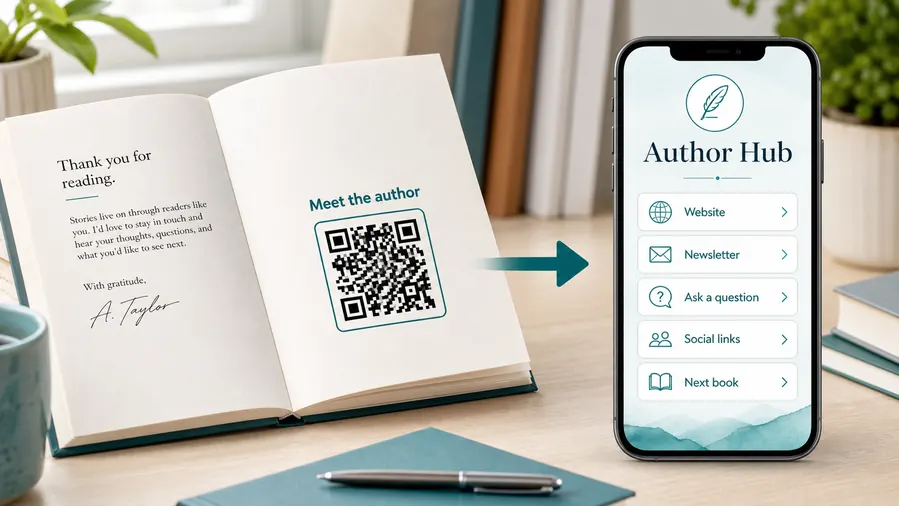
A QR code near the author note or final chapter can invite readers into a newsletter, preorder page, series hub, or sample of the next book.
Feedback and author contact
Let readers report errors, ask questions, join a beta-reader list, or send private feedback without publishing a personal email address in the book.
Publishing campaigns keep moving after print files are approved
Retailer links, author pages, launch bonuses, catalogs, and event pages can change while ARCs, bookmarks, and ads stay in circulation.
Place publisher QR codes beside a specific promise
A catalog QR, ARC QR, classroom guide QR, or preorder QR should open that exact resource, not a generic publisher homepage.
Publishing placement
Place publisher QR codes where the printed material already creates intent
PlacementPublisher QR placement should match the audience and asset: bookseller catalog, reviewer ARC, classroom guide, author event card, book insert, ad, or trade show handout.

The QR opens the publisher homepage
A homepage link makes readers, booksellers, reviewers, and educators hunt for the relevant material.
Publishing QR codes work better when they open the exact asset promised in print.
The QR continues the campaign or reader job
Use ARC codes for review kits, catalog codes for ordering, inserts for reader bonuses, and event cards for author follow-up.
The caption should name the resource clearly.
Who is holding this print?
Reader, reviewer, bookseller, librarian, teacher, author, or event attendee should shape the destination.
What asset was promised?
Catalog, sample, guide, kit, bonus, retailer link, order form, or media file should be direct.
Will the campaign stage change?
Use dynamic QR for preorder, launch, review, event, catalog, and backlist transitions.
Does the code belong near a title or imprint?
Keep title, author, imprint, and campaign context close to the QR.
Advance reader copy
Open review kit, metadata, author bio, media contact, and embargo notes.
Seasonal catalog
Link to order forms, sell sheets, title lists, and retailer resources.
Book insert
Send readers to bonuses, series pages, corrections, downloads, and author updates.
Classroom guide
Open worksheets, discussion questions, teacher files, and accessibility resources.
Author event card
Use for preorder, signing info, newsletter, next book, and follow-up.
Trade show handout
Route to catalogs, rights sheets, contact forms, and meeting booking.
Ad or review page
Open retailer choices, excerpts, campaign pages, and reader offers.
Backlist promotion
Connect older titles to current series pages, bundles, and author platforms.
Publisher QR placement should respect the audience and asset
Open the exact resource the printed piece promises, then keep that destination current.
Campaign control
Use dynamic QR when publisher campaigns move through launch stages
DynamicPublisher print assets often outlive the first campaign destination. Dynamic QR keeps ARCs, bookmarks, catalogs, ads, classroom guides, and event cards useful as titles move from preorder to launch to backlist.
Printed publishing assets keep circulating after links change
Retailer links, preorder bonuses, review kits, catalogs, event pages, and classroom files can move after print approval.
Static QR can leave readers and partners with stale pages.
The same printed QR can follow the title lifecycle
Redirect from preorder to buy-now, from ARC to review resources, from catalog to order form, and from event to recap.
That protects print investments across seasons and campaigns.

Preorder to launch
Move scans from preorder retailers to launch offers, reviews, bonuses, and buy-now pages.
ARC and review kits
Update embargo notes, press files, metadata, author bios, and media contact.
Catalog and trade sales
Change sell sheets, order forms, rights materials, and seasonal lists.
Reader resources
Update downloads, corrections, classroom guides, series pages, and author signup paths.
Use dynamic when the printed asset has a campaign life
If the destination will change by season, title stage, or audience, keep the publisher QR editable.
Campaign material
Give every printed publisher asset a job, not just a link
Use publisher QR codes on seasonal catalogs, postcards, bookmarks, book jackets, ARC inserts, event posters, author table cards, back matter, press sheets, bookstore shelf talkers, convention handouts, school packets, and launch mailers. The CTA should describe the real action: read sample, request review copy, view catalog, preorder, download educator guide, join reader list, or open media kit.
Dynamic QR codes are helpful because publishing campaigns shift after print. A preorder link may change, a media kit may get updated, an event page may move, or a catalog page may be replaced by a newer season. Separate QR codes for authors, titles, events, and materials can make the scan report more useful. QR Code Lab cannot prove sales or newsletter signups inside external systems, but it can show which printed moments moved readers, reviewers, booksellers, or event attendees toward the next digital step.
That is especially useful for small presses with limited print budgets. If one kind of insert or event card gets scanned and another does not, the next campaign can be planned with less guessing.






