
QR Code for Wine List - Menus, Pairings & Specials
Create QR codes for wine lists linking digital menus, bottle details, tasting notes, pairing pages, specials, reviews, reservation pages, and social profiles. Use them on table tents, menus, and bar cards.
Free QR code generator
Create a QR code online
Generate QR codes for websites, email, phone numbers, vCards, Wi-Fi, plain text, forms, PDF files, and campaign links. Customize colors, add a logo or frame, then download a print-ready PNG or SVG.
Choose QR code type
Website QR code, Email QR code, Phone QR code, vCard QR code, Wi-Fi QR code, Text QR code, SMS, WhatsApp, event, and download links.
Add your content
Enter your website URL, contact details, message, phone number, location, or file destination before generating the QR code.
Customize and download
Adjust QR colors, error correction, logo, frame, size, and margin. Generate QR Code, Download PNG, Download SVG, or Save and track scans.
Wine menu details
Help guests open tasting notes, pairings, specials, and bottle stories
A QR code for a wine list is useful when a printed menu cannot hold every bottle detail, pairing note, vintage update, or special offer. It can open digital wine lists, tasting notes, bottle pages, pairing suggestions, producer stories, allergen notes, event pages, reservation links, reviews, and social profiles. The scan should help guests choose with more confidence, not replace hospitality.
Wine choices often happen while guests are already at the table. A QR code can show expanded notes for bottles, by-the-glass specials, food pairings, cellar updates, or tasting flight details. In a wine bar or restaurant, a dynamic QR code helps when bottles sell out, vintages change, or pairing menus rotate. QR Code Lab helps create print-ready codes and scan analytics for menus, table tents, and tasting cards.
QR Code Lab creates URL QR codes and tracks scans. It does not manage inventory, take reservations, process payments, verify wine data, or operate a restaurant POS. Your digital menu, website, reservation tool, ecommerce store, or wine list system handles the actual guest experience.
Wine service moments
Wine service moments restaurants, cafes, bars, and food service teams with digital menus, ordering links, reservations, reviews, loyalty rewards, coupons, guest Wi-Fi, and feedback forms
Wine menuUse QR codes to move restaurants, cafes, bars, and food service teams from table tents, menus, receipts, takeout bags, counter signs, food trucks, delivery packaging, and loyalty cards to digital menus, ordering links, reservations, reviews, loyalty rewards, coupons, guest Wi-Fi, and feedback forms without making guests search or type a long URL.
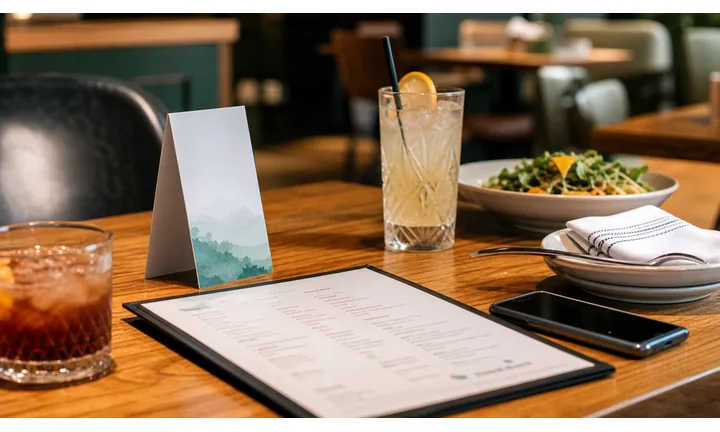
Make the wine list easier to explore at the table
Use QR codes on table menus, bar cards, bottle displays, and tasting sheets to open varietals, regions, pairings, tasting notes, glass pours, flights, and bottle details.
The first screen should feel like a wine list, not a generic restaurant page.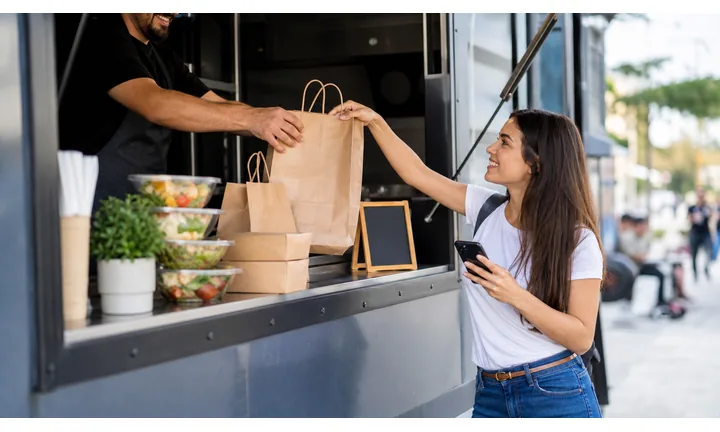
Keep vintages, stock, and pairing notes current
Dynamic QR lets restaurants update availability, bottle prices, vintages, featured pours, sold-out items, and seasonal pairings without reprinting every menu.
Wine lists change faster than printed table cards.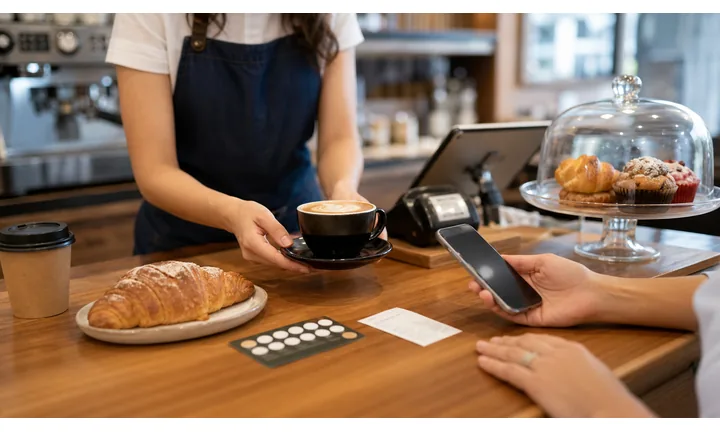
Support service without replacing the sommelier
A wine QR can give helpful context while staff still guide guests through taste, budget, allergies, pairing, celebration, and bottle service.
The scan should assist hospitality, not remove it.A wine list QR code should help guests choose, not overwhelm them
Guests may be deciding by dish, taste, budget, region, glass pour, celebration, or staff recommendation. The destination should make that choice easier from a phone.
Use specific CTAs: view wine list, see pairings, order bottle, explore flights, ask staff, or view tasting notes.Current availability
Show what is actually available by glass, bottle, flight, vintage, and price.
Pairing guidance
Connect dishes to approachable tasting notes, regions, body, acidity, and staff picks.
Menu updates
Change bottles, vintages, prices, and seasonal pairings without reprinting.
Service clarity
Keep staff help, age-appropriate context, payment, and ordering paths clear.
Restaurants, cafes, and bars
Match wine list QR codes to the guest decision at the table
Guest-first flowA wine QR code should open the action diners expect: browse bottles, compare glass pours, see pairings, explore tasting notes, order a flight, ask staff, or pay for a bottle.
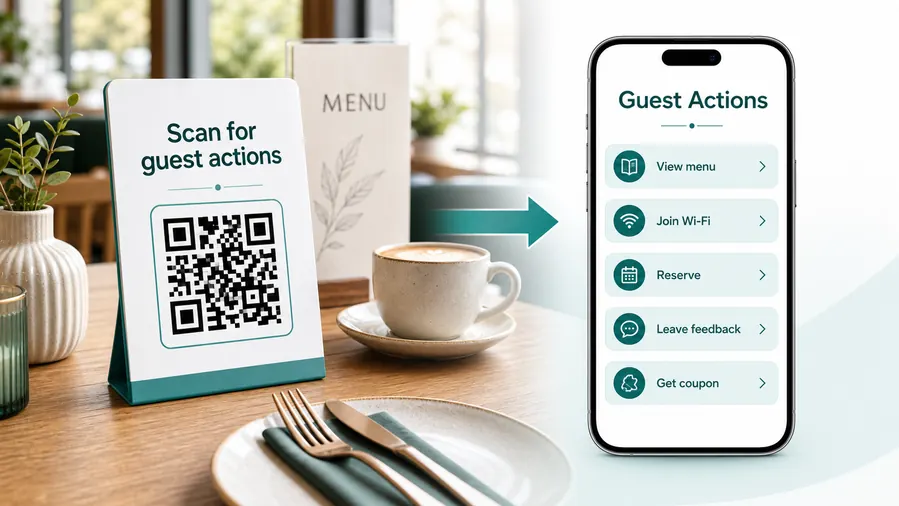
Wine scans happen while guests are choosing
The destination should reduce uncertainty around taste, pairing, budget, availability, and service timing without making the table feel abandoned.
Open the current wine list
Show available bottles, glass pours, flights, vintages, regions, prices, and sold-out notes from the table.
Guide pairings by dish or taste
Help guests choose by menu item, body, sweetness, acidity, region, occasion, and staff recommendation.
Explain unfamiliar bottles briefly
Use tasting notes, producer details, grape, vintage, and serving notes without overwhelming casual diners.
Support staff conversation
Make it easy to ask staff, request a sommelier, check allergens, or confirm bottle availability.
Promote flights and specials
Use QR codes for tasting flights, reserve bottles, seasonal pairings, wine club, events, and private dining.
Connect ordering and payment carefully
If the QR supports ordering, show table, bottle, price, service fee, age context, and staff confirmation clearly.
Before ordering food
Show approachable recommendations, glass pours, and pairings by course.
During dinner
Support second bottles, dessert pairings, staff help, and flight choices.
At the bar
Open by-the-glass options, flights, events, club signup, and staff picks.
After the visit
Offer wine club, tasting event, favorite bottle notes, feedback, and next reservation.
Dynamic QR keeps the wine list accurate as inventory changes
Restaurants can update vintages, prices, sold-out bottles, pairings, flights, and events without replacing every printed menu.
Do not make guests decode wine alone
Digital wine lists should still make staff help visible for taste preferences, allergies, pairing questions, and special occasions.
Wine placement
Place wine list QR codes where guests are choosing a bottle, glass, pairing, or flight
PlacementWine QR placement should support the dining moment: table menu, bottle display, tasting sheet, bar card, private dining packet, receipt, or event sign.

A wine QR without context feels like extra work
Guests need to know whether the scan opens a list, pairing guide, tasting notes, ordering, wine club, or event page.
If the code is small, poorly labeled, or far from the menu decision, it slows service instead of helping.
Put the QR beside the wine decision
Use table menus for pairings, bar cards for flights, bottle displays for details, and receipts for club signup or feedback.
The destination should continue the printed wine promise immediately.
What is the guest choosing?
Glass, bottle, flight, pairing, region, price range, celebration wine, event, or club signup.
What should open first?
Current list, pairing guide, tasting notes, bottle details, flight menu, staff picks, ordering, or wine event.
Will availability change?
Use dynamic QR for vintages, sold-out bottles, prices, pairings, flights, events, and seasonal menus.
Can it scan under restaurant lighting?
Use enough size, contrast, and quiet zone on table menus, bar cards, and tasting sheets.
Table wine menu
Open current bottles, glass pours, pairings, prices, and staff recommendations.
Dinner menu insert
Connect dishes to pairings, tasting notes, and suggested pours.
Bar card
Show flights, featured glasses, events, club signup, and staff picks.
Bottle display
Open producer story, region, tasting notes, price, and pairing ideas.
Tasting sheet
Share flight notes, order forms, favorite tracking, and event follow-up.
Private dining packet
Open wine packages, pairing menus, event selections, and deposit details.
Receipt
Invite feedback, wine club signup, favorite bottle notes, or next reservation.
Retail shelf talker
Show tasting notes, food pairings, origin, and reorder information.
Wine QR placement should help the guest choose with confidence
If the scan does not make the wine decision easier, the printed CTA or destination needs more service context.
Wine scan UX
Make the wine list scan fast, current, and easy to choose from
Scan UXWine QR codes should help guests decide quickly on a phone: current availability, pairing guidance, tasting notes, price, and a clear path to staff help or ordering.
The wine list should open at the current selection
Glass, bottle, flight, vintageShow available wines, prices, vintages, regions, bottle sizes, glass pours, and sold-out notes before guests ask staff.
Avoid making diners search through a full restaurant homepage to find wine.
Pairing pages should be practical, not encyclopedic
Dish, taste, body, occasionLead with dish matches, taste profile, body, sweetness, acidity, and staff recommendations.
Keep deeper producer notes available, but do not bury the simple choice.
Wine scans should keep staff help visible
Sommelier, allergies, bottle service, orderingGuests may need advice, age-appropriate service, allergy answers, or bottle confirmation before ordering.
The digital list should support the hospitality conversation.
Does the first screen feel like the wine list?
Guests should immediately see current bottles, glass pours, pairings, flights, or staff picks.
Can diners choose without zooming?
Regions, tasting notes, prices, and buttons should be readable under restaurant lighting.
Is help easy to find?
Show staff or sommelier support for taste preferences, allergies, special occasions, and bottle availability.
A wine QR should make ordering easier, not colder
If the scan replaces hospitality with a confusing list, rewrite the page around guest choice.
Scan reporting
Use wine list scan data to compare menus, pairings, tables, and tasting moments
AnalyticsTracking helps restaurants understand which wine QR placements earn attention, without treating scans as bottle sales.

One shared wine code hides the guest decision
A single QR can show total scans, but it cannot tell whether guests wanted pairings, by-the-glass options, bottle details, flights, events, or wine club signup.
It also cannot compare table menus, bar cards, bottle displays, tasting sheets, and receipts.
Separate tracked codes make wine service signals clearer
Use different dynamic codes for table menus, pairing cards, bar flights, tasting events, private dining, and retail displays when comparison matters.
Scan data is not sales attribution, but it helps show which printed prompts guests use.
Scan volume
Review scans by wine menu, pairing insert, bar card, bottle display, tasting sheet, or receipt.
Timing
Check dinner service, weekend, event, tasting, and seasonal menu patterns.
Broad location
Use approximate location signals for branch, venue, or market-level comparison.
Device context
Confirm wine pages, menus, events, and ordering flows work well on guest phones.
Pairing-card testing
Compare menu inserts, table tents, and dinner pairings to see where guests engage.
Wine event interest
Track tasting sheets, event signs, wine club cards, and private dining packets separately.
Inventory communication
Watch scans on bottle displays or seasonal lists when availability changes often.
Cleanup old menus
Find retired vintages, old prices, moved wine club pages, and expired event links still receiving scans.
Name wine QR codes by menu placement and wine action
Use names like table-wine-list, pairing-card-reds, bar-flights, tasting-event, or receipt-wine-club so reports stay readable.
Table and bottle flow
Place wine list QR codes where guests are choosing, asking, or exploring
Useful placements include printed wine lists, table tents, bottle tags, tasting cards, bar signs, pairing menus, event flyers, reservation cards, and cellar club inserts. CTAs should say view full wine list, see pairings, read tasting notes, explore specials, join tasting, reserve table, or learn about this bottle. The label should match the guest moment.
Dynamic QR codes are practical because wine lists change quickly. You can update bottle details, seasonal pairings, tasting events, and reservation links without reprinting every menu. Scan analytics can compare table tents, printed lists, bottle tags, and event cards, which helps restaurants see what wine content guests actually use.
Keep the destination readable in restaurant lighting. Large text, clear categories, and quick filters matter more than a heavy desktop menu. If the QR code opens ordering or payment through another system, make that clear. QR Code Lab manages the scan path and reporting, while the restaurant controls the menu and service. Guests should never wonder whether they are browsing, ordering, or paying.
Payment boundary
Use wine payment QR codes for tasting fees, event deposits, club signup, and bottle orders with clear context
PaymentsA wine payment QR should make clear whether the guest is paying for a tasting, event ticket, private dining wine package, bottle order, club membership, or invoice.

Tastings and events
Open trusted checkout for tasting flights, wine dinners, classes, bottle events, and private dining deposits.
Wine club and packages
Route guests to memberships, subscriptions, gift packs, club pickup, and package payment pages.
Bottle orders
Use QR codes for retail bottle orders, reorder, cellar lists, and event preorders when allowed by the business flow.
The QR opens a trusted payment page; it does not process money inside QR Code Lab
Keep checkout, deposits, retainers, balances, tips, receipts, refunds, disputes, and confirmation inside the booking, restaurant, invoice, or payment provider.
A scan shows that someone opened the payment path, not that payment was completed.Wine payment QR codes need menu, item, and venue clarity
Guests should know exactly what wine-related purchase or reservation the scan belongs to before paying.
Scan trust
Make wine list QR codes trustworthy before guests order, join, or pay
TrustWine QR codes may open menus, pairing guides, event tickets, club signup, ordering, payment, and feedback. The destination should clearly belong to the restaurant or venue.

Outdated menus and prices
Guests lose confidence when QR codes show sold-out bottles, old vintages, wrong prices, or retired pairings.
Watch for similar-looking domains, long URLs, login or verify keywords, and pages asking for credentials after an unexpected scan.
Unclear alcohol-related checkout
Tasting fees, event tickets, wine club signup, and bottle orders need venue, item, age-appropriate context, and support.
A trustworthy QR should not make the final destination mysterious, especially on posters, labels, menus, parking signs, or event materials.
Public table or bar cards
Menus and table cards should be checked for sticker replacement, damage, and stale links.
Before paying, check the domain, HTTPS, amount, recipient, and whether the destination matches the place or brand that printed the QR.Scan the printed proof before people rely on it
Confirm that the destination shows the right brand, event, venue, vendor, menu, form, payment page, or support path before the printed code goes live.
The QR code removes typing; the destination still has to prove it belongs to the planner, vendor, restaurant, or venue.Decoded destination
Check that the QR opens the current wine list, pairing guide, event, club, order, payment, or feedback page.
Venue identity
Confirm the page shows restaurant, bar, venue, or bottle program context before action.
Menu accuracy
Review availability, vintage, price, sold-out status, and pairing notes before printing.
Payment support
Show staff help for tasting fees, events, bottle orders, club signup, and receipts.
Publish QR codes people can verify
The printed CTA, page title, brand identity, and first action should all describe the same promise.






