
QR Code for Table Ordering - Menus, Orders & Payments
Create QR codes for table ordering linking digital menus, external order pages, payment links, item details, specials, reviews, and feedback forms. Use them on tables, tents, counters, and receipts.
Free QR code generator
Create a QR code online
Generate QR codes for websites, email, phone numbers, vCards, Wi-Fi, plain text, forms, PDF files, and campaign links. Customize colors, add a logo or frame, then download a print-ready PNG or SVG.
Choose QR code type
Website QR code, Email QR code, Phone QR code, vCard QR code, Wi-Fi QR code, Text QR code, SMS, WhatsApp, event, and download links.
Add your content
Enter your website URL, contact details, message, phone number, location, or file destination before generating the QR code.
Customize and download
Adjust QR colors, error correction, logo, frame, size, and margin. Generate QR Code, Download PNG, Download SVG, or Save and track scans.
Dining table action
Let guests open menus, ordering, payment, reviews, and feedback from the table
A QR code for table ordering is useful when guests should open a digital menu, external ordering page, payment link, item details, specials, allergen notes, review page, or feedback form from the table. It can sit on table tents, stickers, menus, placemats, receipts, pickup counters, room service cards, or bar signs. The scan should make the meal easier, not make guests feel abandoned.
Table ordering works best when the destination is fast and clear on mobile. A guest may want to browse the menu, order another drink, check ingredients, split payment, or leave feedback without waiting for staff. A dynamic QR code helps when menus, specials, ordering providers, or payment links change after the table material is printed. QR Code Lab also tracks scans, so restaurants can compare tables, signs, rooms, or campaigns.
QR Code Lab creates URL QR codes and scan analytics. It does not process orders, handle payments, manage POS systems, collect tips, or control restaurant operations. Your menu platform, ordering provider, payment processor, review site, or feedback tool handles the guest action.
Restaurant table action
Restaurant table action restaurants, cafes, bars, and food service teams with digital menus, ordering links, reservations, reviews, loyalty rewards, coupons, guest Wi-Fi, and feedback forms
Table orderingUse QR codes to move restaurants, cafes, bars, and food service teams from table tents, menus, receipts, takeout bags, counter signs, food trucks, delivery packaging, and loyalty cards to digital menus, ordering links, reservations, reviews, loyalty rewards, coupons, guest Wi-Fi, and feedback forms without making guests search or type a long URL.
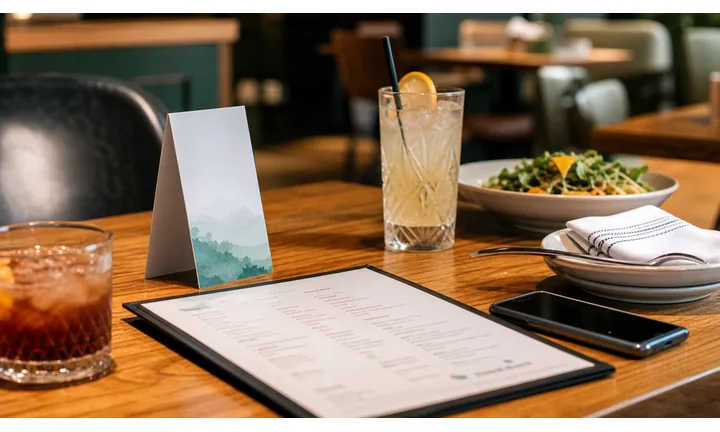
Open the correct menu and ordering flow
Use QR codes on table tents, menus, placemats, and counter signs so guests can browse, choose, order, and pay from the right location without typing or searching.
The first screen should confirm the restaurant, branch, and ordering context.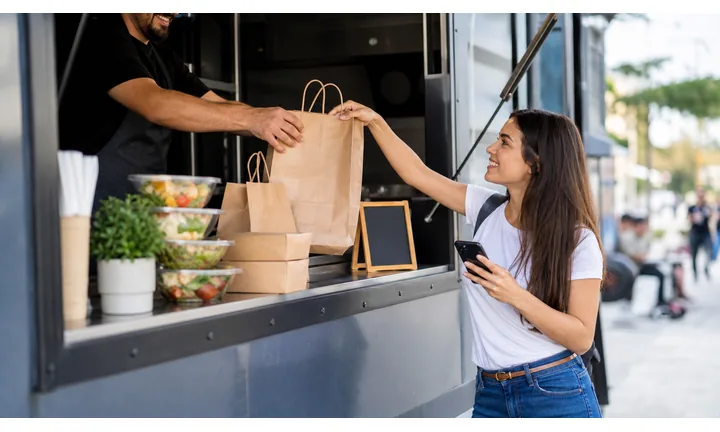
Reduce staff friction without removing hospitality
Table ordering QR works best when it handles repetitive steps while staff still support questions, allergies, substitutions, service problems, and hospitality moments.
The scan should help service, not make guests feel abandoned.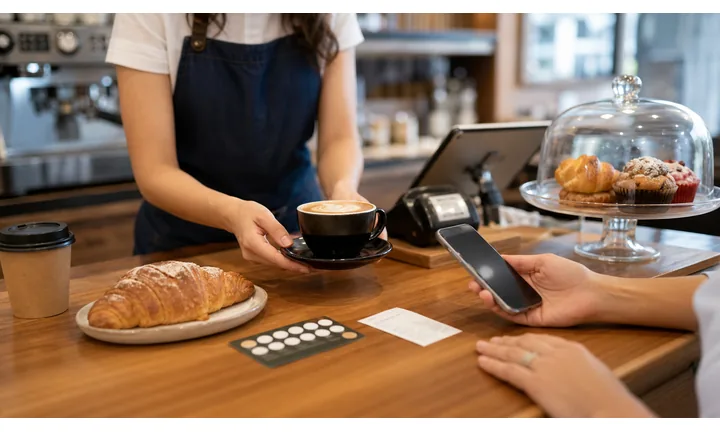
Keep menus, prices, and items current
Dynamic QR lets restaurants update menus, sold-out items, specials, ordering links, table mapping, and payment options after table cards are printed.
Editable destinations matter when menus change often.A table ordering QR code should know the guest is already seated
The scan should not land on a generic restaurant homepage. It should open the menu, ordering, payment, or service action that fits the table, room, branch, and guest moment.
Use table ordering QR codes for menus, order placement, payment, staff requests, allergies, reorder, feedback, and receipts.Table context
Make sure the destination can identify the branch, table, service area, menu, or ordering mode when needed.
Menu confidence
Show current items, prices, availability, modifiers, allergen notes, and service fees before checkout.
Payment clarity
Separate ordering, payment, tipping, receipt, and staff-help paths so guests know what happens next.
Operational fallback
Keep staff support visible for accessibility, allergies, payment issues, and guests who do not want to order by phone.
Restaurants, cafes, and bars
Match table ordering QR codes to the guest action at the table
Guest-first flowA table ordering QR code should open the action guests expect while seated: view menu, order, reorder, request help, pay, tip, get a receipt, leave feedback, or join loyalty.
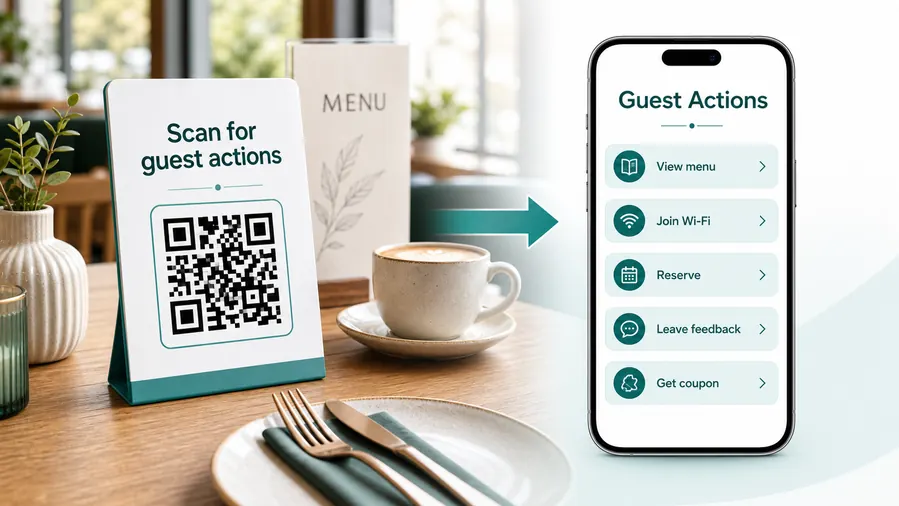
Table ordering starts after the guest is already in the restaurant
The QR code should make the seated experience smoother: fewer waits, clearer menus, easier modifiers, cleaner payment, and a visible way to ask staff for help.
Open the active table menu
Show the correct branch, service time, dine-in menu, pricing, specials, sold-out items, modifiers, and allergy notes.
Send the order to the right place
Keep table, room, pickup counter, kitchen, bar, or service zone context clear before the guest submits.
Let guests reorder without waiting
Use table QR for extra drinks, desserts, add-ons, sauces, and second rounds when the flow supports it.
Request staff help when needed
Keep a visible path for allergies, substitutions, accessibility needs, payment issues, or service questions.
Pay and tip with context
Show order, table, total, service charge, tip, receipt, and payment provider before checkout.
Collect feedback after service
Invite private feedback, reviews, loyalty signup, or follow-up only after the dining moment has enough context.
Seated and browsing
Open menu, specials, allergen notes, modifiers, and staff help.
Ready to order
Confirm table, items, prices, service fees, kitchen routing, and payment option.
During the meal
Support reorders, staff requests, extra items, and issue reporting.
After payment
Offer receipt, feedback, loyalty, review, and next-visit promotion.
Dynamic QR keeps table cards usable as menus and systems change
Restaurants can update menus, prices, ordering providers, table mapping, specials, service fees, and payment paths without replacing every table tent.
Do not make guests hunt for help
Digital ordering should still provide visible staff support for accessibility, allergies, cash payment, wrong orders, and people who prefer human service.
Dining placement
Place table ordering QR codes where the guest naturally looks before ordering or paying
PlacementTable ordering placement should match the dining flow: seated browsing, ready-to-order, reorder, staff help, payment, receipt, and feedback.

A tiny QR in a busy menu corner slows down ordering
Guests need to see what the scan does before they pick up the phone.
If the code is too small, poorly labeled, or separated from ordering instructions, staff will still have to explain the flow.
Put the code where the guest is already deciding
Table tents, placemats, menu covers, counter cards, and receipts work when the CTA says view menu, order here, pay bill, or request help.
The destination should continue the table moment immediately.
What is the guest trying to do?
Browse, order, reorder, ask a question, pay, tip, get a receipt, leave feedback, or join loyalty.
Does the code know the table or branch?
Confirm location, table, menu, service area, pickup mode, and order context when the system needs it.
Can everyone scan comfortably?
Use enough size, contrast, and spacing on table tents, menus, placemats, and receipts under restaurant lighting.
Is staff help still visible?
Show a support path for allergies, accessibility, cash, payment problems, and guests who prefer staff ordering.
Table tent
Best for menu, ordering, reorder, payment, staff help, and loyalty while the guest is seated.
Menu cover
Open the current menu, specials, allergen notes, modifiers, and ordering instructions.
Placemat
Works for casual ordering, kids menus, specials, promos, and reorder prompts.
Counter sign
Use for quick-service ordering, pickup, payment, rewards, and wait-time information.
Receipt
Send guests to payment confirmation, receipt download, feedback, review, loyalty, or support.
Pickup shelf
Open order status, pickup instructions, issue reporting, and reorder links.
Bar or patio
Use location-specific QR codes for tabs, rounds, staff requests, and table zones.
Hotel or venue table
Route guests to room service, venue menus, service calls, payment, and local feedback.
Table ordering QR should reduce service friction, not create another question
If guests still need staff to explain what the code does, the placement or CTA needs sharper copy.
Ordering UX
Make the table ordering scan feel fast, current, and restaurant-owned
Scan UXGuests scan because they want to eat, order, pay, or ask for help. The first screen should confirm the restaurant, table context, menu status, and next action without extra searching.
The menu should open directly, not after a homepage detour
Current menu, specials, allergens, modifiersShow the active dine-in menu, prices, item availability, photos when useful, allergen notes, and modifiers before asking guests to order.
If the restaurant has multiple locations or service modes, confirm the branch and table context early.
Ordering should make table and payment context clear
Table, cart, checkout, service feeBefore submission, guests should understand table number, pickup or dine-in mode, item modifiers, taxes, service fees, timing, and payment path.
A clear confirmation screen prevents duplicate orders and staff confusion.
Digital ordering still needs a human fallback
Allergies, accessibility, cash, supportKeep staff-help options visible for allergies, accessibility needs, cash payment, wrong items, technical issues, and guests who do not want phone ordering.
A QR flow should make service smoother without hiding hospitality.
Does the page match the table CTA?
The scanner should immediately see menu, order, pay, receipt, staff help, or loyalty based on the printed prompt.
Are fees and payment timing clear?
Show taxes, service fees, tips, provider identity, and payment confirmation before checkout.
Can guests recover from problems?
Keep staff contact, order issue reporting, allergy help, and alternate ordering visible.
The scan should make ordering feel easier than waiting
If the QR flow is slower or less clear than asking staff, the table ordering page needs a cleaner first screen.
Scan reporting
Use table ordering scan data to improve menus, placements, and service flow
AnalyticsTracking helps when restaurants want to compare tables, zones, menu cards, branches, or campaigns without treating scan totals as completed orders.

One shared restaurant code hides table context
A single code can show total scan interest, but it cannot explain whether table tents, patios, counters, receipts, or branches produced it.
It also cannot show where guests hesitate before ordering or paying.
Separate table or zone codes create better operational signals
Use distinct dynamic QR codes for tables, zones, patios, counters, receipts, and branches when comparison matters.
Scan data is not the order total, but it helps spot friction in menu discovery, payment, and service flow.
Scan volume
Review how often guests open table ordering from each table, zone, branch, or printed material.
Time and device
Check rush periods, patio patterns, browser issues, and mobile behavior during service.
Broad location
Use approximate location signals for branch-level checks, not individual guest identity.
Menu path health
Compare scans with ordering-provider reports to find drop-offs between menu open, cart, payment, and confirmation.
Table and zone comparison
See whether patio, bar, dining room, counter, or event tables need different signage or support.
Menu card testing
Compare table tents, placemats, menu covers, and receipts to see which prompts guests use.
Branch reporting
Give each location its own code when menus, hours, ordering providers, or service models differ.
Service cleanup
Find stale table codes, old ordering links, wrong branch pages, and payment paths that still receive scans.
Name table ordering codes by branch, table, zone, or print piece
Reports become useful when code names match real restaurant operations instead of a generic menu QR.
Table and menu flow
Design table ordering QR codes around the guest, not only the staff
Good placements include table tents, table stickers, printed menus, placemats, bar cards, pickup shelves, room service cards, receipt inserts, and counter signs. CTAs should say view menu, order at table, pay bill, see specials, check allergens, order dessert, call server, or leave feedback. The label should tell guests exactly what they will get after scanning.
Dynamic QR codes are useful because restaurants change menus, prices, specials, payment links, and ordering tools. You can update the destination without replacing every table tent. Scan analytics can compare dining rooms, patio tables, bars, hotel rooms, or campaign signs, which helps identify where guests actually use the QR flow.
Do not assume the QR code replaces hospitality. Some guests will still need staff, paper menus, or help with allergies. Make the scanned page easy to read, quick to load, and clear about who handles payment or ordering. QR Code Lab can manage the printed code and scan data, while your ordering and payment systems remain responsible for transactions.
Payment boundary
Use table payment QR codes with clear order, tip, receipt, and provider context
PaymentsA table ordering payment QR should make clear whether guests are placing an order, paying an open bill, adding a tip, splitting a check, downloading a receipt, or resolving an issue.

Order checkout
Open the ordering provider with table, branch, cart, taxes, service fees, timing, and confirmation context.
Bill payment and tips
Let guests pay, tip, split, or request a receipt only after the total and provider identity are clear.
Receipts and issue support
Route payment confirmation, refunds, wrong items, missing orders, and receipt requests to the right restaurant or provider flow.
The QR opens a trusted payment page; it does not process money inside QR Code Lab
Keep checkout, receipts, refunds, disputes, order status, tips, deposits, and confirmation inside the payment, ordering, booking, or commerce provider.
A scan shows that someone opened the payment path, not that a payment or order was completed.Table payment QR codes need order context before checkout
Guests should know what they are paying for, who processes it, and how to get help before submitting payment.
Public scan trust
Make table ordering QR codes trustworthy before guests order or pay
TrustRestaurant table QR codes may open menus, ordering, payment, tips, receipts, feedback, and loyalty. The destination should clearly belong to the restaurant and match the table prompt.

Unofficial stickers on tables
Public table QR codes can be replaced or covered, especially when they open payment, ordering, or tip flows.
Watch for similar-looking domains, long URLs, login or verify keywords, and pages asking for credentials after an unexpected scan.
Wrong branch or old menu
Guests lose trust when a table code opens the wrong location, retired menu, old prices, or unavailable ordering page.
A trustworthy QR should not make the final destination mysterious, especially on posters, labels, menus, parking signs, or event materials.
Unclear checkout or fees
Payment pages need restaurant identity, order context, fees, tip handling, receipt path, and support before checkout.
Before paying, check the domain, HTTPS, amount, recipient, and whether the destination matches the place or brand that printed the QR.Inspect the destination before the code goes public
Scan the printed proof and confirm the page identity, HTTPS domain, action, pricing or form context, and support path before customers rely on it.
A QR code reduces friction, but the destination still has to prove it belongs to the business, book, or restaurant.Decoded destination
Check that the code opens the current menu, order page, payment flow, receipt, or support path.
Table promise
Confirm the page matches the prompt: view menu, order here, pay bill, request help, or leave feedback.
Physical inspection
Check table tents and stickers for tampering, damage, outdated print, and wrong table assignment.
Payment context
Verify restaurant, branch, order, fees, tip, receipt, and provider identity before guests pay.
Publish QR codes people can understand
The printed CTA, page title, business identity, and first button should all describe the same action.






