
QR Code for Shelf Tags - Product Info, Reviews & Coupons
Create QR codes for shelf tags linking product pages, reviews, specs, videos, coupons, reorder pages, comparison pages, and support. Help shoppers get more detail right at the shelf.
Free QR code generator
Create a QR code online
Generate QR codes for websites, email, phone numbers, vCards, Wi-Fi, plain text, forms, PDF files, and campaign links. Customize colors, add a logo or frame, then download a print-ready PNG or SVG.
Choose QR code type
Website QR code, Email QR code, Phone QR code, vCard QR code, Wi-Fi QR code, Text QR code, SMS, WhatsApp, event, and download links.
Add your content
Enter your website URL, contact details, message, phone number, location, or file destination before generating the QR code.
Customize and download
Adjust QR colors, error correction, logo, frame, size, and margin. Generate QR Code, Download PNG, Download SVG, or Save and track scans.
Shelf decision support
Use shelf tag QR codes to answer product questions at the point of choice
A QR code for shelf tags is useful when shoppers need more detail than a small price label can show. It can open product pages, specs, reviews, videos, coupons, comparison pages, allergen notes, size guides, reorder pages, support pages, or current availability. The scan happens close to the product, so the destination should answer the shopper question that appears at that exact shelf.
Shelf tag QR codes are strongest when they are product-specific or category-specific. A product code can open details, demos, reviews, or care instructions. A category code can open a buying guide, comparison table, or seasonal offer. A coupon code can help shoppers decide while they are still in front of the shelf. QR Code Lab helps create printable codes, update destinations later, and track scans by shelf, product group, display, or campaign.
QR Code Lab creates URL QR codes and scan analytics. It does not manage inventory, process orders, control prices, collect reviews, or operate retail systems. Your ecommerce platform, product page, review tool, coupon system, or store website handles the actual product information and transactions.
Retail scan path
Help shelf tag scanners reach product details, stock, comparisons, offers, reviews, and support without leaving the aisle
Store actionsA shelf tag QR code should answer the question created at the shelf: what is this item, is it available, what are the specs, how does it compare, what offer applies, and what happens after purchase?
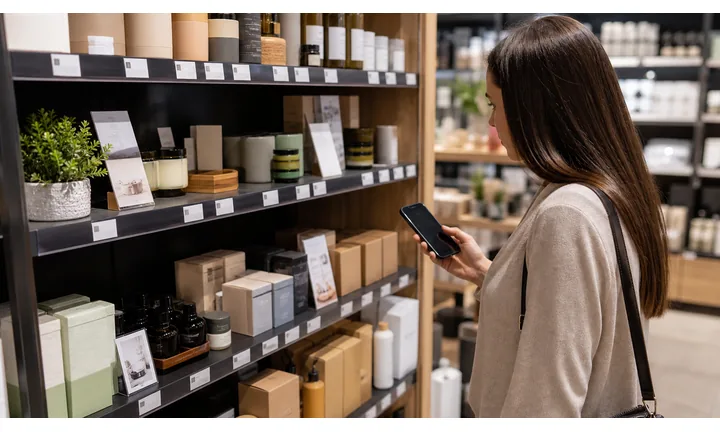
Turn tiny shelf space into a full product answer
Use shelf tag QR codes to open product details, ingredients, materials, size, fit, compatibility, reviews, demos, and care notes without crowding the price label.
The scan should continue the aisle decision, not open a generic catalog.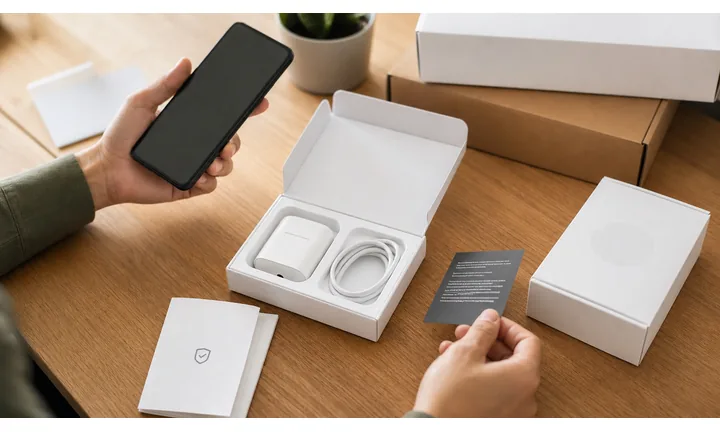
Connect shelf interest to live inventory and offers
A shelf QR destination can show local stock, variants, pickup options, online ordering, bundle offers, member pricing, and related items while the shopper is ready to choose.
Shelf tags are most useful when the digital page stays current.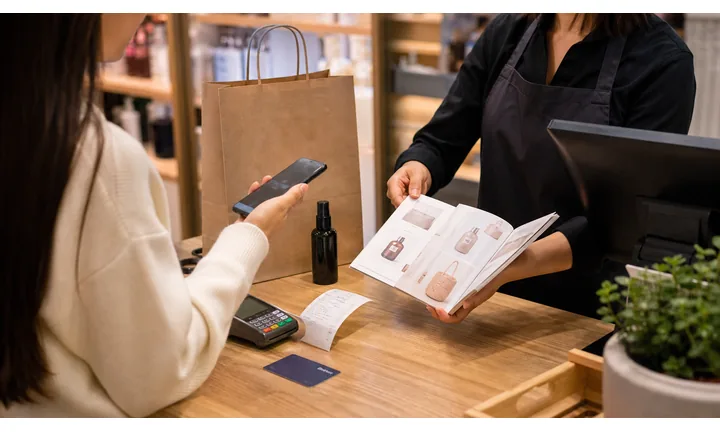
Support the customer after the item leaves the shelf
Shelf and label QR codes can also point to manuals, warranty, returns, reorder, product care, replacement parts, and support after purchase.
The best shelf scan keeps helping beyond the aisle.Shelf tag QR codes should make small retail space feel more useful
The shopper may be comparing price, checking ingredients, confirming compatibility, looking for stock, claiming an offer, or saving a product for later. The destination should answer that shelf-level question immediately.
Use CTAs such as view details, check stock, claim offer, join rewards, order pickup, compare options, register warranty, or get support.Product detail
Open specs, ingredients, materials, size, fit, reviews, and comparison pages.
Availability
Show stock, variants, pickup, online order, alternatives, and related items.
Offer
Route to coupons, member pricing, bundles, rebates, and campaign terms.
Support
Keep manuals, warranty, care, returns, reorder, and customer help reachable.
Product scan moments
Turn shelf tags into product detail, stock, offer, comparison, and support shortcuts
Product QRA shelf tag QR code should do what the small printed tag cannot: explain the product, show live stock, compare options, open offer terms, and connect the purchase to support later.
Open richer product information from a small tag
Send shoppers to specs, ingredients, materials, dimensions, compatibility, reviews, photos, and usage notes.

Show availability and variants while the shopper is there
Link to local stock, colors, sizes, pickup options, online order, alternatives, and related items.

Help shoppers choose between similar products
Use QR destinations for comparison charts, buying guides, bundles, ratings, demos, and category education.
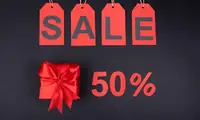
Make shelf promotions easier to understand
Open coupon terms, member pricing, rebates, bundles, seasonal campaigns, and expiration details.
Attach product help before and after purchase
Link manuals, warranty, care, setup, returns, troubleshooting, and customer service from the shelf.
The shelf scan should answer the product question caused by the tag
Shoppers may need detail, proof, stock, variants, comparison, offer terms, pickup, warranty, or reorder information. The QR should remove searching while they are still in the aisle.
Dynamic QR keeps shelf tags useful as prices, stock, offers, and product pages change
Shelf tags are small but operationally sensitive. Dynamic QR lets stores update destinations behind labels and signs without replacing every printed code.
Put the code where the product question happens
Shelf print check
Check shelf tag QR codes before small labels, shelf strips, and endcap signs go live
Print readyShelf tag QR codes are often small, close to price copy, and viewed under store lighting. They need enough size, quiet zone, contrast, and CTA clarity to scan without frustrating shoppers.

Make the small printed code scan reliably
Keep a clean quiet zone, strong contrast, and enough physical size for normal aisle distance.
Test final shelf tags under real store lighting, on the actual label material, and near the surrounding price text.
Map each shelf code to the exact product or offer
Keep a source sheet for SKU, shelf location, CTA, QR artwork, destination URL, owner, and campaign dates.
Review variants, discontinued items, price changes, and offer expirations before tags go live.
Use a focused product page when one shelf scan needs several answers
A direct product URL is enough for simple cases, but shelf scans often need details, stock, comparison, offer terms, reviews, and pickup options together.
The printed tag stays small while the mobile destination answers the shopper’s real aisle questions.
Price label
Open product details, variants, stock, reviews, and pickup options.
Shelf strip
Link comparison, buying guide, offer terms, and category education.
Endcap display
Show bundle, campaign, coupon, member pricing, and related items.
Product label
Route to care, warranty, instructions, support, and reorder.
Launch shelf QR only after the tag, destination, and SKU mapping are tested together
A shelf code should scan cleanly and open the exact product or offer the shopper expects.
Scan reading
Compare shelf tag scans by SKU, aisle, display, offer, category, and store
AnalyticsQR analytics can show which shelf tags shoppers actually scan. Separate dynamic codes help compare product detail, stock, comparison, offers, support, and reorder interest.

One shared shelf code hides item-level interest
A shared QR can show general activity, but it cannot tell whether a specific SKU, aisle, endcap, offer, or category caused the scan.
Use one code only when product-level comparison does not matter.
Each shelf tag becomes a product signal
Separate dynamic QR codes let stores compare product detail, stock lookup, comparison, offer, support, and reorder scans.
The data is directional, but it helps improve merchandising and product pages.
Scan volume
See which shelf tags and products receive attention.
Time and device
Check when shoppers scan in store and which device opens the destination.
Broad location
Use approximate location carefully for stores, regions, and campaigns.
Product comparison
Compare SKUs, categories, aisles, displays, offers, and shelf locations.
Name codes by SKU and placement
Use names such as sku-123-shelf, endcap-bundle, aisle-guide, member-offer, or label-care.
Separate product detail and offer scans
Details, stock, comparison, offers, support, and reorder should not share one code if reporting matters.
Keep attribution practical
Scans show aisle attention and timing; sales, stock, and margin still need POS or inventory systems.
Books and printed content
Learn whether readers open bonus pages, downloads, updates, or feedback forms from book pages.
Shelf tag analytics work when every code has SKU and placement identity
Good QR naming turns shelf scans into useful product, merchandising, and campaign signals.
After-print control
Keep shelf tag QR links current when products, stock, offers, and pages change
DynamicShelf tags can stay in place while product URLs, availability, variants, prices, campaign pages, and offer terms change. Dynamic QR keeps small printed tags useful.
A fixed shelf code can age faster than the tag is replaced
Static QR is risky when product pages move, variants change, stock shifts, offers expire, or support pages are updated.
A stale shelf destination creates confusion at the exact moment the shopper is ready to decide.
An editable destination protects shelf tags from operational churn
Dynamic QR lets the same printed shelf tag point to current product detail, stock, offers, comparison pages, and support.
That matters when stores reuse label holders, shelf strips, and endcap signs across campaigns.

Product pages
Update SKU URLs, variants, stock, images, reviews, and product detail pages.
Offers and campaigns
Refresh coupons, member pricing, bundles, rebates, and expiration details.
Comparison and education
Point shoppers to current buying guides, compatibility notes, demos, and category pages.
Support and reorder
Update manuals, warranty, care, refill, accessories, replacement parts, and saved item links.
Use dynamic QR for shelf tags tied to changing products or campaigns
Static QR is fine for permanent resources; dynamic QR is safer for live retail shelves.
Aisle and product flow
Place shelf tag QR codes close enough to help, clear enough to trust
Useful placements include price rails, shelf talkers, product displays, end caps, comparison signs, sample stations, promo labels, and category guides. CTAs should say see details, compare products, watch demo, get coupon, check ingredients, read reviews, view sizes, or reorder online. A shopper should know what benefit they get before lifting the phone.
Dynamic QR codes are useful because product pages, coupons, videos, guides, and comparison pages change. You can update the destination while the printed shelf tag stays in place. Scan analytics can show which shelves, displays, or categories attract attention, which helps retail teams understand where digital support is useful and where printed information may already be enough.
Design the code for real store conditions. Leave enough quiet space, use strong contrast, and test from the distance shoppers will stand. Do not send people to a generic homepage when they are looking at a specific product. If the product is regulated, sensitive, or expensive, use a clearly branded destination so the shopper understands where the information comes from.
Customer trust
Make shelf tag QR codes trustworthy before shoppers rely on product details, offers, or stock
TrustShelf tag QR codes may open product data, stock, comparison pages, coupons, member pricing, warranty, and support. The destination should clearly match the store, brand, SKU, and shelf promise.

Wrong SKU or variant
A shelf code mapped to the wrong item, size, color, or offer can mislead shoppers and create staff support work.
Watch for similar-looking domains, long URLs, login or verify keywords, and pages asking for credentials after an unexpected scan.
Expired offers or stale stock
Old coupons, moved product pages, inaccurate availability, and retired campaign pages damage trust at the shelf.
A trustworthy QR should not make the final destination mysterious, especially on posters, labels, menus, parking signs, or event materials.
Unclear store or brand context
Shoppers should know whether they are opening the retailer page, brand page, support page, or campaign destination.
Before paying, check the domain, HTTPS, amount, recipient, and whether the destination matches the place or brand that printed the QR.Scan like a customer before printing
Confirm the first screen matches the printed CTA, shows the business identity, and opens the current product, estimate, payment, warranty, review, or support path.
The current detailed report is a static URL analysis. It helps reveal the encoded content and basic URL risk signals, but it does not guarantee that a destination is safe and does not replace browser, antivirus, payment, or bank security checks.Decoded content
See the raw value inside the QR before opening it.
Content type
Recognize URL, Wi-Fi, mailto, phone, SMS, vCard, or plain text.
URL risk signals
Review HTTPS, shorteners, IP addresses, long URLs, encoded characters, query parameters, and sensitive keywords.
Destination report
For URL codes, view final URL fields, static redirect report fields, domain fields, TLS placeholders, page metadata fields, and risk reasons.
Make your own QR codes easier to trust
A safe-looking QR code is not only about security. It is also about reducing uncertainty for the scanner. Use clear destination text, a branded landing page, normal HTTPS domains, and a visible explanation of what happens after scanning.






