
QR Code for Receipts - Reviews, Support & Loyalty Offers
Create QR codes for receipts linking review pages, feedback forms, support pages, warranties, loyalty offers, reorder pages, and surveys. Turn every printed receipt into a useful follow-up.
Free QR code generator
Create a QR code online
Generate QR codes for websites, email, phone numbers, vCards, Wi-Fi, plain text, forms, PDF files, and campaign links. Customize colors, add a logo or frame, then download a print-ready PNG or SVG.
Choose QR code type
Website QR code, Email QR code, Phone QR code, vCard QR code, Wi-Fi QR code, Text QR code, SMS, WhatsApp, event, and download links.
Add your content
Enter your website URL, contact details, message, phone number, location, or file destination before generating the QR code.
Customize and download
Adjust QR colors, error correction, logo, frame, size, and margin. Generate QR Code, Download PNG, Download SVG, or Save and track scans.
After-purchase action
Turn a receipt into reviews, support, loyalty, and repeat visits
A QR code for receipts is useful because the customer already completed one action and may be ready for the next one. It can open a review page, private feedback form, support page, warranty registration, reorder page, coupon, loyalty signup, return instructions, survey, or booking page. Instead of asking customers to type a long URL from a small receipt, the scan gives them a direct mobile path.
The key is to match the QR code to the reason the receipt exists. A restaurant receipt can invite loyalty signup, review, or feedback. A retail receipt can open returns, warranty, product care, or reorder. A service invoice can open support, next appointment, or a review request. A donation receipt can open project updates or recurring giving. QR Code Lab helps create print-ready dynamic QR codes, so the same receipt template can point to updated campaigns, seasonal offers, or support pages later.
QR Code Lab creates URL QR codes and tracks scans. It does not run loyalty programs, process payments, manage returns, collect surveys, or replace your POS. Your review platform, support page, form tool, ecommerce store, or loyalty system handles the customer action.
Post-purchase path
Help receipt scanners reach reviews, support, warranty, reorder, coupons, and payment details
Receipt actionsA receipt QR code should continue the purchase moment. It can open review requests, private feedback, digital receipts, warranty registration, returns, support, reorder, loyalty, coupons, or payment details while the purchase is still fresh.
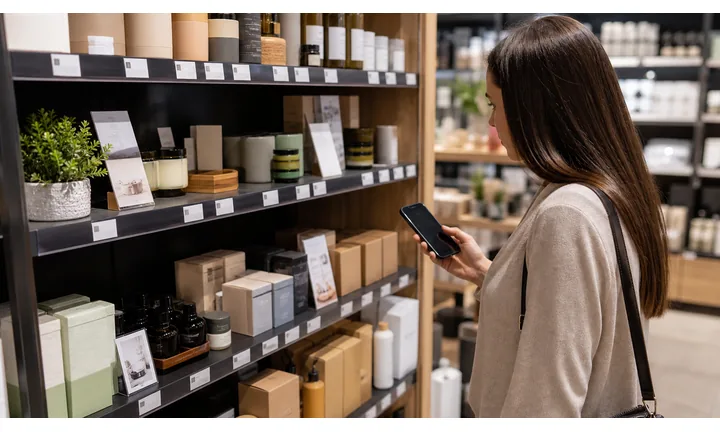
Turn a finished purchase into useful follow-up
Use QR codes on receipts to open review pages, private feedback, support, digital receipt lookup, loyalty signup, coupon redemption, or reorder paths.
The scan should help after checkout, not send everyone to a generic homepage.
Keep support and warranty close to the transaction
Receipts can open return rules, warranty registration, order support, product care, issue reporting, refund details, and store contact with purchase context.
Customers scan receipts when they need proof, help, or a reason to come back.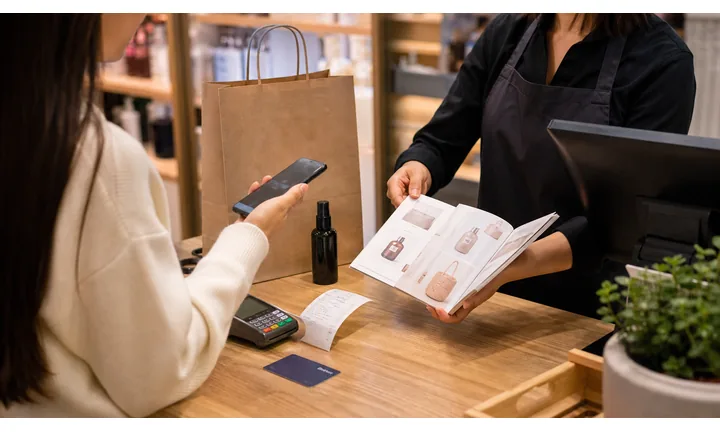
Update receipt destinations without changing POS copy every time
Dynamic QR helps when review links, coupons, return pages, loyalty offers, support forms, and digital receipt flows change after receipt templates are printed or configured.
Receipt prompts should stay current across campaigns and locations.Receipt QR codes should make the after-purchase step obvious
The customer may want to review the visit, report an issue, save proof, register a product, reorder, claim a coupon, or contact support. The destination should name that outcome immediately.
Use CTAs such as leave review, send private feedback, get support, register warranty, reorder, join loyalty, or claim offer.Reviews
Ask for a public review after the purchase or service is complete.
Support
Open returns, warranty, order help, product care, and issue reporting.
Repeat purchase
Route to reorder, coupon, loyalty, referral, or next-visit offer.
Trust
Keep payment, refund, receipt, and customer data paths clearly branded.
Receipt feedback
Ask for receipt reviews without hiding private support or issue resolution
ReviewsReceipt review QR codes work best after a real purchase, pickup, visit, repair, meal, or delivery. Keep public reviews, private feedback, refunds, returns, and support clearly separated.

Send satisfied customers to the right public review page
Use receipts when the purchase or visit is complete and the customer understands what they are reviewing.
Retail receipts, restaurant checks, service invoices, pickup slips, delivery receipts, and event purchases. Do not imply that support depends on leaving a positive review.
Give unhappy customers a direct support path
Offer private feedback for wrong items, damaged goods, service issues, billing questions, refunds, returns, and staff follow-up.
Receipts, invoices, packing slips, return counters, and follow-up cards. Private feedback should not be a trap that blocks public review choice.
Invite repeat action after the receipt question is solved
After review and support paths, offer loyalty, coupon, reorder, referral, booking, or next-visit content.
Thank-you receipts, printed coupons, local service invoices, and post-purchase cards. Do not crowd the receipt with too many unrelated promises.Receipt review QR codes should respect the customer’s actual outcome
The scan should feel like a helpful after-purchase path, not a forced rating gate.
Receipt scan reading
Compare receipt scans by location, register, campaign, product group, and follow-up action
AnalyticsQR analytics can show which receipt prompts customers actually use: reviews, support, warranty, coupons, loyalty, reorder, and payment help. Separate dynamic codes make the signal useful.

All receipt scans collapse into one post-purchase number
A shared QR can show total activity, but it cannot tell whether a store, register, campaign, product group, coupon, or support prompt caused the scan.
Use one code only when comparison does not matter.
Each receipt prompt becomes a signal
Separate dynamic QR codes let teams compare reviews, support, returns, warranty, loyalty, coupons, and reorder paths.
The data is directional, but it helps improve receipts and post-purchase workflows.
Scan volume
See which receipt prompts receive attention.
Time and device
Check when customers scan after checkout and which device opens the page.
Broad location
Use approximate location carefully for stores, regions, events, and service areas.
Prompt comparison
Compare review, support, warranty, coupon, loyalty, reorder, and payment-help codes.
Name codes by receipt purpose
Use names such as receipt-review, register-support, holiday-coupon, warranty-card, or reorder-slip.
Separate support from marketing
Reviews, refunds, warranty, loyalty, coupons, and reorders should not share one code when reporting matters.
Keep expectations grounded
Scan data shows attention and timing; refunds, orders, ratings, and revenue still need their own systems.
Books and printed content
Learn whether readers open bonus pages, downloads, updates, or feedback forms from book pages.
Receipt analytics work when every code has a post-purchase job
Clear QR naming turns receipt scans into useful review, support, loyalty, and campaign signals.
Receipt link control
Keep receipt QR links current when review pages, coupons, support, and return rules change
DynamicReceipt templates can stay active across locations and campaigns while destinations change. Dynamic QR keeps review links, coupons, return pages, warranty forms, loyalty offers, and support paths current.
Old receipt prompts can keep sending customers to stale pages
Static QR is risky when review pages, coupons, return policies, support forms, loyalty pages, and campaign offers change.
A receipt link often gets scanned after the customer has already left, when friction hurts most.
One receipt code can keep opening the current follow-up path
Dynamic QR lets receipt templates, printed rolls, counter cards, and invoice layouts stay useful while the destination changes.
That matters for seasonal offers, support routing, and review campaigns.

Reviews and feedback
Update review pages, private feedback forms, staff follow-up, and satisfaction surveys.
Coupons and loyalty
Refresh offers, loyalty signup, referral pages, next-visit rewards, and expiration details.
Returns and warranty
Point customers to current return rules, warranty registration, receipt lookup, and support contact.
Reorder and service
Change reorder pages, booking links, replacement parts, and post-purchase help.
Use dynamic QR for receipt prompts that change by campaign, store, or policy
Static QR is fine for permanent pages; dynamic QR is safer for living post-purchase workflows.
Receipt scan UX
Make the receipt scan open the exact after-purchase action the customer expects
Scan UXA receipt QR code is only useful if the first screen confirms the store, purchase context, and next step: review, support, return, warranty, reorder, coupon, or loyalty.
Review and feedback paths should be short
Review, private feedback, satisfaction surveyAfter checkout, customers are unlikely to tolerate a long form or confusing account wall.
Show the business name, ask one clear thing, and keep support visible if the purchase went wrong.
Support flows need receipt context
Return, warranty, issue report, billing helpIf the QR opens support, the page should explain what information is needed and how the customer will hear back.
Do not make refund, warranty, or issue paths look like marketing pages.
Coupons and reorders should match the printed promise
Loyalty, coupon, reorder, bookingIf the receipt says claim offer, reorder, or join rewards, the first screen should make that action obvious on a phone.
Avoid slow redirects and expired campaign pages.
Does the page match the receipt CTA?
The scanner should know immediately whether they are reviewing, getting support, claiming an offer, or reordering.
Is the business identity obvious?
Show the store, service provider, brand, or location before asking for feedback, payment, or personal details.
Is the next action easy on a phone?
Keep forms short, buttons visible, support clear, and coupon or warranty details readable.
Receipt scans should continue the checkout moment cleanly
The QR code should reduce post-purchase friction instead of adding another vague destination.
Receipt and checkout flow
Use receipt QR codes after the purchase, when the next step is clear
Good receipt QR codes use plain action labels: leave a review, get support, register warranty, reorder this item, join rewards, claim next-visit offer, track service, or give private feedback. The code should be large enough for receipt printers, surrounded by quiet space, and tested on the actual paper. Thermal receipt print can blur small details, so do not shrink the code too aggressively.
Dynamic QR codes are useful when offers, support pages, review links, or campaign pages change. A printed receipt template may stay the same for months, but the destination can move from a holiday coupon to a loyalty page or from a general support page to a product-specific flow. Scan analytics can compare locations, counters, campaigns, or receipt placements without changing the customer-facing receipt design.
Do not overload one receipt with too many codes. If there is one main business goal, make that action obvious. If you need multiple paths, use a simple landing page with clear buttons. The customer should understand the benefit before scanning, especially when the receipt is small and attention is low.
Receipt payment context
Use receipt QR codes for payment help, balances, deposits, tips, and invoices only with clear context
PaymentsA receipt payment QR should show whether the customer is viewing a paid receipt, paying a balance, adding a tip, handling an invoice, or resolving a billing issue.

Billing support
Open receipt lookup, invoice details, refund questions, payment status, and customer support from the printed receipt.
Balances and deposits
Use invoices, service receipts, and rental receipts for remaining balances, deposits, installments, and confirmations.
Tips and add-ons
Route optional tips, add-ons, donations, or service extras through trusted pages with clear business context.
The QR should open a trusted payment provider, not collect card details itself
Keep authentication, receipts, refunds, disputes, and confirmation inside the provider, POS, or billing system. The QR is only the shortcut.
Scan analytics only show QR scan activity. A scan does not mean a payment was completed.Receipt payment QR codes need transaction clarity
Customers should know exactly what payment or record the scan belongs to before taking action.
Receipt trust
Make receipt QR codes trustworthy before customers review, pay, or share purchase details
TrustReceipt QR codes may open reviews, refunds, warranty, loyalty, payment help, coupons, and support. The destination should clearly match the business and purchase context.

Anonymous review or support forms
Customers hesitate when the page does not show the store, brand, service provider, or reason for the form.
Watch for similar-looking domains, long URLs, login or verify keywords, and pages asking for credentials after an unexpected scan.
Expired coupons and stale links
Old offers, moved review pages, retired return forms, and broken loyalty links make receipt prompts feel unreliable.
A trustworthy QR should not make the final destination mysterious, especially on posters, labels, menus, parking signs, or event materials.
Unclear payment or refund paths
Balances, tips, deposits, refunds, and billing help need trusted provider context and visible support.
Before paying, check the domain, HTTPS, amount, recipient, and whether the destination matches the place or brand that printed the QR.Scan like a customer before receipts go live
Confirm the first screen matches the receipt CTA, shows the business identity, and opens current review, support, warranty, payment, loyalty, or offer content.
The current detailed report is a static URL analysis. It helps reveal the encoded content and basic URL risk signals, but it does not guarantee that a destination is safe and does not replace browser, antivirus, payment, or bank security checks.Decoded content
See the raw value inside the QR before opening it.
Content type
Recognize URL, Wi-Fi, mailto, phone, SMS, vCard, or plain text.
URL risk signals
Review HTTPS, shorteners, IP addresses, long URLs, encoded characters, query parameters, and sensitive keywords.
Destination report
For URL codes, view final URL fields, static redirect report fields, domain fields, TLS placeholders, page metadata fields, and risk reasons.
Make your own QR codes easier to trust
A safe-looking QR code is not only about security. It is also about reducing uncertainty for the scanner. Use clear destination text, a branded landing page, normal HTTPS domains, and a visible explanation of what happens after scanning.






