
QR Code for Home-Based Business - Storefronts & Local Links
Create QR codes for home-based businesses linking storefronts, booking pages, product catalogs, reviews, coupons, forms, and social profiles. Use them on packaging, cards, markets, and flyers.
Free QR code generator
Create a QR code online
Generate QR codes for websites, email, phone numbers, vCards, Wi-Fi, plain text, forms, PDF files, and campaign links. Customize colors, add a logo or frame, then download a print-ready PNG or SVG.
Choose QR code type
Website QR code, Email QR code, Phone QR code, vCard QR code, Wi-Fi QR code, Text QR code, SMS, WhatsApp, event, and download links.
Add your content
Enter your website URL, contact details, message, phone number, location, or file destination before generating the QR code.
Customize and download
Adjust QR colors, error correction, logo, frame, size, and margin. Generate QR Code, Download PNG, Download SVG, or Save and track scans.
Microbusiness link path
Give a home-based business a simple bridge from print to action
A QR code for a home-based business is useful when local print needs to open a storefront, booking page, product catalog, review page, coupon, form, contact card, or social profile. It is a practical fit for solo makers, local sellers, service providers, consultants, creators, tutors, bakers, crafters, and microbusinesses that promote through markets, packaging, business cards, neighborhood flyers, referrals, and social handouts.
The QR code helps a small business look easier to act on without building a complicated system. A package insert can open a reorder page. A market sign can open a catalog. A business card can open booking or contact. A thank-you card can ask for a review. A flyer can open a quote form or coupon. QR Code Lab helps create print-ready QR codes, dynamic destinations, and scan analytics so the same small print pieces can stay useful as offers or links change.
QR Code Lab creates URL QR codes only. It does not process payments, manage orders, collect forms, run bookings, or operate business software. The linked storefront, booking page, catalog, form, or social profile handles the customer action.
Home business customer path
Help home-based business customers order, book, trust, pay, review, and return
Small business flowA home-based business QR code should connect packaging, product tags, market cards, invoices, flyers, appointment reminders, and social materials to a clear next step without exposing personal details unnecessarily.
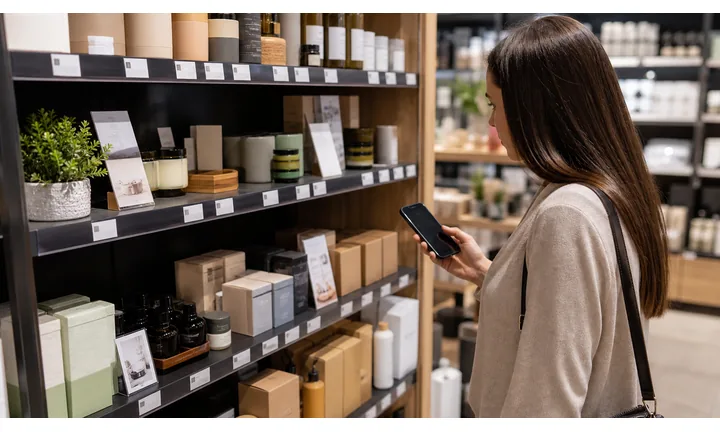
Turn local discovery into one professional action
Use QR codes on cards, packaging, market booth signs, delivery inserts, and flyers to open ordering, booking, portfolio, product details, waitlist, or contact forms.
The scan should make a small business feel organized, not improvised.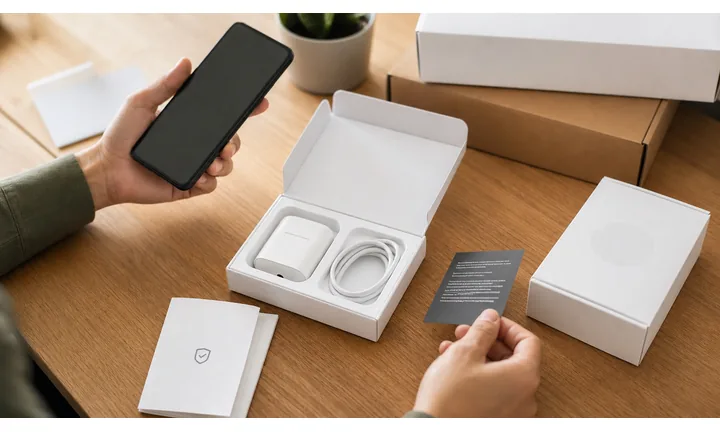
Create trust without oversharing personal information
A strong QR destination can show brand identity, service area, policies, product details, testimonials, portfolio work, and preferred contact path without printing a home address.
Home-based businesses need a careful boundary between personal life and customer access.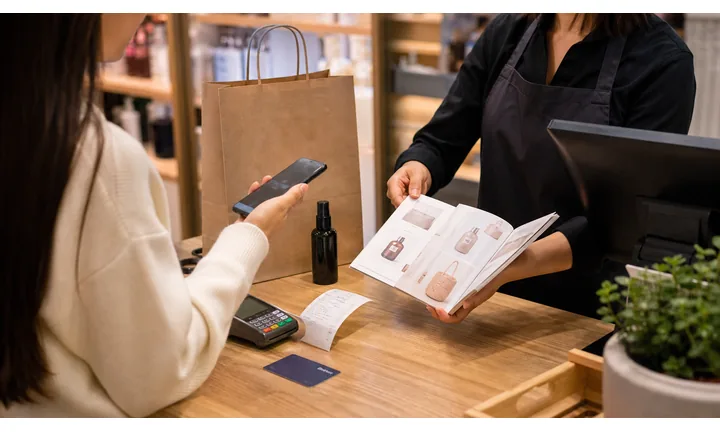
Keep offers, product pages, and contact paths current
Dynamic QR helps when seasonal products, booking links, payment pages, pickup policies, inventory, social profiles, and order forms change after cards or packaging are printed.
Small batches of print should stay useful across launches and markets.A home-based business QR should look professional and protect boundaries
Customers may scan from a package, handmade tag, local market sign, invoice, or referral card. The destination should show what to do next while keeping private address, personal phone, and payment details handled carefully.
Use CTAs such as order online, book pickup, view portfolio, read care notes, pay invoice, leave review, or join waitlist.Product sellers
Open product details, care notes, reorder, local pickup, shipping, and reviews.
Service providers
Route to booking, consultation, quote forms, portfolio, policies, and deposits.
Local markets
Use booth signs and cards for online shop, event calendar, newsletter, and return offers.
Customer boundary
Use branded destinations instead of printing sensitive personal contact or home address details.
Home-business customer moments
Turn small offline touchpoints into professional orders, bookings, and follow-up
Local businessHome-based business QR codes should help customers act from a card, package, market booth, invoice, product tag, or referral without making the business owner manage everything manually.

Make ordering easier after someone sees the product
Use tags, packaging, and booth signs to open online shop links, custom order forms, product options, pickup rules, and shipping information.

Route service interest to a clear intake path
Use cards and flyers to open booking, consultation, quote, portfolio, policies, and availability without relying on scattered messages.

Show proof without exposing private details
Send scanners to testimonials, portfolio work, product photos, service area, FAQs, and policies instead of printing a personal home address.

Open invoices and deposits through providers
Use QR codes on invoices, order slips, and custom-project forms as shortcuts to trusted payment pages while confirmation stays with the provider.

Ask after delivery or service is complete
Use thank-you cards, packaging inserts, receipts, and follow-up materials to request reviews or private feedback at the right moment.

Bring customers back after the first purchase
Link inserts and cards to reorder pages, care instructions, loyalty offers, seasonal launches, newsletter signup, and event calendars.

Home-business scans start from trust and convenience
The customer may have met the owner at a market, received a package, viewed a portfolio, or been referred by a friend. The QR should make the next step feel simple and credible.
QR codes reduce manual follow-up for small operators
Dynamic QR keeps printed cards, tags, invoices, and inserts connected to current forms, offers, payment links, policies, and product pages.
Place the code where the customer can act
Home-business placement
Place home-based business QR codes where customers can act without needing private details
PlacementHome-business QR placement should turn small touchpoints into professional next steps while protecting personal boundaries and avoiding vague “scan me” links.

The code points to a vague or personal contact path
A QR on a package or card can feel unprofessional if it opens a broad profile, outdated social page, or personal contact detail without context.
Home-based businesses need clarity and boundaries because the owner is often also fulfillment, support, and customer service.
The code opens the correct customer action
Use product tags for details, packaging for care and reorder, invoices for payment and support, booth signs for shop links, and cards for booking or portfolio.
The first screen should look like the business and explain the next step.
What does the customer have in hand?
Product, package, card, invoice, booth flyer, custom quote, care sheet, or referral note.
What should happen next?
Order, book, pay, read care notes, review, contact support, join waitlist, or return for a seasonal launch.
Does the QR protect personal boundaries?
Use branded pages, forms, and provider links instead of exposing home addresses or personal messaging threads.
Will the destination change?
Use dynamic QR for seasonal products, pickup rules, booking links, payment pages, policies, and social profiles.
Product tag
Open product details, care notes, maker story, reorder, and matching items.
Packaging insert
Route to thank-you page, review, support, coupon, newsletter, and next launch.
Market booth sign
Open online shop, event calendar, waitlist, social proof, and contact form.
Invoice or order slip
Link to trusted payment, order status, pickup instructions, and support.
Business card
Show portfolio, booking, service menu, policies, and preferred contact path.
Flyer or local ad
Send neighbors to offer pages, product collections, quote forms, or appointment booking.
Care sheet
Provide instructions, maintenance, warranty, reorder, and feedback.
Referral card
Open a warm introduction, examples, first-order offer, and inquiry form.
Home-business QR placement should make the small brand feel ready
Use each code where it turns attention into a clear action while keeping private details protected.
Small-business scan experience
Make home-based business QR destinations feel professional and easy to trust
Scan UXThe first screen should confirm the business, product or service, location boundary, and action before asking customers to order, book, pay, message, or share details.
Product scans should answer the buyer’s question first
Care, size, ingredients, maker story, reorderWhen someone scans from a tag or package, the destination should open the product context promised by the printed piece.
Offer order, review, or newsletter actions after the useful product detail is visible.
Booking scans should explain fit and expectations
Consultation, quote, appointment, custom workA service QR should show what the business offers, who it serves, how booking works, and what information is needed.
Keep forms focused so customers do not feel pushed into an informal message thread.
Invoice scans need provider clarity
Deposit, custom order, balance, pickup paymentIf the QR opens a payment page, the amount or purpose should be clear before checkout.
Payment records, refunds, and order status stay inside the provider or order system.
Does the first screen look like the business?
Use business name, product context, service type, and consistent branding so scanners know they are in the right place.
Is the action clear before personal details?
Explain booking, ordering, pickup, payment, or support before asking for contact information.
Can the customer complete the task on a phone?
Forms, shop links, payment pages, care notes, and review paths should be short and mobile-friendly.
The scan should make the home business feel organized
Use this block when the page needs to prove a small operation can give customers a clear digital path.
Small-business scan reporting
Use scan data to compare home-business materials without overclaiming sales
AnalyticsTracking helps home-based businesses compare cards, product tags, packaging inserts, booth signs, invoices, flyers, and seasonal campaigns.

All scans become one unclear number
A single QR code can show interest, but it cannot tell whether scans came from packaging, a market sign, a business card, an invoice, or a product tag.
That makes it harder to improve small-batch print and local campaigns.
Each small-business touchpoint becomes a signal
Use separate dynamic QR codes for tags, inserts, booth signs, invoices, and cards when comparison matters.
Scan data shows attention and timing; orders, payments, and bookings stay in business tools.
Scan volume
Review how many scans each card, tag, package, sign, invoice, or flyer received.
Time and device
See when customers scanned and which device or browser opened the destination.
Broad location
Use approximate location signals to review market, local, or event patterns without treating them as customer identity.
Code comparison
Compare product tags, packaging inserts, booth signs, receipts, invoices, cards, and flyers side by side.
Market booth follow-up
Compare booth signs, product tags, and cards to see which materials bring people back after events.
Packaging inserts
Review care, reorder, coupon, review, and newsletter scans from shipped or local orders.
Service booking
Use separate codes for booking, quote, portfolio, policies, and payment pages.
Operational cleanup
Find stale shop links, expired offers, zero-scan cards, and old payment pages.
Name home-business QR codes by material and campaign
Tracking works best when code names match the real card, tag, insert, invoice, booth, or seasonal offer.
Small business placement
Use QR codes to make local marketing easier to follow up on
Use home-based business QR codes on packaging, thank-you cards, market booth signs, business cards, service flyers, invoices, product tags, local bulletin boards, postcards, referral cards, and pickup instructions. The CTA should say shop products, book service, view catalog, claim coupon, save contact, join list, or leave review. For home-based businesses, trust matters: make the destination clear and avoid sending people through a suspicious-looking link chain.
Dynamic QR codes help when offers, booking links, catalogs, pickup details, and storefront pages change. Scan analytics can show which offline materials are worth repeating. That gives a small business practical feedback without requiring a full marketing stack or custom app.
Keep the first page friendly and specific. A customer scanning from packaging may want reorder details. A neighbor scanning a flyer may want services and service area. A market shopper may want prices, examples, and a way to contact you. If you work from home, avoid exposing private address details unless they are truly needed; use pickup instructions, contact forms, or booking pages instead.
Small-business payment boundary
Use home-business QR codes for payment links, not payment records
PaymentsQR Code Lab can open invoices, deposits, checkout links, custom-order balances, tips, or provider payment pages. The payment provider, shop platform, or accounting system handles funds, receipts, refunds, disputes, and order status.

Open checkout without typing
Use QR codes on invoices, order slips, packaging, and market cards so customers can reach the correct payment page quickly.
Support deposits and custom orders
Label whether the QR opens a custom-order deposit, final balance, pickup payment, service invoice, or shop checkout.
Keep payment destinations editable
Dynamic QR helps when shop platforms, provider links, prices, pickup policies, or invoice tools change.
A scan does not prove the customer paid
Scan analytics can show that someone opened a payment link, but only the provider or shop platform can confirm completed payment, refund, and order status.
Use the payment or order system as the source of truth.Keep small-business payment QR codes professional and clear
Use QR to reduce typing while the financial record stays with the proper provider.
Home-business trust
Make home-based business QR destinations trustworthy without exposing private details
TrustHome-based business QR codes can open orders, booking, payments, pickup instructions, and contact forms. The page should show business identity and boundaries before asking customers for information.

Personal contact paths without context
Customers may hesitate if a QR opens a personal profile, messaging app, or form without showing the business name and reason for contact.
Use branded pages and clear service or product context first.
Payment pages without order purpose
Deposits, custom-order balances, invoices, and pickup payments should show what the customer is paying for before checkout.
Payment confirmation belongs in the provider, not scan analytics.
Private address and pickup boundaries
Home-based businesses should avoid exposing private addresses unless pickup details are intentionally shared through a controlled flow.
Use appointment windows, pickup instructions, or third-party tools when appropriate.Inspect home-business QR destinations before printing
Confirm the encoded destination, business identity, CTA match, and whether the QR opens order, booking, payment, pickup, review, or support.
A QR checker helps reveal the destination, but it does not replace privacy, payment, or customer-service review.Decoded destination
Review whether the QR opens the intended shop, form, payment, portfolio, review, or support page.
Business identity
The first screen should match the brand or seller customers expect.
Boundary check
Avoid exposing private home address or personal contact details unintentionally.
Printed context
Review tags, packaging, invoices, cards, and signs for old or mismatched codes.
Publish home-business QR codes customers can trust
Use clear CTAs, branded pages, current policies, trusted payment links, and controlled contact paths so the business feels professional.






