
QR Code for Car Dealerships - Inventory, Leads & Offers
Create QR codes for car dealerships linking inventory pages, vehicle details, lead forms, test drive booking, reviews, maps, and offers. Use them on window stickers, flyers, desks, and signs.
Free QR code generator
Create a QR code online
Generate QR codes for websites, email, phone numbers, vCards, Wi-Fi, plain text, forms, PDF files, and campaign links. Customize colors, add a logo or frame, then download a print-ready PNG or SVG.
Choose QR code type
Website QR code, Email QR code, Phone QR code, vCard QR code, Wi-Fi QR code, Text QR code, SMS, WhatsApp, event, and download links.
Add your content
Enter your website URL, contact details, message, phone number, location, or file destination before generating the QR code.
Customize and download
Adjust QR colors, error correction, logo, frame, size, and margin. Generate QR Code, Download PNG, Download SVG, or Save and track scans.
Vehicle lead path
Help shoppers move from a car on the lot to details and test drives
A QR code for car dealerships is useful when a shopper is already looking at a vehicle, flyer, showroom sign, or direct mail offer and needs the next step. It can open inventory pages, vehicle detail pages, lead forms, test drive booking pages, reviews, maps, financing information, trade-in pages, offer pages, or salesperson contact cards. Dealerships, used car lots, vehicle sellers, showroom teams, and automotive marketers can use QR codes throughout the sales path.
The scan should be specific to the vehicle or offer when possible. A window sticker can open that exact vehicle. A showroom poster can open current inventory. A trade-in sign can open valuation. A salesperson card can open contact or appointment booking. QR Code Lab helps keep these printed links dynamic and measurable as inventory and offers change.
QR Code Lab creates URL QR codes only. It does not process payments, manage inventory, collect financing applications, run bookings, or operate dealership software. The linked inventory, CRM, booking, review, or finance platform handles the actual customer workflow.
Dealership shopper moments
Help car shoppers move from vehicle interest to inventory, offer, or lead action
Dealer flowA dealership QR code should connect a window sticker, lot sign, flyer, sales card, service desk, or event banner to a specific next step: view inventory, check payment options, book a test drive, value a trade, request details, or save a vehicle.

Turn vehicle attention into a specific car page
Use QR codes on window stickers, lot tags, showroom cards, and flyers so shoppers can open the exact vehicle listing with photos, specs, price context, payment estimate, availability, and salesperson contact.
Do not make a shopper scan a specific car and land on a generic inventory search.
Support test-drive and lead capture without friction
The QR destination can offer schedule test drive, ask a question, value trade, request financing info, compare trims, or save this vehicle without forcing a long form too early.
Useful vehicle context earns better leads than a hard gate at the first tap.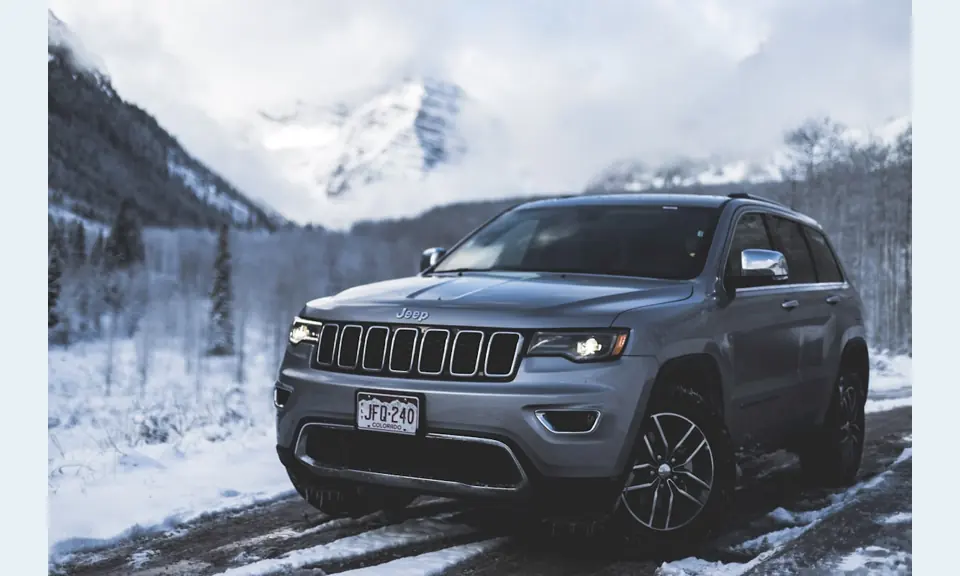
Keep inventory and offers current after print changes hands
Dynamic QR helps when a vehicle sells, price changes, incentives expire, salespeople rotate, or a printed flyer needs to point to similar inventory later.
Dealership print goes stale quickly if the QR cannot be updated.A dealership QR should keep the shopper anchored to the vehicle or offer
The scan starts from a very specific interest: a car on the lot, an offer on a flyer, a sales card, or a service counter sign. The destination should preserve that intent.
QR Code Lab creates the QR path; the dealership owns pricing, availability, financing terms, trade valuation, compliance, and customer follow-up.Window stickers
Open exact vehicle listing, specs, price context, payment estimate, and contact.
Lot signs
Route to inventory filters, special offers, trade valuation, and test-drive booking.
Sales cards
Send shoppers to salesperson profile, appointment booking, financing info, and saved vehicles.
Service desk
Use for maintenance plans, reviews, offers, shuttle info, and payment provider links.
Dealership growth
Turn dealership print into test drives, trade leads, and vehicle follow-up
LocalDealership QR codes work when they respect the shopper stage: browsing the lot, comparing a vehicle, asking about financing, valuing a trade, booking a test drive, or returning for service.

Send shoppers to the exact vehicle or filtered inventory
Use window stickers and lot tags to open the vehicle page, similar cars, trim comparison, photos, specs, and availability.

Make appointment booking easy from the lot
Let shoppers schedule a test drive, ask about availability, save the car, or contact the salesperson while the vehicle is in front of them.

Route trade-in interest to the right form
Flyers and showroom signs can open appraisal forms, vehicle upload, payoff notes, and trade appointment scheduling.

Explain payment paths without overpromising
Link to finance prequalification, payment estimate, document checklist, or lender page with clear terms and disclaimers controlled by the dealership.

Connect buyers to service after purchase
Use delivery packets and service desk signs for maintenance schedules, warranty, reviews, service booking, and owner resources.

Ask after the visit or delivery is complete
Receipts, delivery folders, and thank-you cards can invite reviews while keeping private support visible for unresolved issues.

Car shoppers scan when a specific vehicle or offer has attention
The QR should not reset the journey. It should continue from the car, price, offer, salesperson, or service question already in front of the shopper.
Dealers can compare print placements and keep offers current
Separate QR paths for inventory, trade, financing, service, and events help teams route leads and update print when inventory changes.
Place the code where shopper intent is specific
Dealership placement
Place dealership QR codes where shoppers are deciding about a specific vehicle
PlacementDealership QR placement should match the buying moment: window sticker, lot sign, showroom card, sales desk, flyer, event tent, service counter, or delivery folder.

The QR opens a broad dealership homepage
A shopper scanning a specific car should not have to search inventory again.
Dealership QR codes should carry the vehicle, offer, or appointment context forward.
The QR opens the exact vehicle or next buying step
Use window stickers for vehicle pages, lot signs for offers, flyers for events, and folders for owner resources.
The printed CTA should say what the shopper gets after scanning.
Is this about one vehicle or a campaign?
Vehicle listing, trade form, test drive, service offer, and event page need different destinations.
Can shoppers act from the lot?
Make test drive, question, save vehicle, and contact paths easy on mobile.
Will inventory or pricing change?
Use dynamic QR for vehicles, incentives, events, staff links, and campaign pages.
Does reporting matter by placement?
Use separate tracked codes for window stickers, lot signs, flyers, and events when comparison matters.
Window sticker
Open exact vehicle listing, specs, photos, price context, and contact.
Lot sign
Send shoppers to inventory filters, special offers, trade valuation, and test drive.
Showroom card
Use for model comparison, feature video, financing info, and salesperson contact.
Sales desk
Open document checklist, finance path, appointment booking, and follow-up.
Flyer or mailer
Route to campaign offer, event RSVP, inventory page, or local landing page.
Event tent
Use for giveaway, test drive, trade appraisal, and appointment forms.
Service counter
Open service booking, maintenance plans, reviews, payment provider, and offers.
Delivery folder
Link warranty, owner resources, service schedule, reviews, and contact.
Dealership QR placement should preserve buying intent
Put the code where shoppers already care about a specific car, offer, or service action.
Inventory updates
Use dynamic QR when dealership inventory, offers, or staff links change
DynamicDealership print can go stale quickly because vehicle availability, prices, incentives, staff assignments, financing links, and campaign pages change while stickers and flyers keep circulating.
Printed vehicle materials can point to sold or outdated pages
A static QR on a sticker, flyer, or lot sign may keep opening a sold vehicle, expired incentive, old form, or wrong salesperson link.
That creates friction when a shopper is ready to act.
The same QR can follow the inventory stage
Dynamic QR lets the dealership redirect scans from one vehicle to similar inventory, from campaign offer to current page, or from event RSVP to follow-up.
The printed material stays useful while the destination changes.

Sold vehicle fallback
Redirect scans to similar inventory, salesperson contact, or a filtered search when a car sells.
Pricing and incentives
Update offers, rebates, finance pages, lease details, and payment estimate tools.
Test drives and events
Move scans between booking, RSVP, giveaway, appraisal, and follow-up pages.
Staff and department links
Change salesperson profiles, service contacts, finance forms, and support paths.
Use dynamic when dealership print may outlive the offer
If inventory or campaign details can change, keep the QR destination editable.
Showroom flow
Put QR codes where vehicle interest is already specific
Use dealership QR codes on window stickers, vehicle hang tags, showroom signs, flyers, direct mail, service desk cards, trade-in posters, salesperson cards, event banners, and offer sheets. The CTA should say view vehicle details, book test drive, check offer, value trade-in, compare inventory, get directions, or contact sales. A shopper should know whether the scan opens information, a form, or a sales conversation.
Dynamic QR codes help because inventory, pricing, offers, and lead forms change quickly. A printed sign can become stale if the destination cannot be updated. Separate QR codes for each vehicle, offer, showroom area, or salesperson can make analytics more useful. QR Code Lab can show which physical placements attract buyer attention, while leads, financing, appointments, and sales records remain in your dealership systems. Keep the destination fast because shoppers often scan while standing outside or moving through the lot.
For vehicle-specific codes, check the link whenever inventory changes. A sold vehicle should not send shoppers to a dead page if a related listing or updated inventory page would serve them better.
Dealer campaign signal
Use scan data to compare dealership placements without claiming every sale
AnalyticsTracking helps when separate QR codes compare window stickers, lot signs, flyers, mailers, event tents, showroom cards, and delivery folders.

All dealership scans collapse into one total
A single QR cannot show whether interest came from a vehicle sticker, showroom card, mailer, event flyer, or service counter.
That makes campaign and lot-placement learning weaker.
Each physical placement becomes a shopper signal
Use separate dynamic QR codes when the dealership wants to compare vehicles, departments, offers, events, or printed materials.
Scan data is not complete attribution to sales, but it is useful for understanding attention.
Scan volume
Compare scans from vehicle stickers, lot signs, flyers, event cards, and delivery packets.
Timing
See whether scans happen during showroom hours, after closing, during events, or after delivery.
Device and browser
Spot broad device patterns that may affect forms, inventory pages, and booking flows.
Broad location
Use approximate signals for store, event, or campaign comparison.
Vehicle stickers
Compare which vehicles or rows earn scans on the lot.
Campaign flyers
Measure mailers, offer cards, and event handouts by campaign.
Showroom materials
See whether model cards, finance signs, and service counters drive action.
Delivery follow-up
Track owner-resource, review, and service-booking scans after purchase.
Name dealership QR codes by vehicle, placement, or campaign
Tracking helps only when code names match real inventory, signs, flyers, events, or departments.






