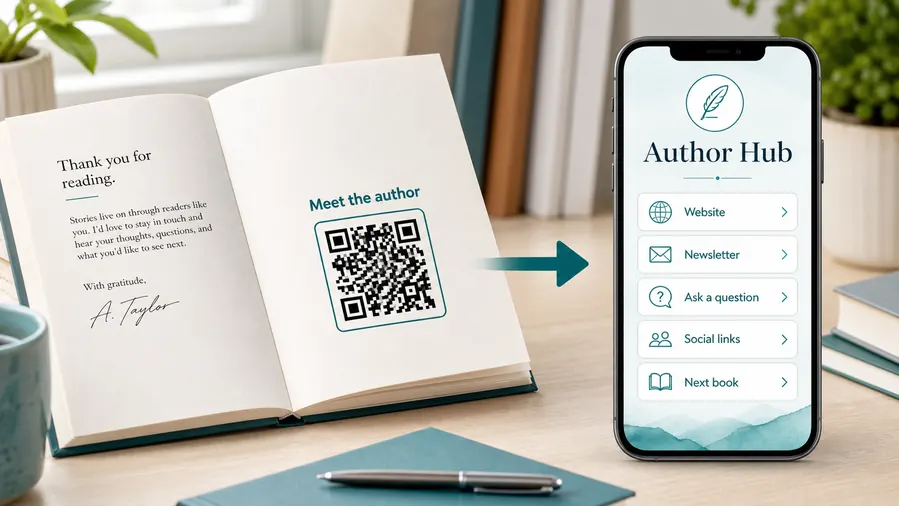
QR Code for Children’s Books - Read-Alouds & Activities
Create QR codes for children’s books linking read-aloud videos, activities, coloring pages, parent guides, audio, author pages, and bonus content. Add safe companion resources to print.
Free QR code generator
Create a QR code online
Generate QR codes for websites, email, phone numbers, vCards, Wi-Fi, plain text, forms, PDF files, and campaign links. Customize colors, add a logo or frame, then download a print-ready PNG or SVG.
Choose QR code type
Website QR code, Email QR code, Phone QR code, vCard QR code, Wi-Fi QR code, Text QR code, SMS, WhatsApp, event, and download links.
Add your content
Enter your website URL, contact details, message, phone number, location, or file destination before generating the QR code.
Customize and download
Adjust QR colors, error correction, logo, frame, size, and margin. Generate QR Code, Download PNG, Download SVG, or Save and track scans.
Family reading extras
Add safe, useful extras without pulling children away from the story
A QR code for children's books is useful when the printed story can lead an adult, teacher, or parent to safe bonus activities. It can open read-aloud videos, audio, activity pages, coloring sheets, parent guides, classroom resources, author pages, series pages, and bonus content. Children's book authors, KDP publishers, teachers, parents, illustrators, and educational publishers can use QR codes to extend the book without crowding the page.
The QR should support the reading experience, not distract from it. A code at the end of the story can open activities. A parent note can open read-aloud audio. A classroom edition can open worksheets. A series page can help families find the next book. QR Code Lab helps make those links printable, updateable, and measurable, especially when files or videos change after printing.
QR Code Lab creates URL QR codes only. It does not host child content, verify age safety, manage downloads, or provide educational materials. The author, publisher, school, file host, or approved resource destination remains responsible for content, privacy, and age-appropriate experience.
Reader extras
Connect children’s books to safe, useful extras parents can open quickly
Book extrasA children’s book QR code should extend the reading moment with read-aloud audio, coloring pages, worksheets, pronunciation help, author notes, classroom activities, or parent resources.

Give parents and teachers a clear bonus after the page
Place QR codes near activities, back matter, bookmarks, or teacher pages so adults can open printable worksheets, audio, discussion prompts, vocabulary, or extension activities without typing a long URL.
The printed CTA should name the child-friendly benefit before the scan.
Keep the child’s experience simple and adult-guided
For younger readers, the destination should be easy for a parent, librarian, or teacher to understand on a phone: one page, clear buttons, no distracting maze, and resources matched to the book.
A QR code should support reading, not pull attention away from it.
Use dynamic QR when book resources may grow over time
Bonus files, read-aloud recordings, classroom packs, corrections, seasonal downloads, and author pages can change after books are printed. Dynamic QR keeps the printed copy useful.
Printed books live for years; resource pages should be able to evolve.A children’s book QR should help the adult support the reading moment
The scanner may be a parent at bedtime, a teacher in class, a librarian during story time, or a child with an adult nearby. The destination should deliver the promised resource quickly and calmly.
Use copy like download coloring pages, play read-aloud audio, open teacher activities, or get parent guide.At home
Open read-aloud audio, coloring sheets, bonus pages, crafts, and parent prompts.
In class
Route teachers to worksheets, vocabulary, discussion questions, slides, and extension activities.
At events
Use signing-table cards for author page, mailing list, bonus download, and next book.
After printing
Keep resources editable when files, audio, teacher packs, and author pages change.
Books, KDP, and author bonuses
Give children’s book readers a bonus without crowding the printed page
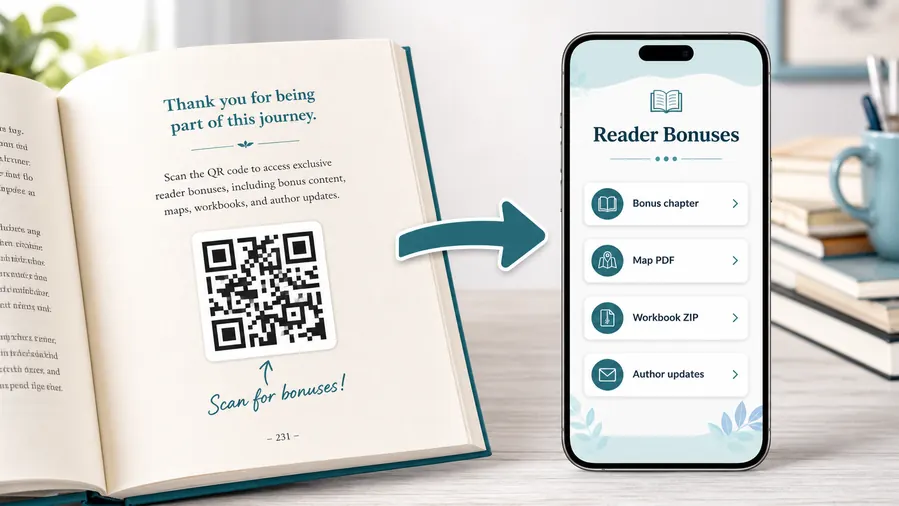
Reader bonus hubA children’s book QR code can keep the story page clean while giving parents and teachers access to audio, coloring pages, worksheets, crafts, vocabulary, author notes, and classroom resources.
Put book extras where adults can open them without friction
Use a mobile-friendly page for read-aloud audio, printable coloring pages, lesson PDFs, activity sheets, pronunciation clips, craft templates, or companion resources.
The printed book should promise the exact bonus: download the coloring page, hear the story, open teacher activities, or get the parent guide.Read-aloud audio and pronunciation help
Let parents, teachers, and librarians open audio clips, pronunciation guides, songs, or narration tied to the story.
Coloring pages and activities
Link to printable pages, crafts, vocabulary games, scavenger hunts, or classroom extensions without adding long instructions to the book.
Teacher and parent resources
Provide discussion questions, lesson notes, reading prompts, certificates, and differentiated activities from a single page.
Author updates and next books
Use back matter, bookmarks, and signing materials to connect families to bonus libraries, new releases, events, or newsletter signup.
Newsletter and next-book previews
A QR code near the author note or final chapter can invite readers into a newsletter, preorder page, series hub, or sample of the next book.
Feedback and author contact
Let readers report errors, ask questions, join a beta-reader list, or send private feedback without publishing a personal email address in the book.
Children’s books stay in circulation long after links change
Dynamic QR protects printed copies when audio files, PDFs, bonus pages, author sites, classroom packs, or series pages move after publication.
Put the QR beside the adult-supported reading moment
Back matter, teacher notes, activity pages, bookmarks, and event handouts usually work better than placing a QR in the middle of a story scene.
Schools, classrooms, workbooks, and textbooks
Connect children’s book pages to the resource adults need next
Learning accessFor schools, libraries, homeschool families, and parent reading time, QR codes can attach worksheets, audio, questions, vocabulary, activities, and follow-up resources to the printed book.

Open printable activities after the story
Use QR codes in back matter or teacher pages to provide coloring sheets, comprehension prompts, crafts, vocabulary work, and extension tasks.

Support read-aloud and pronunciation
Link adults to narration, songs, pronunciation help, sound effects, or author recordings that make the book easier to use in class or at home.

Give teachers a classroom-ready pack
Offer lesson PDFs, discussion questions, slides, certificates, and differentiated activities without crowding the children’s book layout.

Help parents continue the reading moment
Send families to parent prompts, related books, printable rewards, craft ideas, or a calm bonus page designed for phone use.
Keep resource links current
Use dynamic QR when worksheets, audio, classroom packs, or author resources may change after the book is printed.

Separate editions when needed
Use distinct codes for teacher editions, library copies, event handouts, bookmarks, and translated resources when reporting or routing matters.

Make the scan promise specific
Write download activity sheet, play read-aloud audio, open teacher guide, or get parent prompts instead of using a bare QR code.

Protect the story flow
Place QR codes where adult support makes sense, such as back matter, activity pages, bookmarks, or classroom handouts.
Children should not have to guess what the scan opens
The adult-led destination should be simple, clear, and matched to the book: one resource page with obvious buttons for audio, activities, teacher notes, or parent materials.
Teachers and parents can get updated resources without reprinting
Dynamic QR codes help when worksheets, audio, classroom materials, reading prompts, seasonal files, or author resources improve after the book is already printed.
Put the QR beside the learning moment
Book print check
Check children’s book QR codes before the book goes to print
Print readyA QR code in or around a children’s book has to scan from paper, bookmarks, inserts, classroom copies, and event handouts while keeping the reading experience calm and intentional.

Make the code easy for adults to scan
Give the QR enough size, contrast, and quiet zone on the page, bookmark, sticker, or handout, especially when artwork, texture, or colorful backgrounds are nearby.
Test from the real printed size and lighting, not only from the design file, because glossy covers and illustrated pages can change scan reliability.
Confirm the resource before approving print
Scan proofs and check that the destination opens the exact bonus promised: audio, coloring page, worksheet, teacher guide, parent prompts, or author resource.
Keep a simple map of QR destination, printed placement, resource owner, and update notes so future changes are not dependent on memory.
Use a small resource page when the book offers more than one bonus
Children’s books often need several adult-friendly actions: audio, printable activities, teacher notes, craft files, parent prompts, next book, and author updates.
A simple mobile landing page can organize those resources while the printed book keeps one clear QR code and one clear promise.
Back matter resource page
Link to coloring pages, worksheets, parent prompts, teacher notes, audio, and related books.
Bookmark or insert
Open bonus downloads, author page, event follow-up, newsletter signup, or next title in the series.
Classroom edition
Send teachers to lesson packs, discussion questions, slides, vocabulary, and printables.
Storytime handout
Give librarians and parents a fast path to activities, crafts, songs, and follow-up reading.
Print only after the resource page is ready
The QR image, printed placement, CTA, and destination should be tested together before the book, bookmark, or classroom handout is distributed.
After-print resource control
Keep children’s book extras useful after files and author pages change
DynamicChildren’s books can stay on shelves for years, while bonus files, audio, teacher packs, parent guides, and author pages may move. Dynamic QR keeps the printed copy from aging too quickly.
The printed book cannot follow moved resources
A static QR is fine when the destination is permanent, but children’s book resources often expand or change after launch.
If the audio page, worksheet folder, author site, or bonus library moves, the printed QR code keeps pointing to the old location.
The same printed code can open the current resource page
Dynamic QR lets the author or publisher update the resource page behind the printed code without changing the book.
That is useful for new activities, corrected files, translated materials, classroom packs, events, and series updates.

Bonus file updates
Replace coloring pages, worksheets, craft templates, and printable activities without changing the printed book.
Audio and video pages
Update read-aloud recordings, pronunciation clips, songs, and storytime videos behind the same QR.
Teacher resources
Improve lesson packs, slides, discussion prompts, and classroom files after launch.
Author and series pages
Send families to current events, next books, bonus libraries, and newsletter pages as the author platform evolves.
Use dynamic QR when a book resource may grow over time
If the resource page is likely to change during the life of the book, editable destinations protect both readers and the print run.
Reader safety
Make the destination simple, supervised, and worth leaving the page
Use QR codes for read-aloud audio, pronunciation help, activity packs, coloring sheets, classroom worksheets, author videos, parent guides, series pages, and printable bonus pages. Place them in parent notes, back matter, teacher sections, activity pages, or bonus sections where an adult is likely to help. The CTA should name the adult-facing benefit, such as download activities, hear the read-aloud, or get classroom pages.
Dynamic QR codes help when bonus files, videos, classroom resources, or author pages change after the book is printed. Scan analytics can show whether families and classrooms use the extras, but QR Code Lab does not collect child learning data or manage the content experience. Keep the page simple, avoid unnecessary tracking on child-facing destinations, and make sure the resource is mobile friendly. For print, test the code on the actual paper and keep it away from the spine or trim edge.
If the QR is meant for teachers, say so clearly. If it is meant for parents, keep the language warm and simple so the scan feels like support, not an ad.