
What Can Be Stored in a QR Code Guide - URL, Text, Contact & Wi-Fi Data
Learn what QR codes can store, including URLs, text, contact details, Wi-Fi credentials, email, SMS, phone numbers, events, and app links. Ready for print and digital use.
Free QR code generator
Create a QR code online
Generate QR codes for websites, email, phone numbers, vCards, Wi-Fi, plain text, forms, PDF files, and campaign links. Customize colors, add a logo or frame, then download a print-ready PNG or SVG.
Choose QR code type
Website QR code, Email QR code, Phone QR code, vCard QR code, Wi-Fi QR code, Text QR code, SMS, WhatsApp, event, and download links.
Add your content
Enter your website URL, contact details, message, phone number, location, or file destination before generating the QR code.
Customize and download
Adjust QR colors, error correction, logo, frame, size, and margin. Generate QR Code, Download PNG, Download SVG, or Save and track scans.
QR solutions for this use case
QR data basics
Know what can live inside a QR code and when a URL is smarter
A QR code can store several kinds of data: URLs, plain text, contact details, Wi-Fi credentials, email actions, SMS actions, phone numbers, calendar events, app links, and structured formats such as vCard or Wi-Fi payloads. When the data is stored directly in the QR pattern, many phones can recognize it and offer a native action after scanning.
That direct behavior is useful for simple static tasks. A Wi-Fi QR code can contain network name, security type, and password. A vCard QR code can open a contact-save screen. An email QR code can prepare a message. A phone QR code can start a call prompt. The trade-off is that static data cannot be changed after printing, and QR Code Lab cannot count scans that go directly to the device action.
A URL QR code is usually better when you need edits, redirects, analytics, a landing page, a PDF, a form, a payment page, a product page, or any destination that may change. QR Code Lab creates URL QR codes, dynamic destinations, and scan analytics. The linked website, file host, form, payment provider, or app handles the final experience.
QR payload basics
Understand what a QR code can store before choosing the destination
PayloadsA QR code can store direct data such as a URL, text, Wi-Fi login, email, phone number, SMS, vCard, location, calendar event, or a managed dynamic link that points somewhere editable.
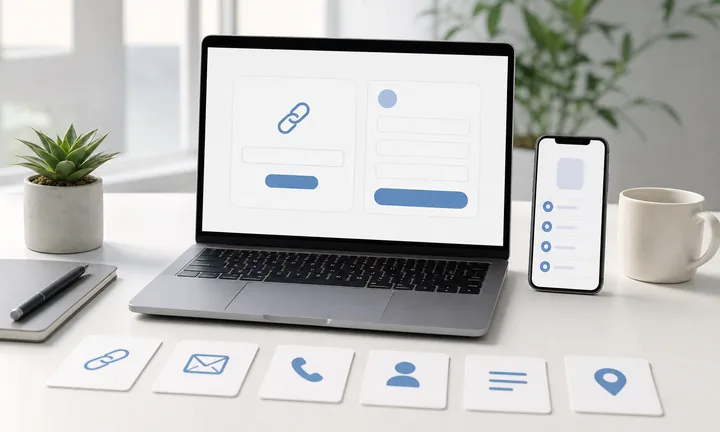
Static QR stores the final data inside the pattern
When the payload is final, the phone can read it directly: open a URL, show plain text, join Wi-Fi, start a call, prepare an email, save a contact, or open a map location.
Good for stable data and native phone actions.
Dynamic QR stores a managed link first
A dynamic QR usually stores a short managed URL. The phone opens that URL, then QR Code Lab sends the scanner to the current destination you control.
Good when editing, reporting, or print survival matters.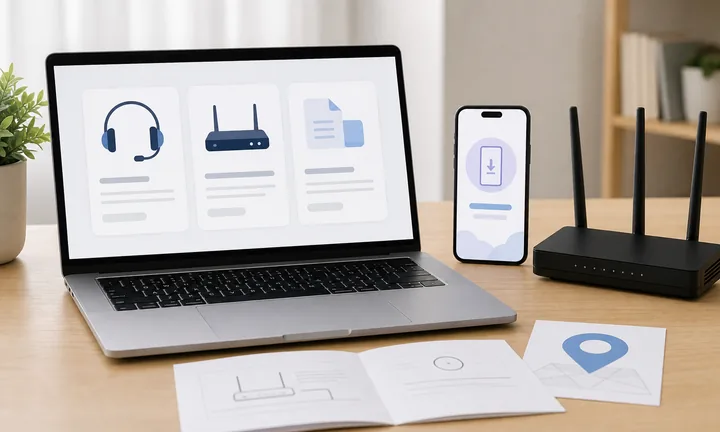
Payload size affects scan reliability
Long text, complex vCards, dense Wi-Fi strings, and overloaded URLs create denser QR patterns. Dense codes need more size, contrast, and testing before print.
The best payload is only as complex as the job requires.The right QR type depends on what the scanner should receive
A QR code is not one kind of content. It is a container. The important decision is whether the phone should receive final data immediately or open a managed destination that can change later.
Choose the payload before design, file format, logo, or print size.Direct actions
Use static payloads for final URLs, phone numbers, SMS drafts, emails, Wi-Fi, vCards, locations, calendar events, and short text.
Editable destinations
Use dynamic links for PDFs, campaigns, menus, forms, landing pages, offers, and anything likely to change after print.
Native behavior
Some payloads let the phone show a native interface, such as Wi-Fi join, contact save, map, call, email, or SMS.
Scan limits
The more data stored in the pattern, the more carefully size, contrast, quiet zone, and print material must be tested.
Payload decision
Choose what the QR code should contain by what the phone should do
ChooseStart with the scan result: open a web page, show text, join Wi-Fi, save contact details, start a message, open a map, add an event, or route through a dynamic link for editing and scan history.
URL QR code
Use for websites, landing pages, menus, product pages, portfolios, booking pages, and campaign pages.
Best dynamic when links may changePDF / File QR code
Use for menus, manuals, worksheets, bonus materials, brochures, certificates, ZIP archives, and checklists.
Dynamic is safer for printvCard QR code
Use for business cards, badges, counters, portfolios, sales materials, and follow-up contact details.
Static opens native contact saveWi-Fi QR code
Use for cafes, hotels, offices, classrooms, venues, rental spaces, and guest networks.
Usually best as staticForm QR code
Use for feedback, registrations, quote requests, surveys, support requests, applications, and check-in.
Dynamic helps forms evolveWhatsApp / messaging QR
Use when the next step is a conversation: support, sales, booking, delivery questions, or consultation.
Prefilled messages reduce frictionMaps QR code
Use for venues, offices, stores, events, pickup points, property listings, booths, and meeting locations.
Great for physical destinationsSocial QR code
Use for Instagram, TikTok, YouTube, X, LinkedIn, Behance, creator pages, and community profiles.
Best when relationship continuesPayment link QR code
Use for invoices, tips, donations, event payments, deposits, checkout pages, and payment requests.
Make amount and context clearNative action?
Wi-Fi, vCard, email, phone, and SMS often work best when the action is encoded directly, especially if the native phone interface matters.
Editable or measurable?
Use a dynamic QR code when the destination may change, files may be replaced, campaigns need analytics, or printed material must stay useful later.
Several actions?
Use a microlanding page when one scan should offer buttons, files, contact, feedback, booking, social links, or multiple next steps.
Payload first, styling second
Decide what the scanner should receive before choosing colors, logo, frame, size, or export format. A beautiful QR with the wrong payload still fails the job.
Static QR stores data directly; dynamic QR stores control
DecisionThe difference is not visual. It is about where the useful information lives: inside the QR pattern itself, or behind a managed URL that can redirect to the current destination later.
Static QR code contains the final payload
A static QR code can contain the actual URL, text, Wi-Fi credentials, phone number, email draft, SMS message, vCard, location, or calendar event. The scanner reads that payload and the phone decides how to handle it.
This direct behavior is useful when the data is stable and the scan should feel immediate. There is no redirect layer to edit later, and QR Code Lab cannot collect scan analytics from that static destination.
Use static for fixed information, short direct actions, and cases where native phone behavior matters more than campaign control.
Dynamic QR code contains a managed URL first
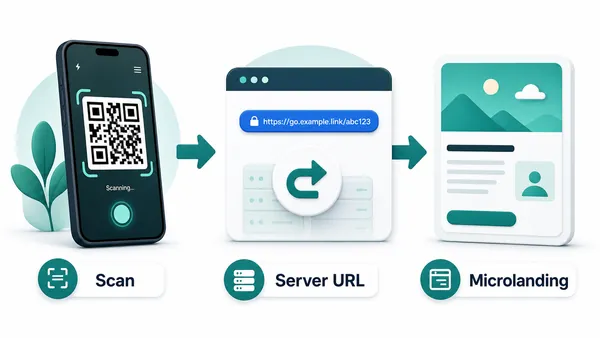
A dynamic QR code usually contains a QR Code Lab managed URL. The phone opens that URL first, then the service sends the scanner to the current destination configured for the code.
That redirect layer is what makes editing and scan history possible. You can replace a PDF, update a form, change a menu, move a campaign page, pause an offer, or compare print placements without changing the QR image.
Use dynamic for printed campaigns, changing files, marketing links, business workflows, and anything expensive to replace after distribution.
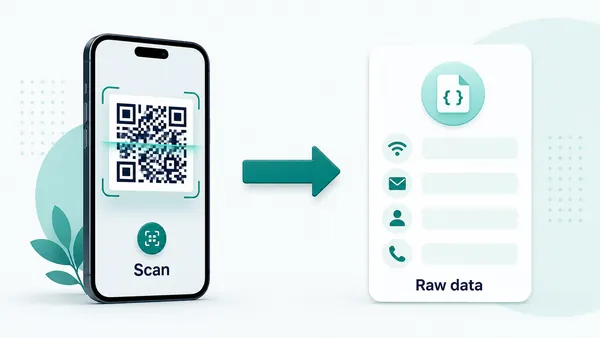
Quick decision
Payload scan behavior
Test the scan result, not just the QR image
Scan UXDifferent payloads produce different phone behavior. A URL opens a browser, Wi-Fi may open a join prompt, vCard can open a save-contact screen, and dynamic QR opens a managed link before the final destination.
Direct data should trigger the expected phone action
Wi-Fi, vCard, phone, SMS, email, calendarTest on iOS and Android because scanner apps and camera behavior can differ by payload type.
The QR is only successful if the phone shows the action the user expects from the printed caption.
URL payloads need fast mobile destinations
Website, PDF, form, menu, booking pageA clean URL QR still fails if the page is slow, private, desktop-only, or unrelated to the printed promise.
Use dynamic QR when the page may move or needs scan history later.
Long data needs more print care
Long text, complex contact, long URLsMore stored characters make the QR pattern denser. Dense codes need larger print size, stronger contrast, and more testing.
If the payload is getting too large, use a URL or dynamic landing page instead of stuffing everything into the code.
Does the phone open the expected action?
Scan with real phones and confirm URL, text, Wi-Fi, contact, email, SMS, map, or calendar behavior.
Is the payload final or editable?
If a destination may change after print, use dynamic rather than encoding a permanent static value.
Is the QR dense for the print size?
Long payloads need more size, quiet zone, contrast, and material testing before distribution.
Choose the simplest payload that completes the scan job
Do not store more data than the scanner needs. Simpler payloads are easier to scan, explain, and maintain.
Scan trust
Make QR payloads trustworthy before people act on them
TrustPeople cannot see what a QR contains until they scan. The printed caption and first screen should make URL, Wi-Fi, contact, payment, form, or file destinations understandable.

Hidden destination
A bare QR gives scanners no reason to trust what will open.
Watch for similar-looking domains, long URLs, login or verify keywords, and pages asking for credentials after an unexpected scan.
Wrong native action
A payload can trigger an unexpected app, prompt, or browser behavior if it is encoded poorly.
A trustworthy QR should not make the final destination mysterious, especially on posters, labels, menus, parking signs, or event materials.
Dense or stale data
Long payloads may scan poorly, and static values cannot be edited after print.
Before paying, check the domain, HTTPS, amount, recipient, and whether the destination matches the place or brand that printed the QR.Scan the printed proof like the real scanner
Confirm that the destination shows the right identity, action, provider, file, form, or support path before people rely on the QR code.
Public and printed QR codes need more trust signals because the scanner cannot see the destination until after the scan.Caption match
Confirm the printed CTA accurately describes what the payload opens or triggers.
Phone behavior
Test native payloads on common phones and scanner apps.
Destination safety
Use HTTPS pages and recognizable domains when a QR opens the web.
Print proof
Scan the final material at real size, distance, and lighting.
Publish QR codes people can verify
The printed CTA, page title, organization identity, and first action should all describe the same destination.
Static payload vs managed URL
Choose direct data for native actions and URL codes for control after printing
Use direct static payloads when the scan should trigger something the phone already understands: join Wi-Fi, save a contact, start a call, prepare an email, send an SMS, add an event, or show plain text. These flows can feel fast because there is no redirect and no intermediate landing page. They are best when the information is final and does not need tracking.
Use URL QR codes when the scan should open a web page, PDF, form, payment page, booking page, product page, social profile, app page, or microlanding page. A URL also gives you room to change the final destination later, add a branded page, organize several buttons, or measure scan activity. That matters for print, campaigns, packaging, events, and business materials.
The practical question is simple: should the phone act on fixed data, or should the scan open something you control after printing? Test both on real phones before publishing. QR Code Lab manages URL-based QR destinations and scan reporting, while device compatibility, third-party websites, forms, payments, and files remain outside the QR code itself.






