
QR Code for Pop-Up Shops - Products, Payments & Offers
Create QR codes for pop-up shops linking product catalogs, coupons, order forms, payment links, social profiles, reviews, maps, and contact pages. Use them on tables, tags, bags, signs, and displays.
Free QR code generator
Create a QR code online
Generate QR codes for websites, email, phone numbers, vCards, Wi-Fi, plain text, forms, PDF files, and campaign links. Customize colors, add a logo or frame, then download a print-ready PNG or SVG.
Choose QR code type
Website QR code, Email QR code, Phone QR code, vCard QR code, Wi-Fi QR code, Text QR code, SMS, WhatsApp, event, and download links.
Add your content
Enter your website URL, contact details, message, phone number, location, or file destination before generating the QR code.
Customize and download
Adjust QR colors, error correction, logo, frame, size, and margin. Generate QR Code, Download PNG, Download SVG, or Save and track scans.
Temporary retail path
Turn short pop-up visits into catalogs, offers, orders, and follow-up
A QR code for pop-up shops is useful when a short-lived booth needs a lasting path to product catalogs, coupons, order forms, payment links, social profiles, review pages, maps, and contact pages. It is useful for temporary retail booths, makers, craft sellers, event retailers, local brands, and pop-up operators who need a compact way to extend a physical appearance into repeatable customer contact.
The point of a pop-up QR code is to preserve the customer relationship after the booth disappears. A table card can open the product catalog. A package insert can open reorder options. A shelf tag can open details or ingredients. A checkout sign can open social follow or payment. A coupon QR can bring the visitor back online after the event. The destination should match the action, because shoppers will not scan twice to hunt for the right page. QR Code Lab helps create dynamic, trackable print codes.
QR Code Lab creates URL QR codes only. It does not process payments, manage orders, collect forms, run bookings, provide professional advice, or operate ecommerce software. Your shop platform, payment provider, form tool, review page, or social profile handles the sale and customer data.
Product scan path
Help pop-up shop customers browse, compare, buy, join, and remember the brand after the event
Product actionsA pop-up shop QR code should make a temporary selling moment feel complete: product details, size charts, limited offers, mobile checkout, waitlists, social follow, restock alerts, reviews, and post-event support.
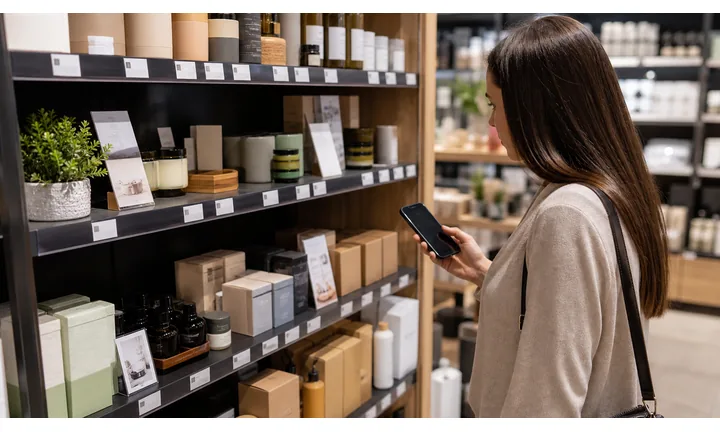
Turn table traffic into product decisions
Use booth signs, shelf talkers, tags, and cards to open product pages, size guides, ingredients, care notes, bundles, and live stock while the customer is standing in front of the item.
The scan should help the buyer decide faster at the booth.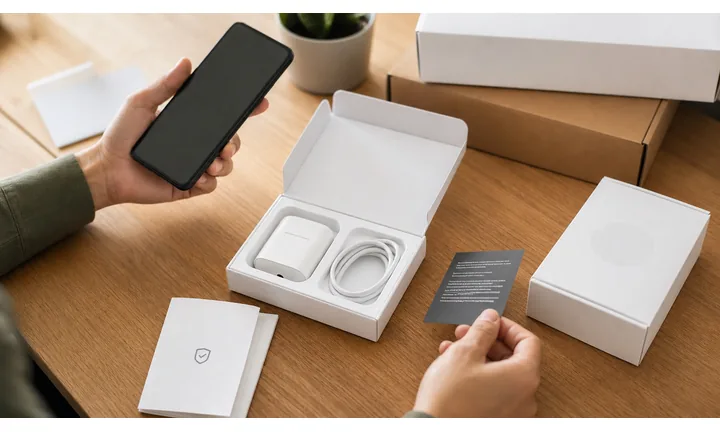
Keep checkout and follow-up lightweight
QR codes can open mobile checkout, payment, pickup instructions, waitlists, loyalty signup, restock alerts, and order support when the booth is busy.
A temporary shop needs a clean digital backstop.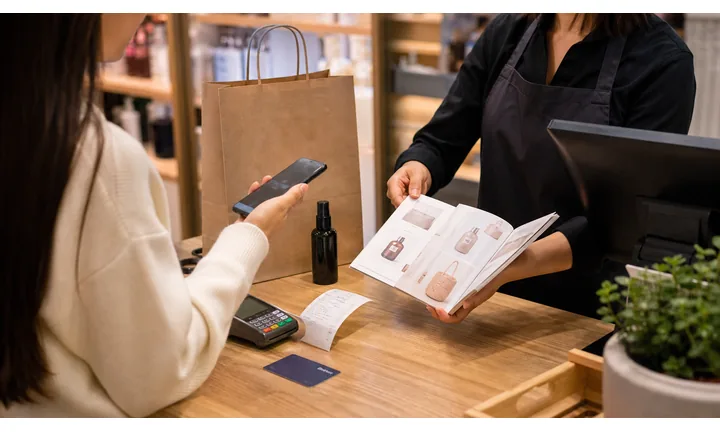
Carry the pop-up relationship beyond the venue
Send buyers to newsletter signup, social follow, next market dates, online store, care guide, review, referral, and customer support after the event ends.
The best pop-up scan keeps the brand reachable tomorrow.Pop-up QR codes should turn short attention into a durable customer path
The customer may be browsing quickly, holding a product, comparing colors, asking about materials, paying, or deciding whether to follow the brand. The destination should answer that exact moment without slowing the booth.
Use clear CTAs such as view details, check stock, get care guide, verify product, claim offer, register warranty, reorder, or contact support.Discovery
Open product story, materials, sizing, ingredients, price, bundles, and examples.
Checkout
Route to mobile payment, pickup, stock, waitlist, coupon, or online order.
Follow-up
Capture newsletter signup, restock alerts, reviews, referrals, and next event dates.
Support
Keep care notes, warranty, returns, and contact paths easy to find after the pop-up closes.
Product scan moments
Turn pop-up products, tags, table signs, and inserts into the next buying action
Product QRAt a pop-up shop, every printed surface has to work hard. QR codes can carry product details, checkout, waitlists, bundles, care instructions, social proof, and post-event support without overcrowding the booth.
Open product details while the item is in hand
Send shoppers to variants, sizing, materials, ingredients, specs, comparison notes, and live stock from tags or shelf cards.

Make mobile checkout visible without forcing a line
Use QR codes for checkout, pickup, payment, limited drops, bundles, coupons, and online ordering when the booth is crowded.
Capture demand when an item sells out
Route sold-out tags and table signs to waitlists, restock alerts, preorder pages, and back-in-stock notifications.
Give buyers care and use instructions after purchase
Add QR codes to inserts, hangtags, and receipts for care, setup, safety, warranty, and support.
Keep the brand reachable after the event
Connect customers to social channels, newsletter signup, next event dates, loyalty, and online store.
The pop-up scan should help the shopper act before the moment disappears
Shoppers may need size, ingredients, stock, price, checkout, care, or restock details while the booth is busy. The QR destination should remove friction instead of opening a generic homepage.
Dynamic QR protects pop-up materials when offers, stock, and events change
Pop-up inventory, bundles, coupons, market dates, and checkout links change quickly. A dynamic QR lets the printed tag or sign stay useful across events.
Put the code where the product question happens
Pop-up customer moments
Turn pop-up foot traffic into purchases, follow-up, restocks, and repeat customers
Temporary retailA pop-up QR code should support the full booth journey: discover the product, compare details, pay, join a waitlist, remember the brand, and come back after the event.

Answer buying questions without crowding the table
Open sizing, materials, ingredients, specifications, comparison notes, and styling examples from tags and shelf cards.

Keep sales moving when the booth gets busy
Route shoppers to mobile checkout, payment, pickup, coupons, online ordering, or preorder while staff helps other customers.

Capture interest when inventory runs out
Use waitlists, restock alerts, preorder pages, and back-in-stock signup instead of losing the buyer.

Show where the brand appears next
Link to upcoming markets, store hours, seasonal drops, local pickup, and online shop after the temporary booth closes.

Attach product support to the purchase
Open care instructions, setup help, warranty, returns, and contact from inserts and receipts.

Convert one sale into an ongoing audience
Invite email signup, social follow, loyalty, reviews, referrals, and user-generated content after the purchase.

Pop-up shoppers scan when the next step is immediate
The destination should match what the shopper is doing: comparing, paying, joining a waitlist, saving the brand, or checking care instructions.
Editable QR lets one booth kit work across many events
Dynamic QR lets the same signs, cards, tags, and inserts point to current offers, stock, checkout pages, and event dates.
Match pop-up QR placement to the booth moment
Pop-up placement
Place pop-up shop QR codes where shoppers pause, compare, pay, or ask what happens next
PlacementPop-up placement should follow the booth flow: product discovery at the table, checkout at the payment point, restock near sold-out items, and follow-up on receipts or inserts.

A QR at the booth edge can be visible and still ignored
If shoppers do not know whether the scan opens product details, checkout, waitlist, or social follow, the code becomes decoration.
Pop-up scans work when the printed CTA matches the moment.
Put the code beside the action the shopper already wants
Use tags for product detail, table signs for bundles, checkout cards for payment, sold-out signs for waitlists, and receipts for follow-up.
The first screen should continue the booth conversation.
What is the shopper doing?
Browsing, comparing, holding a product, asking about size, waiting to pay, seeing a sold-out item, or leaving with a bag.
What should happen next?
View details, check stock, buy, join waitlist, follow, get care notes, review, or find the next event.
Can the code scan in a busy booth?
Use enough size, contrast, and clear CTA on tags, signs, cards, bags, and inserts.
Will the destination change?
Use dynamic QR for stock, offers, coupons, events, checkout pages, and restock links.
Product tag
Open variants, sizing, materials, ingredients, specs, and stock.
Table sign
Show bundles, limited offers, product story, and mobile checkout.
Checkout card
Route to payment, pickup, receipt, loyalty, and support.
Sold-out sign
Capture waitlist, preorder, restock alert, and online order.
Bag insert
Share care, warranty, review, referral, and next event.
Booth banner
Open brand story, social, newsletter, online shop, and event schedule.
Receipt
Link support, reorder, review, care notes, and loyalty signup.
Market flyer
Promote upcoming events, seasonal drops, and local pickup.
Pop-up QR placement should turn booth attention into a clear action
If the code does not help a shopper browse, buy, join, remember, or get support, it needs a sharper role.
Scan reading
Compare pop-up scans by table sign, product tag, checkout card, sold-out item, and receipt
AnalyticsQR analytics can show which booth materials earn attention across events. Use separate dynamic codes to compare product discovery, checkout, waitlist, follow-up, review, and restock placements.

All pop-up scans collapse into one event total
A shared code shows general interest, but it cannot tell whether a product tag, table sign, sold-out card, checkout piece, or receipt caused the scan.
Use one code only when comparison does not matter.
Each booth placement becomes a useful signal
Separate dynamic QR codes let you compare product interest, checkout support, waitlists, event follow-up, and review prompts.
The data is directional, but it helps improve the booth kit.
Scan volume
See which booth materials receive attention.
Time and device
Check when shoppers scan during or after the event.
Broad location
Use approximate location carefully for markets, pop-ups, and local campaigns.
Placement comparison
Compare tags, table signs, checkout cards, receipts, sold-out signs, and flyers.
Name codes by event and placement
Use names such as springmarket-tag, booth-checkout, soldout-waitlist, receipt-review, or bag-care.
Separate buying and follow-up scans
Product detail, checkout, waitlist, care, and review paths should not share one code when reporting matters.
Keep interpretation grounded
Scans show attention and timing; sales, restocks, and subscriptions still need their own systems.
Books and printed content
Learn whether readers open bonus pages, downloads, updates, or feedback forms from book pages.
Pop-up analytics work when every code has an event role
Good QR naming turns a busy temporary booth into useful product, offer, and follow-up signals.
Booth and package flow
Put pop-up QR codes where shoppers hold products or wait to pay
Useful placements include table tents, product labels, shelf tags, packaging, checkout signs, loyalty cards, event flyers, receipts, coupons, and business cards. CTAs should say view catalog, order online, pay here, follow for restocks, claim pop-up offer, read product details, save contact, or leave review. The best placement is often near the decision point, not at the far edge of the booth.
Dynamic QR codes are useful because pop-up dates, inventory, catalogs, coupons, order forms, and event-specific offers change quickly. Scan analytics can compare table signs, packaging, checkout signs, and flyers. QR Code Lab tracks scans and manages the QR destination, while your ecommerce or payment system handles orders, fulfillment, and customer records.
Keep the code readable in a crowded booth. Use short labels, enough size, and enough white space. If you need multiple actions, use a simple landing page or clearly separated codes. For packaging inserts, send shoppers to reorder, care notes, or restock updates instead of the event page that will expire. That keeps the code useful after the pop-up ends.
Pop-up payments
Use pop-up payment QR codes for fast checkout, deposits, preorders, and invoices with clear store context
PaymentsA pop-up payment QR should make the product, offer, pickup, tax, delivery, preorder, or invoice purpose obvious before the shopper pays.

Fast booth checkout
Open trusted payment or checkout pages from table signs, checkout cards, and product displays when the booth is busy.
Preorders and deposits
Use QR codes for limited drops, custom products, sold-out items, wholesale interest, and made-to-order deposits.
Receipts and support
Route buyers to receipt, pickup instructions, order support, care notes, returns, and review paths after payment.
The QR should open a trusted payment provider, not collect card details itself
Keep authentication, receipts, refunds, disputes, and confirmation inside the provider or ecommerce system. The QR is only the shortcut.
Scan analytics only show QR scan activity. A scan does not mean a payment was completed.Pop-up payment QR codes need product and event clarity
Shoppers should know exactly what they are buying, reserving, or paying for before completing checkout.
Product trust
Make pop-up shop QR codes look official before shoppers pay, join, or share contact details
TrustPop-up QR codes may open checkout, waitlists, coupons, product details, reviews, and support. The printed code and destination should clearly match the booth, brand, product, and event.

Anonymous checkout pages
Shoppers may hesitate if the payment page does not show the brand, product, event, and order context.
Watch for similar-looking domains, long URLs, login or verify keywords, and pages asking for credentials after an unexpected scan.
Expired offers or waitlists
Old event pages, retired coupons, sold-out products, and stale restock forms create confusion after the market ends.
A trustworthy QR should not make the final destination mysterious, especially on posters, labels, menus, parking signs, or event materials.
Unclear data collection
Email, SMS, loyalty, and waitlist forms should explain what the shopper is joining and how follow-up works.
Before paying, check the domain, HTTPS, amount, recipient, and whether the destination matches the place or brand that printed the QR.Scan like a buyer before printing
Confirm the first screen matches the printed promise, shows the brand or store identity, and opens the current product, support, payment, warranty, or information path.
The current detailed report is a static URL analysis. It helps reveal the encoded content and basic URL risk signals, but it does not guarantee that a destination is safe and does not replace browser, antivirus, payment, or bank security checks.Decoded content
See the raw value inside the QR before opening it.
Content type
Recognize URL, Wi-Fi, mailto, phone, SMS, vCard, or plain text.
URL risk signals
Review HTTPS, shorteners, IP addresses, long URLs, encoded characters, query parameters, and sensitive keywords.
Destination report
For URL codes, view final URL fields, static redirect report fields, domain fields, TLS placeholders, page metadata fields, and risk reasons.
Make your own QR codes easier to trust
A safe-looking QR code is not only about security. It is also about reducing uncertainty for the scanner. Use clear destination text, a branded landing page, normal HTTPS domains, and a visible explanation of what happens after scanning.






