
QR Code for Boutiques - Products, Lookbooks & Offers Online
Create QR codes for boutiques linking product pages, lookbooks, loyalty forms, coupons, reviews, social profiles, appointments, and events. Use them on tags, bags, windows, cards, and displays.
Free QR code generator
Create a QR code online
Generate QR codes for websites, email, phone numbers, vCards, Wi-Fi, plain text, forms, PDF files, and campaign links. Customize colors, add a logo or frame, then download a print-ready PNG or SVG.
Choose QR code type
Website QR code, Email QR code, Phone QR code, vCard QR code, Wi-Fi QR code, Text QR code, SMS, WhatsApp, event, and download links.
Add your content
Enter your website URL, contact details, message, phone number, location, or file destination before generating the QR code.
Customize and download
Adjust QR colors, error correction, logo, frame, size, and margin. Generate QR Code, Download PNG, Download SVG, or Save and track scans.
Retail discovery path
Turn in-store browsing into product saves, offers, and loyalty
A QR code for boutiques is useful when a shopper pauses over a product, display, outfit, or window sign and needs a simple next step. It can open product pages, lookbooks, loyalty forms, coupons, review pages, social profiles, appointment pages, event pages, size guides, or style guides. Boutiques, fashion shops, gift stores, retail teams, stylists, and local ecommerce brands can use QR codes to connect the in-store experience with the digital follow-up.
The goal is not to replace the staff. It is to make the customer path more self-directed when a shopper wants to remember an item, check sizes, see a lookbook, claim an offer, book styling, or follow new arrivals without feeling pressured. QR Code Lab helps create the printable code, keep dynamic destinations editable, and show which displays or product areas generate scans.
QR Code Lab creates URL QR codes only. It does not process payments, manage bookings, run ecommerce, collect loyalty members, or operate POS software. Your ecommerce, loyalty, review, appointment, or social platform handles the real customer action.
Boutique shopper moments
Help boutique shoppers move from product interest to the next purchase action
Retail flowA boutique QR code should connect a product, rack, window, receipt, tag, or package insert to the action shoppers want next: see sizes, check styling notes, join loyalty, claim an offer, book styling, reorder, or follow a collection.
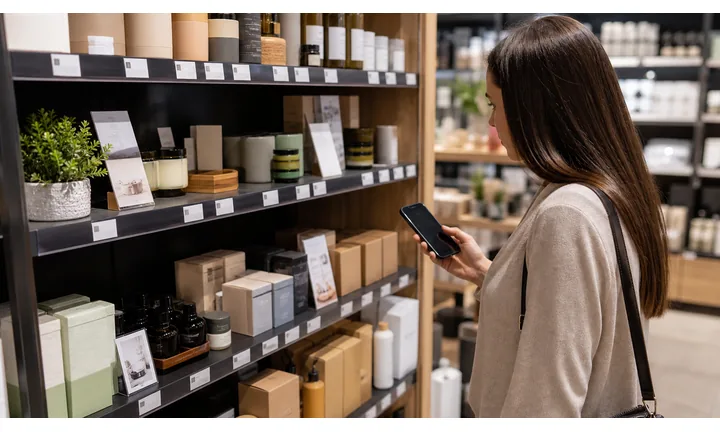
Turn product discovery into a focused mobile path
Use QR codes on hang tags, shelf cards, window signs, lookbooks, receipts, and shopping bags so customers can open size guides, care notes, product pages, styling ideas, availability, and collection stories.
The scan should keep the shopper anchored to the item or collection that created interest.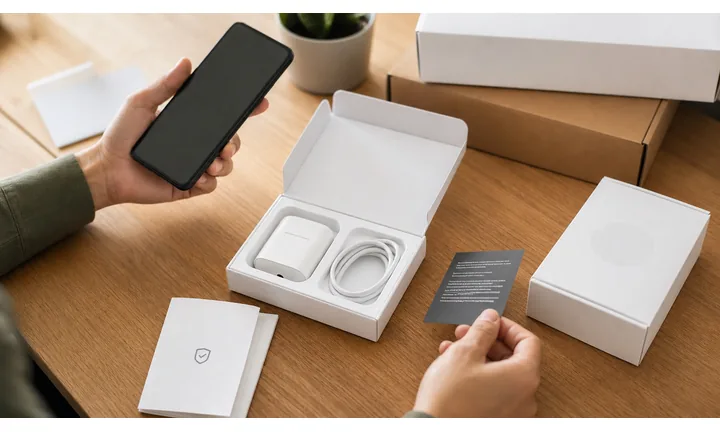
Make local loyalty and repeat visits easier
Package inserts, receipts, and fitting-room cards can open loyalty signup, appointments, private shopping, event invites, birthday offers, reviews, and return-visit promotions.
Boutiques win when the QR feels personal and useful, not like a generic ad.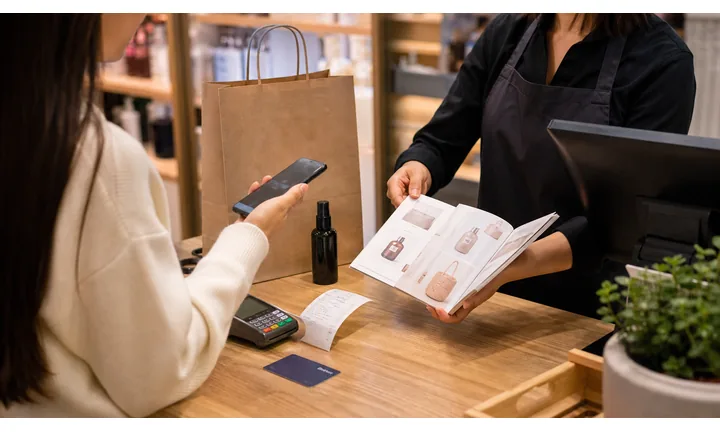
Keep seasonal collections and offers current
Dynamic QR helps when collections rotate, sizes sell out, event pages change, styling appointments move, or a printed tag needs to point to a new landing page later.
Retail print often lasts longer than the first drop or campaign.A boutique QR should make the product story easier to act on
Shoppers scan because an item, display, look, or offer caught their attention. The destination should continue that moment with clear product context and one useful next step.
QR Code Lab creates the QR path; the boutique still owns inventory, checkout, returns, fulfillment, styling, and customer service.Product tags
Open sizing, care, styling, material story, availability, and online purchase.
Window displays
Link collection pages, appointments, event invites, offers, and store hours after closing.
Receipts and bags
Route to loyalty, reviews, referrals, reorder, and next-visit promotions.
Lookbooks
Connect outfits to product pages, bundles, stylist picks, and seasonal campaigns.
Boutique growth
Turn boutique attention into styling, loyalty, and repeat purchase
LocalBoutique QR codes work when they respect the shopper moment: discovery in the window, decision in the fitting room, checkout follow-up, gift buying, private shopping, or post-purchase care.

Send product interest to the exact item or collection
Use tags and shelf cards to open size guides, colorways, materials, availability, outfit ideas, and online purchase paths.

Invite shoppers into styling appointments
Use fitting-room cards, mirror signs, and lookbooks to open private shopping, styling consultations, wishlists, and appointment booking.

Turn checkout into a return-visit path
Receipts and bags can open loyalty signup, birthday offers, referral rewards, and early access to new drops.

Attach care instructions to delicate products
Link fabrics, jewelry, leather, handmade pieces, or specialty items to care notes, repair options, and warranty details.

Promote trunk shows and local drops
Window signs and postcards can point to launch nights, pop-ups, VIP previews, workshops, and seasonal events.

Ask for feedback after purchase or appointment
Use thank-you cards and follow-up inserts to ask for reviews while keeping returns or support easy to find.

Shoppers scan when the item or experience already has their attention
The QR should help them decide, remember, style, buy, care for, or return to the product without forcing a full site search.
Boutiques can connect in-store charm with online follow-up
Separate QR paths for products, styling, loyalty, reviews, events, and care help the store continue the relationship after the shopper leaves.
Place the code where the shopping intent appears
Product follow-up
Use boutique packaging QR codes for care, styling, loyalty, and reorders
PackagingPackaging and product tags are strong boutique QR placements because the customer is already holding the item. The destination should help them care for it, style it, buy again, or return to the store relationship.
Open product care at the right time
Use QR codes on tags, boxes, tissue inserts, and cards to explain care, cleaning, storage, repair, warranty, or material details after purchase.

Suggest styling and matching items
Send customers to outfit ideas, matching accessories, seasonal looks, product bundles, or stylist picks connected to the purchased item.
Invite repeat purchase without pressure
Package inserts can open loyalty, referral, reorder, waitlist, restock alerts, or VIP collection previews after the buyer has already chosen the brand.
Keep support and return details available
Link return policy, exchange instructions, repair options, contact, fit help, or sizing support without crowding the printed insert.
Refill, reorder, and support
When a consumable runs out or a buyer needs help, the same package can open a refill page, reorder flow, subscription, spare parts, compatible accessories, recipe ideas, or support request. This turns packaging into a repeat contact point instead of waste.
The package QR should help after the purchase
A buyer opening a bag or box wants care, confidence, styling, support, or a reason to come back. Keep the destination specific to that item or collection.
The boutique can extend the in-store experience at home
A good package QR turns the purchase into aftercare, styling, loyalty, reviews, and future collection discovery.
Put packaging QR codes beside the product promise
Boutique placement
Place boutique QR codes where shoppers decide, remember, or return
PlacementBoutique QR placement should follow the shopper journey: window discovery, rack browsing, fitting-room decision, checkout, packaging, and post-purchase styling.

The QR opens the store homepage
A homepage makes shoppers search again for the item, collection, appointment, event, or offer they saw in print.
Boutique QR codes should preserve product and style context.
The QR opens the next shopping action
Use tags for product details, windows for after-hours shopping, fitting rooms for styling, and receipts for loyalty or reviews.
The printed CTA should name the benefit before the scan.
What caught the shopper attention?
Product, collection, display, appointment, event, offer, or care need should determine the destination.
Is the shopper still in store?
Rack, fitting-room, checkout, and at-home packaging scans need different actions.
Will inventory or offers change?
Use dynamic QR for seasonal collections, sold-out items, appointment pages, and event links.
Can the action happen on mobile?
Product pages, booking forms, loyalty signup, and care notes should be easy to complete from a phone.
Product tag
Open size guide, materials, care notes, styling ideas, and availability.
Window display
Link collection page, offer, hours, private shopping, and event signup.
Fitting room
Use for stylist help, alternate sizes, wishlist, appointment, and outfit ideas.
Lookbook
Connect each outfit to products, bundles, stories, and purchase paths.
Receipt
Invite review, loyalty, referral, returns, and next-visit offers.
Shopping bag
Open reorder, care, styling, VIP list, and seasonal drops.
Event card
Promote trunk shows, workshops, launch nights, and private previews.
Gift insert
Send gift recipients to care, exchange, wishlists, and store contact.
Boutique QR placement should keep the product story alive
Put the code where the shopper already has a reason to act and open that exact next step.
Retail updates
Use dynamic QR when boutique collections, offers, and product pages change
DynamicBoutique print often stays on tags, bags, lookbooks, receipts, and windows while collections rotate, sizes sell out, appointments change, and offers expire.
Printed boutique materials can outlive the collection
A static QR may keep opening a sold-out item, old lookbook, expired event, or past seasonal offer.
That breaks the careful product story the print was meant to support.
The same printed QR can follow the retail season
Dynamic QR lets the boutique redirect tags, bags, windows, and postcards as inventory, offers, and events change.
Printed materials stay useful while the digital destination stays current.

Seasonal collections
Update collection pages, lookbooks, product availability, waitlists, and restock alerts.
Styling and appointments
Move scans to current stylist calendars, private shopping, wishlists, and consultation forms.
Events and offers
Change trunk shows, VIP nights, workshops, pop-ups, and local promotions.
Care and support
Keep product care, returns, repair, warranty, and contact details current.
Use dynamic when boutique print keeps circulating
If tags, bags, cards, or lookbooks may outlive the first destination, keep the QR editable.
In-store flow
Place QR codes where shoppers pause, compare, or want to remember an item
Use boutique QR codes on shelf tags, hang tags, fitting room cards, window displays, receipts, packaging inserts, counter signs, event flyers, loyalty cards, product displays, styling cards, and checkout bags. The CTA should be useful in that spot: see lookbook, check sizes, join loyalty, claim offer, book styling, follow new arrivals, or view product details.
Dynamic QR codes help when offers, products, lookbooks, event pages, and size guides change. Separate QR codes for window displays, fitting rooms, product tags, and receipts can show which touchpoints create digital follow-up. A shopper scanning in a fitting room may need a size guide or styling page, while a shopper scanning a receipt may be ready for loyalty or reviews. QR Code Lab scan analytics can show that difference, while purchases, profiles, and customer records stay in your retail systems.
Keep the page visual and quick. Boutique shoppers often scan while holding clothes or bags, so the destination should show the item, offer, or booking action without making them search.
Retail signal
Use scan data to compare boutique placements without overclaiming sales
AnalyticsTracking is useful when separate QR codes compare window signs, product tags, lookbooks, receipts, bags, event cards, and fitting-room placements.

All boutique scans become one total
A single QR code can show interest, but it cannot reveal whether scans came from the window, tag, fitting room, receipt, or bag.
That makes merchandising and campaign decisions weaker.
Each retail placement becomes a signal
Use separate dynamic QR codes when the store wants to compare displays, collections, events, and after-purchase materials.
Scan data is not full sales attribution, but it helps show where attention starts.
Scan volume
Compare how many scans each tag, sign, card, or insert received.
Timing
See whether scans happen during store hours, after closing, during events, or after purchase.
Device and browser
Spot broad device patterns that may affect product pages, forms, and checkout paths.
Broad location
Use approximate signals for store, event, or campaign comparison without treating them as identity data.
Window displays
Measure after-hours scans from collections, offers, and appointment prompts.
Product tags
Compare item, category, or collection interest from in-store browsing.
Packaging follow-up
See whether bags, receipts, and inserts drive loyalty, care, reviews, or reorders.
Events and drops
Compare trunk shows, launch nights, local flyers, and VIP previews.
Name boutique QR codes by material before launch
Tracking helps only when code names match real tags, displays, receipts, bags, and campaign pieces.






