
QR Code for Market Stalls - Products, Payments & Offers
Create QR codes for market stalls linking product catalogs, payment links, coupons, social profiles, reviews, order forms, menus, and contact pages. Use them on tables, tents, labels, and bags.
Free QR code generator
Create a QR code online
Generate QR codes for websites, email, phone numbers, vCards, Wi-Fi, plain text, forms, PDF files, and campaign links. Customize colors, add a logo or frame, then download a print-ready PNG or SVG.
Choose QR code type
Website QR code, Email QR code, Phone QR code, vCard QR code, Wi-Fi QR code, Text QR code, SMS, WhatsApp, event, and download links.
Add your content
Enter your website URL, contact details, message, phone number, location, or file destination before generating the QR code.
Customize and download
Adjust QR colors, error correction, logo, frame, size, and margin. Generate QR Code, Download PNG, Download SVG, or Save and track scans.
QR solutions for this use case
Pop-up sales path
Help market shoppers open products, payment, offers, reviews, and restocks fast
A QR code for market stalls is useful when shoppers are already standing near the product, comparing options, waiting in line, or deciding whether to follow a vendor after the event. It can open product catalogs, payment links, coupons, social profiles, review pages, order forms, menus, contact pages, restock updates, ingredients, and care instructions. Farmers market sellers, craft vendors, food vendors, pop-up shops, makers, and local sellers can use QR codes to extend a temporary stall into a repeatable customer path.
At a market stall, the best scanning moment is usually close to the product, not at a generic entrance poster. A tag can open ingredients or care instructions. A counter card can open payment, preorder, or social follow. A package insert can open reorder options. A coupon QR can bring a one-time buyer back after the market ends. QR Code Lab helps create print-ready QR codes, dynamic destinations, and scan analytics so sellers can see which stall materials keep working after the event.
QR Code Lab creates URL QR codes only. It does not process payments, manage orders, collect forms, run bookings, provide medical advice, or operate business software. The linked shop, payment provider, menu, review page, or form handles the actual sale and customer data.
Market stall buying path
Help market stall shoppers check products, pay, reorder, follow, and come back
Market sellingA market stall QR code should turn a crowded, fast-moving stall moment into a clear next step: see ingredients, check sizes, pay, join a mailing list, claim an offer, follow the maker, reorder later, or leave feedback.
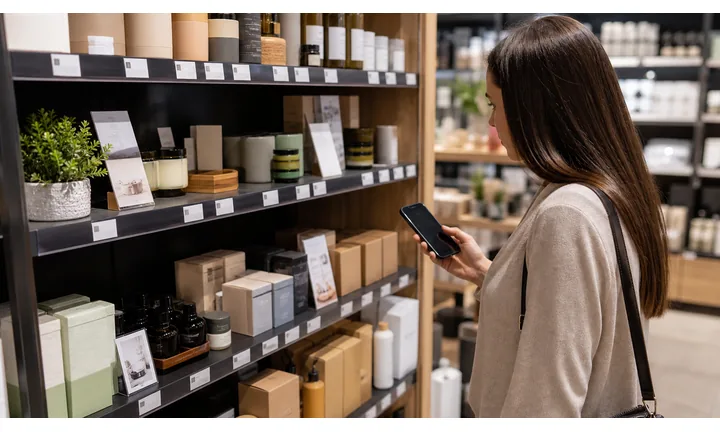
Give shoppers product details without slowing the queue
Use QR codes on price cards, packaging, table signs, and product tags to open ingredients, care notes, sizes, origin, allergens, batch details, and maker story.
The scan should answer the question that would otherwise interrupt the sale.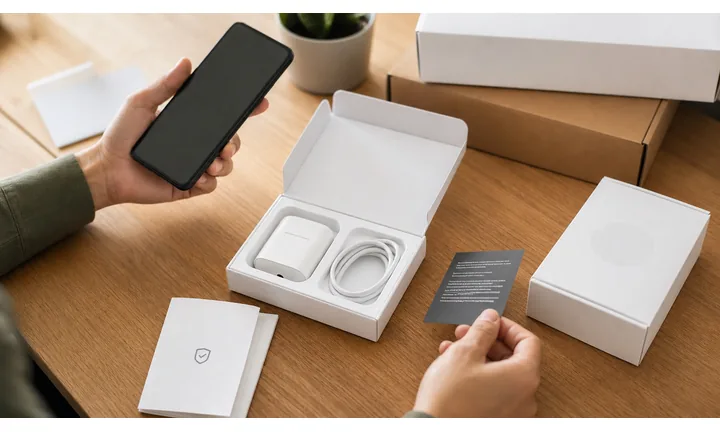
Turn one market visit into repeat business
A QR destination can collect newsletter interest, show online stock, offer reorder links, explain pickup, and point customers to the next market date.
The stall visit is short; the customer relationship can continue after they leave.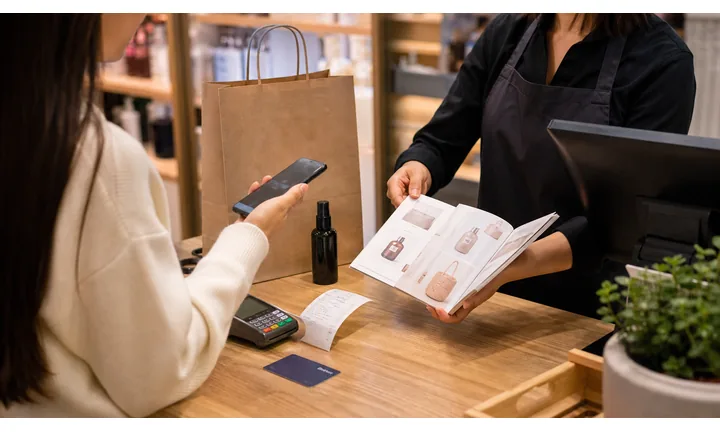
Keep prices, stock, and seasonal offers current
Dynamic QR helps when product pages, payment links, inventory, event schedules, preorders, and seasonal bundles change between market days.
Reusable signs and tags should not trap you on last week’s offer.A market stall QR should help the shopper decide before the moment passes
The customer may be holding a product, comparing prices, checking ingredients, looking for payment, or deciding whether to follow the seller. The QR destination should be quick and specific.
Use CTAs such as view product details, pay here, preorder next batch, join restock list, follow the maker, or leave feedback.Product confidence
Open ingredients, origin, care, sizing, materials, safety notes, or certifications.
Fast checkout
Point to trusted payment pages, preorder forms, bundles, and pickup options.
Repeat sales
Connect buyers to online store, restock alerts, next event date, and social channels.
Feedback
Invite private feedback and reviews after the product has been used.
Stall product scan moments
Use QR codes on market products for details, care, authenticity, reorder, and support
ProductsMarket packaging and price cards have limited space. QR codes can add product proof, care instructions, ingredients, batch notes, reorder links, and post-purchase support without crowding the stall.
Answer product questions while the shopper is holding it
Open ingredients, allergens, materials, size charts, care notes, origin, maker story, or production method from a tag or price card.

Give after-purchase instructions without extra paper
Use packaging QR codes for washing, storage, shelf life, recipe ideas, assembly, safety notes, or maintenance tips.

Make it easy to buy again after the market
Send customers to online stock, preorder forms, pickup dates, restock alerts, bundles, or subscription options.
Show proof for handmade, local, or batch-specific goods
Link to batch details, origin notes, certificates, ingredient sources, or behind-the-scenes production context when trust matters.
Give buyers a simple help path after they leave
Route to contact, returns, sizing questions, product issues, custom requests, or private feedback.
The scan should match the product question
Before buying, shoppers may want price, ingredients, size, origin, or care. After buying, they may need instructions, reorder, support, or a way to follow the maker.
Dynamic QR keeps reusable stall materials current
Market sellers often reuse signs, tags, and inserts. Dynamic QR lets product pages, stock, payment links, and seasonal offers change without reprinting everything.
Put the code where the product question happens
Market customer moments
Turn market stall attention into purchases, follows, preorders, and repeat visits
Local commerceMarket shoppers move quickly. A QR code should help them decide, pay, save the seller, reorder later, or find the next event without forcing a long conversation in a busy aisle.

Make checkout clear when the stall is busy
Use QR codes for trusted payment pages, order totals, tipping, or invoice links with business name and payment purpose visible.

Keep the customer connected after the market
Link to social profiles, newsletter, restock alerts, next event dates, and online store from table signs or bag inserts.

Turn interest into the next batch
Use QR codes for custom orders, limited drops, pickup reservations, seasonal bundles, and product waitlists.

Give product proof without cluttering the table
Open ingredients, care, origin, materials, certificates, use ideas, and maker story while the shopper compares items.

Ask after the product has been used
Use packaging, receipts, and follow-up cards for reviews, private feedback, photos, or testimonials.

Show where to find the stall next
Connect customers to market calendars, pop-up locations, pickup windows, workshops, and seasonal announcements.

The shopper may only have a few seconds
The destination should be quick: product details, payment, follow, preorder, next market date, or reorder path should be obvious immediately.
Reusable market print becomes easier to manage
Dynamic QR keeps table signs, tags, inserts, and payment cards connected to current stock, offers, prices, and event schedules.
Match each market QR to the buying moment
Market placement
Place market stall QR codes where shoppers can scan without blocking the sale
PlacementMarket QR placement should work in a crowded aisle, on a small table, and during a short buying decision. Put the code beside the product, payment, or follow-up action it supports.

A QR in the corner of the table can get ignored
Shoppers may not know whether it opens payment, product details, social follow, or a discount.
A busy stall needs clear labels and quick destinations.
The code belongs beside the product or checkout question
Use product tags for details, checkout signs for payment, bag inserts for reorder, and flyers for upcoming events.
The printed CTA should say exactly why scanning helps.
What is the shopper doing?
Comparing products, checking price, asking ingredients, paying, following, or planning to reorder.
What should happen next?
Open product details, pay, join restock list, follow the maker, preorder, review, or find the next event.
Can the code scan in market lighting?
Use enough size, contrast, flat placement, and space away from table clutter or curved packaging.
Will the destination change between market days?
Use dynamic QR for stock, offers, pricing, payment links, event dates, and product pages.
Table sign
Open payment, social follow, newsletter, online store, and next market dates.
Product tag
Show size, ingredients, materials, origin, care notes, and batch details.
Package label
Route to instructions, recipes, reorder, support, and authenticity.
Checkout card
Use for payment provider, tips, receipt preference, and customer support.
Bag insert
Invite review, reorder, restock alerts, referral, and next event follow-up.
Flyer
Promote workshops, limited drops, online shop, seasonal bundles, and pickup.
Menu board
Use for current offerings, sold-out updates, allergens, and preorder options.
Display stand
Connect hero products to story, proof, and buying options.
Market QR codes should shorten the buying path
If the scan does not help the shopper decide, pay, follow, or reorder, the placement is probably noise.
Market scan reading
Compare market stall scans by product, sign, payment, and follow-up placement
AnalyticsQR analytics can show whether shoppers scan from table signs, product tags, checkout cards, packaging, flyers, or bag inserts. Use it as practical market feedback, not as full sales attribution.

All scans become one market-day total
A shared code can show general interest, but it cannot tell whether a product tag, payment sign, flyer, or bag insert caused the scan.
Use one code only when comparison does not matter.
Each stall placement becomes easier to improve
Separate dynamic QR codes let you compare payment, product details, reorder, event, and follow-up placements.
The data is directional, but it can guide better signs and offers.
Scan volume
See which stall placements earn attention during a market period.
Time and device
Check when shoppers scan and which device opens the destination.
Broad location
Use approximate location carefully when comparing markets, pop-ups, or regions.
Product comparison
Compare scans from hero products, tags, packaging, and batch-specific labels.
Name codes by stall placement
Use names such as table-pay, tag-candle-care, bag-reorder, flyer-workshop, or checkout-follow.
Compare market days and product lines
Use separate codes for markets, pop-ups, seasonal bundles, and product categories when reporting matters.
Keep expectations realistic
Scan data shows attention and timing; sales, payments, and list growth still need their own systems.
Books and printed content
Learn whether readers open bonus pages, downloads, updates, or feedback forms from book pages.
Market QR analytics work best when every printed code has a purpose
Good naming turns scan totals into product, placement, and event decisions.
Counter and label flow
Use QR codes to turn a temporary stall into a customer path
Use market stall QR codes on table tents, price tags, product labels, packaging, loyalty cards, receipts, flyers, cooler signs, menu boards, preorder cards, and small display signs. The CTA should say view catalog, pay here, preorder pickup, follow for restocks, claim market coupon, read ingredients, save contact, or leave review. For food, cosmetics, or handmade products, a QR code can also open care notes, allergy information, use instructions, or authenticity details.
Dynamic QR codes are useful because market dates, menus, inventory, offers, and order forms change constantly. Scan analytics can show whether table signs, product tags, or packaging create more follow-up after the event. QR Code Lab can count scans and manage the QR destination, while your shop platform or payment provider handles purchases and fulfillment.
Keep the sign simple because market shoppers are moving. One code, one promise, one clear action. If you need payment, catalog, and social follow, use separate labels or a clean landing page. For product labels, place the QR close to the item name so shoppers know the scan belongs to that product, not the whole stall.
Market payments
Use market stall payment QR codes with clear seller and checkout context
PaymentsA market payment QR should say who is being paid and what the scan opens: checkout, invoice, tip, preorder, deposit, or pickup payment. Shoppers should not have to guess at a busy table.

Faster checkout
Use QR as a shortcut to trusted provider pages, order totals, tips, or invoice links when the stall is crowded.
Preorders and deposits
Collect payments for custom work, reserved batches, pickup orders, or limited drops through a recognized checkout page.
Clear confirmation
Print seller name, payment purpose, and support contact near the code so the shopper knows they are paying the right vendor.
The QR should open a trusted payment provider, not collect card data itself
Keep authentication, receipts, refunds, disputes, and provider confirmation inside the payment system. The QR code is only the shortcut.
Scan analytics only show QR scan activity. A scan does not mean a payment was completed.Payment QR codes at markets need instant clarity
A shopper should know exactly who receives the payment before they tap.
Market trust
Make market stall QR codes look official in a crowded buying environment
TrustMarket shoppers see many signs and vendors at once. QR codes should be branded, labeled, current, and connected to pages that clearly belong to the seller.

Unlabeled payment codes
A bare QR near checkout can make shoppers unsure whether it belongs to the stall.
Watch for similar-looking domains, long URLs, login or verify keywords, and pages asking for credentials after an unexpected scan.
Outdated offers
Old flyers, sold-out bundles, wrong event dates, and retired payment links create confusion.
A trustworthy QR should not make the final destination mysterious, especially on posters, labels, menus, parking signs, or event materials.
Crowded signage
Too many codes on one table can make every destination feel less trustworthy.
Before paying, check the domain, HTTPS, amount, recipient, and whether the destination matches the place or brand that printed the QR.Scan like a shopper standing at the stall
Confirm the first screen matches the printed CTA, shows the seller identity, and opens quickly on mobile before market day starts.
The current detailed report is a static URL analysis. It helps reveal the encoded content and basic URL risk signals, but it does not guarantee that a destination is safe and does not replace browser, antivirus, payment, or bank security checks.Decoded content
See the raw value inside the QR before opening it.
Content type
Recognize URL, Wi-Fi, mailto, phone, SMS, vCard, or plain text.
URL risk signals
Review HTTPS, shorteners, IP addresses, long URLs, encoded characters, query parameters, and sensitive keywords.
Destination report
For URL codes, view final URL fields, static redirect report fields, domain fields, TLS placeholders, page metadata fields, and risk reasons.
Make your own QR codes easier to trust
A safe-looking QR code is not only about security. It is also about reducing uncertainty for the scanner. Use clear destination text, a branded landing page, normal HTTPS domains, and a visible explanation of what happens after scanning.






