
QR Code for Lash Studios - Booking, Aftercare & Waivers
Create QR codes for lash studios linking booking pages, service menus, aftercare instructions, portfolios, waivers, reviews, coupons, and maps. Use them on mirrors, cards, counters, and receipts.
Free QR code generator
Create a QR code online
Generate QR codes for websites, email, phone numbers, vCards, Wi-Fi, plain text, forms, PDF files, and campaign links. Customize colors, add a logo or frame, then download a print-ready PNG or SVG.
Choose QR code type
Website QR code, Email QR code, Phone QR code, vCard QR code, Wi-Fi QR code, Text QR code, SMS, WhatsApp, event, and download links.
Add your content
Enter your website URL, contact details, message, phone number, location, or file destination before generating the QR code.
Customize and download
Adjust QR colors, error correction, logo, frame, size, and margin. Generate QR Code, Download PNG, Download SVG, or Save and track scans.
Lash client path
Help lash clients book, prepare, follow aftercare, and come back for fills
A QR code for lash studios is useful when clients need a fast path from an appointment card, mirror sign, aftercare card, product shelf, waiver handout, or window decal to the right page. It can open booking pages, service menus, aftercare instructions, portfolios, waivers, review pages, coupons, maps, and style galleries. Lash artists, eyelash salons, beauty studios, salon suites, and local beauty professionals can use QR codes before and after appointments.
The scan should support the real lash journey. Before the appointment, it can open services, pricing, waiver forms, style examples, and booking. At checkout, it can help book a fill. After the appointment, it can open aftercare instructions so retention and irritation questions are handled clearly. A portfolio QR can help new clients choose style, length, and artist before asking staff to explain everything. QR Code Lab helps create print-ready codes, dynamic links, and scan analytics for those moments.
QR Code Lab creates URL QR codes only. It does not process payments, manage orders, collect forms, run bookings, provide legal or medical advice, or operate salon software. The linked booking, waiver, aftercare, review, or portfolio platform handles the workflow.
Lash client path
Help lash clients book, prepare, understand aftercare, pay deposits, review, and return
Lash flowA lash-studio QR code should connect mirrors, appointment cards, aftercare sheets, product bags, receipts, referral cards, and window signs to booking, consultation, patch-test guidance, aftercare, deposits, reviews, and rebooking.

Turn lash interest into a clear booking or consultation
Use QR codes on cards, salon mirrors, referral pieces, lookbooks, and social displays to open service menus, booking, style galleries, policies, and consultation forms.
Clients should understand set type, timing, maintenance, and booking requirements before committing.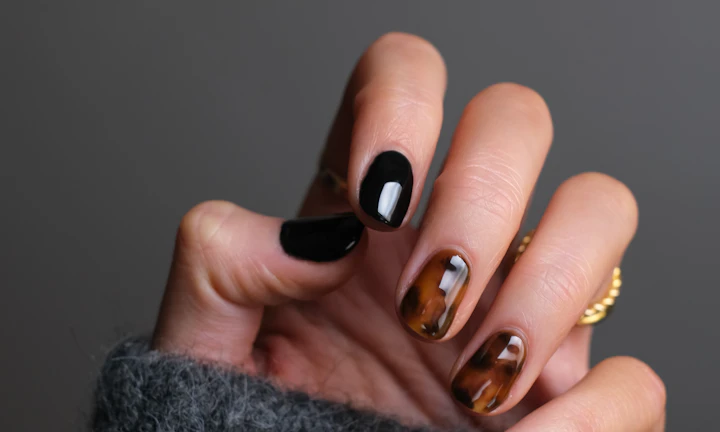
Make prep and aftercare easy to revisit
A QR destination can explain patch-test expectations, pre-appointment prep, lash aftercare, refill timing, product recommendations, and warning signs without crowding printed cards.
Aftercare content protects retention and reduces repeat questions.
Keep booking, deposits, and care links current
Dynamic QR helps when booking tools, service menus, refill pricing, deposit pages, policies, product links, and aftercare resources change after print.
Lash cards get reused; destinations should stay fresh.A lash-studio QR should match the client’s appointment stage
The client may be choosing a set, preparing for a first appointment, caring for extensions, paying a deposit, asking about refill timing, or leaving a review. The destination should fit that stage directly.
Use CTAs such as book lash set, view styles, read aftercare, pay deposit, schedule refill, leave review, or claim referral offer.New clients
Open service menu, style gallery, consultation, patch-test notes, booking, and policies.
After appointment
Provide aftercare, cleanser guidance, refill timing, product recommendations, and support.
Payments
Route deposits, packages, refills, and balances to trusted providers with clear purpose.
Retention
Use receipts and mirror cards for reviews, referrals, refill booking, and loyalty offers.
Lash client moments
Turn lash-studio touchpoints into bookings, aftercare, deposits, reviews, and refills
Studio growthLash-studio QR codes work best when each printed piece has one client job: choose a style, book a set, prepare safely, read aftercare, pay a deposit, review, or schedule the next refill.

Make lash booking clear before the client messages
Use mirror cards, business cards, and referral pieces to open booking with set types, timing, refill rules, policies, and availability.

Show lash styles and maintenance expectations
Route prospects to classic, hybrid, volume, mega volume, lash lift, brow add-ons, realistic photos, and retention notes.

Collect the right client context before the appointment
Open forms for allergies, sensitivities, previous lash work, eye concerns, inspiration photos, and patch-test questions.

Protect retention after the client leaves
Link aftercare cards and product bags to cleansing, sleeping, oil avoidance, refill timing, and when to contact the studio.

Open deposits and packages through the provider
Use QR codes for deposits, prepaid fills, packages, product purchases, or balances while confirmation stays inside the payment platform.

Ask when the client is happy with the result
Use mirror cards, receipts, and follow-up materials after the appointment for reviews, private feedback, photo permission, and referral offers.

Lash scans happen when the result and trust are visible
The client may be admiring a set, checking aftercare, booking a refill, or sharing a referral. The QR should continue that beauty moment with one clear action.
Studio materials become easier to keep current
Dynamic QR keeps booking links, policies, style galleries, deposit pages, aftercare, product links, and referral offers updated after cards are printed.
Place the code where the lash action is strongest
Lash placement
Place lash-studio QR codes where clients can act on booking, care, or refills
PlacementLash QR placement should match the client stage: discovering the studio, choosing a style, preparing for an appointment, checking out, caring for lashes, or booking the next fill.

The code appears without naming the lash action
A QR on a mirror, card, or product bag can be visible but unclear if it does not say whether it opens booking, aftercare, deposit, review, or refill.
Lash clients scan when the destination supports a specific beauty decision or care question.
The code continues the lash service moment
Use booking QR before the appointment, aftercare QR after service, deposit QR on policy materials, and review QR after checkout.
The printed CTA should feel like studio guidance, not generic marketing.
What is the client deciding?
Book a set, choose a style, prepare safely, pay a deposit, care for lashes, review, refer, or schedule a refill.
What should happen next?
View styles, book, complete consultation, read aftercare, pay provider, review, rebook, or claim referral.
Is the phone naturally available?
Mirror cards, checkout, product bags, appointment cards, and follow-up messages work better than rushed studio movement.
Will the link change?
Use dynamic QR for booking systems, policies, pricing, style galleries, aftercare pages, and payment links.
Mirror card
Open aftercare, refill booking, reviews, referral offers, and photo permission while the result is visible.
Business card
Route to booking, style gallery, consultation form, policies, and studio contact.
Aftercare card
Show cleansing routine, retention tips, refill timing, product notes, and support contact.
Receipt
Invite review, feedback, referral, deposit payment, product reorder, and next fill.
Product bag
Link to cleanser use, care routine, reorder, and lash-safe product recommendations.
Window sign
Show services, booking, offers, hours, and first-visit guidance.
Referral card
Open referral offer, booking, style examples, and new-client instructions.
Bridal or event packet
Route to trial booking, timeline notes, deposits, group appointments, and aftercare.
Lash QR placement should support booking and retention
Use each code where the client understands the lash action and can scan comfortably.
Lash scan experience
Make lash-studio QR destinations clear, polished, and easy to act on
Scan UXA lash scan should open the exact action promised beside the QR: booking, style gallery, consultation, aftercare, deposit, refill, review, or referral.
Booking pages should explain set type and timing
Classic, hybrid, volume, fill, lash liftWhen a client scans from a card or window sign, the first screen should show service options, timing, policies, and booking choices clearly.
If a consultation or patch test is required, explain that before the form.
Aftercare should be easy to revisit later
Cleanser, sleep, oil, refill timing, supportClients read aftercare at home, so the page should be mobile-friendly, specific, and easy to return to.
Put the most important first-24-hour instructions and refill window near the top.
Deposit pages need clear service context
Deposit, package, fill, bridal, productIf the QR opens a payment provider, label the service or package clearly before checkout.
Payment status belongs in the provider or booking system, not scan analytics.
Does the first screen match the studio CTA?
A “scan for aftercare” code should open aftercare, not a broad homepage.
Is the requested information appropriate?
Consultation forms can ask about sensitivities and previous lash work, but should explain why.
Can the client finish the action on a phone?
Booking, deposits, aftercare, reviews, and refills should be obvious without zooming or hunting.
The scan should feel like part of the lash appointment
Use this block when the page needs to prove the QR destination supports real client care.
Lash review flow
Ask lash clients for reviews without hiding aftercare or correction paths
ReviewsA lash-studio review QR should invite public praise when the client loves the result while keeping private feedback, aftercare questions, and correction requests easy to reach.

Ask when the client is happy with the finished set
Use mirror cards, thank-you notes, receipts, and follow-up messages after the service to send satisfied clients to the right review page.
Completed full sets, fills, lash lifts, brow add-ons, bridal trials, and repeat-client appointments. Do not pressure clients or imply that only positive feedback is welcome.
Give clients a discreet path for retention or comfort concerns
Use QR codes for private feedback when retention, irritation, style mismatch, timing, or aftercare confusion needs a studio conversation.
New-client sets, sensitive-eye cases, correction requests, premium appointments, and bridal work. Support and correction requests should reach the studio before frustration becomes a public review.
Invite photos, testimonials, and referrals after the result lands
Use mirror cards and follow-up pieces to request photo permission, tagged posts, testimonials, referrals, and next-fill interest.
Fresh full sets, transformations, bridal lashes, volume sets, and social-friendly results. Ask permission before using client photos or names in marketing.Use lash review QR codes as part of client care
The scan should feel like a polished follow-up, not a forced rating gate.
Aftercare and refill flow
Use QR codes where clients need instructions later, not only at reception
Use lash studio QR codes on aftercare cards, appointment cards, mirror signs, reception counters, product packaging, waiver handouts, portfolio cards, review cards, window decals, referral cards, and checkout materials. The CTA should say book refill, read aftercare, view lash styles, sign waiver, claim coupon, save location, or leave feedback. For reviews, keep public review requests separate from private service feedback so clients understand the difference.
Dynamic QR codes help when booking links, aftercare pages, service menus, portfolios, and waiver forms change. Scan analytics can show whether aftercare cards, mirror signs, or appointment cards keep clients connected. That is useful for repeat bookings without adding a complicated salon system.
Keep destinations gentle and direct. A client scanning aftercare should see the exact aftercare page first, not a full beauty menu. A client scanning for a refill should see the booking action, timing guidance, and studio details quickly. If the code is on product packaging, send it to the matching product or routine so the advice feels personal and useful.
Lash payment boundary
Use lash-studio QR codes for deposits and balances, not payment proof
PaymentsQR Code Lab can open booking deposits, package checkout, product purchases, bridal invoices, or balance links. The payment provider, POS, or booking system handles funds, receipts, refunds, disputes, and appointment status.

Open deposit links without typing
Use QR codes on policy cards, appointment reminders, consultation sheets, and bridal packets to reach trusted deposit pages quickly.
Support packages and product purchases
Label whether the QR opens a full-set deposit, refill package, lash lift payment, product purchase, or bridal balance.
Keep payment links editable
Dynamic QR helps when booking platforms, payment providers, package prices, and studio policies change.
A scan does not confirm the client paid
Scan analytics can show that someone opened a payment link, but only the provider or booking system can confirm paid status, refunds, and balances.
Use the studio POS or payment provider as the source of truth.Keep lash payment QR codes convenient and clear
Use QR to reduce friction while payment records stay in the proper system.
Lash trust
Make lash-studio QR destinations clear before clients book, pay, or share sensitivities
TrustLash-studio QR codes can open booking, consultation forms, deposits, reviews, aftercare, and photo permission. The destination should show studio identity and purpose before asking for details.

Unknown consultation forms
Clients may hesitate if a QR asks for allergies, sensitivities, previous lash work, or eye concerns without showing studio identity and purpose.
Explain why the information is needed and keep the form tied to the lash service.
Payment links without service context
Deposits, packages, bridal balances, and product payments should show the studio name, service, and provider before checkout.
Payment confirmation belongs in the provider, not scan analytics.
Photo and review permissions
Portfolio photos, testimonials, and public reviews should be requested clearly, especially for close-up client images.
Ask permission before using client photos in marketing.Inspect lash-studio QR destinations before printing
Confirm the encoded destination, studio identity, CTA match, and whether the QR opens booking, styles, consultation, payment, review, aftercare, or photo permission.
A QR checker helps reveal the destination, but it does not confirm appointments, payments, permissions, or service outcomes.Decoded destination
Review whether the QR opens the intended studio page, form, payment, review, or aftercare guide.
Studio identity
The first screen should match the lash studio, artist, service, or campaign clients expect.
Information request
Check whether forms ask only for information appropriate to the lash service moment.
Printed context
Review cards, mirrors, aftercare sheets, receipts, and referral materials for outdated codes.
Publish lash QR codes clients can trust
Use clear CTAs, recognizable destinations, current booking links, honest forms, and visible support paths so QR codes feel like part of client care.






