
QR Code for Hair Stylists - Booking, Portfolios & Reviews
Create QR codes for hair stylists linking booking pages, service menus, portfolios, aftercare tips, reviews, coupons, maps, and social profiles. Use them on mirrors, cards, counters, and receipts.
Free QR code generator
Create a QR code online
Generate QR codes for websites, email, phone numbers, vCards, Wi-Fi, plain text, forms, PDF files, and campaign links. Customize colors, add a logo or frame, then download a print-ready PNG or SVG.
Choose QR code type
Website QR code, Email QR code, Phone QR code, vCard QR code, Wi-Fi QR code, Text QR code, SMS, WhatsApp, event, and download links.
Add your content
Enter your website URL, contact details, message, phone number, location, or file destination before generating the QR code.
Customize and download
Adjust QR colors, error correction, logo, frame, size, and margin. Generate QR Code, Download PNG, Download SVG, or Save and track scans.
Stylist booking path
Turn a great hair moment into booking, aftercare, and referrals
A QR code for hair stylists is useful when clients need a quick path from the chair, mirror, appointment card, product shelf, or social handout to the right digital action. It can open booking pages, service menus, portfolios, aftercare tips, review pages, coupons, maps, and social profiles. Independent hairstylists, salon suites, barbers, colorists, beauty professionals, and salons can use QR codes to make repeat visits and referrals easier.
The strongest scan path usually starts from a real hair moment. A client sees a color result, holds an appointment card, checks a mirror station, or receives an aftercare card. The QR code should then answer the next question: book the next visit, see the stylist portfolio, follow the stylist, read aftercare, claim a return offer, or leave feedback while the result is fresh. QR Code Lab helps create print-ready codes, dynamic links, and scan analytics for those touchpoints.
QR Code Lab creates URL QR codes only. It does not process payments, manage orders, collect forms, run bookings, provide medical advice, or operate salon software. The linked booking, portfolio, review, payment, or social platform handles the client action.
Stylist client path
Help hair-stylist clients book, choose a look, prepare, pay, review, and return
Beauty flowA hair-stylist QR code should connect mirrors, cards, appointment reminders, product bags, receipts, referral cards, and portfolio materials to the next salon action: booking, consultation, style gallery, color prep, aftercare, deposit, review, or rebooking.

Turn style interest into a booked appointment
Use QR codes on business cards, salon mirrors, referral cards, lookbooks, and social displays to open booking, service menus, portfolio galleries, consultation forms, and policies.
The scan should help clients act while the desired look is still fresh.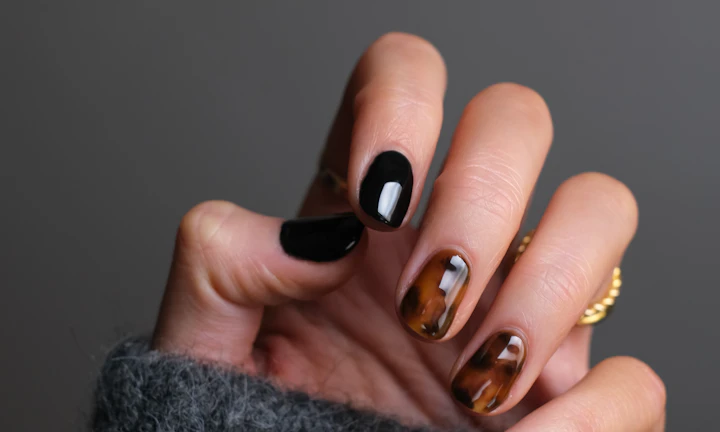
Give clients the prep and aftercare that protects results
A QR destination can explain color prep, extension care, product routines, patch-test guidance, cancellation policy, and rebooking timing without crowding printed cards.
Useful care content makes the stylist feel more professional after the client leaves the chair.
Keep booking, portfolio, and offer links current
Dynamic QR helps when service menus, pricing, booking tools, portfolio collections, product links, deposit pages, and seasonal offers change after print.
Salon materials get reused; destinations should stay alive.A hair-stylist QR should match the client’s beauty moment
The client may be choosing a stylist, sitting in the chair, paying, caring for a new color, sharing a referral, or deciding whether to rebook. The destination should fit that moment directly.
Use CTAs such as book color consult, view portfolio, read aftercare, pay deposit, leave review, or rebook maintenance.New clients
Open service menu, portfolio, consultation, booking, policies, and first-visit prep.
After appointment
Provide aftercare, product routine, rebooking timing, reviews, and support.
Retail products
Link bags and shelf cards to product use, reorder, routines, and stylist recommendations.
Referral campaigns
Keep referral cards, seasonal offers, and social profile links editable after print.
Salon client moments
Turn hair-stylist touchpoints into bookings, consultations, reviews, and rebooking
Salon growthHair-stylist QR codes work best when each printed piece has one client job: book, view portfolio, prepare for color, pay a deposit, read aftercare, leave feedback, or refer a friend.

Make the next appointment easy to claim
Use mirror cards, business cards, and referral pieces to open booking with services, timing, consultation requirements, and stylist availability.

Show the work before asking for trust
Route prospects to color transformations, cuts, extensions, bridal styles, specialties, and realistic maintenance notes.

Collect the right hair context before the visit
Open forms for hair history, inspiration photos, color goals, allergies, timing, budget, and current condition.

Protect the result after the client leaves
Link product cards and receipts to washing timing, heat care, color-safe routines, extension instructions, and maintenance schedules.

Open deposit or balance links through the provider
Use QR codes for deposits, packages, bridal trials, product purchases, or balances while confirmation stays in the payment platform.

Ask for reviews and referrals at the right time
Use thank-you cards, receipts, and follow-up materials after the appointment for reviews, private feedback, photo sharing, and referral offers.

Salon scans happen when trust and style are visible
The client may be admiring a portfolio, sitting in the chair, checking out, or caring for a new look. The QR should continue that beauty moment with one clear next step.
Stylist print becomes easier to keep current
Dynamic QR keeps booking links, service menus, portfolio galleries, deposit pages, referral offers, and aftercare resources updated after cards are printed.
Place the code where the salon action is strongest
Salon placement
Place hair-stylist QR codes where clients can act on the look they want
PlacementHair-stylist QR placement should match the client’s stage: discovering a stylist, consulting, sitting in the chair, checking out, caring for the result, or referring someone later.

The code appears without naming the salon action
A QR on a mirror, card, or product bag can be visible but unclear if it does not say whether it opens booking, portfolio, aftercare, review, or payment.
Beauty clients scan when the destination supports a specific desire or concern.
The code continues the client’s beauty decision
Use portfolio QR codes before booking, consultation QR codes before color, aftercare QR codes after service, and review QR codes after checkout.
The printed CTA should feel like stylist guidance, not generic marketing.
What is the client deciding?
Book a stylist, choose a color, prepare for service, buy product, pay deposit, care for the result, or refer a friend.
What should happen next?
View portfolio, book consult, complete intake, read aftercare, pay provider, review, rebook, or share referral.
Is the phone naturally available?
Mirror cards, checkout, product bags, appointment cards, and follow-up messages work better than rushed salon movement.
Will the link change?
Use dynamic QR for portfolios, booking systems, service menus, pricing, offers, product links, and policies.
Mirror card
Open aftercare, product routine, rebooking, referral, and review while the result is visible.
Business card
Route to booking, portfolio, consultation form, service menu, and social profile.
Salon window
Show services, portfolio, booking, offers, hours, and first-visit guidance.
Lookbook or portfolio card
Open galleries, color notes, maintenance expectations, and consultation booking.
Receipt
Invite review, feedback, referral, deposit payment, product reorder, and rebooking.
Product bag
Link to product use, care routine, reorder, and stylist recommendations.
Appointment reminder
Open prep instructions, policies, hair history form, and directions.
Bridal or event packet
Route to consultation, trial booking, galleries, deposits, and timeline notes.
Stylist QR placement should feel like useful salon guidance
Use each code where the client understands the beauty action and can scan comfortably.
Salon scan experience
Make hair-stylist QR destinations feel personal, clear, and easy to act on
Scan UXA salon scan should open the exact action promised beside the QR: booking, portfolio, consultation, aftercare, product routine, deposit, review, or rebooking.
Booking pages should answer service fit first
Cut, color, extensions, bridal, consultationWhen a client scans from a card or salon sign, the first screen should show services, timing, stylist identity, and booking options clearly.
If consultation is required, explain why before asking for photos or hair history.
Portfolio scans should build confidence quickly
Color transformations, cuts, extensions, bridal stylesA portfolio destination should show relevant work, realistic maintenance notes, and a clear path to book or ask questions.
Avoid sending clients to a broad social profile when the printed piece promised service-specific examples.
Aftercare should be easy to follow later
Color care, extensions, product routine, rebookingClients often read aftercare at home, so the page should be mobile-friendly, specific, and easy to revisit.
Put the most important first-day instructions and rebooking window near the top.
Does the first screen match the salon CTA?
A “scan for aftercare” code should open aftercare, not the general homepage.
Is the requested information appropriate?
Consultation forms can ask for photos and history, but explain why and keep the path respectful.
Can the client finish the action on a phone?
Booking, deposits, product links, reviews, and rebooking should be obvious without zooming or hunting.
The scan should feel like an extension of the appointment
Use this block when the page needs to prove the QR destination supports the actual client experience.
Salon review flow
Ask hair clients for reviews without hiding feedback or aftercare help
ReviewsA hair-stylist review QR should invite public praise when the client is happy while keeping private feedback, correction requests, and aftercare questions easy to reach.

Ask when the client loves the finished look
Use checkout cards, thank-you notes, and follow-up messages after the service to send satisfied clients to the right review page.
Completed cuts, color, extensions, bridal trials, and repeat-client appointments. Do not pressure clients or imply that only positive feedback is welcome.
Give clients a discreet path for concerns
Use QR codes for private feedback when color tone, timing, comfort, product reaction, or styling expectations need a conversation.
Color corrections, new-client services, bridal work, extensions, and premium appointments. Support and correction requests should reach the stylist before frustration becomes a public review.
Invite photos, testimonials, and referrals after the result lands
Use mirror cards and follow-up pieces to request portfolio permission, tagged photos, referrals, and next appointment interest.
Transformations, event styling, bridal looks, extensions, and social-friendly results. Ask permission before using client photos or names in marketing.Use review QR codes as a warm follow-up
The scan should feel like part of good salon care, not a forced rating gate.
Chair and aftercare flow
Place QR codes where clients naturally look, wait, or need instructions later
Use hair stylist QR codes on mirror cards, appointment cards, aftercare cards, product shelves, stylist business cards, counter signs, receipts, window decals, referral cards, and portfolio cards. The CTA should say book next appointment, view color portfolio, read aftercare, follow styles, claim coupon, save contact, or leave review. If the QR code opens a review page, keep the request honest and separate it from private feedback.
Dynamic QR codes help when booking pages, service menus, portfolios, promotions, or aftercare notes change. A stylist can keep the same printed cards while updating seasonal offers, new services, or portfolio links. Scan analytics can show whether appointment cards, mirror signs, product shelves, or social cards keep clients engaged after leaving the chair.
Keep the first mobile screen polished and specific. A color client should land on color aftercare, not a full salon homepage. A new visitor should see services, location, booking, and examples quickly enough to act before they forget. For referrals, use a separate code on cards clients can hand to friends so the destination can focus on first-time booking.
Salon payment boundary
Use stylist QR codes for deposits and balances, not payment proof
PaymentsQR Code Lab can open a booking deposit, package checkout, product payment, bridal invoice, or balance link. The payment provider, POS, or salon booking system handles funds, receipts, refunds, disputes, and appointment status.

Open deposit links without typing
Use QR codes on consultation sheets, appointment cards, invoices, and bridal packets to reach trusted deposit or checkout pages.
Support packages and event services
Label whether the QR opens color deposits, extension balances, bridal trials, packages, product purchases, or final invoices.
Keep payment links editable
Dynamic QR helps when booking platforms, payment providers, package prices, and salon policies change.
A scan does not confirm the client paid
Scan analytics can show that someone opened a payment link, but only the provider or booking system can confirm paid status, refunds, and balances.
Use the salon POS or payment provider as the source of truth.Keep salon payment QR codes convenient and clear
Use QR to reduce friction while payment records stay in the proper system.
Salon trust
Make stylist QR destinations clear before clients book, pay, or share photos
TrustHair-stylist QR codes can open booking, consultation forms, payments, reviews, portfolios, and photo permission. The destination should show the stylist or salon identity and the promised action before asking for details.

Unknown booking or consultation forms
Clients may hesitate if a QR asks for photos, hair history, allergies, or contact details without showing stylist identity and purpose.
Explain why the information is needed and keep the form tied to the service.
Payment links without service context
Deposits, balances, bridal invoices, and product payments should show the salon or stylist name, service, and provider before checkout.
Payment confirmation belongs in the provider, not scan analytics.
Photo and review permissions
Portfolio photos, testimonials, and public reviews should be requested clearly, especially for client images and transformation content.
Ask permission before using client photos in marketing.Inspect stylist QR destinations before printing
Confirm the encoded destination, salon identity, CTA match, and whether the QR opens booking, portfolio, consultation, payment, review, aftercare, or photo permission.
A QR checker helps reveal the destination, but it does not confirm appointments, payments, permissions, or service outcomes.Decoded destination
Review whether the QR opens the intended salon page, form, payment, review, or portfolio.
Salon identity
The first screen should match the stylist, salon, service, or campaign clients expect.
Information request
Check whether forms ask only for information appropriate to the service moment.
Printed context
Review cards, mirrors, product bags, receipts, and referral materials for outdated codes.
Publish salon QR codes clients can trust
Use clear CTAs, recognizable destinations, current booking links, honest forms, and visible support paths so QR codes feel like part of client care.






