
Real Estate Yard Sign QR Code - Listings, Tours & Leads
Create QR codes for real estate yard signs linking property listings, virtual tours, lead forms, open house pages, maps, and agent info. Let buyers scan from the curb or sidewalk.
Free QR code generator
Create a QR code online
Generate QR codes for websites, email, phone numbers, vCards, Wi-Fi, plain text, forms, PDF files, and campaign links. Customize colors, add a logo or frame, then download a print-ready PNG or SVG.
Choose QR code type
Website QR code, Email QR code, Phone QR code, vCard QR code, Wi-Fi QR code, Text QR code, SMS, WhatsApp, event, and download links.
Add your content
Enter your website URL, contact details, message, phone number, location, or file destination before generating the QR code.
Customize and download
Adjust QR colors, error correction, logo, frame, size, and margin. Generate QR Code, Download PNG, Download SVG, or Save and track scans.
Property sign path
Turn a yard sign into listing details, tours, maps, and lead capture
A real estate yard sign QR code is useful when a passerby wants more information while standing near the property. It can open the listing page, virtual tour, photo gallery, open house details, lead form, map, financing information, agent profile, or contact page. The scan gives interested buyers a fast next step without typing a URL from the sign.
Yard sign scans are high-intent because the person is already looking at the property or neighborhood. A good QR destination should show the address, price or listing status when appropriate, photos, tour link, key details, and a simple contact or showing request. QR Code Lab helps create dynamic QR codes that can be updated when the listing changes and scan analytics that show whether the sign is getting attention.
QR Code Lab creates URL QR codes and tracks scans. It does not manage MLS data, schedule showings, collect regulated applications, process offers, or replace real estate software. Your listing platform, form, CRM, map page, agent website, or virtual tour provider handles the real buyer workflow.
Yard sign scan moment
Yard sign scan moment real estate, property, hotel, and rental teams with listings, virtual tours, guest guides, booking, tenant portals, maintenance forms, and lead follow-up
Property QRUse QR codes to move real estate, property, hotel, and rental teams from yard signs, open houses, room cards, guest books, rental signs, and tenant notices to listings, virtual tours, guest guides, booking, tenant portals, maintenance forms, and lead follow-up without asking people to type a long URL.
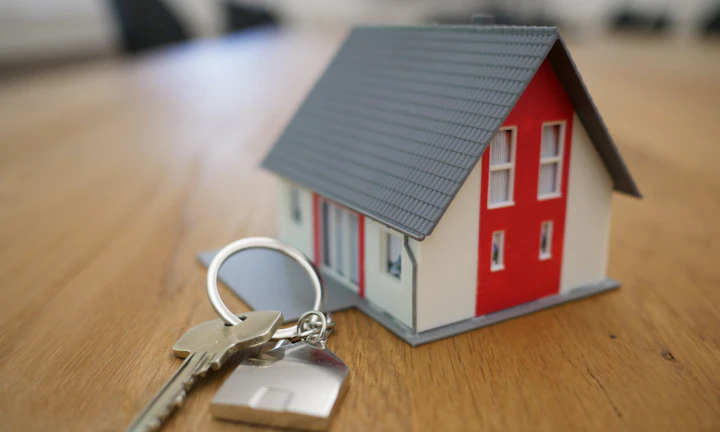
Turn drive-by attention into a real listing visit
People who see a yard sign may not want to type an address or search a portal while standing outside. A QR code can open the exact listing page, photo gallery, virtual tour, brochure, or showing request while the property is physically in front of them.
The printed CTA should say what opens: view listing, see photos, schedule showing, or get open-house details.
Give buyers more detail without crowding the sign
The yard sign has limited space. The QR destination can carry price context, room count, floor plan, neighborhood notes, school links, disclosures, financing notes, agent profile, and contact options in a mobile-friendly format.
The scan should continue the promise on the sign, not dump visitors onto a generic homepage.
Keep signs useful as listing status changes
Real estate details move quickly: price changes, open-house times, pending status, tour links, seller notes, and lead forms can all change while the physical sign stays installed. Dynamic QR keeps the curbside path current.
Use dynamic QR when the sign may outlive the first listing destination.A yard sign QR should answer the question the sign cannot fit
The scanner already knows the property exists. The QR should help them evaluate, save, contact, or schedule without making them search by address or guess which listing is current.
Use specific CTAs: view photos, schedule showing, see price, open virtual tour, save listing, or contact agent.Listing detail
Open the current property page, photos, specs, disclosure notes, and neighborhood context.
Showing intent
Route serious buyers to showing requests, open-house times, agent contact, or calendar options.
Status updates
Move scanners from active listing to pending notice, sold page, similar homes, or agent follow-up.
Mobile-first trust
Make the agent, brokerage, property address, and first action visible immediately.
Yard sign placement
Place the yard sign QR where curbside scanners can stop safely and understand the listing promise
PlacementYard sign QR placement depends on distance, traffic, glare, and the few seconds a buyer has to decide whether to scan. The code must be large, readable, and tied to a clear property action.

A small QR on a busy sign can be visible but unusable
Drivers and walkers need enough size, contrast, and reason to scan from the actual viewing distance.
If the sign does not say what the QR opens, people may ignore it even when they are interested.
Put the QR beside the property action
Use a clear CTA near the code: view listing, see photos, schedule showing, or open house details.
Test the sign from sidewalk and curb distance before installing it.
What should open first?
Listing, photo gallery, virtual tour, open house, showing request, map, or agent contact.
Can it be scanned at the real distance?
Yard signs need larger codes, strong contrast, and simple CTAs because scan time is short.
Does the first screen match the property?
Show the address, unit, property name, agent or manager, and expected action immediately.
Will the destination change?
Use dynamic QR for availability, price, status, tour times, application links, and similar-property redirects.
Front yard sign
Best for listing details, photo gallery, showing request, open-house times, and agent contact.
Flyer or brochure
Use for property highlights, floor plans, virtual tours, disclosures, application steps, and follow-up contact.
Open-house sign
Route visitors to schedule, sign-in, property packet, disclosures, and agent follow-up.
Rider panel
Use a short CTA for sold status, price change, virtual tour, or similar homes.
Window decal
Help passersby open details when the office is closed or staff are busy.
Directional sign
Use for map, parking, entrance notes, showing instructions, and visitor check-in.
Postcard
Send local prospects to listing, valuation, referral, similar homes, or rental availability.
Follow-up card
Route interested scanners to saved listing, contact, application, documents, or next-step reminders.
A yard sign QR should make curbside interest actionable
Use the code where the property is already the reason to act, then open the exact listing path.
Listing update control
Use dynamic QR when yard sign details may change before the sign comes down
DynamicYard signs stay in the ground while listing pages, prices, open-house times, status, tour links, and agent follow-up paths change. Dynamic QR keeps the physical sign aligned with the current property story.
A fixed yard sign link can age faster than the sign
If price, status, tour URL, or open-house time changes, a static QR keeps sending buyers to old context.
That weakens trust exactly when the buyer is interested enough to scan.
The same sign can follow the listing lifecycle
Move the destination from active listing to open house, pending notice, sold page, similar homes, or agent lead form.
The sign remains useful without replacing printed panels.

Price and status changes
Update active, price reduced, pending, sold, or similar-home destinations.
Open-house schedule
Move scanners to current dates, sign-in forms, parking notes, and showing instructions.
Tour and media links
Replace photo galleries, virtual tours, brochures, and disclosure packets as they change.
Agent follow-up
Route expired listing traffic to contact forms, valuation pages, or nearby properties.
Use dynamic when the sign will outlive the first URL
If a yard sign may stay installed through listing changes, keep the QR destination editable.
Curbside scan experience
Make the yard sign scan confirm the property and next action immediately
Scan UXA buyer scanning from a sidewalk, car, or open-house sign should land on a mobile page that clearly matches the property and shows the next step without hunting.
The first screen confirms the exact listing
Address, photo, price, statusShow the property address or name, hero photo, brokerage or agent identity, and current status immediately.
The scanner should know they opened the right listing before they scroll.
The next step is visible on a phone
Photos, tour, showing, open houseMake photos, virtual tour, showing request, open-house time, map, and contact options easy to tap.
Do not bury the action behind a desktop-style listing page.
The scanner can save or contact later
Save listing, agent, similar homesCurbside interest may not convert immediately, so give people a way to save the listing, contact the agent, or request similar homes.
That follow-up is the real value of the yard sign scan.
Does the page match the physical property?
Confirm address, photos, listing status, and agent identity before installing the sign.
Is the QR readable from the expected distance?
Test sidewalk, curb, glare, weather, and sign height before printing.
Is the next action obvious?
Photos, tour, showing request, contact, and open-house details should be visible quickly.
The scan should turn property curiosity into a follow-up path
A yard sign QR works when it makes the listing easier to evaluate, save, and act on.
Curbside buyer flow
Place yard sign QR codes where buyers can scan safely and quickly
Useful placements include rider signs, main yard signs, open house signs, brochure boxes, window cards, directional signs, and agent flyers. CTAs should say view listing, take virtual tour, book showing, open house details, contact agent, see map, or get brochure. The code should be large enough to scan from a comfortable distance, but not placed where people must step into traffic.
Dynamic QR codes are useful because listing pages, open house times, price status, and lead forms change. You can update the destination without replacing the physical sign. Scan analytics can compare properties, sign positions, open house weekends, and neighborhoods, giving agents a better signal than simply guessing whether the sign worked.
Make the landing page mobile-first. A curbside scanner may be in a car or walking past. Show the property first, then the next action. If the listing is sold or unavailable, update the destination quickly so the sign does not create frustration. For active listings, keep contact and showing options visible without forcing a long search.






