
QR Code for Happy Hour - Menus, Promos & Event Links Online
Create QR codes for happy hour linking menus, promo pages, booking forms, event pages, coupons, reviews, Wi-Fi, and social pages. Use them on table tents, windows, coasters, and bar signs.
Free QR code generator
Create a QR code online
Generate QR codes for websites, email, phone numbers, vCards, Wi-Fi, plain text, forms, PDF files, and campaign links. Customize colors, add a logo or frame, then download a print-ready PNG or SVG.
Choose QR code type
Website QR code, Email QR code, Phone QR code, vCard QR code, Wi-Fi QR code, Text QR code, SMS, WhatsApp, event, and download links.
Add your content
Enter your website URL, contact details, message, phone number, location, or file destination before generating the QR code.
Customize and download
Adjust QR colors, error correction, logo, frame, size, and margin. Generate QR Code, Download PNG, Download SVG, or Save and track scans.
QR solutions for this use case
Timed promo path
Keep happy hour menus, promos, events, and reviews easy to update
A QR code for happy hour is useful when a bar, restaurant, pub, cafe, hotel, or venue has offers that change by day, time, season, location, or event. It can open menus, promo pages, booking forms, event pages, coupons, review pages, Wi-Fi details, social profiles, and loyalty offers. The QR code turns a table tent, coaster, receipt, sidewalk sign, or lobby card into a current digital path.
Happy hour QR codes work best when the destination matches the guest moment. A sidewalk sign can open current specials. A table tent can open the drink list. A receipt can promote the next visit. A social flyer can open upcoming events. A hotel lobby card can open the bar menu and hours without asking front desk staff. QR Code Lab helps create printable QR codes, dynamic destinations, and scan analytics so teams can update offers without reprinting every sign.
QR Code Lab creates URL QR codes only. It does not process payments, manage reservations, validate IDs, run loyalty programs, or operate POS software. The linked menu, booking, loyalty, review, or social platform handles the actual guest action.
Happy hour promo path
Help guests open the current happy-hour menu, offer, payment path, or return visit
Promo flowA happy-hour QR code should make the offer easy to understand at the table, bar, window, receipt, or event sign: current drinks, food specials, time window, ordering rules, tip links, feedback, or the next visit offer.
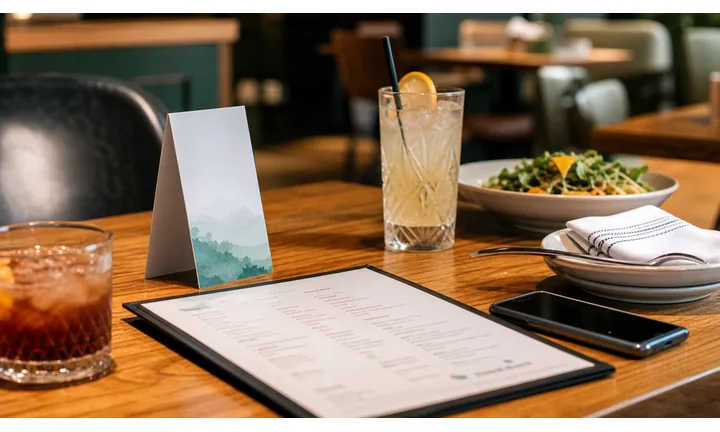
Make the live offer clearer than a crowded chalkboard
Use QR codes on table tents, bar cards, receipts, patio signs, and flyers to open the current happy-hour menu with times, prices, limits, food pairings, and availability.
Guests should see what is valid right now, not an old promo page.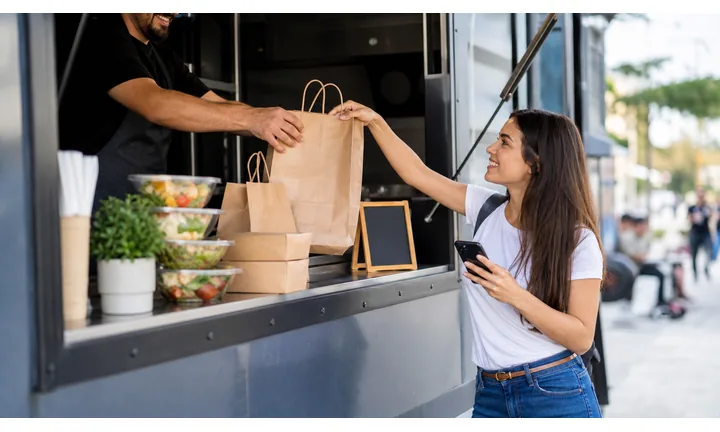
Turn the table moment into ordering, feedback, or a return visit
A focused QR destination can open ordering, server call, tip, review, loyalty, event calendar, or next-week offer from the material already in front of the guest.
The best scan extends the bar or restaurant experience instead of sending guests to a generic homepage.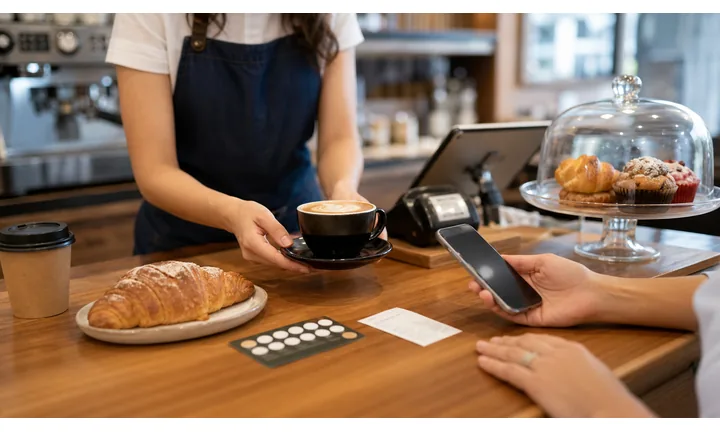
Keep promos editable when prices, hours, or inventory change
Dynamic QR helps when happy-hour times, menu items, prices, sold-out drinks, event pages, and seasonal offers change after table cards or signs are printed.
Printed promos should not keep selling yesterday’s rules.A happy-hour QR should answer what is valid now
Guests scan because they want a deal, a menu, a table action, a payment shortcut, or a reason to come back. The destination should make the offer, timing, and next step obvious in seconds.
Use CTAs such as view happy-hour menu, order specials, see today’s drinks, tip staff, join loyalty, or get next visit offer.Menu clarity
Show active hours, eligible items, food pairings, prices, limits, and sold-out notes.
Table action
Use table and bar QR codes for ordering, service requests, tabs, tips, and feedback.
Promo control
Keep seasonal offers, event nights, patio specials, and limited menus editable.
Return visit
Use receipts and coasters for loyalty, reviews, coupons, and upcoming events.
Restaurants, cafes, and bars
Match happy-hour QR codes to the guest’s table, bar, or receipt moment
Guest-first flowHappy-hour QR codes work when they remove uncertainty: what is on special, when it applies, how to order, whether a drink is sold out, how to tip, and what offer brings the guest back.
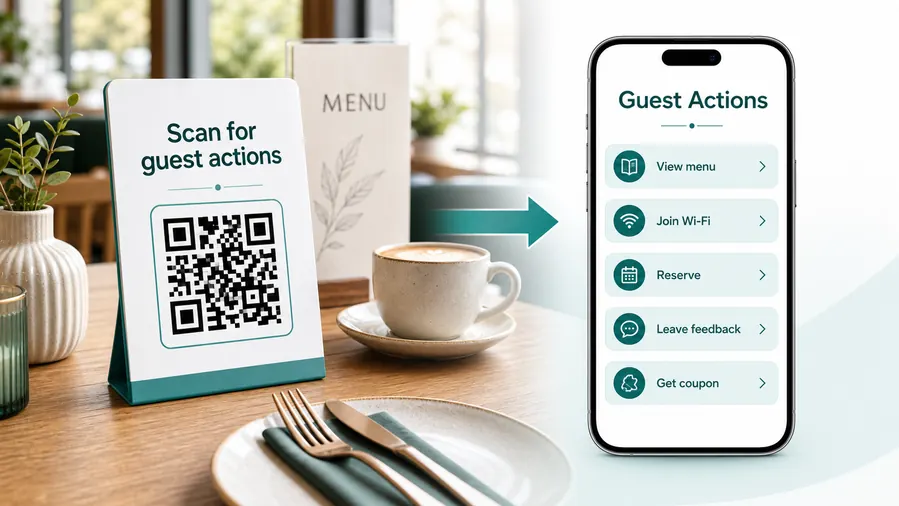
Start with the reason guests are looking at the promo
The guest is choosing quickly, comparing prices, asking what counts, or deciding whether to stay for another round. The QR destination should support that exact decision.
Open the current happy-hour menu
Use table tents, bar cards, and patio signs to show active specials, prices, times, food pairings, and location-specific availability.
Make ordering or server help obvious
Route table cards to ordering, call-server, pickup, or tab instructions when that fits the venue’s workflow.
Support tips and payment links carefully
If the QR opens a tip, tab, deposit, or checkout page, label the purpose clearly and let the payment provider confirm the transaction.
Collect feedback after the visit
Use receipt and coaster QR codes for quick private feedback, reviews, loyalty signup, and event interest.
Promote the next visit
Send scanners to live music calendars, trivia nights, seasonal offers, birthday deals, or return-visit coupons.
Keep food and drink notes current
Use QR destinations for allergens, ingredients, nonalcoholic options, sold-out items, and rotating taps without reprinting cards.
At the table
Menu, prices, food pairings, ordering, server help, and loyalty.
At the bar
Current taps, cocktail specials, time rules, tips, and event calendar.
After payment
Review, feedback, coupon, birthday club, and next visit offer.
Window or sidewalk
Active hours, menu preview, event night, reservation, and directions.
Use dynamic QR when happy-hour details change often
Dynamic QR keeps printed promos useful when times, prices, menus, events, and inventory change between shifts or seasons.
Do not make guests decode the rules
Put the active offer, time window, location, and main action first so the scan makes the happy-hour decision easier.
Happy-hour placement
Place happy-hour QR codes where guests are choosing, ordering, or paying
PlacementHappy-hour placement should match the moment of intent: outside curiosity, table decision, bar ordering, receipt follow-up, or event promotion.

The QR appears away from the offer decision
A QR code on a wall can be visible and still ignored if guests cannot tell whether it opens the menu, the promo rules, payment, or an event page.
Happy-hour scans perform better near the menu, table, bar, receipt, or sidewalk promise.
The code sits beside the reason to scan
Use table tents for menu and ordering, bar cards for current drinks, receipts for return offers, and window signs for active hours.
The printed CTA should tell guests exactly what they get after the scan.
What is the guest deciding?
Whether to come in, what to order, whether the deal applies, how to pay, or whether to come back.
What should happen next?
View menu, order, tip, join loyalty, review, claim coupon, see events, or check active hours.
Is the code readable in the venue?
Account for dim light, glare, spills, table distance, patio movement, and small coaster formats.
Will the promo change?
Use dynamic QR for times, items, prices, event calendars, sold-out notes, and seasonal offers.
Table tent
Open happy-hour menu, food pairings, ordering, server help, and loyalty.
Bar card
Show rotating taps, cocktails, house wine, time window, and tip links.
Coaster
Use for specials, events, reviews, social follow, and next-visit coupons.
Receipt
Invite feedback, reviews, birthday club, return offer, and event calendar.
Patio sign
Open active hours, menu preview, directions, and reservation or waitlist links.
Window poster
Show current happy-hour schedule, menu highlights, and upcoming nights.
Event flyer
Connect live music, trivia, watch parties, and themed nights to current details.
Menu insert
Explain drink notes, allergens, nonalcoholic options, and food pairings.
Happy-hour QR placement should make the offer easier to act on
Use each code where guests already want the menu, rule, payment path, or next visit offer.
Promo control
Keep happy-hour QR destinations current as menus, times, and offers change
DynamicHappy-hour print is often reused across shifts and seasons. Dynamic QR keeps table cards, coasters, patio signs, receipts, and flyers accurate when the promo changes.
Old promo cards can advertise old rules
Static QR is fine only when the menu and landing page will not change.
Happy-hour details often shift with inventory, staffing, pricing, holidays, and event nights.
The same printed code can open tonight’s offer
Dynamic QR lets the venue update drink lists, food specials, time windows, event pages, and coupon destinations behind the same printed code.
That reduces stale offers and awkward conversations at the table.

Rotating menus
Update cocktails, taps, wines, food specials, nonalcoholic options, and sold-out notes.
Time windows
Change weekday, weekend, holiday, patio, and event-night rules without replacing table cards.
Return offers
Move receipts and coasters to current coupons, loyalty, birthday club, or event calendars.
Location-specific promos
Keep branch pages, neighborhood offers, and venue-specific menus separate and editable.
Use dynamic QR when the happy-hour promise changes
If a printed promo may outlive the current menu or rule set, an editable destination is safer.
Promo scan reporting
Use scan data to compare happy-hour placements without overclaiming sales
AnalyticsTracking helps bars and restaurants compare which happy-hour materials earn attention: table tents, coasters, receipts, patio signs, flyers, window posters, and event cards.

All happy-hour scans become one blended total
A single QR code can show interest, but it cannot tell whether scans came from a table tent, receipt, coaster, patio sign, or event flyer.
That makes it harder to improve promo placement and offer wording.
Each promo material becomes a useful signal
Use separate dynamic QR codes when menus, receipts, coasters, signs, and flyers need their own readout.
Scan data shows attention and timing; orders and payments stay in POS or payment systems.
Scan volume
Review how many scans each happy-hour material received during the selected date range or promo window.
Time and device
See whether scans cluster before, during, or after the offer period and which devices opened the destination.
Broad location
Use approximate location signals to compare branches or neighborhood campaigns without treating them as guest identity.
Code comparison
Compare table tents, bar cards, coasters, receipts, flyers, and patio signs side by side.
Table menu testing
Compare different table tents, menu inserts, and CTA wording by scan activity.
Receipt offers
See whether after-payment coupons and loyalty prompts earn return-visit interest.
Event nights
Track scans from trivia, live music, sports, patio, and themed happy-hour flyers separately.
Operational cleanup
Find expired offers, dead menu links, zero-scan placements, and codes still scanning after the promo ended.
Name happy-hour QR codes by material and promo window
Scan reports are useful only when each code name matches the real table card, coaster, receipt, sign, or event flyer.
Offer and timing flow
Use dynamic QR codes when the offer changes by day, season, event, or location
Use happy hour QR codes on table tents, sidewalk signs, receipts, coasters, posters, hotel lobby cards, window decals, event flyers, loyalty cards, and bar menus. The CTA should say see happy hour menu, claim offer, reserve a table, view tonight events, join Wi-Fi, follow specials, or leave review. The more time-sensitive the offer is, the more important it is that the QR destination stays editable.
Dynamic QR codes help when menus, prices, hours, events, and coupons change after printing. Scan analytics can show whether table tents, sidewalk signs, receipts, coasters, or hotel lobby cards create more scans. That is useful for deciding where the next promo should live and which offline materials deserve another print run.
Keep the page fast and current. If a guest scans for happy hour, they should see today’s hours, menu, and offer first. Old specials or a slow desktop page can make the scan feel careless. For bars with several rooms or locations, use location-specific QR codes so a guest does not land on the wrong menu or event calendar.
Bar payment boundary
Use happy-hour QR codes for tabs, tips, or checkout links without treating scans as payment
PaymentsQR Code Lab can open a tip, tab, checkout, deposit, event ticket, or provider payment page. The POS, wallet, or payment provider handles funds, receipts, refunds, disputes, and completed payment status.

Open tip or checkout pages quickly
Use table, bar, receipt, or event QR codes to send guests to trusted payment, tip, tab, or ticket pages without typing.
Clarify the payment purpose
If the QR opens tips, tabs, event deposits, private-room payments, or prepaid tastings, label the purpose before the scan.
Keep provider links editable
Dynamic QR helps when POS links, payment providers, event checkout, and tip pages change after print.
A scan is not proof that the guest paid
Scan analytics can show that someone opened a payment link, but only the POS, wallet, or provider can confirm payment completion.
Use the venue’s payment system as the source of truth for tabs, tips, refunds, and receipts.Keep happy-hour payment QR codes convenient and clear
Use QR to reduce friction while the actual transaction remains with the provider.






