
QR Code for Product Catalogs - Item Pages & Orders
Create QR codes for product catalogs linking item pages, spec sheets, demo videos, quote forms, order pages, support, and campaigns. Connect printed listings to current product details.
Free QR code generator
Create a QR code online
Generate QR codes for websites, email, phone numbers, vCards, Wi-Fi, plain text, forms, PDF files, and campaign links. Customize colors, add a logo or frame, then download a print-ready PNG or SVG.
Choose QR code type
Website QR code, Email QR code, Phone QR code, vCard QR code, Wi-Fi QR code, Text QR code, SMS, WhatsApp, event, and download links.
Add your content
Enter your website URL, contact details, message, phone number, location, or file destination before generating the QR code.
Customize and download
Adjust QR colors, error correction, logo, frame, size, and margin. Generate QR Code, Download PNG, Download SVG, or Save and track scans.
Catalog item path
Connect printed catalog items to live pages, specs, demos, quotes, and orders
A QR code for product catalogs is useful when printed items need a live digital layer. It can link specific catalog items to item pages, spec sheets, demo videos, quote forms, order pages, support resources, and campaign pages. Retailers, ecommerce teams, wholesalers, manufacturers, distributors, sales teams, and catalog designers can use QR codes to keep print catalogs connected to current product information after distribution.
The strongest catalog QR code is item-specific. A code beside a product can open the current product page, not the store homepage. A technical item can open a spec sheet or demo video. A wholesale catalog can open a quote form. A sales sheet can open ordering or support. This is especially useful when prices, stock, variants, campaigns, or documentation change after the catalog has already been printed. QR Code Lab helps create print-ready, dynamic, measurable codes for those pages.
QR Code Lab creates URL QR codes only. It does not print materials, host catalogs, process orders, manage inventory, or run retail systems. Your ecommerce platform, PIM, order system, quote form, support site, or product documentation page handles the live product experience.
Product scan path
Help printed product catalogs open current item pages, specs, availability, quotes, and reorders
Product actionsA product catalog QR code should bridge fixed print to changing product data: item details, variants, availability, pricing, downloads, quotes, samples, reorder pages, and support.

Connect each printed item to its current product page
Use QR codes beside catalog items, category pages, spec tables, and comparison grids so buyers can open live variants, stock, pricing, downloads, and order options.
The scan should remove the search step from print to product.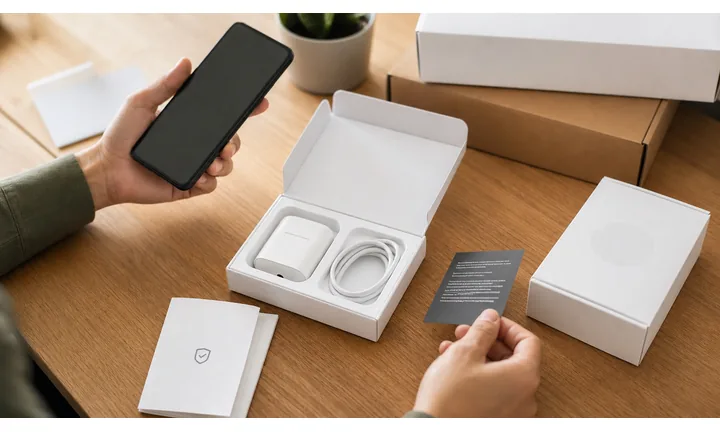
Make complex products easier to evaluate
A QR destination can hold specs, manuals, certificates, videos, compatibility, case studies, quote forms, samples, and technical support that print cannot carry cleanly.
Catalog print should sell the path, not contain every detail.
Keep printed catalogs useful after products change
Dynamic QR helps when inventory, prices, product pages, datasheets, discontinued items, and reorder links move after catalogs are distributed.
A catalog can stay beautiful while destinations stay current.Catalog QR codes should turn browsing into product-specific action
The buyer may be comparing options, checking specs, asking for a quote, ordering samples, confirming compatibility, or reordering. The scan should open the exact item or category path, not a vague homepage.
Use clear CTAs such as view details, check stock, get care guide, verify product, claim offer, register warranty, reorder, or contact support.Item detail
Open product page, variants, stock, pricing, images, specifications, and downloads.
Sales path
Route to quote request, sample order, dealer locator, distributor page, or ecommerce checkout.
Technical proof
Share manuals, certificates, compatibility, installation notes, and comparison data.
Lifecycle
Update discontinued items, replacement products, datasheets, support, and reorder links.
Product scan moments
Turn catalog items, category spreads, inserts, and spec tables into live product actions
Product QRA printed catalog is fixed, but product information changes. QR codes can connect each catalog moment to current details, quote forms, samples, downloads, stock, comparison pages, and reorders.
Open the exact product behind the printed listing
Send buyers from catalog items to live variants, sizes, colors, stock, pricing, images, and purchase options.

Move technical detail out of crowded print
Link spec sheets, manuals, certificates, comparison data, compatibility, installation notes, and compliance documents.

Route serious buyers to the right sales path
Open quote forms, sample requests, dealer locators, distributor pages, bulk pricing, and contact options.

Make repeat buying easier from printed references
Use QR codes for reorder lists, replacement parts, accessories, consumables, and saved product groups.

Handle discontinued or replaced products gracefully
Point old catalog entries to current replacements, support notes, compatibility warnings, and updated downloads.
The catalog scan should open the exact product path the buyer expected
Buyers may need specs, stock, quote, sample, compatibility, installation, or reorder details. The QR destination should continue the catalog page, not restart the journey.
Dynamic QR keeps printed catalogs usable after product data changes
Prices, URLs, availability, datasheets, product status, and replacements change after catalogs ship. Dynamic QR lets the printed reference stay valuable.
Put the code where the product question happens
Catalog print check
Check catalog QR codes before thousands of pages, inserts, or sales sheets go to print
Print readyCatalog QR codes must stay readable at final size, survive paper choice, and open the exact item or category promised by the page.

Make every printed code easy to scan
Match QR size to catalog viewing distance, keep a clean quiet zone, and preserve strong contrast on paper, inserts, and sales sheets.
Test final proofs on real devices, especially when codes sit near dense tables, images, or small item cards.
Map every code to the right product destination
Keep a source sheet that matches page number, SKU, product name, QR code, destination URL, CTA, and owner.
Review discontinued items, redirects, variants, and replacement products before approving print.
Use a product landing page when one printed item needs several actions
A direct product URL is enough for simple ecommerce, but catalog items often need specs, downloads, quote requests, samples, dealer links, and support.
The printed QR stays simple while the mobile destination presents the correct next step for the buyer.
Item listing
Open product page, variants, stock, pricing, and purchase options.
Spec table
Link manuals, certificates, compatibility, compliance, and installation documents.
Category spread
Open comparison, quote form, samples, or sales contact.
Reorder page
Route to replacement parts, accessories, consumables, and support.
Print the catalog only after QR mapping and scan testing are complete
One wrong destination can break trust across an entire print run, so test the code, page context, and product path together.
After-print control
Keep printed catalog QR codes useful when product pages, specs, and availability change
DynamicPrinted catalogs outlive ecommerce URLs, pricing, stock, datasheets, and product lines. Dynamic QR keeps each catalog entry connected to the best current product destination.
A fixed catalog code can age before the catalog is finished
Static QR is fine for a permanent product page, but catalog destinations often change after print: URLs move, items sell out, specs update, and products are replaced.
A stale code makes buyers work harder at the exact moment the catalog created interest.
An editable destination protects long-lived catalog print
Dynamic QR lets the same printed code point to current product pages, replacements, downloads, quote forms, or support.
That matters when catalogs, inserts, and sales sheets circulate for months or years.

Product pages
Update item URLs, variants, stock, pricing, and ecommerce destinations.
Downloads
Refresh datasheets, manuals, certificates, installation guides, and compliance files.
Discontinued items
Redirect old catalog entries to replacements, compatibility notes, or support paths.
Sales workflows
Change quote forms, dealer links, sample requests, and distributor pages without reprinting.
Use dynamic QR for catalogs that must stay useful after product data changes
If the catalog will outlive the destination, make the printed code editable from the start.
Scan reading
Compare product catalog scans by item, category, page, insert, and sales sheet
AnalyticsQR analytics can show which printed catalog placements drive product interest. Use separate dynamic codes for item pages, categories, inserts, reorder paths, quote requests, and downloads when comparison matters.

One shared catalog code hides product-level interest
A shared QR can show total catalog activity, but it cannot tell whether a specific item, category, insert, page, or sales sheet caused the scan.
Use one code only when product comparison does not matter.
Each catalog placement becomes a product signal
Separate dynamic QR codes let you compare item interest, category demand, sample requests, downloads, and reorder behavior.
The data is directional, but it helps improve future catalogs and sales materials.
Scan volume
See which catalog items and sections receive attention.
Time and device
Check when buyers scan and which device opens the product destination.
Broad location
Use approximate location carefully for sales territories, events, and distributor materials.
Product comparison
Compare items, categories, inserts, quote forms, reorder pages, and downloads.
Name codes by SKU and placement
Use names such as sku-123-page-8, category-safety, insert-samples, reorder-parts, or quote-table.
Separate product detail from sales actions
Product pages, downloads, quote requests, samples, and reorders should use separate codes if reporting matters.
Keep attribution modest
Scans show product attention and timing; orders, quotes, and revenue still need ecommerce or CRM systems.
Books and printed content
Learn whether readers open bonus pages, downloads, updates, or feedback forms from book pages.
Catalog analytics work when every code has a product identity
Clear QR naming turns catalog scans into useful product, sales, and print-planning signals.
Printed item flow
Place catalog QR codes close to the product decision
Good placements include product catalog pages, sales sheets, showroom cards, line sheets, wholesale packets, spec tables, insert cards, and campaign mailers. CTAs should say view item, see specs, watch demo, request quote, order online, open support, compare variants, or check availability. Avoid using one generic QR code for an entire catalog if buyers need product-specific information.
Dynamic QR codes help when product pages, spec sheets, campaigns, quote forms, and support documents change. Scan analytics can show which catalog pages or product categories generate interest after print distribution. QR Code Lab manages destination updates and scan data, while your catalog, ecommerce, inventory, or order systems remain responsible for product truth and transactions.
Use one QR code per real decision when space allows. A buyer comparing two items should reach the matching product page, not a search page. Clear product-level links make print catalogs feel current and useful. For technical products, put the QR near the spec table or diagram so the buyer understands why scanning helps. For wholesale, link directly to quote or order flow.
Product trust
Make catalog QR codes feel official before buyers trust specs, pricing, or quotes
TrustProduct catalog QR codes may open product pages, certificates, quote forms, downloads, dealer links, and reorder paths. The destination should clearly match the catalog brand, item, and printed promise.

Wrong product destination
A code mapped to the wrong SKU, variant, replacement, or category can damage trust and create sales support work.
Watch for similar-looking domains, long URLs, login or verify keywords, and pages asking for credentials after an unexpected scan.
Outdated specs or certificates
Old datasheets, manuals, compliance files, and safety notes can mislead buyers after the catalog ships.
A trustworthy QR should not make the final destination mysterious, especially on posters, labels, menus, parking signs, or event materials.
Unclear quote or dealer path
Buyers need to know whether they are contacting the brand, distributor, dealer, or sales team before sharing details.
Before paying, check the domain, HTTPS, amount, recipient, and whether the destination matches the place or brand that printed the QR.Scan like a buyer before printing
Confirm the first screen matches the printed promise, shows the brand or store identity, and opens the current product, support, payment, warranty, or information path.
The current detailed report is a static URL analysis. It helps reveal the encoded content and basic URL risk signals, but it does not guarantee that a destination is safe and does not replace browser, antivirus, payment, or bank security checks.Decoded content
See the raw value inside the QR before opening it.
Content type
Recognize URL, Wi-Fi, mailto, phone, SMS, vCard, or plain text.
URL risk signals
Review HTTPS, shorteners, IP addresses, long URLs, encoded characters, query parameters, and sensitive keywords.
Destination report
For URL codes, view final URL fields, static redirect report fields, domain fields, TLS placeholders, page metadata fields, and risk reasons.
Make your own QR codes easier to trust
A safe-looking QR code is not only about security. It is also about reducing uncertainty for the scanner. Use clear destination text, a branded landing page, normal HTTPS domains, and a visible explanation of what happens after scanning.






