
QR Code for Journals - Prompts, Templates & Bonus Pages
Create QR codes for journals linking guided prompts, habit trackers, videos, templates, bonus pages, author sites, community pages, and updates. Add companion resources to printed journals.
Free QR code generator
Create a QR code online
Generate QR codes for websites, email, phone numbers, vCards, Wi-Fi, plain text, forms, PDF files, and campaign links. Customize colors, add a logo or frame, then download a print-ready PNG or SVG.
Choose QR code type
Website QR code, Email QR code, Phone QR code, vCard QR code, Wi-Fi QR code, Text QR code, SMS, WhatsApp, event, and download links.
Add your content
Enter your website URL, contact details, message, phone number, location, or file destination before generating the QR code.
Customize and download
Adjust QR colors, error correction, logo, frame, size, and margin. Generate QR Code, Download PNG, Download SVG, or Save and track scans.
QR solutions for this use case
Guided journal extras
Add prompts, templates, videos, and updates without crowding the journal page
A QR code for journals is useful when a printed journal needs helpful digital extras without filling the page with long URLs. It can open guided prompts, habit trackers, videos, templates, bonus pages, author sites, community pages, update notes, printable worksheets, audio reflections, and companion resources. It is useful for guided journal creators, KDP publishers, coaches, teachers, wellness brands, and authors who want the printed product to feel more complete.
The best journal QR code supports the reader at the exact point where they need more structure. A weekly reflection page can open a video explanation. A habit tracker can open a printable template. A coaching journal can open a private community or update page. Back matter can point to the author site, future editions, or support resources. QR Code Lab helps create print-ready codes, dynamic destinations, and scan analytics so creators can learn which extras readers actually use.
QR Code Lab creates URL QR codes only. It does not host templates, run communities, manage trackers, or provide journal content. The linked file host, author site, community platform, or learning page provides the actual material.
Journal companion path
Help journal readers open prompts, bonus pages, trackers, audio, and updates
Reader extrasA journal QR code should extend the printed page with useful companion material: guided prompts, printable trackers, reflection audio, challenge pages, habit resources, corrections, reader support, or the author’s next step.

Give each journal section a useful digital companion
Use QR codes beside prompts, weekly reviews, trackers, gratitude pages, goal sections, or back matter to open the exact worksheet, audio, example, or bonus resource promised by that page.
A journal scan should deepen the exercise, not interrupt the writing moment.
Keep downloads and challenge pages organized
A hosted QR destination can group PDFs, habit trackers, reflection prompts, audio guidance, videos, templates, and support links in a mobile-friendly way.
Readers should not have to type long URLs from a printed journal.
Update resources without reprinting the journal
Dynamic QR helps when bonus libraries, seasonal challenges, errata, reader groups, mailing lists, and companion pages change after the journal is printed.
Printed journals live on desks for months; the digital path should stay current.A journal QR should support the reader’s reflection, not distract from it
The reader may be in a quiet writing moment, finishing a weekly review, starting a challenge, or looking for a bonus file. The destination should be calm, specific, and directly tied to the printed page.
Use CTAs such as open bonus prompts, download tracker, listen to reflection audio, join challenge, get updates, or contact the author.Prompt support
Open examples, reflection questions, guided audio, and companion worksheets.
Printable extras
Offer habit trackers, goal sheets, templates, calendars, and bonus pages.
Reader updates
Keep challenge pages, errata, resources, and support links current.
Author connection
Invite newsletter signup, reader group, feedback, or next journal discovery after the benefit is clear.
Books, KDP, and author bonuses
Give journal readers useful extras without crowding the printed page
Reader bonus hubA journal QR code can keep the page clean while sending readers to guided prompts, printable trackers, reflection audio, templates, videos, challenge pages, or reader support.
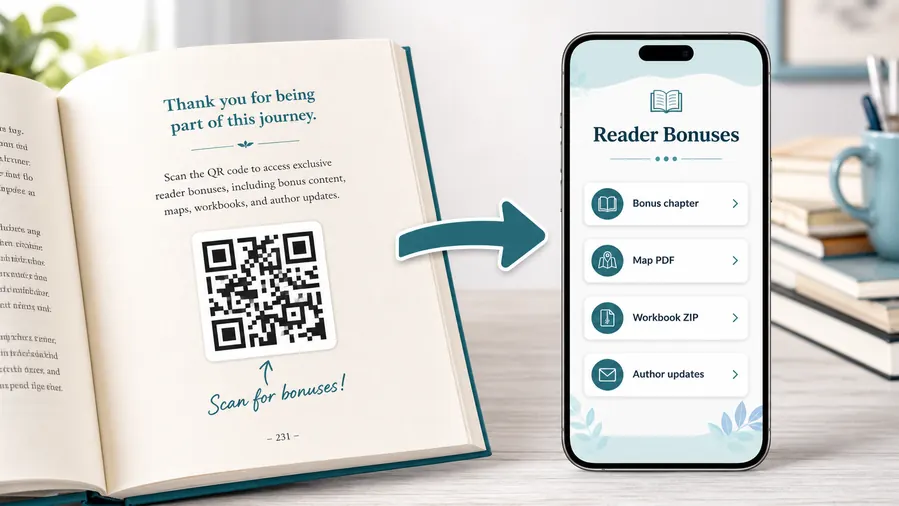
Put journal bonuses where readers can actually use them
Use a mobile-friendly destination for PDF trackers, reflection worksheets, bonus prompts, audio guidance, ZIP files, printable templates, and companion resources.
The printed journal should promise the exact benefit beside the QR, not a bare code with no context.Bonus prompts and guided exercises
Link readers from a section or chapter to extra questions, examples, exercises, or reflection audio that supports the page they are writing on.
Printable trackers and templates
Offer habit trackers, weekly reviews, goal sheets, mood logs, planning pages, calendars, or challenge worksheets without adding bulk to the book.
Corrections and resource updates
Use a dynamic destination when resource links, challenge dates, community pages, errata, or support notes may change after the journal is printed.
Reader support and next steps
Send readers to contact forms, FAQ pages, author updates, mailing lists, or the next journal only after the promised bonus is easy to find.
Newsletter and next-book previews
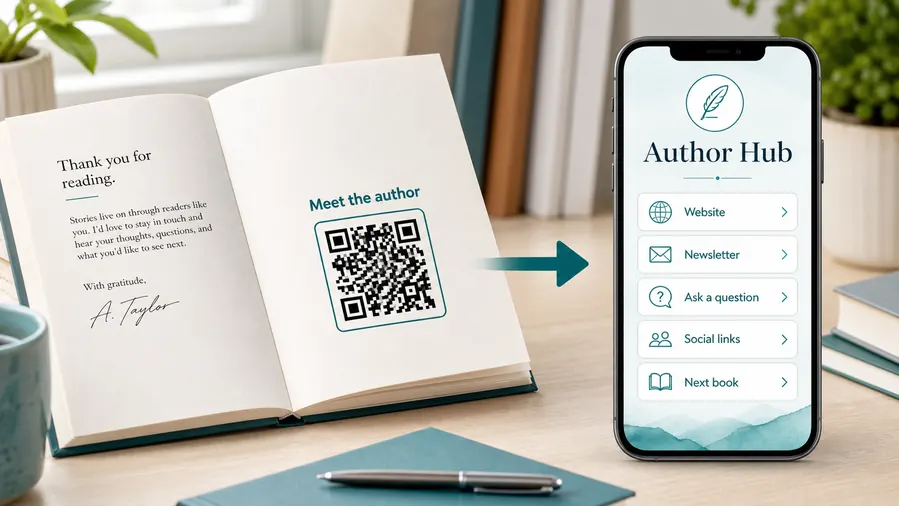
A QR code near the author note or final chapter can invite readers into a newsletter, preorder page, series hub, or sample of the next book.
Feedback and author contact
Let readers report errors, ask questions, join a beta-reader list, or send private feedback without publishing a personal email address in the book.
Printed journals make broken bonus links painful
If the QR code will live beside prompts, inside back matter, on a cover, or on a bookmark, dynamic control can prevent a reprint when the bonus page moves.
Put the QR beside the reflection moment
A QR beside a prompt, tracker, weekly review, or resource list works better than a generic code that sends every reader to the same author homepage.
Journal print handoff
Check journal QR codes before the pages go to print
Print readyA journal QR code has to work on interior paper, covers, bookmarks, inserts, and writing pages after trimming, binding, lighting, and real scan distance.

Make the code easy to scan from a book page
Match QR size to the printed page and preserve a clean quiet zone around the code.
Test scans on the actual paper, trim size, binding curve, and likely reading distance before publishing.
Keep the journal page calm and readable
Use a short CTA that names the bonus, such as “Scan for printable tracker” or “Open guided prompt.”
Avoid decorative treatments that make the code hard to scan or distract from the writing exercise.
Use a companion page when one journal QR needs several resources
A direct file link is enough for one PDF, but journals often need multiple bonuses: prompts, trackers, audio, examples, challenge links, and support.
A focused mobile page keeps the printed journal clean while the destination organizes resources for the reader.
Prompt page
Open guided questions, example responses, reflection audio, or bonus exercises tied to that page.
Tracker section
Link to printable trackers, habit logs, calendars, and progress templates.
Back matter
Send readers to a bonus library, author updates, errata, support, or the next journal.
Bookmark or insert
Use for challenge pages, reader group signup, downloadable files, and companion resources.
Print only after the journal scan path is ready
Test the QR image, printed page, binding, and destination together before the journal is distributed.
Reader resource control
Keep journal QR destinations editable after the book is printed
DynamicJournal pages can stay in use for months or years, while bonus files, challenge pages, author platforms, and reader groups can change. Dynamic QR protects that printed work.
A printed journal can point to an old resource page
Static QR works only while the bonus page, file link, newsletter, and support destination never move.
A journal may continue selling or sitting on desks long after the original link changes.
The same printed code can open the current reader resource
Dynamic QR lets the author update bonus pages, trackers, audio files, challenge links, errata, and newsletter destinations behind the same printed code.
That prevents a broken companion path from weakening the journal experience.

Bonus libraries
Update printable trackers, prompts, audio, templates, and ZIP downloads without changing the printed page.
Reader challenges
Move seasonal or time-based challenge pages, signup forms, and community links after print.
Errata and updates
Fix resource lists, broken links, typos, support notes, and author announcements for future readers.
Author platform changes
Keep newsletter providers, reader groups, launch pages, and next-book links editable.
Use dynamic QR when the journal resource may evolve
If the printed page promises a digital companion, editable destinations are safer than fixed URLs.
Prompt and back-matter flow
Place journal QR codes where the reader needs a useful next step
Good placements include introduction pages, weekly sections, habit trackers, reflection prompts, bonus pages, back matter, cover inserts, companion worksheets, and author notes. The CTA should be explicit: download tracker, watch prompt guide, open bonus pages, join community, get updates, contact the author, or print template. A vague “scan me” is weaker because readers may not know whether they are opening a file, a video, or a sales page.
For KDP and print journals, test the QR code at actual trim size and paper finish. Keep the quiet zone clean and avoid placing the code too close to the binding. Dynamic QR codes are useful because bonus files, communities, and update pages can change after the book is printed.
Scan analytics can show whether readers use the extras, while the linked platform remains responsible for downloads, community access, or email signup. That feedback helps decide which bonus materials deserve more attention in the next edition. If a journal has many codes, keep labels consistent so readers know the difference between a prompt guide, a printable file, and an author update.
Journal scan reporting
Use scan data to understand journal resource use without overclaiming reader behavior
AnalyticsTracking helps authors and publishers compare which journal QR placements earn scans: prompt pages, trackers, back matter, bookmarks, inserts, bonus pages, and reader updates.

All journal scans collapse into one number
A single QR code can show overall interest, but it cannot tell whether scans came from prompts, trackers, back matter, bookmarks, or inserts.
That makes it harder to improve future journal editions and bonus resources.
Each journal placement becomes a useful signal
Use separate dynamic QR codes when prompts, trackers, back matter, and inserts need their own readout.
Scan data shows resource interest, not whether a reader completed the exercise or joined a list.
Scan volume
Review how many scans each journal QR code received by page, section, or bonus type.
Time and device
See when readers scanned and which device or browser opened the companion resource.
Broad location
Use approximate location signals carefully to understand broad reader patterns without treating them as identity.
Code comparison
Compare prompt pages, tracker sections, bookmarks, inserts, back matter, and bonus libraries side by side.
Prompt engagement
See which guided prompt sections earn scans for examples, audio, or bonus questions.
Download usefulness
Compare printable trackers, worksheets, templates, and challenge pages by scan activity.
Reader relationship
Review scans from newsletter, feedback, support, next-journal, and author update links.
Edition cleanup
Find broken resources, low-use pages, old challenge links, and opportunities for future revisions.
Name journal QR codes by page and reader promise
Tracking works best when code names match the real prompt, tracker, insert, bookmark, or back matter section.






