
QR Code for Food Stands - Menus, Payments & Preorders Online
Create QR codes for food stands linking menus, payment links, preorder forms, reviews, coupons, event pages, social profiles, and Wi-Fi. Use them on signs, counters, tents, and packaging.
Free QR code generator
Create a QR code online
Generate QR codes for websites, email, phone numbers, vCards, Wi-Fi, plain text, forms, PDF files, and campaign links. Customize colors, add a logo or frame, then download a print-ready PNG or SVG.
Choose QR code type
Website QR code, Email QR code, Phone QR code, vCard QR code, Wi-Fi QR code, Text QR code, SMS, WhatsApp, event, and download links.
Add your content
Enter your website URL, contact details, message, phone number, location, or file destination before generating the QR code.
Customize and download
Adjust QR colors, error correction, logo, frame, size, and margin. Generate QR Code, Download PNG, Download SVG, or Save and track scans.
QR solutions for this use case
Pop-up food path
Help food stand customers open menus, payments, preorders, and reviews fast
A QR code for food stands is useful when people decide quickly while standing in line, holding bags, reading a small menu board, or walking through a market. It can open a menu, payment link, preorder form, review page, coupon, event page, social profile, Wi-Fi details, daily special, or next-location update. It is useful for market vendors, fair vendors, pop-up food sellers, small restaurants, food booths, and local food businesses.
Food stand QR codes need to work in imperfect conditions: bright sun, evening events, crowded lines, small counter space, and customers holding food or drinks. The destination should be short, mobile-friendly, and clearly labeled. If the code opens a payment link, say that. If it opens the menu, do not make customers hunt through a general website. QR Code Lab helps create print-ready codes, dynamic destinations, and scan analytics for those changing real-world placements.
QR Code Lab creates URL QR codes only. It does not process payments, manage bookings, collect forms, host menus, or operate business software. The payment, preorder, review, or menu service handles the actual transaction.
Food stand scan path
Help food-stand customers order, pay, read the menu, and find you again
Stand actionsA food-stand QR code should work in a busy, outdoor, event, or market setting: open the menu, accept preorders, show payment links, explain allergens, collect reviews, share location updates, or bring customers back next time.
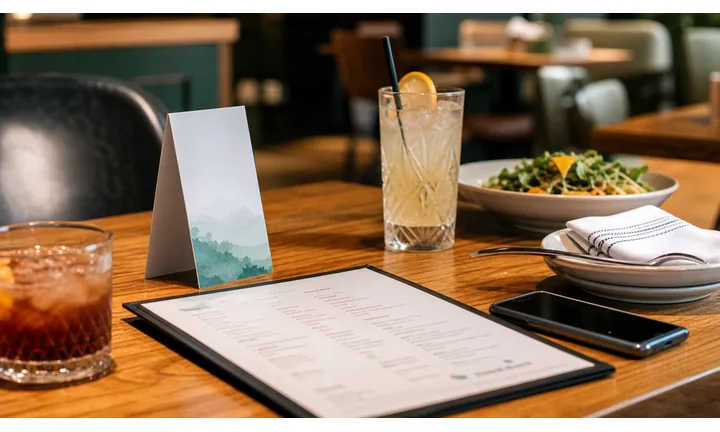
Make ordering clearer when the line is moving
Use QR codes on menu boards, counter cards, table signs, food-truck windows, and market banners to open the current menu, specials, allergens, pickup instructions, and preorder path.
The scan should help customers decide faster without blocking the line.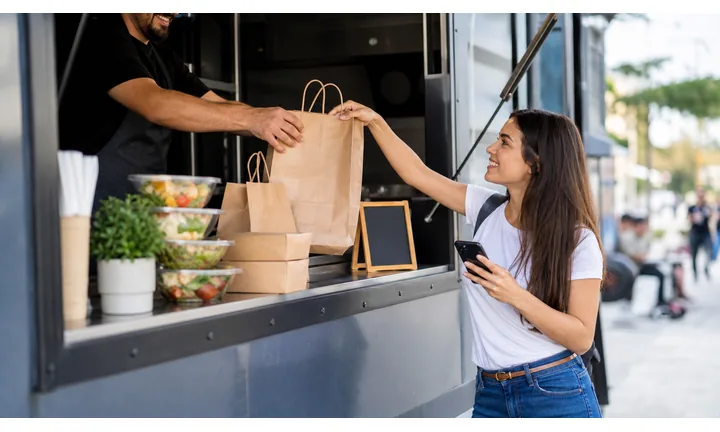
Support payment and tipping without confusion
A QR can open trusted checkout, tip, donation, invoice, or event-vendor payment pages, but payment confirmation remains with the provider or POS.
Clear labels matter when customers are standing in front of the counter.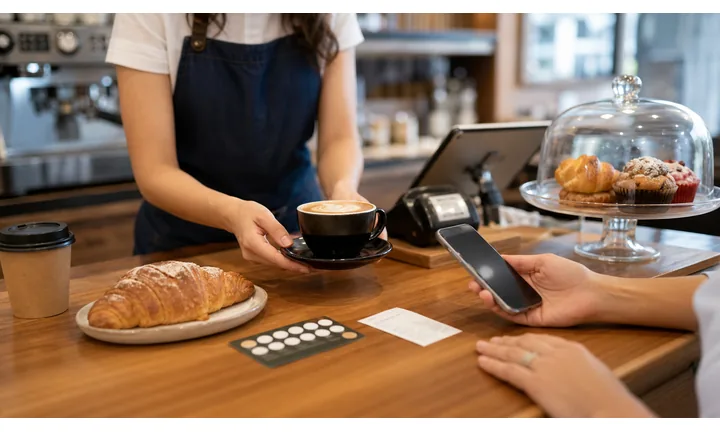
Keep location and menu details current between events
Dynamic QR helps when stands rotate markets, festivals, streets, menus, prices, platform links, and limited-time offers after signs or cards are printed.
Portable food businesses need portable, editable destinations.A food-stand QR should help customers act quickly in a crowded moment
People scan while waiting in line, holding food, finding a vendor, paying, or deciding whether to come back. The QR destination should be fast, obvious, and practical on a phone.
Use CTAs such as view menu, order ahead, pay here, tip, see allergens, find next location, or leave review.Before the counter
Open menu, specials, allergens, prices, and preorder options before the customer reaches staff.
At payment
Send tips, checkout, invoices, or event-vendor payments to a trusted provider.
After the meal
Use cards and packaging for reviews, follow, next location, coupons, and repeat visits.
Between events
Keep market schedules, festival pages, location updates, and seasonal menus editable.
Restaurants, cafes, and bars
Match food-stand QR codes to fast, public customer moments
Guest-first flowFood-stand QR codes work when they help people decide, pay, tip, check allergens, find the next location, or follow the vendor without slowing the line.
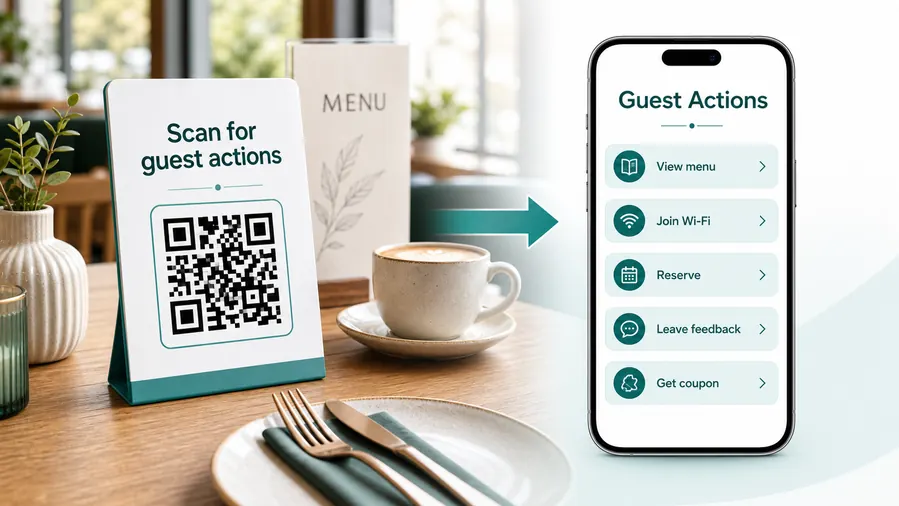
Start with the line and the counter
A food-stand QR destination should be simple enough for a customer who is standing, waiting, holding cash, carrying food, or moving through a festival crowd.
Open the menu before the customer reaches the counter
Use signs, banners, and counter cards to show current items, prices, specials, photos, sold-out notes, and allergens.
Let customers preorder or choose pickup when useful
Route market cards and event signs to preorder forms, pickup windows, time slots, and limited-batch reservations.
Make payment and tips clearly labeled
Use QR codes for provider checkout, tips, deposits, invoices, or donations only when the printed copy explains the purpose.
Help customers find the next location
Link business cards, bags, and stickers to calendars, maps, market schedules, food-truck stops, and social updates.
Collect feedback after the crowd moves on
Use packaging and receipt QR codes for reviews, private feedback, photo sharing, and future-event interest.
Share allergen and ingredient information
Use menu boards and cards to open current ingredient notes, preparation context, and dietary warnings without crowding the sign.
In line
Menu, specials, allergens, preorder, and prices.
At checkout
Payment, tip, invoice, receipt, and order confirmation.
After eating
Review, follow, coupon, next location, and feedback.
At the event
Map, schedule, vendor page, limited offer, and pickup details.
Use dynamic QR when the stand moves or menus change
Dynamic QR keeps signs and cards useful when market locations, event pages, prices, specials, and payment links change.
Do not make the customer hold up the line
Put the most common action first, keep pages fast, and make text readable in sun, crowds, and one-handed phone use.
Food stand placement
Place food-stand QR codes where customers can scan without blocking the line
PlacementFood-stand QR placement has to work in public conditions: distance, glare, crowds, hands full of food, and short decision windows.

The code appears where the customer cannot stop
A QR on a busy line, moving cart, or crowded banner can be visible but impractical if people cannot pause safely.
Food-stand scans need space, clear copy, and a reason to act quickly.
The code appears before or after the bottleneck
Put menu QR codes before the order point, payment QR codes at checkout, and follow-up QR codes on packaging or receipts.
Each code should name the one action it opens.
What is the customer doing?
Choosing, waiting, ordering, paying, picking up food, walking a market, or saving the vendor for later.
What should happen next?
View menu, preorder, pay, tip, check allergens, follow location updates, review, or claim an offer.
Can the code scan outdoors?
Account for glare, distance, moving crowds, small signs, and hands full of food or bags.
Will the stand move?
Use dynamic QR for calendars, festival pages, market schedules, menus, and payment links.
Menu board
Open current menu, photos, prices, sold-out notes, allergens, and specials before the counter.
Counter card
Use for payment, tips, preorder, pickup, reviews, and quick support while customers pause.
Market banner
Show schedule, vendor profile, location calendar, menu, and social follow links.
Packaging sticker
Open reviews, coupons, next-location updates, reorders, and ingredient notes after purchase.
Receipt
Route to feedback, tip confirmation path, loyalty, coupon, and event follow-up.
Table or pickup sign
Use for order status, pickup instructions, allergen notes, and help requests.
Business card
Save contact, follow social, view schedule, book catering, and request events.
Festival handout
Connect vendor listings to menus, maps, offers, and after-event ordering.
Food-stand QR placement should keep the line moving
Use each code where the customer has a reason and a moment to scan without creating friction.
Stand scan reporting
Use scan data to compare food-stand signs, packaging, and events
AnalyticsTracking helps food stands compare which materials get attention: menu boards, counter cards, packaging, receipts, market banners, event handouts, and location flyers.

All stand scans become one blended number
A single QR code can show interest, but it cannot tell whether scans came from a menu board, counter card, package, festival banner, or receipt.
That makes it harder to improve event setup and repeat-customer prompts.
Each stand placement becomes a practical signal
Use separate dynamic QR codes for menu, payment, packaging, event signs, and follow-up cards when comparison matters.
Scan analytics show attention; sales and payment confirmation stay in POS or payment tools.
Scan volume
Review how many scans each stand material received by event, market, day, or campaign.
Time and device
See when customers scanned and which device or browser opened the destination.
Broad location
Use approximate location signals to review market or festival patterns without treating them as customer identity.
Code comparison
Compare menu boards, counter cards, packaging stickers, receipts, banners, and event handouts side by side.
Event placement review
Compare scans from booth signs, menu boards, festival maps, and handouts.
Packaging follow-up
See whether bags, boxes, cups, or stickers bring customers to reviews, next locations, or coupons.
Payment and tip prompts
Review scans to checkout or tip pages while confirming transactions inside the provider.
Operational cleanup
Find dead event links, expired schedules, zero-scan signs, and offers still scanning after a market ends.
Name food-stand QR codes by event and material
Tracking works best when every code name matches the real sign, card, package, receipt, or festival placement.
Stand payment boundary
Use food-stand QR codes for payment links, tips, and orders without treating scans as payments
PaymentsQR Code Lab can create the code and manage the destination. The POS, wallet, invoice tool, event platform, or payment provider handles checkout, receipts, refunds, disputes, and order confirmation.

Open payment or tip pages quickly
Use QR codes at the counter, on receipts, or on event cards so customers can reach trusted payment, tip, preorder, or invoice pages.
Support events and catering deposits
If the stand takes deposits, vendor invoices, party tray orders, or event balances, label the QR purpose before the scan.
Keep payment links editable between markets
Dynamic QR helps when provider links, event platforms, preorder forms, or branch-specific checkout pages change.
A scan is not proof that the customer paid
Scan analytics can show that someone opened a payment page, but only the provider or POS can confirm payment completion, refunds, and order status.
Use payment tools as the source of truth during busy service.Keep food-stand payment QR codes fast and clear
Use QR to reduce typing while checkout and payment records stay with the proper system.
Line and counter flow
Design the QR code around a fast line, not a calm desktop visit
Good placements include counter signs, menu boards, table tents, booth banners, product labels, receipt cards, market stall flyers, loyalty cards, packaging stickers, and event posters. A large menu QR near the line can reduce repeated questions, while a smaller receipt QR can ask for a review or point to the next event location. Keep payment-related codes especially clear so people know what opens before they scan.
Dynamic QR codes help when the stand changes locations, menus, event pages, coupons, or preorder forms. Scan analytics can compare a market sign against packaging or coupon cards. That helps decide whether the QR belongs on the booth, the bag, the receipt, or all three.
Use simple action labels: see menu, pay here, preorder, follow us, find next stop, or leave review. In a crowd, nobody wants to decode a clever phrase. The best food stand QR code answers one question quickly and gets out of the way. If the stand moves between markets, a dynamic QR code can keep the same printed sign useful for the next event.
Stand trust
Make food-stand QR destinations clear before customers order or pay
TrustFood-stand QR codes often appear in public crowds. The destination should show the vendor identity, event or location context, and exact action before asking for payment, contact details, or app sign-in.

Unknown payment pages at busy counters
Customers may hesitate if a QR opens checkout without the stand name, payment purpose, or trusted provider visible.
Keep payment, tip, and preorder pages clearly labeled.
Old event signs and flyers
Market cards and festival handouts can keep circulating after dates, menus, locations, or offers change.
Use dynamic QR for schedules and campaign pages that move often.
Public materials can be copied or replaced
Counter signs, banners, and payment cards should be checked before service so QR codes match the expected destination.
Build QR checks into setup for events and markets.Inspect stand QR destinations before service starts
Confirm the encoded destination, vendor identity, CTA match, and whether the QR opens menu, payment, tip, preorder, location, or feedback.
A QR checker helps reveal the destination, but it does not replace provider payment confirmation or staff setup review.Decoded destination
Review whether the QR opens the intended menu, payment, tip, schedule, feedback, or order page.
Vendor identity
The page should match the stand, event, or market location customers expect.
Payment purpose
Tips, deposits, and checkout pages should explain the reason before payment.
Printed setup
Check counter cards, banners, receipts, and packaging for outdated or mismatched codes.
Publish food-stand QR codes that are fast and trustworthy
Clear CTAs, current destinations, readable signs, and provider checks make QR codes useful in crowded service moments.






