
WhatsApp Catalog QR Code - Catalog, Product & Order Links
Create a WhatsApp catalog QR code linking product catalogs, item lists, price lists, order inquiry chats, product pages, and shop pages. Use it on storefronts, menus, invoices, packaging, and cards.
Free QR code generator
Create a QR code online
Generate QR codes for websites, email, phone numbers, vCards, Wi-Fi, plain text, forms, PDF files, and campaign links. Customize colors, add a logo or frame, then download a print-ready PNG or SVG.
Choose QR code type
Website QR code, Email QR code, Phone QR code, vCard QR code, Wi-Fi QR code, Text QR code, SMS, WhatsApp, event, and download links.
Add your content
Enter your website URL, contact details, message, phone number, location, or file destination before generating the QR code.
Customize and download
Adjust QR colors, error correction, logo, frame, size, and margin. Generate QR Code, Download PNG, Download SVG, or Save and track scans.
Related QR code generators
Catalog access
Use a WhatsApp catalog QR code when people should browse before they ask
A WhatsApp catalog QR code can point to a product catalog, item list, price list, order inquiry chat, product page, shop page, menu-like product collection, or seasonal offer list. It is useful for shops, small retailers, market sellers, restaurants, caterers, wholesalers, product brands, beauty services, and local businesses that sell through simple browsing and conversation.
A catalog QR is different from a plain chat QR. It gives scanners something useful to inspect before they write a message: products, prices, categories, menus, options, sizes, packages, or availability notes. That can reduce repetitive questions and help the eventual conversation start with a real choice instead of "what do you sell?"
QR Code Lab creates URL QR codes only. It does not operate WhatsApp, send messages, manage WhatsApp Business accounts, process orders, collect leads, run broadcasts, or provide WhatsApp Business API features. The catalog, checkout, availability, messaging, and customer account experience belongs to WhatsApp and the linked destination.
Use catalog QR codes where product choice is already happening: near shelves, on packaging, at market stalls, on menus, inside flyers, or beside a product display.
WhatsApp catalog workflow
Use a WhatsApp catalog QR when shoppers should browse products before starting a chat
CatalogA WhatsApp catalog QR works when print creates product interest and the next step is browsing items, variants, availability, prices, or collections before asking a question or placing an order.
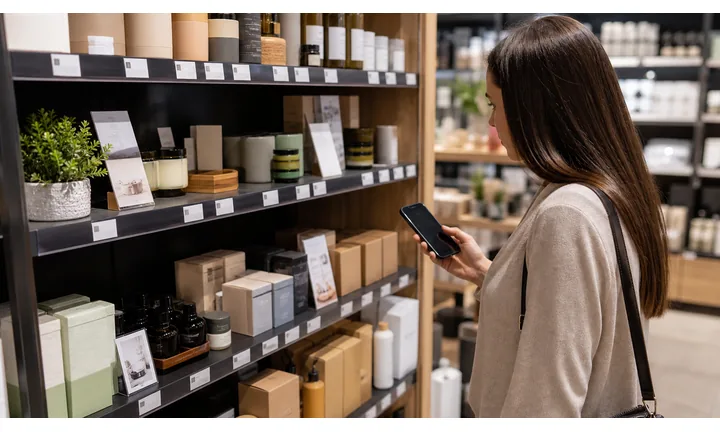
Turn product attention into a browsable catalog
Use the QR on packaging, shelf talkers, boutique tags, market signs, product cards, event booths, delivery inserts, flyers, and social commerce materials when customers should see product options before messaging.
The printed CTA should say browse the catalog, not just message us.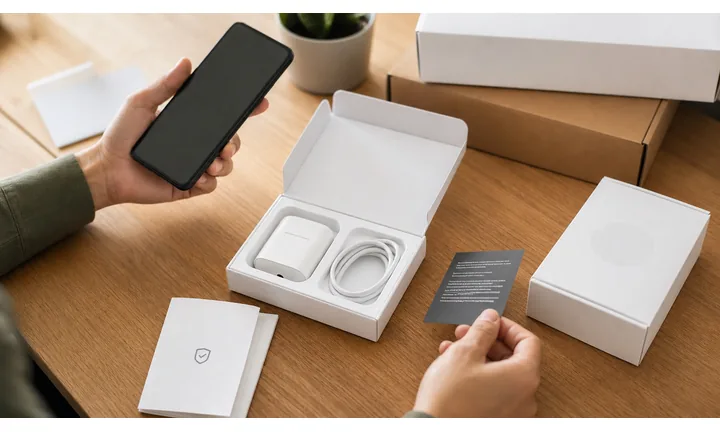
Help shoppers ask better questions
When the catalog is visible first, customers can mention an item, size, color, bundle, price, delivery question, or availability need instead of sending a vague “hi” to the business.
Catalog context makes chat faster for both shopper and seller.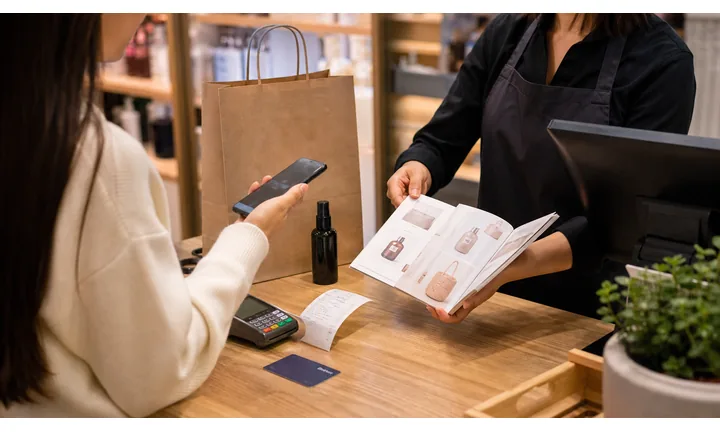
Keep product routes current when stock changes
Collections, seasonal items, sold-out products, price notes, and order flows change often. Dynamic QR can keep printed catalog entry points useful as the business updates the best destination.
This matters for menus, pop-ups, markets, packaging, and long-lived flyers.A catalog QR should shorten the path from seeing a product to asking about it
The scan should open a useful shopping context: collection, featured products, ordering instructions, availability, delivery area, or chat path. The business still owns product accuracy, fulfillment, and customer replies.
Scan interest is not the same as order confirmation.Product context first
Use catalog QR when customers need to browse items before asking about size, color, stock, delivery, or price.
Clear order handoff
Explain whether customers should message, call, order from a site, pay a deposit, or visit a store after browsing.
Stock and price discipline
Keep catalog information aligned with real availability, seasonal changes, delivery rules, and store policies.
Dynamic fallback
When a collection ends, route the QR to a current catalog, product page, landing page, or WhatsApp Business chat.
Catalog route decision
Choose the WhatsApp catalog QR setup by how shoppers should move from browsing to action
SetupSome print should open the catalog directly. Other placements need a landing page, dynamic route, product collection, or chat starter so customers know how to ask, order, reserve, or visit.
URL QR code
Use for websites, landing pages, menus, product pages, portfolios, booking pages, and campaign pages.
Best dynamic when links may changePDF / File QR code
Use for menus, manuals, worksheets, bonus materials, brochures, certificates, ZIP archives, and checklists.
Dynamic is safer for printvCard QR code
Use for business cards, badges, counters, portfolios, sales materials, and follow-up contact details.
Static opens native contact saveWi-Fi QR code
Use for cafes, hotels, offices, classrooms, venues, rental spaces, and guest networks.
Usually best as staticForm QR code
Use for feedback, registrations, quote requests, surveys, support requests, applications, and check-in.
Dynamic helps forms evolveWhatsApp / messaging QR
Use when the next step is a conversation: support, sales, booking, delivery questions, or consultation.
Prefilled messages reduce frictionMaps QR code
Use for venues, offices, stores, events, pickup points, property listings, booths, and meeting locations.
Great for physical destinationsSocial QR code
Use for Instagram, TikTok, YouTube, X, LinkedIn, Behance, creator pages, and community profiles.
Best when relationship continuesPayment link QR code
Use for invoices, tips, donations, event payments, deposits, checkout pages, and payment requests.
Make amount and context clearNative action?
Wi-Fi, vCard, email, phone, and SMS often work best when the action is encoded directly, especially if the native phone interface matters.
Editable or measurable?
Use a dynamic QR code when the destination may change, files may be replaced, campaigns need analytics, or printed material must stay useful later.
Several actions?
Use a microlanding page when one scan should offer buttons, files, contact, feedback, booking, social links, or multiple next steps.
Catalog QR is a shopping context, not a checkout guarantee
Make the next action clear after browsing: message, order, reserve, call, visit, or open a store page.
Catalog scan experience
Make the catalog scan help shoppers choose before they message
Scan UXA WhatsApp catalog QR should reduce vague customer messages. The first screen should show the right products, collection, order context, and next step for the printed item or display.
The customer sees product context before chat
Items, variants, bundles, prices, availability, collectionUse direct catalog routing when the printed material creates shopping interest and the customer needs to browse before asking.
The catalog should match the item, shelf, flyer, market table, or packaging promise that triggered the scan.
A page can explain how to buy or reserve
Delivery, pickup, payment, custom order, hoursIf the purchase path has rules, a landing page can explain ordering steps before sending the customer into WhatsApp.
This is useful for custom products, local delivery, deposits, wholesale, limited inventory, and event sales.
WhatsApp still handles the conversation
Stock question, size help, quote, invoice, pickupQR Code Lab can route and measure scans, but WhatsApp Business and your sales workflow handle replies, order confirmation, payment links, and fulfillment.
Keep scan analytics separate from real orders, reservations, and revenue.
Does the catalog match the printed product?
Scan from the actual tag, flyer, package, or display and confirm the first products feel relevant.
Is the next action obvious?
Tell shoppers whether to message, order, reserve, visit, request a quote, or check availability after browsing.
Can the team handle product questions?
Make sure replies, stock checks, delivery notes, payment links, and order ownership are ready before printing.
Catalog QR should make the first customer message more specific
If browsing does not help the shopper choose, use a direct business chat or focused landing page instead.
Catalog placement
Place WhatsApp catalog QR codes where product interest is already active
PlacementCatalog QR belongs beside products, displays, packaging, flyers, menus, pop-up tables, and inserts where people want to see more options or ask about availability.

A catalog link without product context feels broad
If the QR opens a large catalog unrelated to the printed product, shoppers still have to search.
That weakens the handoff from physical interest to digital browsing.
The QR opens the collection the shopper already wants
Put the code beside a product, category, collection, bundle, or offer and route to matching catalog context.
The scan should answer “what else is available?” or “how do I ask about this?” immediately.
What product did they just notice?
The QR should open a catalog or collection that matches the shelf, tag, package, flyer, market table, or campaign.
What do they need to decide?
Size, color, variant, price, delivery, stock, bundle, custom option, or order method should be easier after the scan.
Is chat still useful after browsing?
Use WhatsApp when the shopper may need stock confirmation, quote, customization, pickup, or delivery help.
Will the catalog change?
Use dynamic QR for seasonal products, pop-up markets, sold-out items, price changes, and rotating collections.
Product tag
Open variants, sizes, colors, care notes, and availability for the item in the shopper’s hand.
Shelf display
Show the full collection, related products, bundles, or seasonal offer behind a small display.
Packaging insert
Send buyers to refills, accessories, replacement parts, reorder paths, or compatible products.
Market table sign
Help pop-up shoppers browse stock, ask about custom orders, or continue buying after the event.
Boutique flyer
Move local print interest into a current collection with WhatsApp follow-up for questions.
Restaurant or catering card
Use for menus, catering packages, seasonal items, and order questions when WhatsApp is the sales channel.
Delivery insert
Invite reorder, add-on purchases, support questions, or current promotions after fulfillment.
Wholesale sheet
Let buyers browse lines, request pricing, ask about MOQ, or start a business order conversation.
Use catalog QR where browsing makes the next message better
If the customer only needs to ask one simple question, a WhatsApp Business chat QR may be cleaner.
Browse then ask
Put the catalog QR where product choice is already happening
Good placements include shelf tags, market stall signs, packaging, flyers, menus, table cards, product inserts, window signs, wholesale sheets, event booth materials, counter displays, and service menus. The printed CTA should say what opens: browse the catalog, see prices, check today's items, view the menu, open the product list, or ask about this item.
The benefit is practical: customers can browse quietly before starting a conversation. That is useful in shops, cafes, salons, markets, and service businesses where staff may be busy and customers may not want to ask basic questions out loud. A catalog QR can make the path feel self-service without replacing personal help when it is needed.
Use dynamic QR codes when product lists, prices, seasonal menus, or campaign pages change. You can move a printed code from one catalog to another, from a holiday list to a normal shop page, or from a flyer to a landing page with several options. Scan analytics can compare whether packaging, shelves, flyers, or counter signs are creating more catalog interest.
Catalog routing control
Keep WhatsApp catalog QR destinations current as products change
DynamicCatalogs change faster than printed material. Dynamic QR lets product tags, flyers, inserts, menus, and market signs keep working when collections rotate, stock sells out, prices change, or a better order path appears.
A fixed catalog link can become stale when inventory moves
Products sell out, seasonal pages end, prices change, collections rotate, and ordering instructions evolve.
Printed tags, inserts, and flyers often stay in circulation after the best catalog destination changes.
The same printed QR can follow the current product path
Update the destination to a current collection, replacement item, waitlist, landing page, or WhatsApp Business chat.
That keeps print useful while the product catalog keeps moving.

Seasonal collections
Move scans from one collection to the next without reprinting flyers or signs.
Sold-out products
Route to replacement items, waitlists, restock notes, or business chat for alternatives.
Price or order changes
Update printed catalog routes when payment, pickup, delivery, or ordering rules change.
Post-purchase offers
Move packaging inserts to refills, accessories, support, or current promotions over time.
Use dynamic when product print has a longer shelf life than inventory
If stock, collections, prices, or order routes can change, keep the catalog QR editable.






