
Twitch Donation QR Code - Donation, Tips & Fan Support Links
Create a Twitch donation QR code linking tip pages, donation pages, creator support pages, merch pages, membership pages, and fan support links. Ready for print and digital use.
Free QR code generator
Create a QR code online
Generate QR codes for websites, email, phone numbers, vCards, Wi-Fi, plain text, forms, PDF files, and campaign links. Customize colors, add a logo or frame, then download a print-ready PNG or SVG.
Choose QR code type
Website QR code, Email QR code, Phone QR code, vCard QR code, Wi-Fi QR code, Text QR code, SMS, WhatsApp, event, and download links.
Add your content
Enter your website URL, contact details, message, phone number, location, or file destination before generating the QR code.
Customize and download
Adjust QR colors, error correction, logo, frame, size, and margin. Generate QR Code, Download PNG, Download SVG, or Save and track scans.
Related QR code generators
Support link access
Use a Twitch donation QR code as a clear path to a trusted support page
A Twitch donation QR code can point to an existing tip page, donation page, creator support page, membership page, merch page, fan support link, or campaign page. It is useful for streamers, musicians, gaming communities, esports teams, performers, event hosts, and fan groups that already have a trusted place where people can support them.
Because money is involved, clarity matters more than cleverness. The printed material should say who receives the support, what platform handles the donation, and what the scanner should expect after opening the link. A vague code beside a payment request can feel suspicious, even when the campaign is honest. Use direct language such as support the creator, tip the performer, donate to this event, or open our official support page.
QR Code Lab creates URL QR codes only. It does not stream on Twitch, manage Twitch accounts, process donations, collect payments, issue receipts, handle refunds, send messages, or operate payment platforms. The payment, privacy, account, receipt, and refund experience belongs to the destination service you link.
Use dynamic QR when support links change or campaigns rotate. You can update the destination without reprinting cards, posters, booth signs, or merch inserts.
Twitch support workflow
Use a Twitch donation QR when printed attention should become clear creator support
Creator supportA Twitch donation QR should make the support path obvious: scan from a stream card, booth sign, event handout, merch insert, charity poster, or creator bio material and land on the trusted tip or donation page.
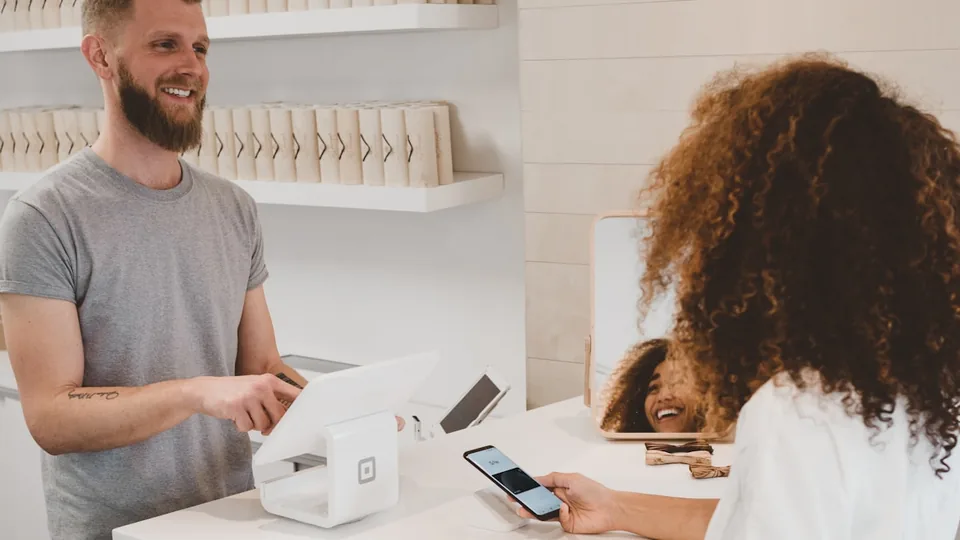
Turn offline creator moments into support
Use the QR code where fans already understand the ask: near a charity stream display, on a convention card, inside merch packaging, beside a stage sign, or on a printed panel that explains what the donation supports.
A clear printed promise earns more trust than a bare payment logo.
Separate donations from follows and chat
A donation QR is different from a Twitch channel QR. The scanner should not have to browse a profile, find panels, or guess which link is safe. Send them directly to the creator support page, charity campaign, tip provider, or fundraising destination.
Use channel QR for discovery; use donation QR for a support action.
Keep support links editable when campaigns change
Creator campaigns move quickly: charity pages close, tip links change, sponsors rotate, and event pages expire. A dynamic QR keeps the printed code useful while the destination can move to the current support page.
This matters for conventions, merch runs, charity streams, and long-lived creator cards.A donation QR should lower friction without blurring payment responsibility
QR Code Lab can create the code, manage the redirect, and help you compare scan interest. The actual donation, receipt, refund, chargeback, tax note, and account trust still belong to the linked payment or fundraising provider.
Treat scans as intent, not confirmed revenue.Creator tip page
Send fans to the payment provider, creator support page, or link hub where the donation can actually be completed.
Charity campaign
Use campaign-specific destinations so the printed sign explains the cause, deadline, and trusted donation handler.
Event support
Place codes on booth signs, table cards, badges, or flyers where fans have time to scan and verify the page.
Post-event fallback
When the campaign ends, route the dynamic QR to a thank-you page, recap, channel follow, or current support link.
Support link decision
Choose the QR setup by how long the donation link must stay useful
SetupDirect static codes work for a permanent support URL. Dynamic QR is safer when the donation provider, campaign page, charity deadline, or post-event destination may change after material is printed.
URL QR code
Use for websites, landing pages, menus, product pages, portfolios, booking pages, and campaign pages.
Best dynamic when links may changePDF / File QR code
Use for menus, manuals, worksheets, bonus materials, brochures, certificates, ZIP archives, and checklists.
Dynamic is safer for printvCard QR code
Use for business cards, badges, counters, portfolios, sales materials, and follow-up contact details.
Static opens native contact saveWi-Fi QR code
Use for cafes, hotels, offices, classrooms, venues, rental spaces, and guest networks.
Usually best as staticForm QR code
Use for feedback, registrations, quote requests, surveys, support requests, applications, and check-in.
Dynamic helps forms evolveWhatsApp / messaging QR
Use when the next step is a conversation: support, sales, booking, delivery questions, or consultation.
Prefilled messages reduce frictionMaps QR code
Use for venues, offices, stores, events, pickup points, property listings, booths, and meeting locations.
Great for physical destinationsSocial QR code
Use for Instagram, TikTok, YouTube, X, LinkedIn, Behance, creator pages, and community profiles.
Best when relationship continuesPayment link QR code
Use for invoices, tips, donations, event payments, deposits, checkout pages, and payment requests.
Make amount and context clearNative action?
Wi-Fi, vCard, email, phone, and SMS often work best when the action is encoded directly, especially if the native phone interface matters.
Editable or measurable?
Use a dynamic QR code when the destination may change, files may be replaced, campaigns need analytics, or printed material must stay useful later.
Several actions?
Use a microlanding page when one scan should offer buttons, files, contact, feedback, booking, social links, or multiple next steps.
Use a payment provider for checkout
The QR code should point people to the trusted donation page; payment confirmation still happens inside the provider.
Donation scan experience
Make the support path feel safe before asking fans to pay
TrustA Twitch donation QR works best when the scanner immediately recognizes the creator, campaign, and provider after the scan. Do not make fans guess whether the payment page is legitimate.
Direct action: the device handles it
Wi-Fi, vCard, phone, email, SMS, plain URLWhen the QR code contains direct data, the phone decides what to show. It may open the native Wi-Fi join prompt, contact-save screen, email client, phone dialer, SMS composer, browser, or another app chosen by the user.
There is not much QR Code Lab can improve inside that native interface. Compatibility depends on the scanner app, camera, operating system, browser, and user settings. Your responsibility is to encode clean data: correct Wi-Fi credentials, a valid email, a tidy vCard, a working URL, and a clear printed caption near the code.
Tracked QR: your destination carries the experience
Dynamic URL, tracked campaign, external page, PDF, formWhen a dynamic QR code redirects to your website, form, shop page, PDF, booking page, or campaign, QR Code Lab can manage the link, keep it editable, and record scan analytics. But the page people land on is still your experience.
That destination should be fast, mobile-friendly, and honest about the promise printed near the QR code. The main CTA should be visible without hunting, forms should be short, files should open cleanly on phones, and the content should not feel like a desktop page squeezed onto a small screen.
Microlanding: QR Code Lab shapes the experience
Hosted page, buttons, image, files, contact, feedbackA QR Code Lab microlanding page is useful when you do not have a good mobile destination or when one scan should offer several actions. Instead of sending people to a heavy page, you can present a clean mobile-first page with clear buttons, files, images, links, and contact actions.
This is where QR Code Lab can do the most for scan experience. The content is organized for phones, buttons are easy to tap, PDF or ZIP downloads can be presented clearly, and the page can be updated after printing. It works well for books, packaging, menus, events, instructions, bonus materials, and feedback flows.
What appears in the first 3 seconds?
The scanner should immediately understand where they landed and why it matches the promise beside the QR code.
Is the next action obvious on a phone?
The main button, file, form, contact action, or download should be visible and easy to tap without zooming or searching.
Does the destination match the scan context?
A QR on a package, book page, receipt, poster, or table tent should open the resource that makes sense in that exact moment.
A clean donation scan protects trust
Fans are more willing to support when the scan path confirms the creator, campaign, and payment provider before any money moves.
Creator support placement
Place donation QR codes where fans already understand the reason to support
PlacementThe best donation placements come after context: a charity pitch, live event, merch handoff, creator story, community table, or printed campaign note that explains what the scan will support.

A bare code near a payment logo feels risky
If the QR appears without creator context, fans may hesitate because payment links are sensitive.
A donation QR needs stronger surrounding copy than a profile follow QR.
Context turns the scan into a confident support action
Put the code beside the campaign promise, cause, creator name, provider clue, and clear CTA.
The scanner should know what page will open before the phone camera recognizes the code.
What did the fan just see?
A charity stream announcement, creator panel, merch table, sponsor activation, community booth, or live performance gives the scan a reason.
What should they know before paying?
Print the creator name, campaign purpose, provider clue, and a short CTA so the donation page feels expected.
Can they scan without pressure?
Place the code where fans can pause: table card, booth sign, merch insert, event flyer, or post-stream recap card.
Will the campaign change later?
Use dynamic QR when the support destination may rotate after the event, stream, or charity window closes.
Charity stream poster
Use a large code with the campaign name, goal, deadline, and trusted donation provider nearby.
Convention table card
Let fans support after a conversation, signing, demo, or creator meetup while they still have context.
Merch insert
Route buyers to a tip page, supporter club, charity update, or current creator campaign after unboxing.
Stream overlay backup
Use printed or displayed QR only when it does not obscure the content and the CTA is short enough to understand quickly.
Sponsor activation
Separate sponsor QR codes from donation QR codes so fans know whether the scan supports the creator, cause, or offer.
Post-event recap
Redirect the same dynamic QR to thank-you notes, totals, highlights, or the creator’s current support page.
Window sign
Good for after-hours menus, booking, pickup instructions, or quick offers. Avoid complex actions when the person is outside and just walking by.
Cover or front label
Use it only when the promise is immediate and clear. Otherwise the better scan moment is often inside the material or after the first interaction.
Support QR works best after trust has already been earned
Place the code where the fan can connect the printed moment to the creator, cause, and payment provider before they tap.
Donation safety
Treat the QR code as a trust surface before it becomes a support link
A support QR code should help scanners feel sure they are in the right place. Put it on stream overlays shown on venue screens, event booths, merch tables, posters, creator cards, meet-and-greet materials, tournament programs, and community flyers where the creator or campaign is already visible. The surrounding design should make the support request feel official, not dropped in as a mystery link.
The call to action should be specific and calm: tip the streamer, support the tournament, donate to the creator fund, open the official support page, or buy merch. If the destination is a third-party service, name it when possible. That helps people understand that QR Code Lab is providing the route and scan count, not taking the payment.
Dynamic QR can help when a donation page changes, a campaign ends, or you want to compare offline placements. Scan analytics can show whether a merch table, poster, card, or event sign created interest, but QR Code Lab does not know whether a donation actually happened after the scan.
Donation payment boundary
Use the QR code for the support link, not for handling donations
PaymentsQR Code Lab can create the Twitch donation QR, keep the destination editable, and show scan activity. The linked donation platform or payment provider handles checkout, funds, receipts, refunds, chargebacks, and tax or charity details.

Open the trusted support page faster
Use the QR code to reduce typing and get fans from merch, event signs, stream cards, or charity posters to the right donation page.
Keep campaign links current
Dynamic QR helps move printed support materials from one charity page, tip provider, sponsor campaign, or recap destination to the next.
Compare support interest by placement
Separate QR codes can show which booth sign, merch insert, flyer, or stream card earned scans before you compare actual donations in the provider dashboard.
A scan is not a completed donation
QR Code Lab is not a wallet, payment processor, charity platform, escrow service, bank, or merchant of record. It does not confirm that a fan paid, that funds settled, or that a receipt was issued.
Use QR analytics for scan intent; use the payment provider for money confirmation.Separate fan interest from payment proof
Use QR Code Lab to bring fans to the support page and understand which printed placements earned attention. Use the donation platform to confirm payment status, receipts, refunds, and reporting.






